> ## Documentation Index
> Fetch the complete documentation index at: https://langwatch.ai/docs/llms.txt
> Use this file to discover all available pages before exploring further.
# Voice Agent Testing
**Fastest path:** run `/scenarios add voice testing to my agent` in your coding assistant after installing the [`/scenarios` skill](https://langwatch.ai/docs/skills/directory) — it detects your transport, picks the matching adapter, and wires it to your deployed agent. Prefer to do it by hand? Follow the steps below.
# Testing Voice Agents
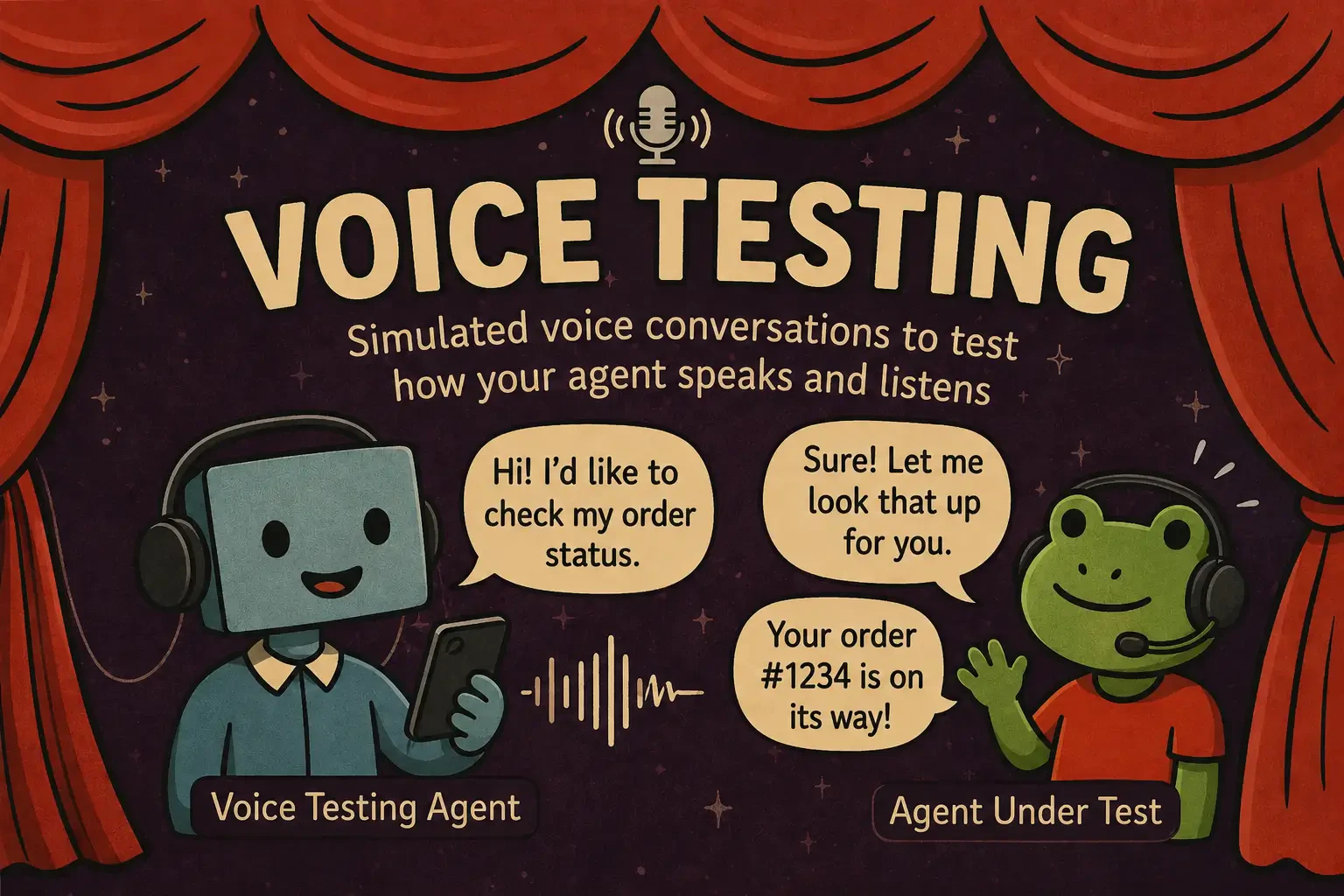
Scenario tests voice agents **end-to-end over real audio** — it synthesizes a caller, speaks to your agent through its real transport, and judges the conversation. It's the **same `scenario.run()` and the same `JudgeAgent`** you use for text — only the medium changes.
 ## The highlights
A synthesized user actually speaks to your agent and reacts to its replies, turn after turn.
Inject background noise, phone-quality codec degradation, or custom WAV clips to test robustness.
Script the user barging in mid-reply — native barge-in or VAD-driven fallback per adapter.
Time-to-first-byte and p50/p95 per turn, so you catch a slow agent before users do.
## Works with your stack
One API, every major voice transport — pick the adapter that matches what you've already deployed:
| Transport | Adapter |
| ---------------------------------- | ---------------------------- |
| Pipecat / Twilio Media Streams | `PipecatAgentAdapter` |
| ElevenLabs hosted ConvAI | `ElevenLabsAgentAdapter` |
| OpenAI Realtime | `OpenAIRealtimeAgentAdapter` |
| Gemini Live | `GeminiLiveAgentAdapter` |
| Twilio phone number (PSTN) | `TwilioAgentAdapter` |
| Text-only agent (no transport yet) | `ComposableVoiceAgent` |
Full constructors, the per-adapter [capability matrix](https://langwatch.ai/scenario/voice/capability-matrix), and guidance on [choosing an adapter](https://langwatch.ai/scenario/voice/choosing-an-adapter) live in the Scenario docs.
## Get it running
New to Scenario? Start with [Getting Started](/docs/agent-simulations/getting-started) for the basics (API key, writing your agent's `call()` adapter), then come back for the voice specifics.
```bash theme={null}
pip install langwatch-scenario
```
```bash theme={null}
npm install @langwatch/scenario
```
Swap `BOT_WS_URL` for your running bot (or use the adapter for your transport from the table above). The user simulator speaks with a real voice; the judge scores the call against your criteria.
```python theme={null}
import scenario
scenario.configure(default_model="openai/gpt-5-mini")
BOT_WS_URL = "ws://localhost:8765/stream" # your deployed bot
result = await scenario.run(
name="billing inquiry",
description="An upset customer calls about a duplicate charge.",
agents=[
scenario.PipecatAgentAdapter(url=BOT_WS_URL),
scenario.UserSimulatorAgent(
voice="elevenlabs/EXAVITQu4vr4xnSDxMaL",
audio_effects=[scenario.effects.phone_quality()],
),
scenario.JudgeAgent(criteria=[
"Acknowledged the frustration before logistics",
"Verified identity before any account action",
]),
],
script=[scenario.agent(), scenario.user(), scenario.proceed(turns=5), scenario.judge()],
)
assert result.success
```
```typescript theme={null}
import scenario, { voice } from "@langwatch/scenario";
const BOT_WS_URL = "ws://localhost:8765/stream"; // your deployed bot
const result = await scenario.run({
name: "billing inquiry",
description: "An upset customer calls about a duplicate charge.",
agents: [
scenario.pipecatAgent({ url: BOT_WS_URL }),
scenario.userSimulatorAgent({
voice: "elevenlabs/EXAVITQu4vr4xnSDxMaL",
audioEffects: [voice.effects.phoneQuality()],
}),
scenario.judgeAgent({
criteria: [
"Acknowledged the frustration before logistics",
"Verified identity before any account action",
],
}),
],
script: [scenario.agent(), scenario.user(), scenario.proceed(5), scenario.judge()],
});
```
Run your usual test command (`pytest` or `vitest`). With `LANGWATCH_API_KEY` set, the run streams to the [Simulations dashboard](https://langwatch.ai/scenario/visualizations) with full audio playback and per-segment transcripts, and writes a `recordings//full.wav` to listen back.
Voice scenarios are slower than text — TTS + transport + multi-turn means 30–120s per run, so give your test runner a generous timeout.
## Dig into the full docs
The complete five-minute walkthrough with a worked example per adapter.
Background noise, codec degradation, custom WAVs, and barge-in recipes.
Exactly which features each adapter supports.
Demos per adapter and use case on GitHub.
## The highlights
A synthesized user actually speaks to your agent and reacts to its replies, turn after turn.
Inject background noise, phone-quality codec degradation, or custom WAV clips to test robustness.
Script the user barging in mid-reply — native barge-in or VAD-driven fallback per adapter.
Time-to-first-byte and p50/p95 per turn, so you catch a slow agent before users do.
## Works with your stack
One API, every major voice transport — pick the adapter that matches what you've already deployed:
| Transport | Adapter |
| ---------------------------------- | ---------------------------- |
| Pipecat / Twilio Media Streams | `PipecatAgentAdapter` |
| ElevenLabs hosted ConvAI | `ElevenLabsAgentAdapter` |
| OpenAI Realtime | `OpenAIRealtimeAgentAdapter` |
| Gemini Live | `GeminiLiveAgentAdapter` |
| Twilio phone number (PSTN) | `TwilioAgentAdapter` |
| Text-only agent (no transport yet) | `ComposableVoiceAgent` |
Full constructors, the per-adapter [capability matrix](https://langwatch.ai/scenario/voice/capability-matrix), and guidance on [choosing an adapter](https://langwatch.ai/scenario/voice/choosing-an-adapter) live in the Scenario docs.
## Get it running
New to Scenario? Start with [Getting Started](/docs/agent-simulations/getting-started) for the basics (API key, writing your agent's `call()` adapter), then come back for the voice specifics.
```bash theme={null}
pip install langwatch-scenario
```
```bash theme={null}
npm install @langwatch/scenario
```
Swap `BOT_WS_URL` for your running bot (or use the adapter for your transport from the table above). The user simulator speaks with a real voice; the judge scores the call against your criteria.
```python theme={null}
import scenario
scenario.configure(default_model="openai/gpt-5-mini")
BOT_WS_URL = "ws://localhost:8765/stream" # your deployed bot
result = await scenario.run(
name="billing inquiry",
description="An upset customer calls about a duplicate charge.",
agents=[
scenario.PipecatAgentAdapter(url=BOT_WS_URL),
scenario.UserSimulatorAgent(
voice="elevenlabs/EXAVITQu4vr4xnSDxMaL",
audio_effects=[scenario.effects.phone_quality()],
),
scenario.JudgeAgent(criteria=[
"Acknowledged the frustration before logistics",
"Verified identity before any account action",
]),
],
script=[scenario.agent(), scenario.user(), scenario.proceed(turns=5), scenario.judge()],
)
assert result.success
```
```typescript theme={null}
import scenario, { voice } from "@langwatch/scenario";
const BOT_WS_URL = "ws://localhost:8765/stream"; // your deployed bot
const result = await scenario.run({
name: "billing inquiry",
description: "An upset customer calls about a duplicate charge.",
agents: [
scenario.pipecatAgent({ url: BOT_WS_URL }),
scenario.userSimulatorAgent({
voice: "elevenlabs/EXAVITQu4vr4xnSDxMaL",
audioEffects: [voice.effects.phoneQuality()],
}),
scenario.judgeAgent({
criteria: [
"Acknowledged the frustration before logistics",
"Verified identity before any account action",
],
}),
],
script: [scenario.agent(), scenario.user(), scenario.proceed(5), scenario.judge()],
});
```
Run your usual test command (`pytest` or `vitest`). With `LANGWATCH_API_KEY` set, the run streams to the [Simulations dashboard](https://langwatch.ai/scenario/visualizations) with full audio playback and per-segment transcripts, and writes a `recordings//full.wav` to listen back.
Voice scenarios are slower than text — TTS + transport + multi-turn means 30–120s per run, so give your test runner a generous timeout.
## Dig into the full docs
The complete five-minute walkthrough with a worked example per adapter.
Background noise, codec degradation, custom WAVs, and barge-in recipes.
Exactly which features each adapter supports.
Demos per adapter and use case on GitHub.