> ## Documentation Index
> Fetch the complete documentation index at: https://langwatch.ai/docs/llms.txt
> Use this file to discover all available pages before exploring further.
> ## Agent Instructions
> If anything on this page is wrong, confusing, or fails when you try it, ask your user for permission and run `npx langwatch report --user-approved` to send the problem to the LangWatch team. No login is needed and secrets are redacted locally. `npx langwatch report --help` has the details.
# Voice Agent Testing
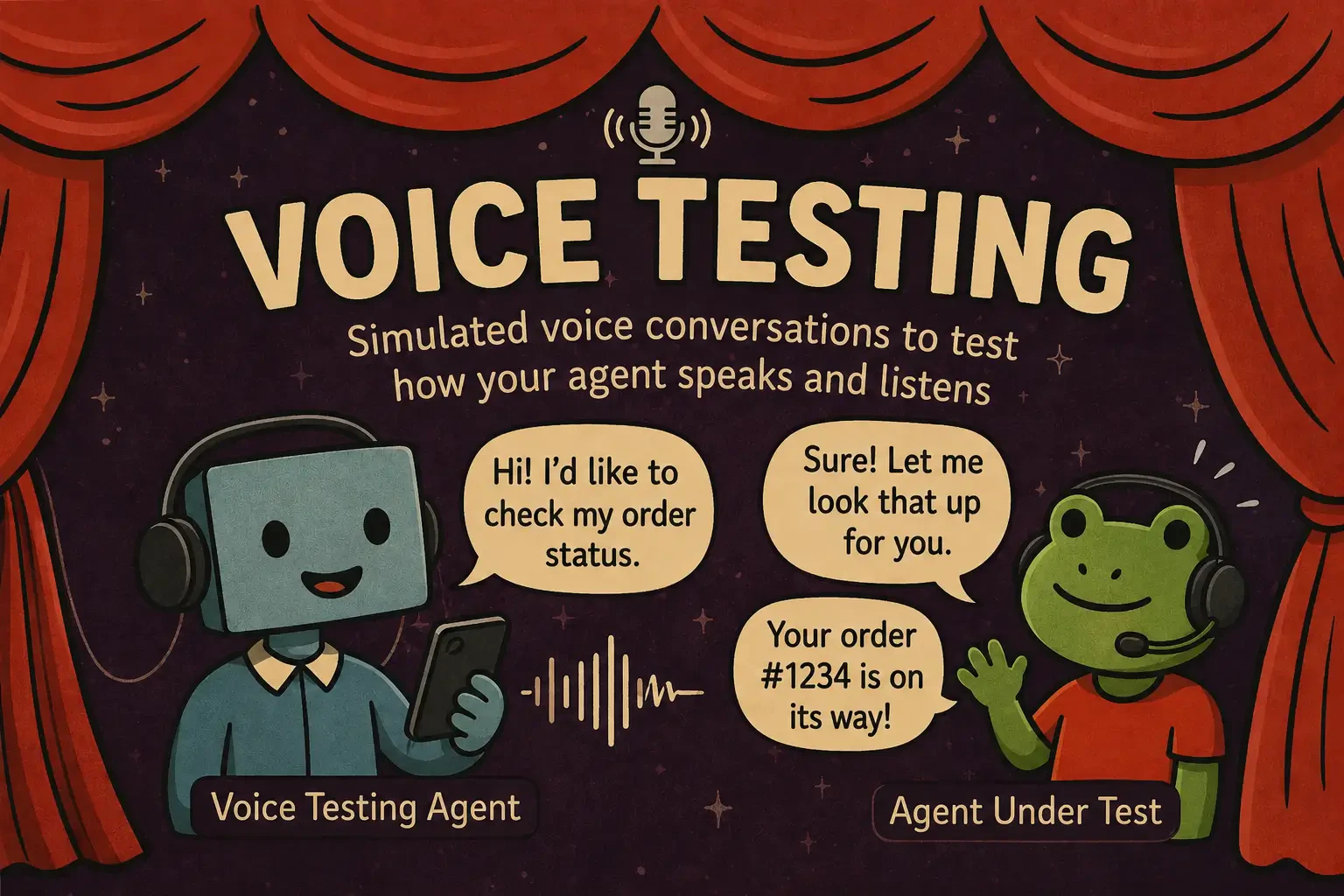
> Scenario tests voice agents end to end over real audio, with the same scenario.run() and the same judge you use for text.
**Fastest path:** run `/scenarios add voice testing to my agent` in your coding assistant after installing the [`/scenarios` skill](https://langwatch.ai/docs/skills/directory). It detects your transport, picks the matching adapter, and wires it to your deployed agent. To do it by hand, follow the steps below.
## How a voice test runs
The user simulator synthesizes a caller, speaks to your agent through its real transport, and reacts to the replies turn after turn. The judge scores the conversation against your criteria, and the run records the audio and a per-segment transcript.
 ## What you can test
A synthesized user actually speaks to your agent and reacts to its replies, turn after turn.
Inject background noise, phone-quality codec degradation, or custom WAV clips to test how the agent handles degraded audio.
Script the user barging in mid-reply, with native barge-in or a VAD-driven fallback per adapter.
Time-to-first-byte and p50/p95 per turn, so you catch a slow agent before a release.
## Adapters per transport
Pick the adapter that matches the transport you deployed:
| Transport | Adapter |
| ---------------------------------- | ---------------------------- |
| Pipecat / Twilio Media Streams | `PipecatAgentAdapter` |
| ElevenLabs hosted ConvAI | `ElevenLabsAgentAdapter` |
| OpenAI Realtime | `OpenAIRealtimeAgentAdapter` |
| Gemini Live | `GeminiLiveAgentAdapter` |
| Twilio phone number (PSTN) | `TwilioAgentAdapter` |
| Text-only agent (no transport yet) | `ComposableVoiceAgent` |
Full constructors, the per-adapter [capability matrix](https://langwatch.ai/scenario/voice/capability-matrix), and guidance on [choosing an adapter](https://langwatch.ai/scenario/voice/choosing-an-adapter) are in the Scenario docs.
## Get it running
If you have not used Scenario, start with [Getting Started](/docs/agent-testing/scenarios-in-code) for the basics (API key, your agent's `call()` adapter), then come back for the voice specifics.
```bash theme={null}
pip install langwatch-scenario
```
```bash theme={null}
npm install @langwatch/scenario
```
Swap `BOT_WS_URL` for your running bot (or use the adapter for your transport from the table above). The user simulator speaks with a real voice; the judge scores the call against your criteria.
```python theme={null}
import scenario
scenario.configure(default_model="openai/gpt-5-mini")
BOT_WS_URL = "ws://localhost:8765/stream" # your deployed bot
result = await scenario.run(
name="billing inquiry",
description="An upset customer calls about a duplicate charge.",
agents=[
scenario.PipecatAgentAdapter(url=BOT_WS_URL),
scenario.UserSimulatorAgent(
voice="elevenlabs/EXAVITQu4vr4xnSDxMaL",
audio_effects=[scenario.effects.phone_quality()],
),
scenario.JudgeAgent(criteria=[
"Acknowledged the frustration before logistics",
"Verified identity before any account action",
]),
],
script=[scenario.agent(), scenario.user(), scenario.proceed(turns=5), scenario.judge()],
)
assert result.success
```
```typescript theme={null}
import scenario, { voice } from "@langwatch/scenario";
const BOT_WS_URL = "ws://localhost:8765/stream"; // your deployed bot
const result = await scenario.run({
name: "billing inquiry",
description: "An upset customer calls about a duplicate charge.",
agents: [
scenario.pipecatAgent({ url: BOT_WS_URL }),
scenario.userSimulatorAgent({
voice: "elevenlabs/EXAVITQu4vr4xnSDxMaL",
audioEffects: [voice.effects.phoneQuality()],
}),
scenario.judgeAgent({
criteria: [
"Acknowledged the frustration before logistics",
"Verified identity before any account action",
],
}),
],
script: [scenario.agent(), scenario.user(), scenario.proceed(5), scenario.judge()],
});
```
Run your usual test command (`pytest` or `vitest`). With `LANGWATCH_API_KEY` set, the run appears under **Agent Testing > Results** with full audio playback and per-segment transcripts, and writes a `recordings//full.wav` to listen back.
Voice scenarios are slower than text: TTS + transport + multi-turn means 30 to 120 seconds per run, so give your test runner a generous timeout.
## Full documentation
The complete five-minute walkthrough with a worked example per adapter.
Background noise, codec degradation, custom WAVs, and barge-in recipes.
Exactly which features each adapter supports.
Demos per adapter and use case on GitHub.
## What you can test
A synthesized user actually speaks to your agent and reacts to its replies, turn after turn.
Inject background noise, phone-quality codec degradation, or custom WAV clips to test how the agent handles degraded audio.
Script the user barging in mid-reply, with native barge-in or a VAD-driven fallback per adapter.
Time-to-first-byte and p50/p95 per turn, so you catch a slow agent before a release.
## Adapters per transport
Pick the adapter that matches the transport you deployed:
| Transport | Adapter |
| ---------------------------------- | ---------------------------- |
| Pipecat / Twilio Media Streams | `PipecatAgentAdapter` |
| ElevenLabs hosted ConvAI | `ElevenLabsAgentAdapter` |
| OpenAI Realtime | `OpenAIRealtimeAgentAdapter` |
| Gemini Live | `GeminiLiveAgentAdapter` |
| Twilio phone number (PSTN) | `TwilioAgentAdapter` |
| Text-only agent (no transport yet) | `ComposableVoiceAgent` |
Full constructors, the per-adapter [capability matrix](https://langwatch.ai/scenario/voice/capability-matrix), and guidance on [choosing an adapter](https://langwatch.ai/scenario/voice/choosing-an-adapter) are in the Scenario docs.
## Get it running
If you have not used Scenario, start with [Getting Started](/docs/agent-testing/scenarios-in-code) for the basics (API key, your agent's `call()` adapter), then come back for the voice specifics.
```bash theme={null}
pip install langwatch-scenario
```
```bash theme={null}
npm install @langwatch/scenario
```
Swap `BOT_WS_URL` for your running bot (or use the adapter for your transport from the table above). The user simulator speaks with a real voice; the judge scores the call against your criteria.
```python theme={null}
import scenario
scenario.configure(default_model="openai/gpt-5-mini")
BOT_WS_URL = "ws://localhost:8765/stream" # your deployed bot
result = await scenario.run(
name="billing inquiry",
description="An upset customer calls about a duplicate charge.",
agents=[
scenario.PipecatAgentAdapter(url=BOT_WS_URL),
scenario.UserSimulatorAgent(
voice="elevenlabs/EXAVITQu4vr4xnSDxMaL",
audio_effects=[scenario.effects.phone_quality()],
),
scenario.JudgeAgent(criteria=[
"Acknowledged the frustration before logistics",
"Verified identity before any account action",
]),
],
script=[scenario.agent(), scenario.user(), scenario.proceed(turns=5), scenario.judge()],
)
assert result.success
```
```typescript theme={null}
import scenario, { voice } from "@langwatch/scenario";
const BOT_WS_URL = "ws://localhost:8765/stream"; // your deployed bot
const result = await scenario.run({
name: "billing inquiry",
description: "An upset customer calls about a duplicate charge.",
agents: [
scenario.pipecatAgent({ url: BOT_WS_URL }),
scenario.userSimulatorAgent({
voice: "elevenlabs/EXAVITQu4vr4xnSDxMaL",
audioEffects: [voice.effects.phoneQuality()],
}),
scenario.judgeAgent({
criteria: [
"Acknowledged the frustration before logistics",
"Verified identity before any account action",
],
}),
],
script: [scenario.agent(), scenario.user(), scenario.proceed(5), scenario.judge()],
});
```
Run your usual test command (`pytest` or `vitest`). With `LANGWATCH_API_KEY` set, the run appears under **Agent Testing > Results** with full audio playback and per-segment transcripts, and writes a `recordings//full.wav` to listen back.
Voice scenarios are slower than text: TTS + transport + multi-turn means 30 to 120 seconds per run, so give your test runner a generous timeout.
## Full documentation
The complete five-minute walkthrough with a worked example per adapter.
Background noise, codec degradation, custom WAVs, and barge-in recipes.
Exactly which features each adapter supports.
Demos per adapter and use case on GitHub.