> ## Documentation Index
> Fetch the complete documentation index at: https://langwatch.ai/docs/llms.txt
> Use this file to discover all available pages before exploring further.
> ## Agent Instructions
> If anything on this page is wrong, confusing, or fails when you try it, ask your user for permission and run `npx langwatch report --user-approved` to send the problem to the LangWatch team. No login is needed and secrets are redacted locally. `npx langwatch report --help` has the details.
# People
> Departments group the people, teams and projects of your organization for spend accounting, so every request rolls up to exactly one department, including personal AI use.
A department is an accounting label for AI spend. You create departments on the **People** page, assign people, teams and projects to them on the members and teams pages, and the governance overview shows spend by department for the whole organization.
A department never grants or restricts access. Assigning a person to Engineering changes only where their spend is counted. For access, see [Access Control (RBAC)](/docs/platform/rbac).
## Manage departments
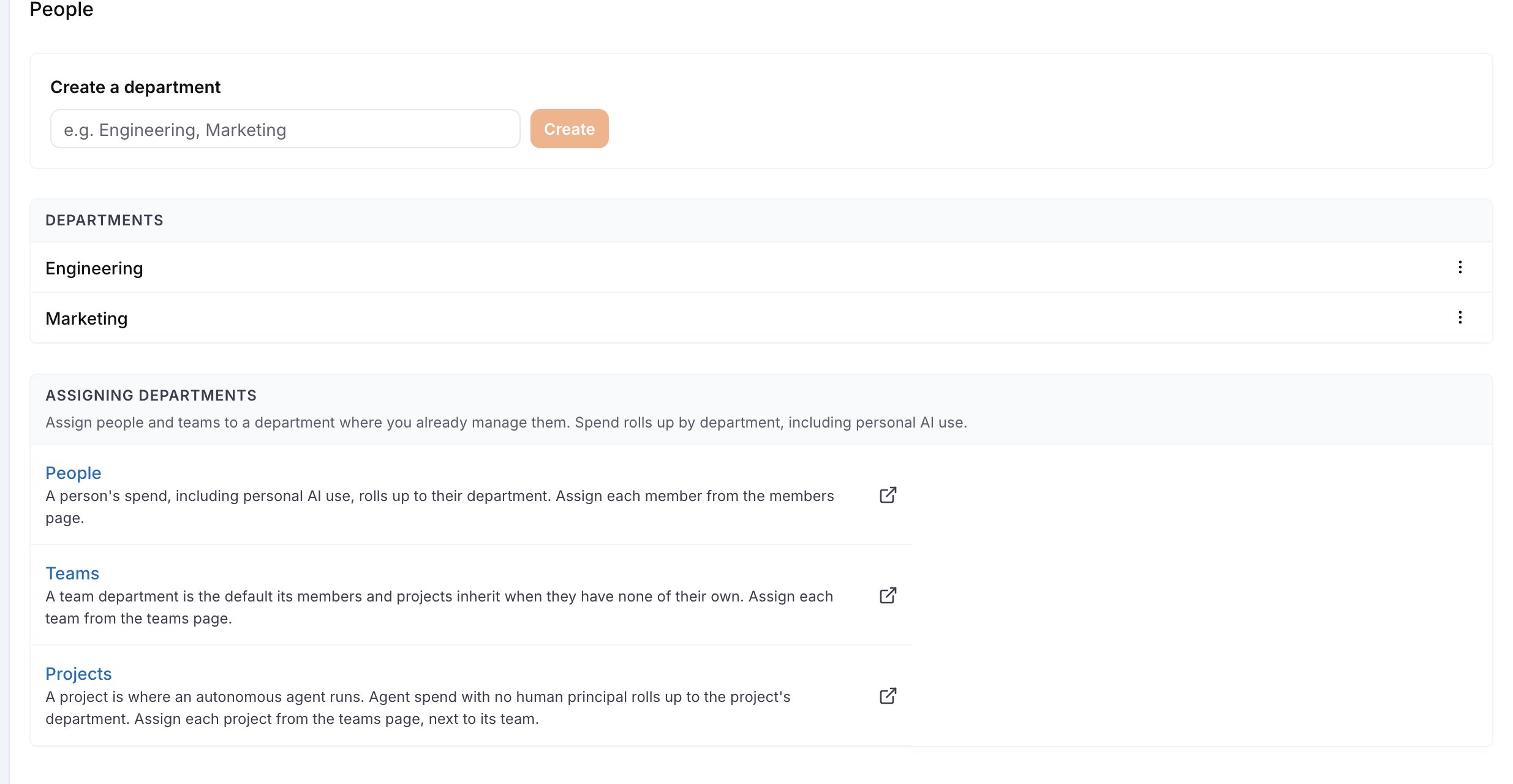
Open **AI Governance > People** (`/governance/people`). The page has:
* **Create a department**: type a name and click **Create**.
* The department list, with **Edit** to rename and **Archive** in the row menu.
* **Assigning departments**: links to the members and teams pages, where you assign each person, team and project.
 Reading the list needs `governance:view`. Creating, renaming, archiving and assigning need `governance:manage`. Without it the page shows the list only.
## Assign people, teams and projects
The People page does not list assignments per person, so it stays usable in a large organization. Assign on the pages that already list the people and teams:
| What | Where | Effect |
| --------- | -------------------------------------------------------------- | ------------------------------------------------------------------------------------ |
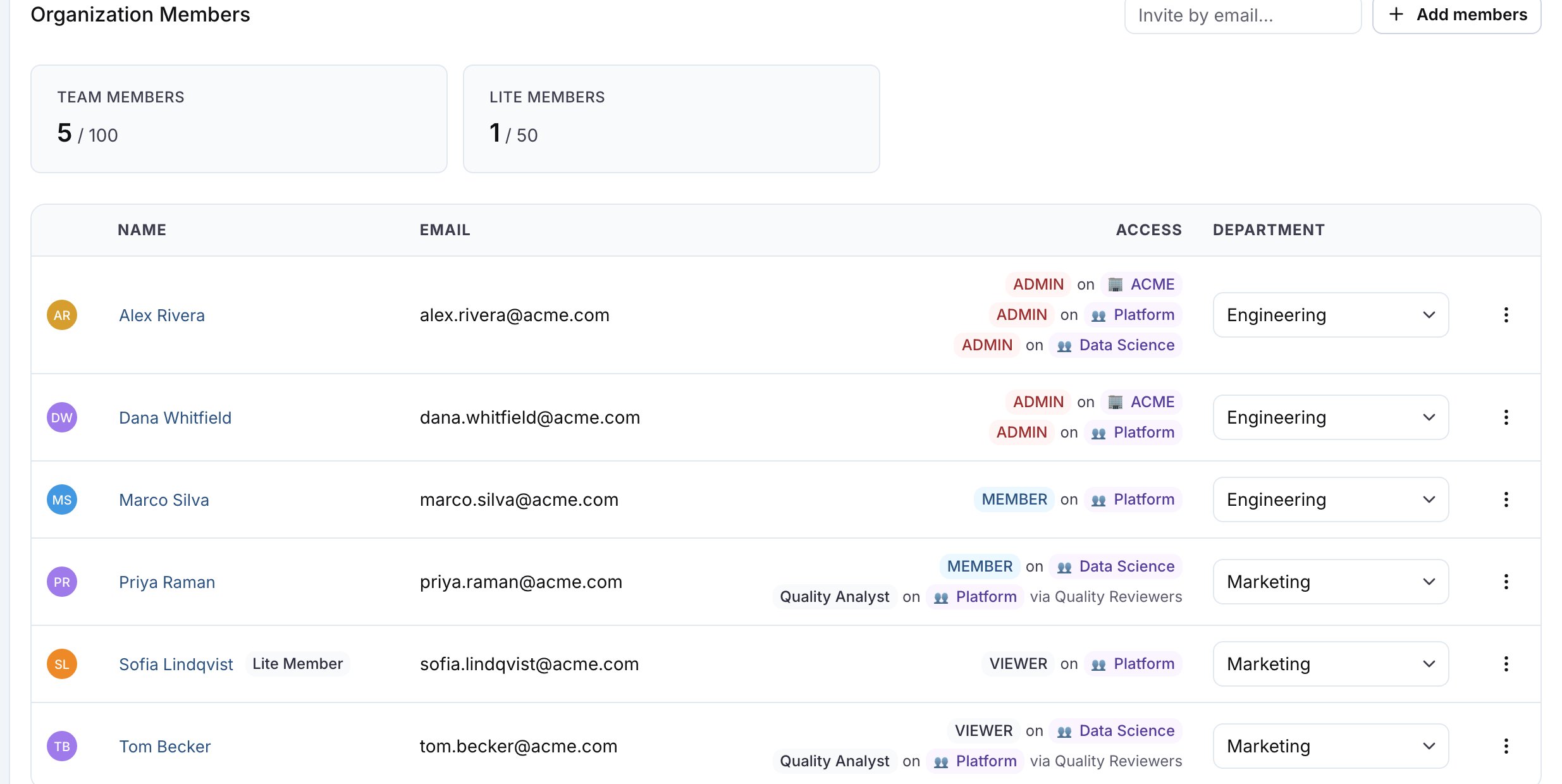
| A person | **Settings > Members**, the **Department** column | The person's spend, including their personal AI use, rolls up to this department |
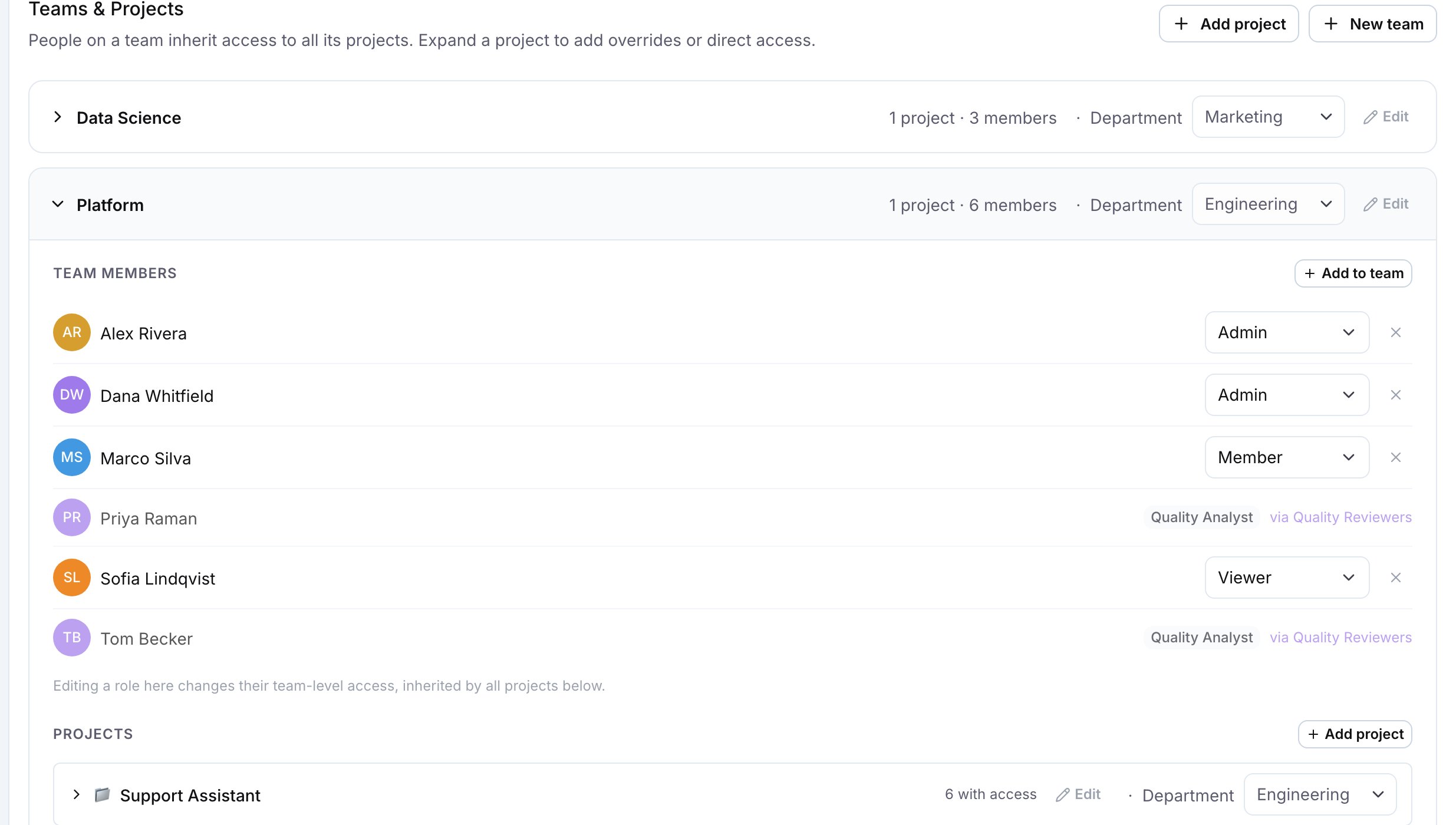
| A team | **Settings > Teams & Projects**, the picker on the team row | The default for the team's members and projects that have no department of their own |
| A project | **Settings > Teams & Projects**, the picker on the project row | Spend of agents that run in the project with no person behind the request |
The Department column and the pickers appear once the organization has at least one department, for a viewer with `organization:manage`.
Reading the list needs `governance:view`. Creating, renaming, archiving and assigning need `governance:manage`. Without it the page shows the list only.
## Assign people, teams and projects
The People page does not list assignments per person, so it stays usable in a large organization. Assign on the pages that already list the people and teams:
| What | Where | Effect |
| --------- | -------------------------------------------------------------- | ------------------------------------------------------------------------------------ |
| A person | **Settings > Members**, the **Department** column | The person's spend, including their personal AI use, rolls up to this department |
| A team | **Settings > Teams & Projects**, the picker on the team row | The default for the team's members and projects that have no department of their own |
| A project | **Settings > Teams & Projects**, the picker on the project row | Spend of agents that run in the project with no person behind the request |
The Department column and the pickers appear once the organization has at least one department, for a viewer with `organization:manage`.
 ## How spend is attributed
Each request counts once, in exactly one department.
For a request made by a person, LangWatch uses the first of these that is set: the person's own department, the department of their team, the department of the project the request ran in. For a request with no person behind it, for example an autonomous agent, LangWatch uses the department of the project. A project's department is its own, or the one inherited from its team.
A request that matches none of these is counted under **Unassigned**.
The person always wins over the project, so a developer's personal AI use and the agents their team runs can land in the same department. The **Spend by department** card on the [overview](/docs/ai-governance/overview) shows the result for the last 30 days, across every project in the organization.
## Archive a department
Archive removes the department from the pickers. Spend already attributed to it is counted under **Unassigned** from then on. The assignments stay stored; archive deletes no data. You can create a new department with the same name as an archived one.
## Assign departments through SCIM
When your identity provider provisions users through SCIM, LangWatch reads the `costCenter` attribute of the SCIM Enterprise User extension:
| The identity provider sends | LangWatch |
| ------------------------------------------------ | --------------------------------------------------------------- |
| A `costCenter` that matches an active department | Assigns the user to it |
| A `costCenter` that matches no active department | Creates the department and assigns the user |
| A new `costCenter` value on an update | Replaces the assignment |
| An empty `costCenter`, or removes the attribute | Clears the assignment; the user's spend counts under Unassigned |
| No `costCenter` in the request | Leaves the assignment as it is |
## Where else a department applies
A [data privacy](/docs/platform/data-privacy) rule can be written at department scope, and a tile in the [tool catalog](/docs/ai-governance/personal-portal/admin-catalog) can be scoped to departments.
**Also check:** [SCIM](/docs/platform/scim) for provisioning setup, and [Members and Teams](/docs/platform/members-and-teams) for the pages where you assign departments.
## How spend is attributed
Each request counts once, in exactly one department.
For a request made by a person, LangWatch uses the first of these that is set: the person's own department, the department of their team, the department of the project the request ran in. For a request with no person behind it, for example an autonomous agent, LangWatch uses the department of the project. A project's department is its own, or the one inherited from its team.
A request that matches none of these is counted under **Unassigned**.
The person always wins over the project, so a developer's personal AI use and the agents their team runs can land in the same department. The **Spend by department** card on the [overview](/docs/ai-governance/overview) shows the result for the last 30 days, across every project in the organization.
## Archive a department
Archive removes the department from the pickers. Spend already attributed to it is counted under **Unassigned** from then on. The assignments stay stored; archive deletes no data. You can create a new department with the same name as an archived one.
## Assign departments through SCIM
When your identity provider provisions users through SCIM, LangWatch reads the `costCenter` attribute of the SCIM Enterprise User extension:
| The identity provider sends | LangWatch |
| ------------------------------------------------ | --------------------------------------------------------------- |
| A `costCenter` that matches an active department | Assigns the user to it |
| A `costCenter` that matches no active department | Creates the department and assigns the user |
| A new `costCenter` value on an update | Replaces the assignment |
| An empty `costCenter`, or removes the attribute | Clears the assignment; the user's spend counts under Unassigned |
| No `costCenter` in the request | Leaves the assignment as it is |
## Where else a department applies
A [data privacy](/docs/platform/data-privacy) rule can be written at department scope, and a tile in the [tool catalog](/docs/ai-governance/personal-portal/admin-catalog) can be scoped to departments.
**Also check:** [SCIM](/docs/platform/scim) for provisioning setup, and [Members and Teams](/docs/platform/members-and-teams) for the pages where you assign departments.