> ## Documentation Index
> Fetch the complete documentation index at: https://langwatch.ai/docs/llms.txt
> Use this file to discover all available pages before exploring further.
# Datasets
> Create and manage datasets in LangWatch to build evaluation sets for LLMs and structured AI agent testing.
**Let your agent set this up.** [Copy the evaluations prompt](/docs/skills/code-prompts#set-up-evaluations) into your coding agent to get started automatically.
## Create datasets
LangWatch allows you to create and manage datasets, with a built-in excel-like interface for collaborating with your team.
* Import datasets in any format you want, manage columns and data types
* Keep populating the dataset with data traced from production
* Create new datasets from scratch with AI assistance
* Generate synthetic data from documents
* Import, export and manage versions
### Usage
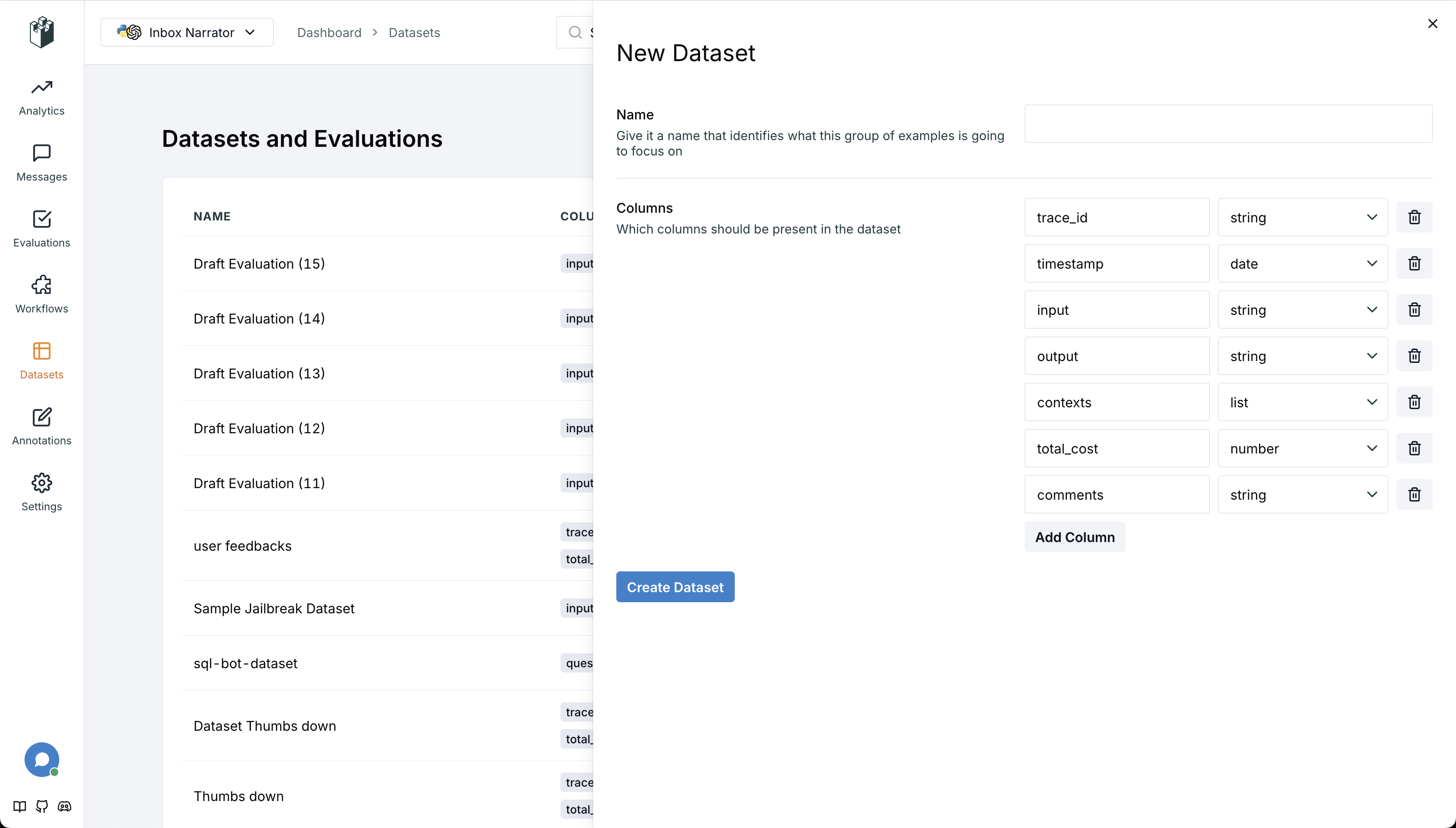
To create a dataset, simply go to the datasets page and click the "Upload or Create Dataset" button. You will be able to select the type of dataset you want as well as the columns you want to include.
 ## Adding data
There are a couple ways to add data to a dataset;
* **Manually**: You can add data on a per message basis.
* **From traces**: You can fill the dataset by selecting a group of messages already captured.
* **CSV Upload**: You can fill the dataset by uploading a CSV file.
* **Continuously populate**: You can continuously populate the dataset with data traced from production.
* **Via MCP tools**: AI coding agents can create and manage datasets through the [MCP server](/docs/integration/mcp). See [Programmatic Access](/docs/datasets/programmatic-access) for details.
* **Via SDK**: Use the Python or TypeScript SDK for programmatic dataset management. See [Programmatic Access](/docs/datasets/programmatic-access).
### Manually
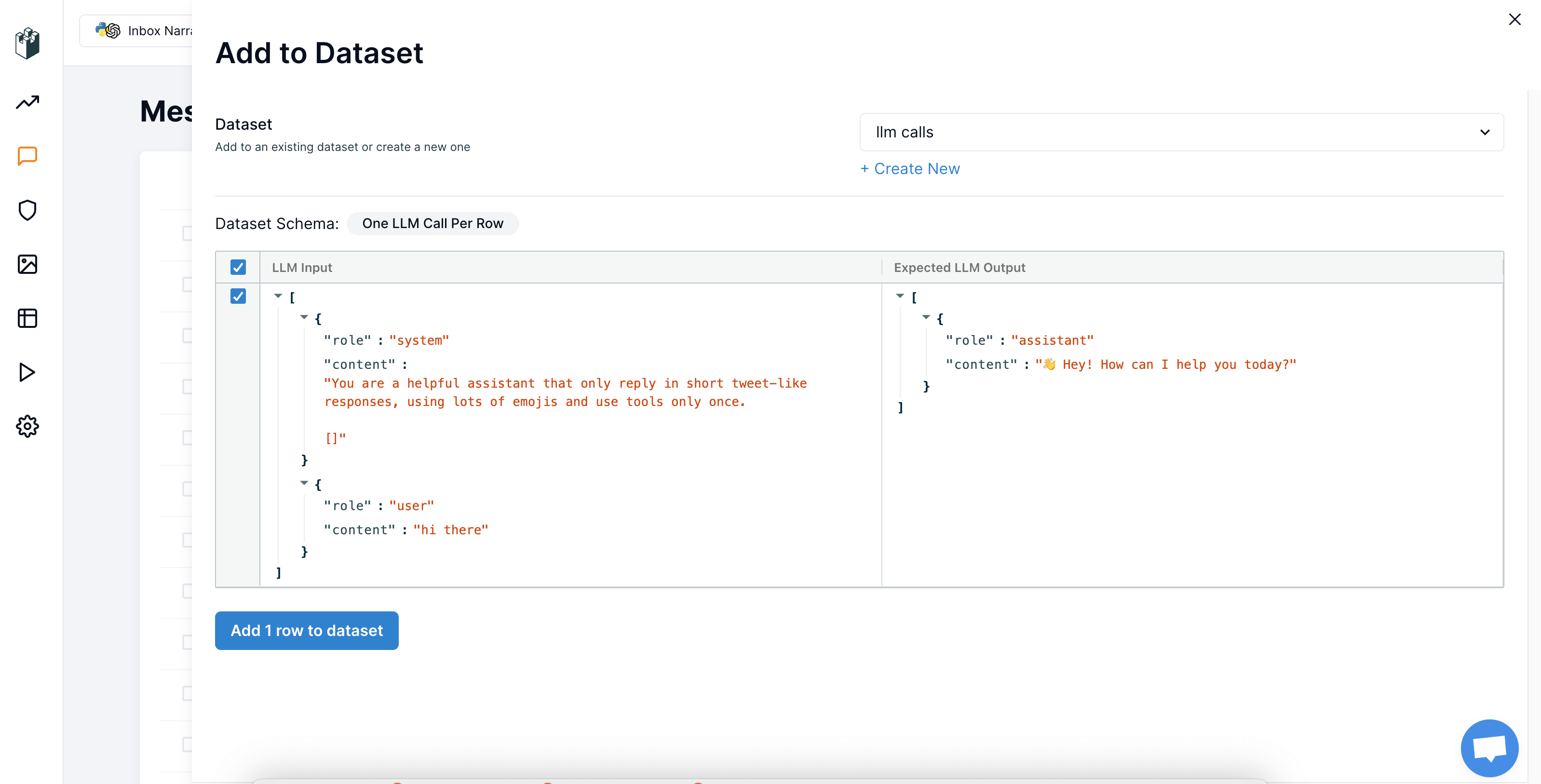
To add data manually, click the "Add to Dataset" button on the messages page after selecting a message. You will then be able to choose the dataset type and preview the data that will be added.
## Adding data
There are a couple ways to add data to a dataset;
* **Manually**: You can add data on a per message basis.
* **From traces**: You can fill the dataset by selecting a group of messages already captured.
* **CSV Upload**: You can fill the dataset by uploading a CSV file.
* **Continuously populate**: You can continuously populate the dataset with data traced from production.
* **Via MCP tools**: AI coding agents can create and manage datasets through the [MCP server](/docs/integration/mcp). See [Programmatic Access](/docs/datasets/programmatic-access) for details.
* **Via SDK**: Use the Python or TypeScript SDK for programmatic dataset management. See [Programmatic Access](/docs/datasets/programmatic-access).
### Manually
To add data manually, click the "Add to Dataset" button on the messages page after selecting a message. You will then be able to choose the dataset type and preview the data that will be added.
 ### From traces
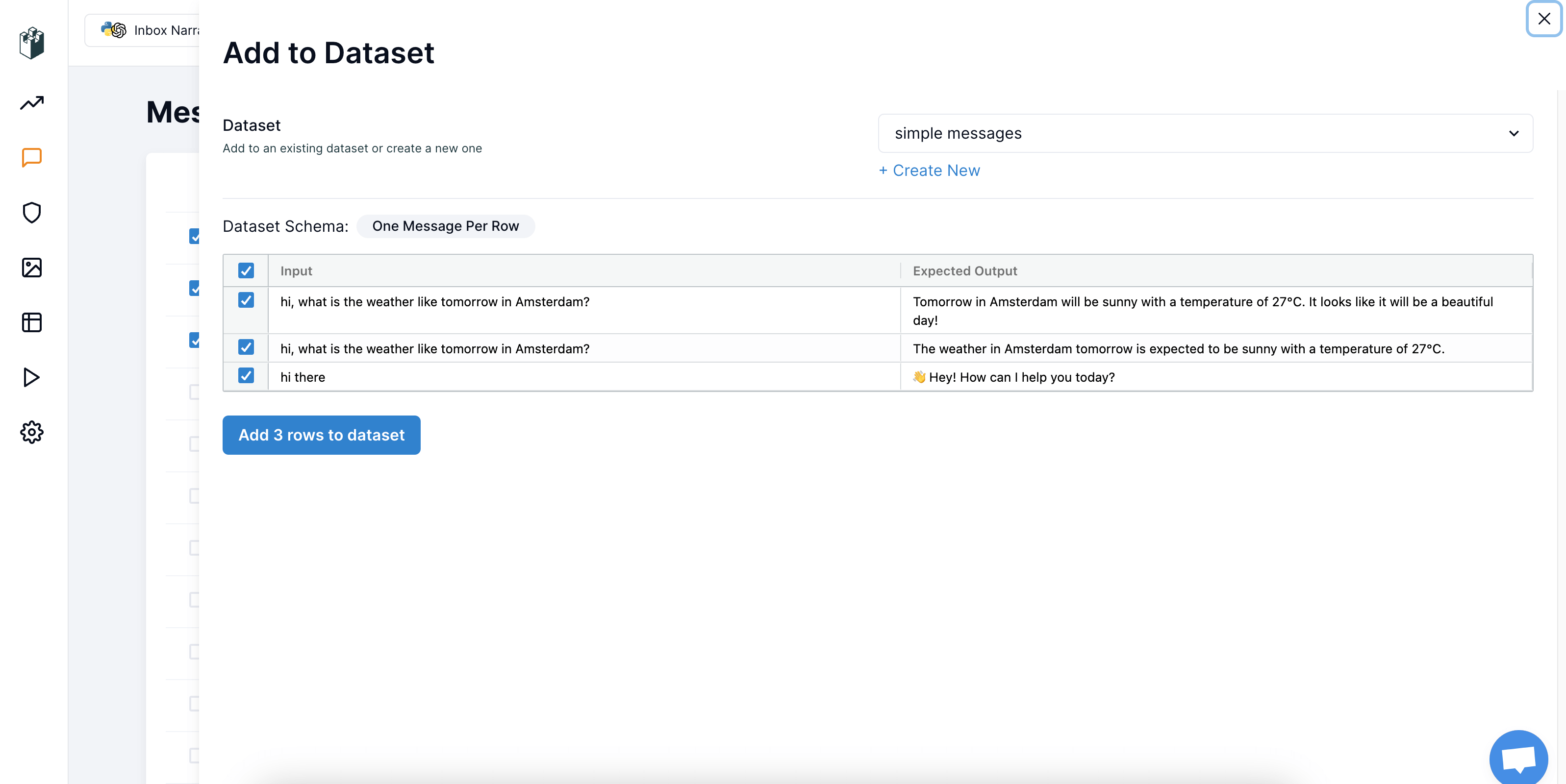
To add data by selecting a group, simply click the "Add to Dataset" button after choosing the desired messages in the table view. You'll then be able to select the type of dataset you wish to add to and preview the data that will be included.
### From traces
To add data by selecting a group, simply click the "Add to Dataset" button after choosing the desired messages in the table view. You'll then be able to select the type of dataset you wish to add to and preview the data that will be included.
 ### Continuously
You can keep continuously populating the dataset with new data arriving from production by using **Automations**. See [Automatically building a dataset from traces](/docs/datasets/automatically-from-traces) for more details.
### CSV Upload
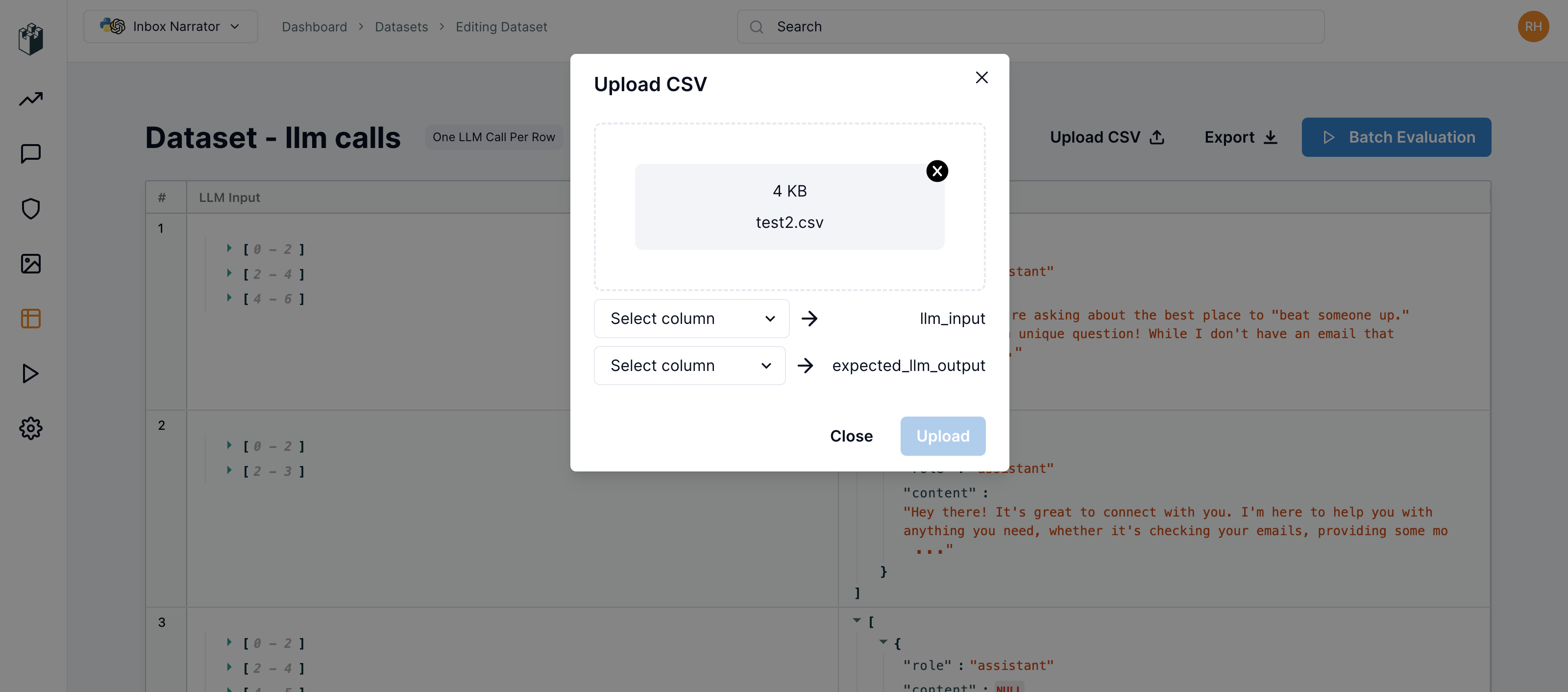
To add data by CSV upload, go to your datasets page and select the dataset you want to update. Click the "Upload CSV" button and upload your CSV or JSONL file. You can then map the columns from your file to the appropriate fields in the dataset based on the dataset type.
### Continuously
You can keep continuously populating the dataset with new data arriving from production by using **Automations**. See [Automatically building a dataset from traces](/docs/datasets/automatically-from-traces) for more details.
### CSV Upload
To add data by CSV upload, go to your datasets page and select the dataset you want to update. Click the "Upload CSV" button and upload your CSV or JSONL file. You can then map the columns from your file to the appropriate fields in the dataset based on the dataset type.
 ## Programmatic Access
You can fetch datasets from LangWatch using the SDK for use in offline evaluations and automated workflows. See [Programmatic Access](/docs/datasets/programmatic-access) for details.
## Programmatic Access
You can fetch datasets from LangWatch using the SDK for use in offline evaluations and automated workflows. See [Programmatic Access](/docs/datasets/programmatic-access) for details.