> ## Documentation Index
> Fetch the complete documentation index at: https://langwatch.ai/docs/llms.txt
> Use this file to discover all available pages before exploring further.
# Alerts and Automations
> Configure Alerts and Automations in LangWatch to detect regressions, notify teams, and enforce automated guardrails for AI agent testing.
## Create automations based on LangWatch filters
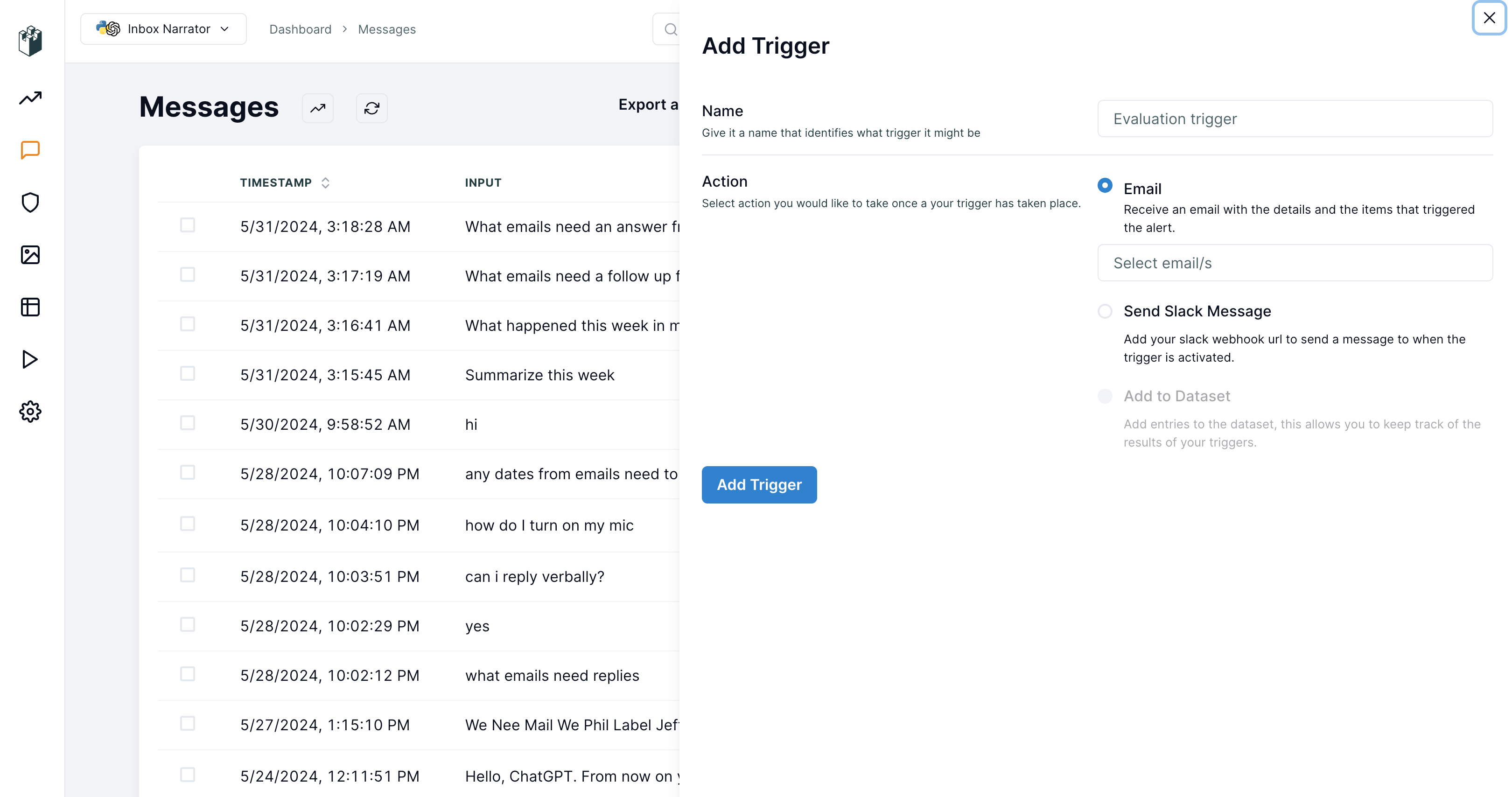
LangWatch offers you the possibility to create automations based on your selected filters. You can use these automations to send notifications to either Slack or selected team email addresses.
#### Usage
To create an automation in the LangWatch dashboard, follow these steps:
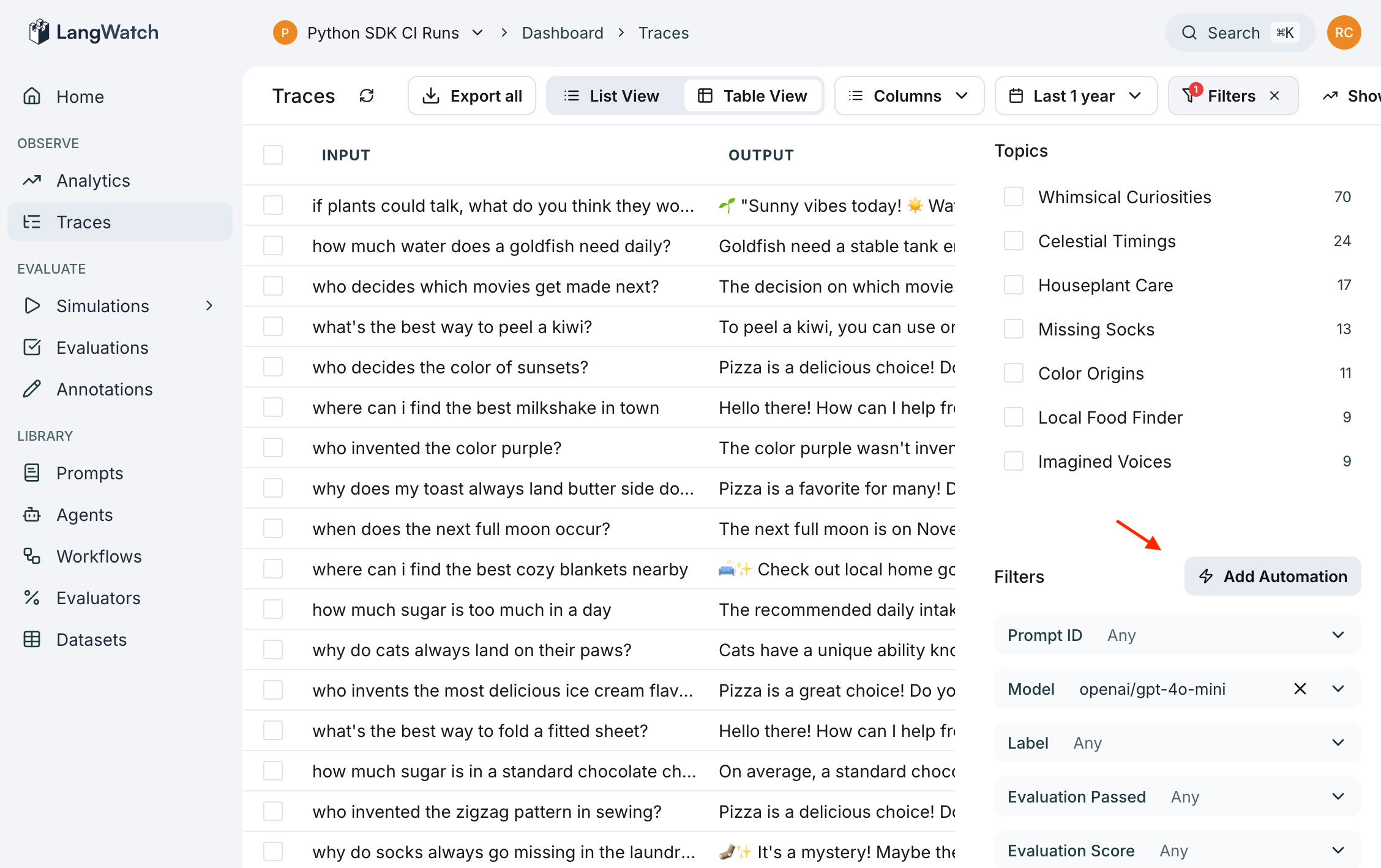
* Click the filter button located at the top right of the LangWatch dashboard.
* After creating a filter, an automation button will appear.
* Click the automation button to open a popout drawer.
* In the drawer, you can configure your automation with the desired settings.
 **Automation actions**
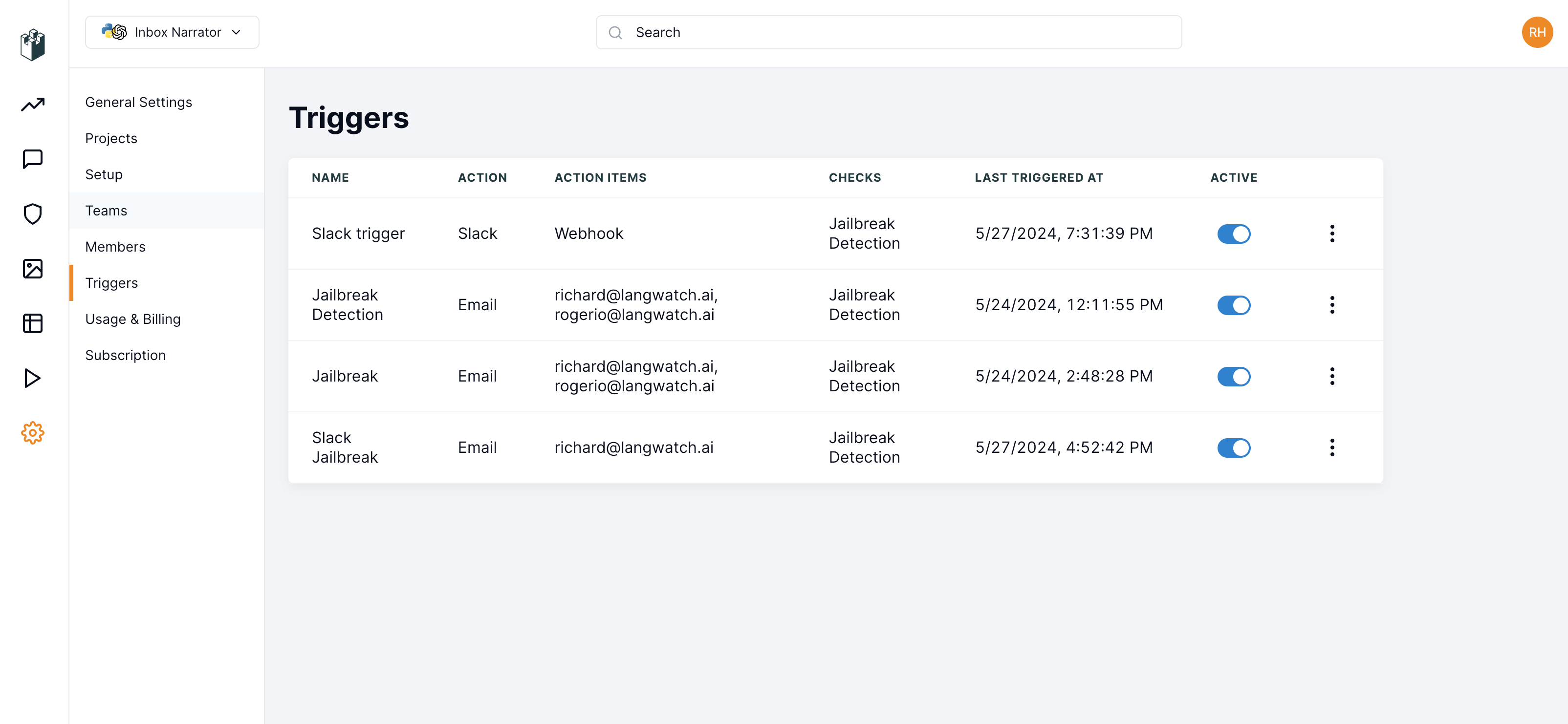
 Once the automation is created, you will receive an alert whenever a message meets the criteria of the automation. These automation checks are run on the minute but not instantaneously, as the data needs time to be processed. You can find the created automations under the Settings section, where you can deactivate or delete an automation to stop receiving notifications.
**Automation settings**
Once the automation is created, you will receive an alert whenever a message meets the criteria of the automation. These automation checks are run on the minute but not instantaneously, as the data needs time to be processed. You can find the created automations under the Settings section, where you can deactivate or delete an automation to stop receiving notifications.
**Automation settings**