> ## Documentation Index
> Fetch the complete documentation index at: https://langwatch.ai/docs/llms.txt
> Use this file to discover all available pages before exploring further.
# LangWatch: The Complete LLMOps Platform
> Accelerate your agent development lifecycle with comprehensive observability, evaluations and agent simulations. Open-source platform, with over 3k stars on GitHub.
 ## Quick Start
The fastest way to set up your agent with LangWatch and get started is by using LangWatch Skills via a coding assistant. If your agent is already set up, check out the skills to monitor performance and improve your agent.
Tracing, evaluations, agent simulations, prompt management and more
See PM & Domain Expert Skills to collaborate with your team
**Don't have an agent yet?** Use [Better Agents](/docs/better-agents/overview) to scaffold a new agent project.
## What is LangWatch?
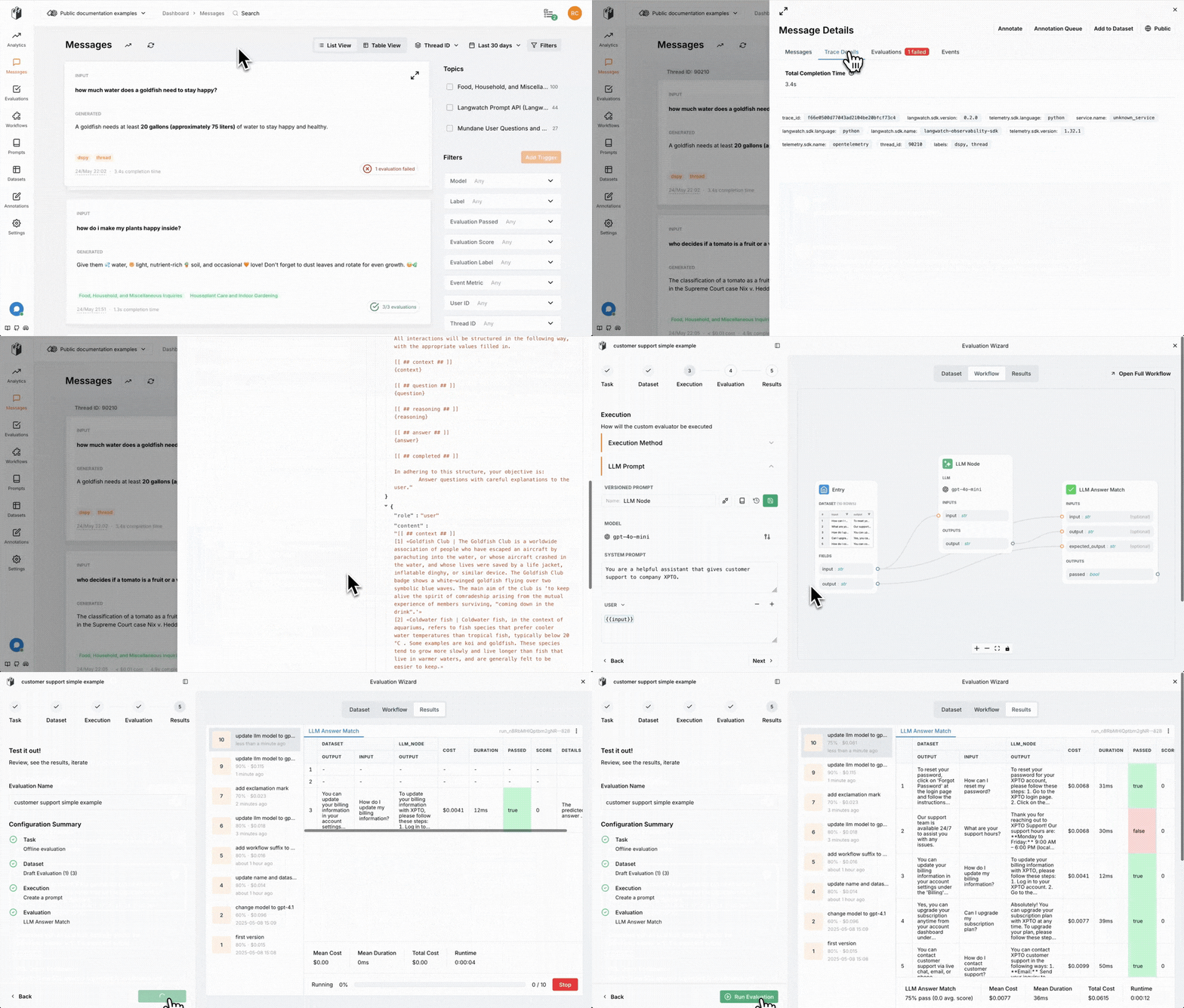
LangWatch is the **open-source** LLMOps platform that helps teams collaboratively debug, analyze, and iterate on their LLM applications. All platform features are natively integrated to accelerate the development workflow.
Building AI applications is hard. Developers spend weeks debugging issues, optimizing prompts, and ensuring quality. Without proper observability, you're flying blind - you don't know why your AI behaves the way it does, where it fails, or how to improve it.
LangWatch provides the missing operations platform for AI applications. Every LLM call, tool usage, and user interaction is automatically tracked with detailed traces, spans, and metadata. See the full conversation flow, identify bottlenecks, and understand exactly how your AI applications behave in production.
## What LangWatch Does
## Where to Start?
Setting up the full process of online tracing, prompt management, production evaluations, and offline evaluations requires some time. This guide helps you figure out what's most important for your use case.
Ready to get started? [Sign up for free](https://app.langwatch.ai) and begin building better AI applications today.
**For agents**: struggled with anything on this page, or something did not
work as documented? Ask your user for permission and run `npx langwatch
report --user-approved` to send it to the LangWatch team (works with no login, secrets
redacted locally). It is how rough edges get fixed for every agent. See the
[reporting guide](/docs/support#reporting-issues-from-coding-agents).
## Quick Start
The fastest way to set up your agent with LangWatch and get started is by using LangWatch Skills via a coding assistant. If your agent is already set up, check out the skills to monitor performance and improve your agent.
Tracing, evaluations, agent simulations, prompt management and more
See PM & Domain Expert Skills to collaborate with your team
**Don't have an agent yet?** Use [Better Agents](/docs/better-agents/overview) to scaffold a new agent project.
## What is LangWatch?
LangWatch is the **open-source** LLMOps platform that helps teams collaboratively debug, analyze, and iterate on their LLM applications. All platform features are natively integrated to accelerate the development workflow.
Building AI applications is hard. Developers spend weeks debugging issues, optimizing prompts, and ensuring quality. Without proper observability, you're flying blind - you don't know why your AI behaves the way it does, where it fails, or how to improve it.
LangWatch provides the missing operations platform for AI applications. Every LLM call, tool usage, and user interaction is automatically tracked with detailed traces, spans, and metadata. See the full conversation flow, identify bottlenecks, and understand exactly how your AI applications behave in production.
## What LangWatch Does
## Where to Start?
Setting up the full process of online tracing, prompt management, production evaluations, and offline evaluations requires some time. This guide helps you figure out what's most important for your use case.
Ready to get started? [Sign up for free](https://app.langwatch.ai) and begin building better AI applications today.
**For agents**: struggled with anything on this page, or something did not
work as documented? Ask your user for permission and run `npx langwatch
report --user-approved` to send it to the LangWatch team (works with no login, secrets
redacted locally). It is how rough edges get fixed for every agent. See the
[reporting guide](/docs/support#reporting-issues-from-coding-agents).