> ## Documentation Index
> Fetch the complete documentation index at: https://langwatch.ai/docs/llms.txt
> Use this file to discover all available pages before exploring further.
# Ask Langy
> Ask Langy in plain language about your production traces and evals; it reads the data with the langwatch CLI, writes a Scenario test, and can open a pull request.
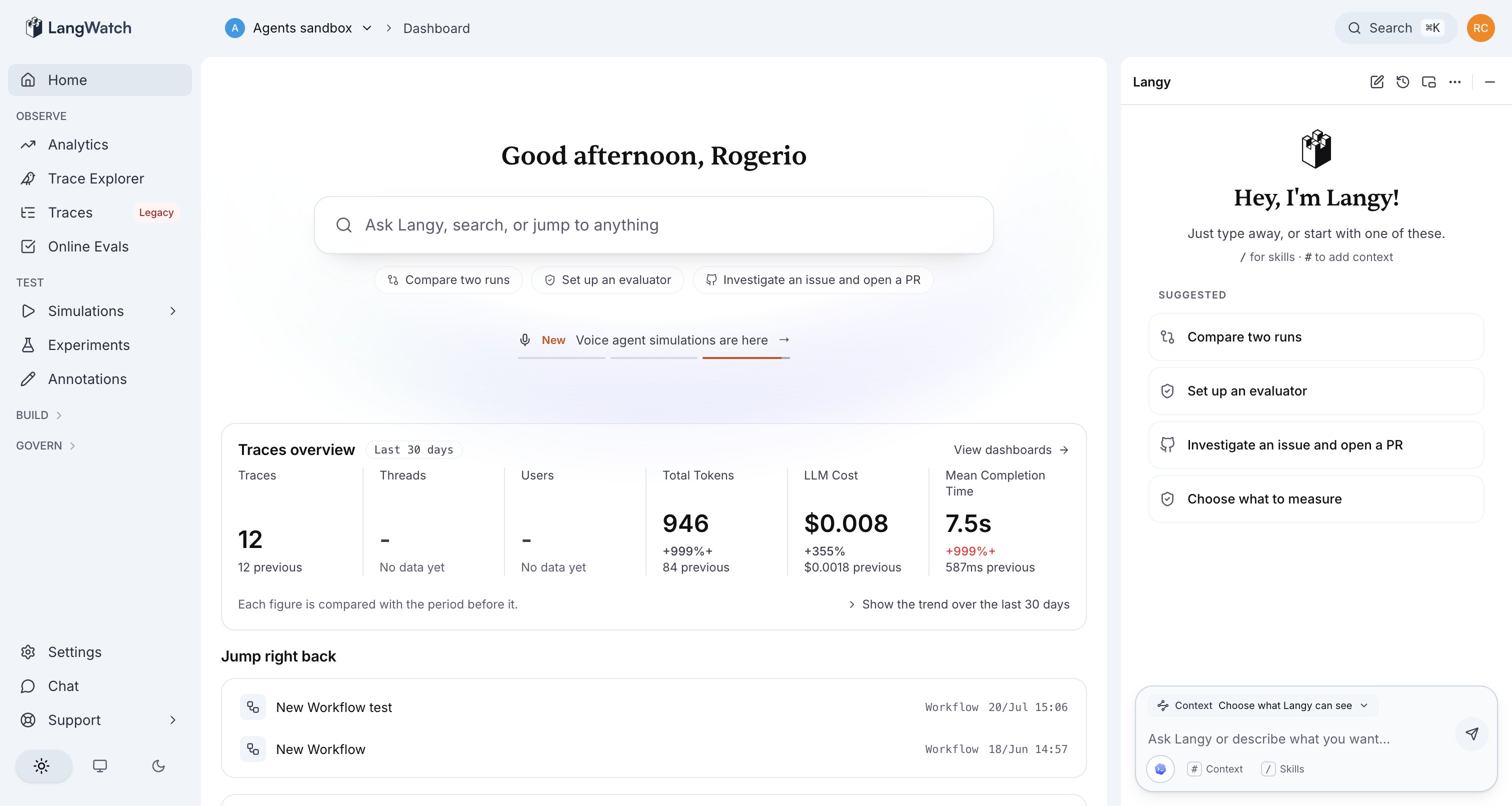
Type the question into the Langy panel in plain language; there is no query syntax to learn. The sections below group example questions by what you are trying to find out, from a regression, to a cost spike, to a fix you want turned into a pull request.
**Also check:** [Scenario tests and evals](/docs/langy/scenario-tests-and-evals) (what Langy produces), [Pull requests](/docs/langy/pull-requests) (how it changes code), [Insights across your traces](/docs/langy/insights) (what it finds when you ask what changed).
 ## What you can ask
Group your questions by intent. Each maps to the `langwatch` CLI commands Langy runs behind it.
### Investigate a regression
* "Did my agent get worse this week?"
* "Find failing traces from the last 24 hours."
* "Why is p50 latency 12s on the checkout agent?"
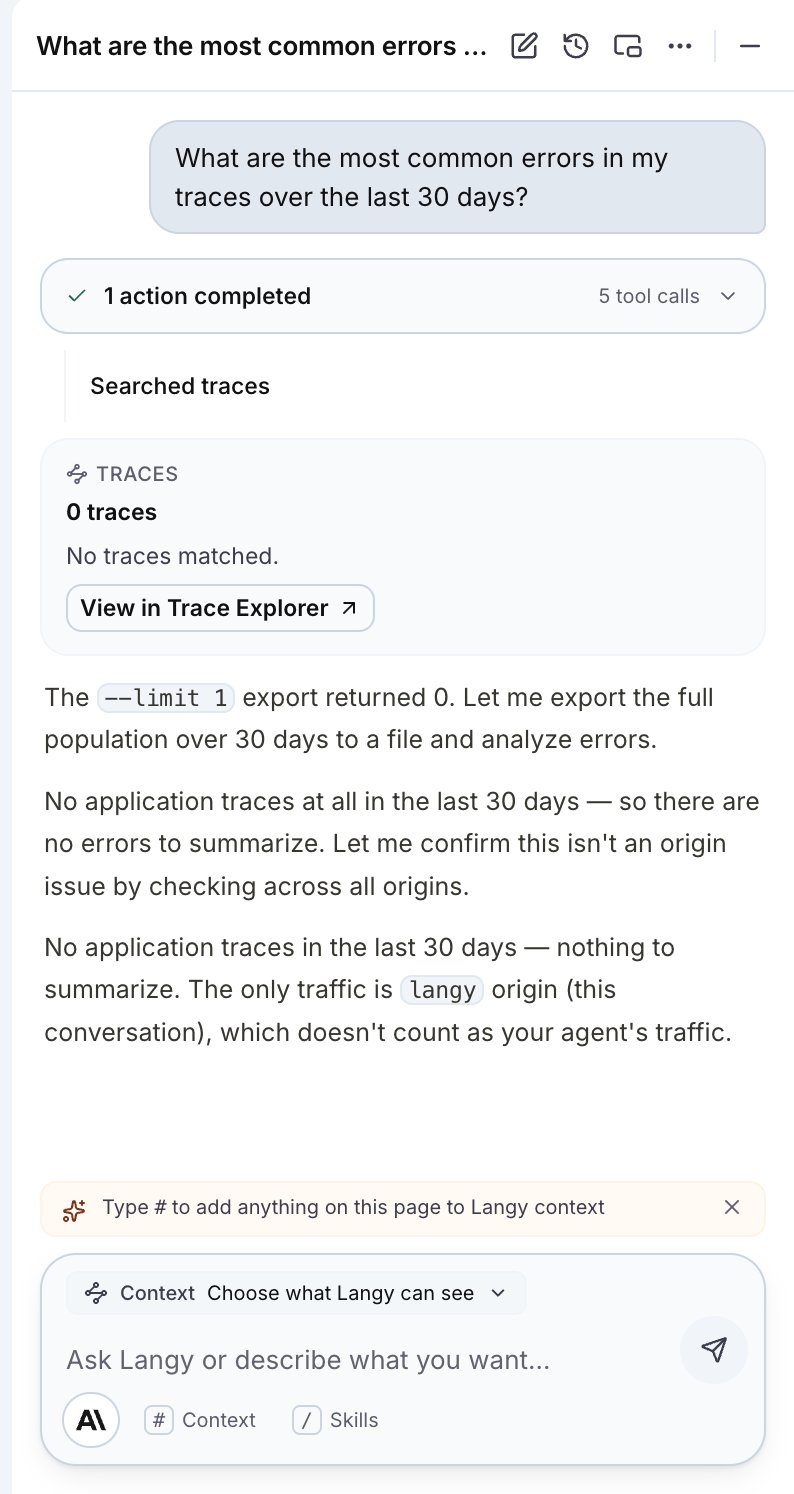
Langy runs `langwatch trace search` and `langwatch analytics query` over the relevant origin, compares the window you named, and comes back with the traces and the metric that moved.
### Investigate cost
* "Where is my cost going?"
* "What changed in my token spend after the last deploy?"
* "Can I move this feature to a cheaper model without losing quality?"
For a cheaper-model migration, Langy pulls the traces for that feature, then writes an [evaluation or a Scenario test](/docs/langy/scenario-tests-and-evals) that measures the current behavior so the swap is proven, not guessed.
### Set up testing and evals
* "Set up an evaluator for answer correctness on the support agent."
* "Write a Scenario test that probes this agent like an annoyed user."
* "Compare two runs and tell me which prompt is better."
Langy writes the test or evaluator with `langwatch scenario create`, `langwatch evaluator create`, or `langwatch experiment run`, and can run it for you. See [Scenario tests and evals](/docs/langy/scenario-tests-and-evals).
### Investigate an issue and open a PR
* "Investigate this failing trace and open a PR with a fix."
* "This agent ignores the system prompt under pressure; write a failing test and fix it."
Langy reads the trace, writes a failing Scenario test that captures the problem, drafts a fix, and opens a [bot-authored pull request](/docs/langy/pull-requests). A human reviews and merges; Langy never merges.
## What happens when you ask
It shells the `langwatch` CLI (`trace search`, `trace get`, `analytics query`, and more) to read the traces and evals for the question you asked. Traces are scoped by origin, so it excludes its own turns by default.
When a question needs a check, Langy writes a Scenario simulation test or an evaluation that captures the behavior. See [Scenario tests and evals](/docs/langy/scenario-tests-and-evals).
For a code change, Langy opens a bot-authored PR on the repo you installed the GitHub App on, and runs the Scenario tests it wrote in your CI. See [Pull requests](/docs/langy/pull-requests).
Each tool call streams into the turn as an activity card, so you see the CLI command it ran and its typed result, not a black box.
## What you can ask
Group your questions by intent. Each maps to the `langwatch` CLI commands Langy runs behind it.
### Investigate a regression
* "Did my agent get worse this week?"
* "Find failing traces from the last 24 hours."
* "Why is p50 latency 12s on the checkout agent?"
Langy runs `langwatch trace search` and `langwatch analytics query` over the relevant origin, compares the window you named, and comes back with the traces and the metric that moved.
### Investigate cost
* "Where is my cost going?"
* "What changed in my token spend after the last deploy?"
* "Can I move this feature to a cheaper model without losing quality?"
For a cheaper-model migration, Langy pulls the traces for that feature, then writes an [evaluation or a Scenario test](/docs/langy/scenario-tests-and-evals) that measures the current behavior so the swap is proven, not guessed.
### Set up testing and evals
* "Set up an evaluator for answer correctness on the support agent."
* "Write a Scenario test that probes this agent like an annoyed user."
* "Compare two runs and tell me which prompt is better."
Langy writes the test or evaluator with `langwatch scenario create`, `langwatch evaluator create`, or `langwatch experiment run`, and can run it for you. See [Scenario tests and evals](/docs/langy/scenario-tests-and-evals).
### Investigate an issue and open a PR
* "Investigate this failing trace and open a PR with a fix."
* "This agent ignores the system prompt under pressure; write a failing test and fix it."
Langy reads the trace, writes a failing Scenario test that captures the problem, drafts a fix, and opens a [bot-authored pull request](/docs/langy/pull-requests). A human reviews and merges; Langy never merges.
## What happens when you ask
It shells the `langwatch` CLI (`trace search`, `trace get`, `analytics query`, and more) to read the traces and evals for the question you asked. Traces are scoped by origin, so it excludes its own turns by default.
When a question needs a check, Langy writes a Scenario simulation test or an evaluation that captures the behavior. See [Scenario tests and evals](/docs/langy/scenario-tests-and-evals).
For a code change, Langy opens a bot-authored PR on the repo you installed the GitHub App on, and runs the Scenario tests it wrote in your CI. See [Pull requests](/docs/langy/pull-requests).
Each tool call streams into the turn as an activity card, so you see the CLI command it ran and its typed result, not a black box.
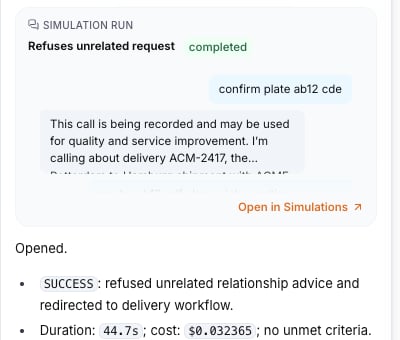
 When Langy runs a Scenario simulation, the result appears as a run card in the chat with its outcome, duration, and cost.
 ## Ask about what you are looking at
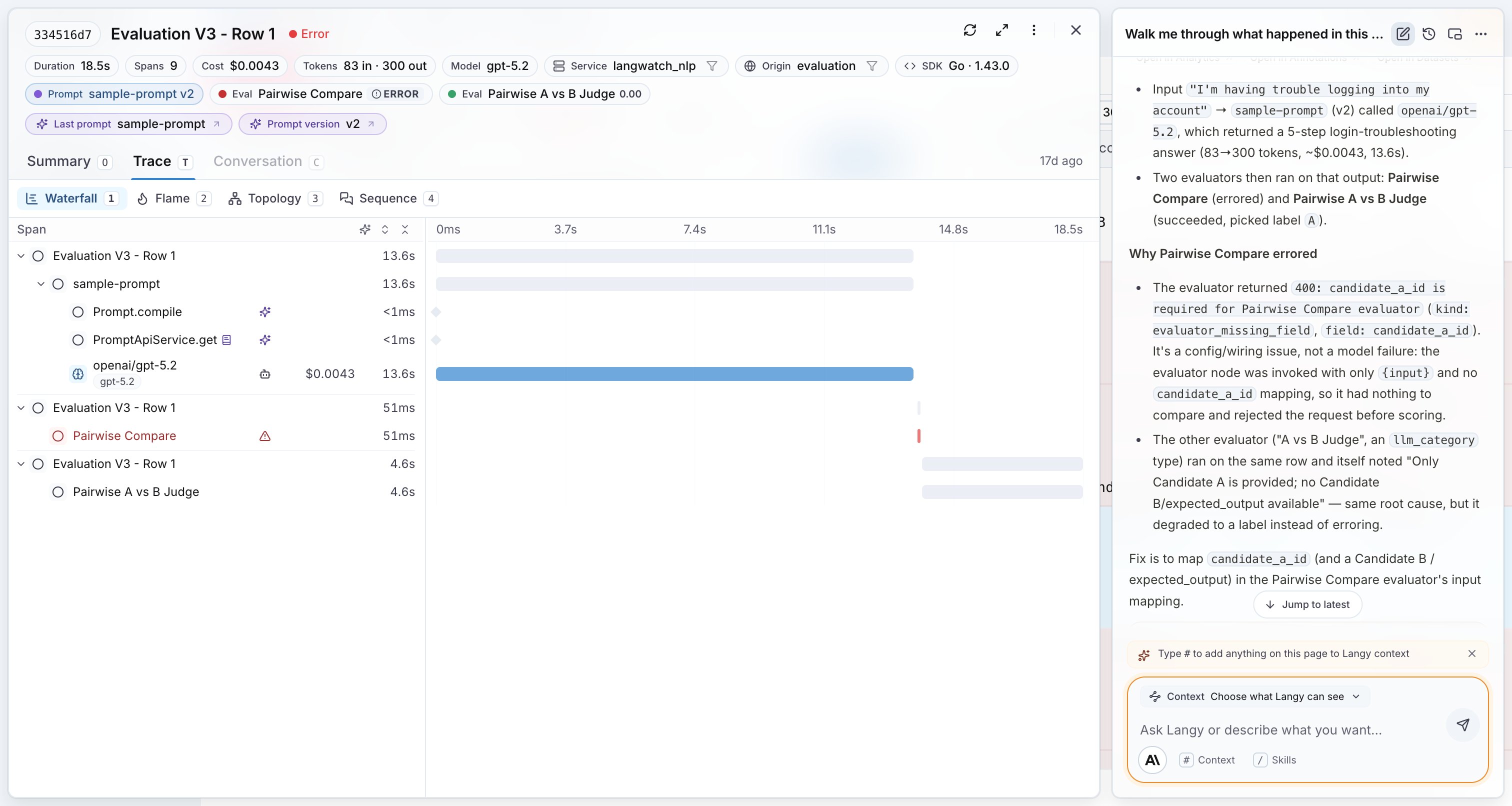
The panel stays docked while you move through the app, so you can open a trace and ask Langy about that trace. Paste the trace ID or add it through the context chip, and Langy reads the same spans you see in the waterfall.
## Ask about what you are looking at
The panel stays docked while you move through the app, so you can open a trace and ask Langy about that trace. Paste the trace ID or add it through the context chip, and Langy reads the same spans you see in the waterfall.
 ## Choose what Langy can see
Context is explicit. The `# Context` chip on the composer lets you choose what Langy can see, and the chips shown are exactly the context the model receives, nothing hidden.
## Stop a turn
You can stop a turn at any point. Stopping ends the turn for real: Langy stops the work in progress and keeps the partial output it already produced. Start a new turn to continue from there.
## Choose what Langy can see
Context is explicit. The `# Context` chip on the composer lets you choose what Langy can see, and the chips shown are exactly the context the model receives, nothing hidden.
## Stop a turn
You can stop a turn at any point. Stopping ends the turn for real: Langy stops the work in progress and keeps the partial output it already produced. Start a new turn to continue from there.