> ## Documentation Index
> Fetch the complete documentation index at: https://langwatch.ai/docs/llms.txt
> Use this file to discover all available pages before exploring further.
# Langy Overview
> Langy is the automated AI engineer inside LangWatch that reads your traces and evals, writes Scenario tests, and opens PRs for the CI to run the evals and validate improvements.
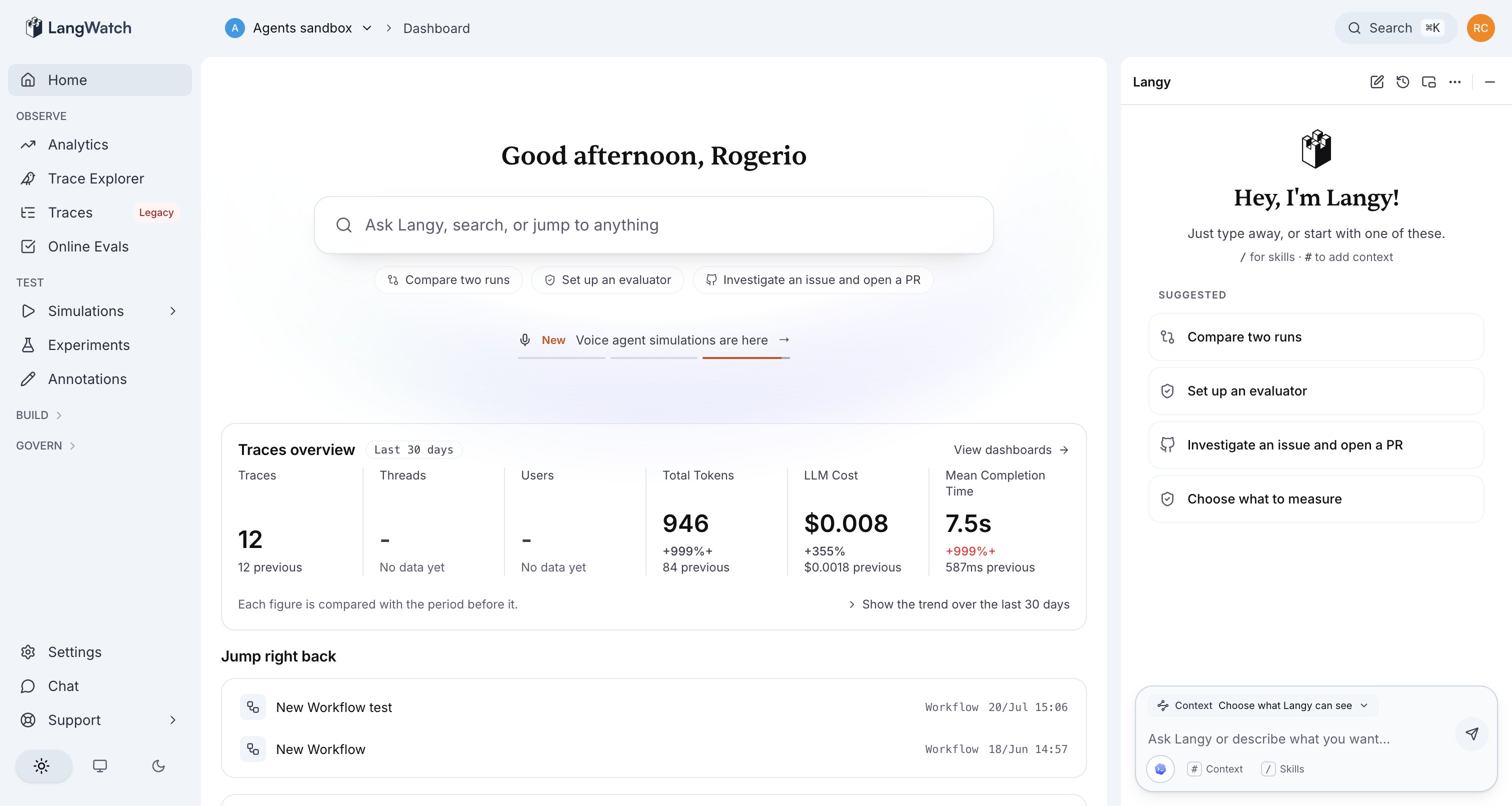 Langy is a full coding-agent harness running in a sandbox, with access to everything you grant it in your LangWatch account, so it fully understands your agents, evals, and prompts. Being a coding agent, it connects to your GitHub, runs code, experiments with improvements, and contributes them back as pull requests.
With a CI pipeline that reaches your other systems, Langy runs its evals against your real agent pipeline, however complex it is.
Langy uses your own model accounts and API keys. Every turn it takes is itself a traced, costed run in your LangWatch project, so you watch Langy work with the same tools you use to watch your own agents.
## Where to go next
Enable Langy, pick a model or sign in with Codex, and review the first pull request.
The mechanism: a gVisor-sandboxed opencode worker whose only interface to LangWatch is the `langwatch` CLI.
The chat panel and the kinds of questions Langy answers, from regressions to cost spikes.
The model picker, bring your own API key, and signing in with your OpenAI account for Codex.
What the sandbox can and cannot reach, and where the boundaries sit.
Ships enabled in the Helm chart, sandboxed with gVisor by default.
Langy is a full coding-agent harness running in a sandbox, with access to everything you grant it in your LangWatch account, so it fully understands your agents, evals, and prompts. Being a coding agent, it connects to your GitHub, runs code, experiments with improvements, and contributes them back as pull requests.
With a CI pipeline that reaches your other systems, Langy runs its evals against your real agent pipeline, however complex it is.
Langy uses your own model accounts and API keys. Every turn it takes is itself a traced, costed run in your LangWatch project, so you watch Langy work with the same tools you use to watch your own agents.
## Where to go next
Enable Langy, pick a model or sign in with Codex, and review the first pull request.
The mechanism: a gVisor-sandboxed opencode worker whose only interface to LangWatch is the `langwatch` CLI.
The chat panel and the kinds of questions Langy answers, from regressions to cost spikes.
The model picker, bring your own API key, and signing in with your OpenAI account for Codex.
What the sandbox can and cannot reach, and where the boundaries sit.
Ships enabled in the Helm chart, sandboxed with gVisor by default.