> ## Documentation Index
> Fetch the complete documentation index at: https://langwatch.ai/docs/llms.txt
> Use this file to discover all available pages before exploring further.
# Using Prompts in the Optimization Studio
> Learn how to version, test, and optimize prompts directly inside the Optimization Studio.
### Watch: Prompt Management Tutorial
Get a quick visual overview of how to use the prompt management features in LangWatch:
### Using Prompts in the Optimization Studio
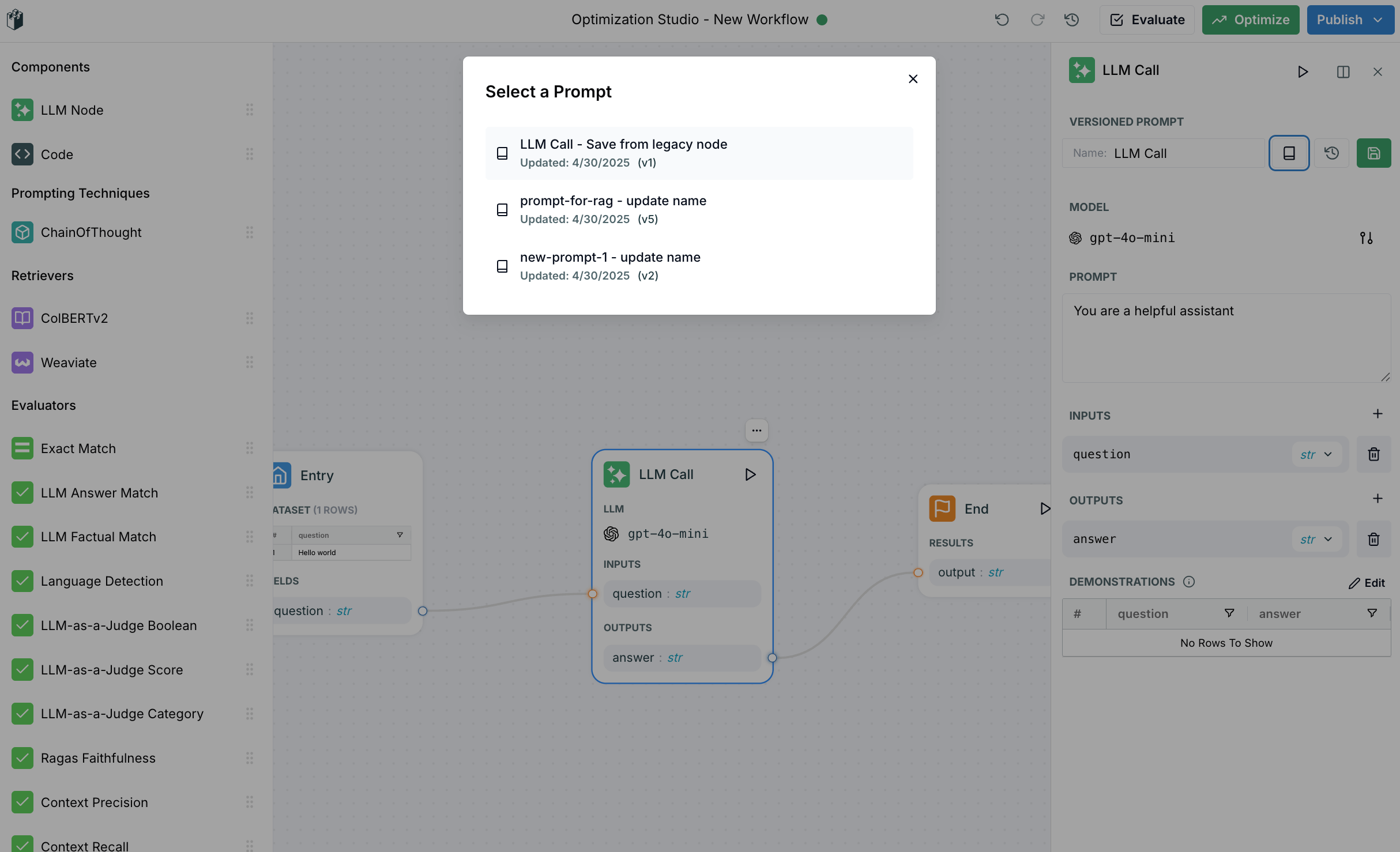
To get started with prompt versioning in the Optimization Studio:
1. Create a new workflow or open an existing one
2. Drag a signature node onto the workspace
3. Click on the node to access configuration options in the right side panel
4. Make your desired changes to the prompt configuration
5. Save your changes as a new version
 To get started with prompt versioning in the Optimization Studio:
1. Create a new workflow or open an existing one
2. Drag a signature node onto the workspace
3. Click on the node to access configuration options in the right side panel
4. Make your desired changes to the prompt configuration
5. Save your changes as a new version
To get started with prompt versioning in the Optimization Studio:
1. Create a new workflow or open an existing one
2. Drag a signature node onto the workspace
3. Click on the node to access configuration options in the right side panel
4. Make your desired changes to the prompt configuration
5. Save your changes as a new version