> ## Documentation Index
> Fetch the complete documentation index at: https://langwatch.ai/docs/llms.txt
> Use this file to discover all available pages before exploring further.
# Analytics
> Use Analytics in LangWatch to measure prompt performance, detect regressions, and support continuous AI agent evaluations.
LangWatch provides analytics to help you understand how your prompts are performing in production.
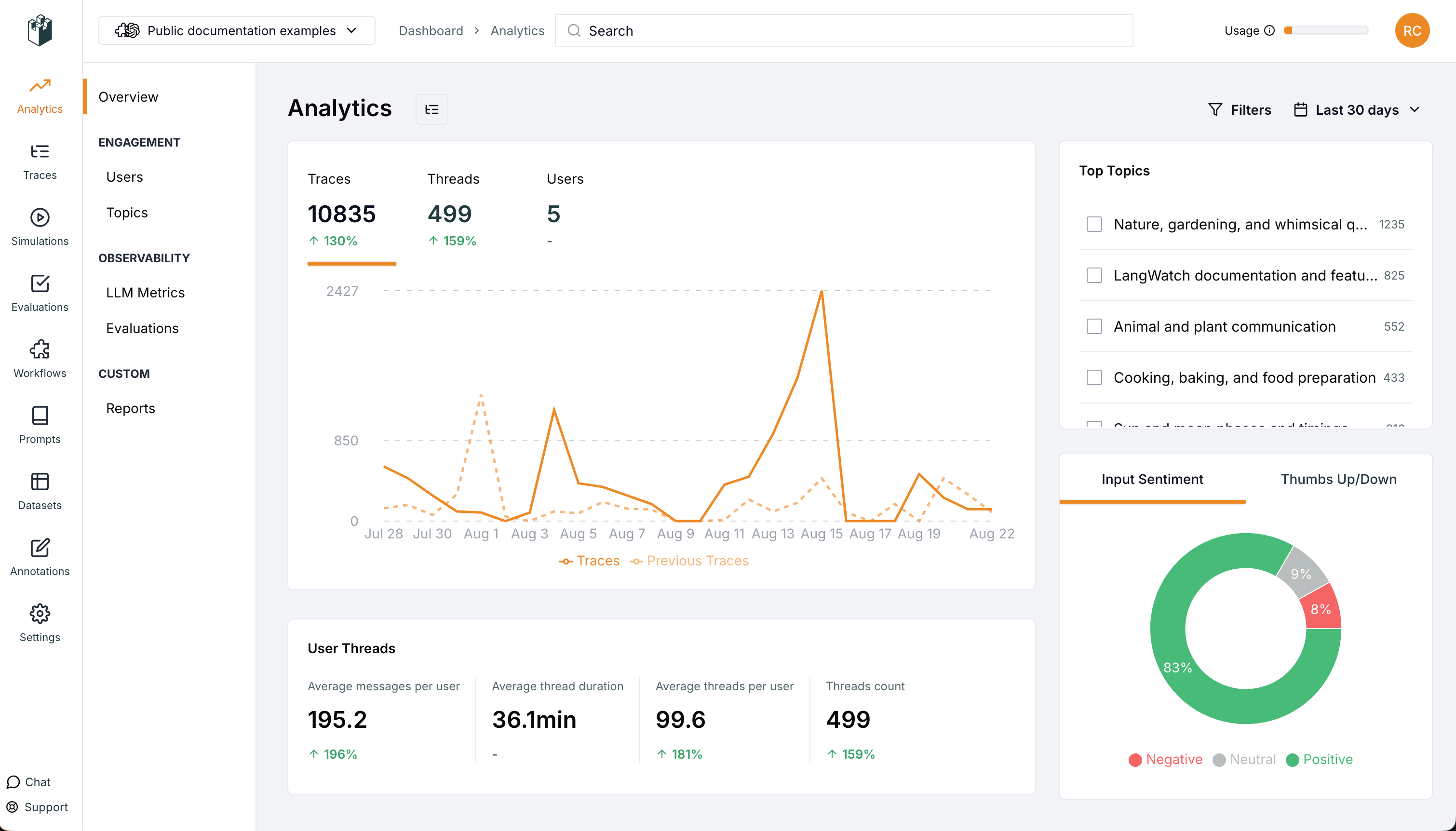 ## Overview Metrics
Track key usage statistics:
* **Traces**: Total number of prompt executions
* **Threads**: Number of conversation threads
* **Users**: Number of unique users
## LLM Metrics
Monitor your AI model usage:
* **LLM Calls**: Number of API calls made
* **Total Cost**: Cost of all API calls
* **Tokens**: Total tokens consumed
## Version Tracking
* Track prompt behavior by version, compare different versions
* Filter messages, plot usage, cost, conversion on different prompts
## Evaluations Metrics
* Run real-time evaluations on the traces to measure prompt performance
* Use real-time evaluators for classification of prompt outputs
## Custom Graphs
* Create custom bar, line, pie, scatter, and more charts with any captured metrics
* Compare different prompts and versions
***
[← Back to Prompt Management Overview](/docs/prompt-management/overview)
## Overview Metrics
Track key usage statistics:
* **Traces**: Total number of prompt executions
* **Threads**: Number of conversation threads
* **Users**: Number of unique users
## LLM Metrics
Monitor your AI model usage:
* **LLM Calls**: Number of API calls made
* **Total Cost**: Cost of all API calls
* **Tokens**: Total tokens consumed
## Version Tracking
* Track prompt behavior by version, compare different versions
* Filter messages, plot usage, cost, conversion on different prompts
## Evaluations Metrics
* Run real-time evaluations on the traces to measure prompt performance
* Use real-time evaluators for classification of prompt outputs
## Custom Graphs
* Create custom bar, line, pie, scatter, and more charts with any captured metrics
* Compare different prompts and versions
***
[← Back to Prompt Management Overview](/docs/prompt-management/overview)