
No-Code Scenario Builder
The visual scenario builder enables product managers, QA teams, and domain experts to create and refine test scenarios alongside engineers. Whether you use AI generation or build scenarios manually, everyone can contribute to improving agent quality without writing code.
Access the scenario builder in the LangWatch Simulations Dashboard under the Scenarios tab.
AI-Generated Scenarios
Describe what you want to test and let AI generate the complete scenario—including user context, evaluation criteria, and expected behavior.
AI generation accelerates scenario creation and helps uncover edge cases that might otherwise be missed.
Manual Scenario Editor
Build scenarios from scratch or refine AI-generated ones. The editor provides full control over:
- Name – Identify the scenario at a glance
- Label – Categorize and organize scenarios
- Situation – Define the user's context, intent, and constraints
- Criteria – Set specific success conditions for evaluation
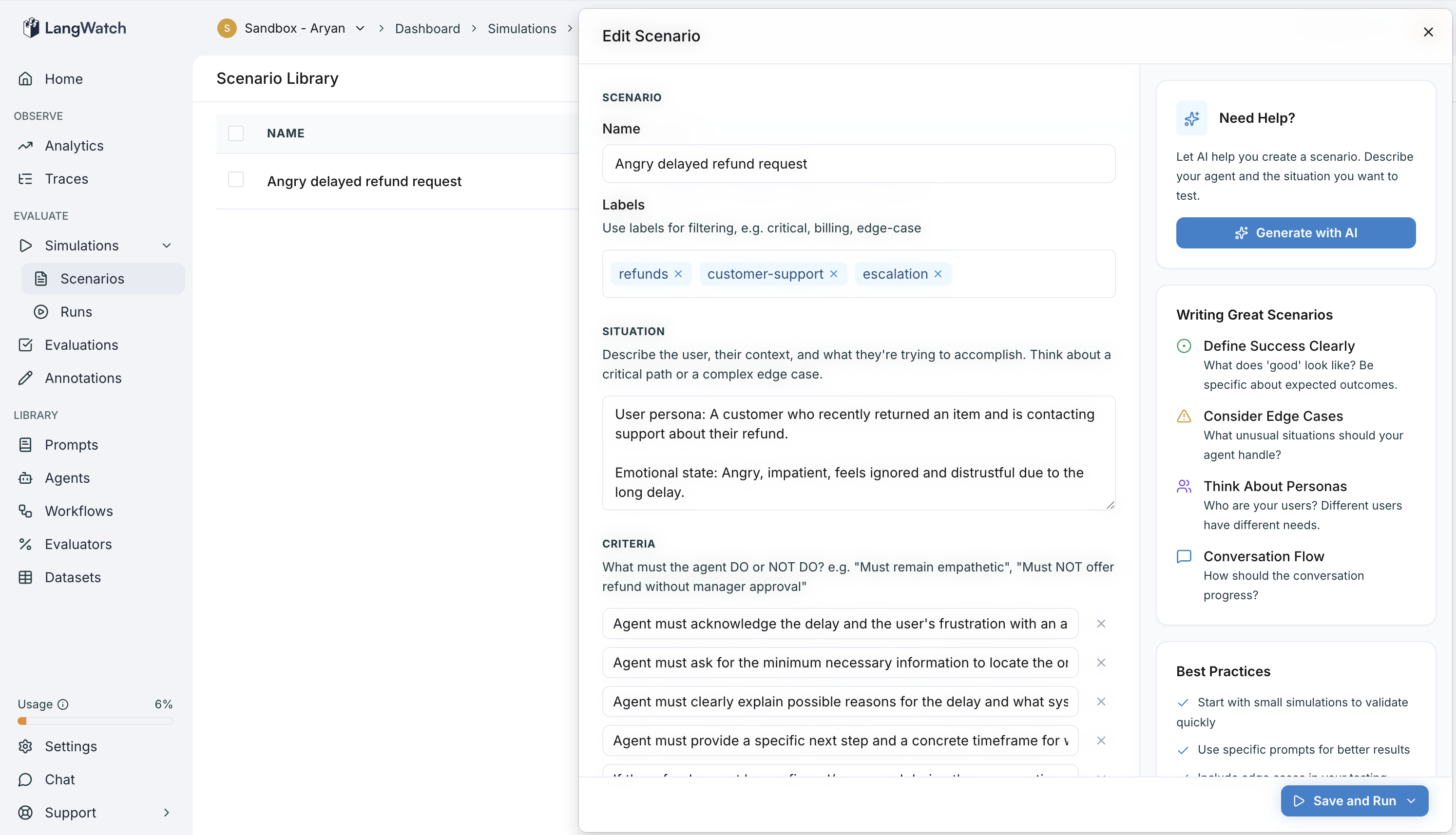
All scenarios can be viewed, edited, and run directly from the platform. Scenarios created visually work seamlessly with code-based tests, enabling teams to iterate faster regardless of technical background.
Cross-Platform Collaboration
Scenarios built in the visual editor integrate directly with your test suite. Engineers can run them locally or in CI/CD, while non-technical team members contribute through the platform—bringing technical and non-technical perspectives together in one unified workflow.
Learn more about writing scenarios in code or explore scripted simulations for advanced testing patterns.