
LLM evaluation metrics in 2026: start from your agent's failure modes
The LLM evaluation metrics worth tracking in 2026 come from your agent's own failures in production. Find them, turn each one into a yes or no check or a simulation, and treat every change as an experiment.
 Rogerio Chaves · · LLM Evals
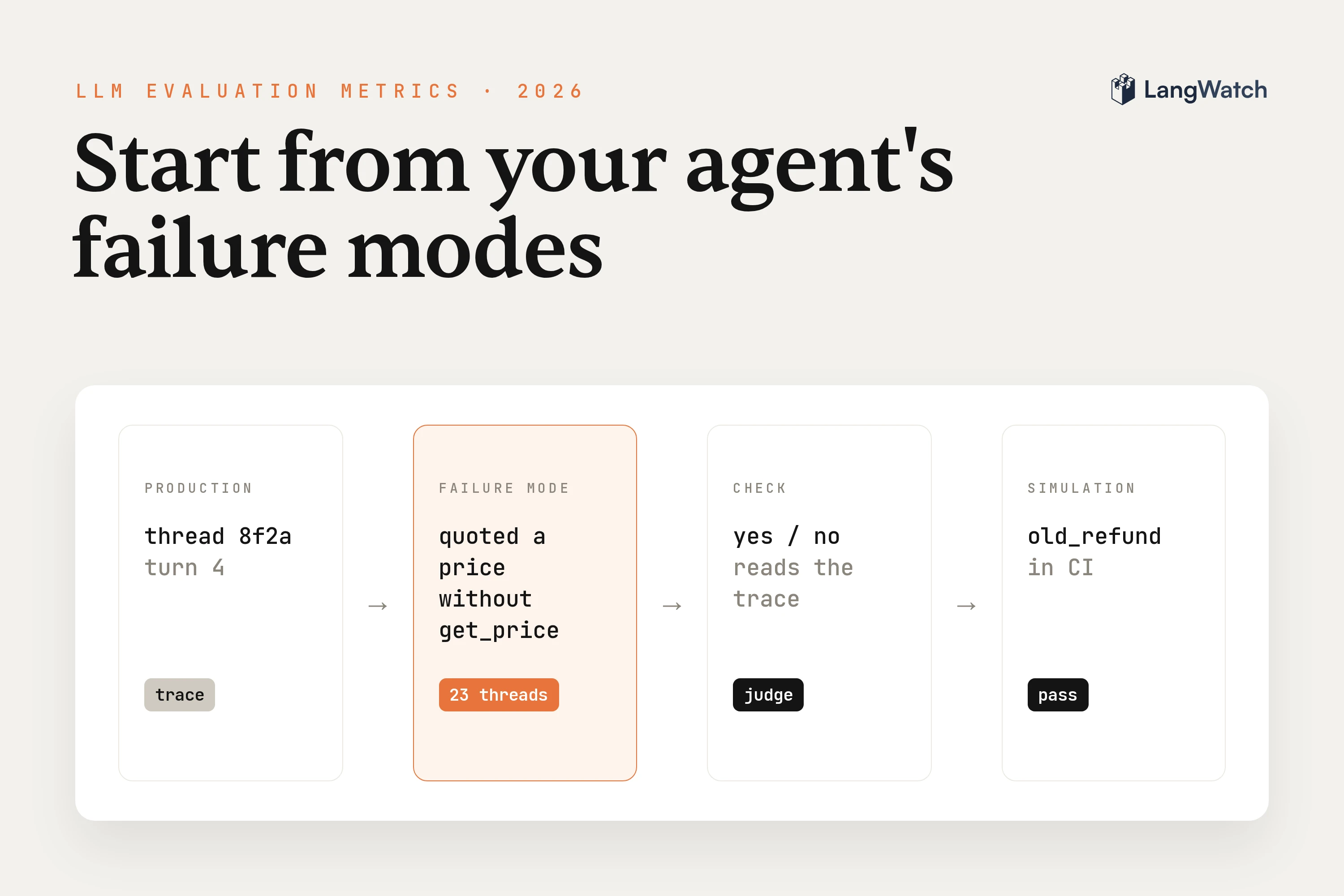
Short answer: The LLM evaluation metrics worth tracking in 2026 come from your agent's own failures in production. Read your traces, group what went wrong, turn each group into a yes or no check or an agent simulation, and rerun them on every change. Then each prompt, model or tool change becomes an experiment with a result.
A list of textbook metrics and a "quality: 0.85" on a dashboard won't tell you what to fix. When it drops to 0.80, you still have to go read the traces to find out why, so you might as well start there.
Hamel Husain, who has helped more than 50 companies with evals, ranked every eval practice he knows in a tier list video this month. Error analysis and reading your own traces are at the top, in S tier. Generic metrics like helpfulness, off-the-shelf judges and 1 to 5 ratings are at the bottom, in F tier. That matches what I tell teams on calls, and it's how this list is ordered.
The LLM evaluation practices that matter for agents
Each item below is something you do, with what it gives you and where it lives in LangWatch. The first three find the problems, the next three test the fixes, and the last three make the loop fast enough to run every week.
| # | Do this | What it gives you | In LangWatch |
|---|---|---|---|
| 1 | Find your failure modes in production | The list of what to measure, from your own traffic | Traces, Langy, the MCP server |
| 2 | Ask your question across all of production | Every case of a failure, including the rare ones a sample misses | Instant Evals |
| 3 | Turn each failure mode into a yes or no check | A pass rate per failure that you can act on | LLM-as-a-Judge Boolean, online evaluation |
| 4 | Simulate the conversations that broke | Proof the fix works across a whole conversation, kept in CI | Scenario agent testing |
| 5 | Treat every change as a hypothesis | A clear answer on whether a prompt, model or tool change helped | Experiments, test suites |
| 6 | Build the same feature twice with your coding agent | Evidence on whether a refactor, CLAUDE.md or skill helps the agent | Coding agent sessions |
| 7 | Measure the harness | Where the tokens go: cache hit ratio, tool calls, skills, sessions, cost | Agent and coding agent observability |
| 8 | Query and judge your traces in SQL | Any question about your agent data, with an eval inside the query | LangWatch SQL |
| 9 | Let Insights tell you what to improve | What changed this week, and the traces behind it | Langy Insights |
1. Find your failure modes in production first
Read real conversations, write one line on what went wrong in each, then group the lines. Each group is a failure mode, and each failure mode becomes a metric. Hamel calls this error analysis, and it's the step teams skip when they start from a metric list.
When a team tells me the frontier models are "not doing a great job" on their agent, my first question is: how do you know? What are the failure modes? Users are bad at telling you in advance what they want from an agent, and very good at spotting an answer that looks wrong, so production is where you find out.
You also have more failure data than you think:
- Customer complaints and support tickets. Connect your support system to your coding agent through an MCP server and ask what customers keep complaining about.
- Your git history. Every past prompt fix is a failure someone already found. Each one is a judge you should have.
- The metric the business already watches. If it's how often the agent hands the customer to a human, classify why each handoff happened. The reasons are your failure modes.
With 10,000 messages a week you can't read them all. Point Langy, the AI engineer inside LangWatch, or Claude Code with the LangWatch MCP server at your production traces and ask it to cluster the failures. It looks at some conversations, comes up with a category, then checks it across the rest. Read the groups yourself before you build anything on them, because you know the product and it doesn't.
2. Ask your question across all of production
Once you have a hunch about a failure, check it against every conversation, not a sample. If 20 of 10,000 conversations went wrong and you sample 200, you probably catch none of them, and those outliers are often the ones that matter.
Instant Evals judges your whole production history against a plain yes or no question. It's powered by TypeSafe's new model Jev and judges 10,000 conversations in just over a minute. In our benchmark it agreed with human labels more often than Claude Opus 5 did, for a small fraction of the cost.
langwatch instant-eval run "the customer sounds frustrated" --target threads --last 7d --limit 100
Because it's cheap, you don't have to plan the question ahead and wait for a pipeline. You can test 10 or 20 hypotheses in an afternoon instead of picking just one. When the judge says yes to something it shouldn't, add a --criteria line saying what counts and what doesn't, and run it again.
3. Turn each failure mode into a yes or no check
Write one judge per failure mode, and make it answer pass or fail. A yes or no verdict is easy to check against a person and easy to gate a release on. One judge that grades "overall quality" on a 1 to 5 scale gives you a number you can't act on.
Altura learned it the slow way, with generic judges that ran in the background for half a year before anyone looked at the results. Their rule now: "The number one rule we learned for LLM-as-judge: make it binary. What's the difference between a 0.6 and a 0.7? That's just not actionable."
For each check:
- Let the judge read the trace. An agent that says "your order ships Tuesday" looks the same whether it looked the order up or made the date up. A check like "the agent quoted a price without calling
get_price" needs the tool calls, and LangWatch judges read them. - Use the cheapest check that works. If a regex or a JSON parse catches it, use code. Save the LLM judge for what code can't see.
- Have a domain expert disagree with the judge. Developers aren't doctors or lawyers, so they can't tell whether a medical or legal answer is good. Put the judge's verdicts in an annotation queue and let the expert mark where it's wrong, then tighten the criteria until they agree.
One habit I keep suggesting: every time you add a rule to the prompt, add the reverse of it as a judge criterion. Then the reason you changed the prompt stays tested after everyone forgets it. In LangWatch the judge is the LLM-as-a-Judge Boolean evaluator, and online evaluation runs it on every new trace or on the whole thread once the conversation ends.
4. Simulate the conversations that broke
When your agents get complex, with tool calls and back and forth with the user, a scenario is worth more than an input and output eval. The failure shows up on turn four, after the agent forgot what the user said on turn one, and a single row can't reproduce that.
Scenario is our open-source agent testing framework: a simulated user talks to your agent and a judge passes or fails the whole conversation against your criteria. Turn each production failure into one:
- Take the trace of the conversation that went wrong.
- Write a scenario that reproduces it, with the real opening message in the script.
- Watch it fail for the same reason.
- Fix the prompt, the tool or the skill, and watch it pass.
- Keep it in CI, so the next change can't bring the bug back.
# SupportAgent wraps your agent, see How to test AI agents for the adapter
result = await scenario.run(
    name="refund on an order from last year",
    description="The customer bought headphones 14 months ago and wants their money back.",
    agents=[SupportAgent(), scenario.UserSimulatorAgent(), scenario.JudgeAgent(criteria=[
        "Agent looks up the order before answering",
        "Agent does not promise a refund",
    ])],
    script=[scenario.user("hi, my headphones broke and I want my money back"), scenario.proceed()],
)
Hamel makes the case for using real traces over simulated users, and I agree on the order: the scenarios worth keeping start from a real conversation. Ten scenarios you fully understand tell you more than 10,000 rows you never read. How to test AI agents walks through the full setup.
Don't wait for the perfect suite before you ship, either. Evals are there to make you go faster. Ask Claude Code to write the scenario while it builds the feature, to prove the feature works (npx skills add langwatch/skills/scenarios), and add them one at a time so you understand each one. An agent left alone to write 30 scenarios at once gives you slop you won't understand.
5. Treat every change as a hypothesis
Every change you make to an agent is a hypothesis: this prompt change makes it better, this model is just as good and cheaper, this new tool cuts the number of turns. Write it down, rerun your suite on both versions, and read which criteria failed.
In a LangWatch experiment, each target is one hypothesis: a column per prompt, model or agent, run over the same dataset, with its pass rate, latency and cost. For whole agents, a test suite runs your scenarios against two targets side by side, three times each so one lucky pass doesn't decide it:
langwatch test-suite run "Returns" \
  --target 'connected:returns-agent?model=model-a' \
  --target 'connected:returns-agent?model=model-b' \
  --repeat 3 \
  --wait
Get quality right first, with your expensive model if you need it. Once the suite passes, turns, tokens and cost are just numbers to push down while it keeps passing. Compare models on cost per successful task, because a cheaper model that fails more often can cost more per correct result.
The same mindset works in production. Put the git version and the feature flags you have on as metadata on every trace, and you can compare quality per release and per hypothesis, even for an A/B test with real users.
6. Build the same feature twice with your coding agent
A refactor, a new lint rule, a CLAUDE.md rewrite or a set of skills all claim to make your coding agent work better. You can test the claim: give the same task to the same agent on both versions of the codebase, at the same time, and compare what each run cost, how long it took and what it got wrong.
We did this with a big layout refactor of the LangWatch monorepo. Two Claude Code sessions built the same feature, one on main and one on the new layout, and a third Claude analyzed both sessions. The clean layout finished at about the same time, cost a bit more, and left three severe bugs that the messy codebase didn't. My guess is the messy code made the agent read more of the codebase, so it picked up the defensive patterns from other areas. The full run and the steps to repeat it are in our docs.
One run is a diagnosis, so repeat it three times before you decide. Sometimes you get an experiment for free. My agent picked up its memory tool in some sessions and not in others, which gave me an accidental A/B test: I compared the sessions that used it with the ones that didn't. If it helps, tell the agent in its instructions to use it more, and if it doesn't, remove it.
7. Measure the harness, beyond the final answer
For agents, measure what the harness did to get to the answer: which tools it called and in what order, which skills it used, how much context came back from cache, when it compacted, and what the whole session cost.
LangWatch traces coding agents like Claude Code, Codex, Copilot, Gemini CLI and opencode with one command, tracking token cost per pull request, cache hit ratio and more. Each run is one session with a replay of every tool run and every file edit, and every Bash command, skill invocation and MCP call is a span with its duration (Claude Code usage).
The same goes for the agents you build. LangWatch integrates with LangGraph, CrewAI, PydanticAI, the OpenAI Agents SDK, Mastra, the Vercel AI SDK and many other frameworks, and groups the traces of one conversation into a thread, so a judge can read the whole thing. What is agent observability covers what to capture.
Cache hits and compactions are where coding agents waste the most money. If you compact too early, the agent goes back to reading files it already read, and if you let the context grow too long, you pay for all of it on every call. Where that point sits depends on your codebase, so measure it on your own sessions (the context tax).
8. Query and judge your traces with LangWatch SQL
LangWatchQL lets you query all of your agent data in plain SQL: token counts, cache hit ratio, tool calls, skills, cost, grouped by any dimension. You can also call an eval inside the query, so a question about your agent's behavior is one SELECT.
Extraction functions format a trace or a thread for the judge. conversation() gives the chat as the user saw it, and llm_readable_thread() adds what the agent did between the messages, including tool calls with their arguments and results. Use the second one for any question about tools:
SELECT
  ConversationId,
  eval(llm_readable_thread(ConversationId, 16000), 'The agent quoted a price without calling get_price') AS unchecked_price
FROM analytics.trace_metrics
WHERE OccurredAt >= subtractDays(now(), 7) AND ConversationId != ''
GROUP BY ConversationId
LIMIT 100
Run it with langwatch query run from the terminal, from the MCP server, or let your coding agent write it. Querying your data and extraction and eval functions have the reference.
9. Let Insights tell you what to improve
Insights in Langy answers "did my agent get worse this week?" across your whole history. It compares this week with the weeks before and shows the cost, latency or quality change that stands out, with the traces behind it. From there Langy can write the test for that failure, open the pull request with the fix, or set up an alert so you hear about it next time.
Insights is how the loop closes: take all your traces, judge everything with Instant Evals, save the problem cases as tests, and gate the release on them. Then add a tool or a skill, rerun the suite, and ship. Things you can ask Langy has more questions to start from.
If you're starting from zero, the last conversation a user complained about is a fine first failure mode.
Put this into production with LangWatch.
Trace your agents, run evaluations, and turn failures into repeatable tests.
Frequently asked questions
- What are LLM evaluation metrics?
- LLM evaluation metrics are checks on what your model or agent does: whether it answered the question, called the right tool, stayed inside your rules or finished the user's task. The useful ones each map to a failure you found in your own traces. A generic quality score tells you something moved, and you still have to read the traces to know what to fix.
- Which metrics should I track for AI agents?
- Track one yes or no check per failure mode you found in production, the pass rate of your agent simulations, and the harness numbers that drive cost: tool calls, turns, cache hit ratio, compactions and cost per successful task. Judge the whole conversation and the trace, because an agent can give ten fine replies and still not do the job.
- How do I find the failure modes of my agent?
- Read real conversations and write down what went wrong in each one, then group the notes. Hamel Husain calls this error analysis. Add the failures you already know from customer complaints, support tickets and the history of your prompt fixes. With thousands of conversations, let an agent like Langy or Claude Code with the LangWatch MCP do the first grouping, then read the groups yourself.
- How do I evaluate a coding agent like Claude Code or Codex?
- Run it as an experiment. Give the same task to the same agent twice, once on each version of what you want to test (a refactor, a new CLAUDE.md, a set of skills), and compare cost, time, tool calls and the defects each run left behind. Repeat a few times before you decide, because one run is a diagnosis.
- Should an LLM judge return a score or a pass or fail?
- Start with pass or fail, one judge per failure mode. A yes or no verdict is easy to check against a domain expert and easy to gate a release on. With a 1 to 5 score, the gap between a 3 and a 4 tells you nothing you can act on.