
What is agent observability? Tracing tool calls, turns and cost
Agent observability is tracing every step an AI agent takes, the model calls, tool calls, retries and turns, with the cost of each, and scoring those traces so you see quality drop over weeks instead of hearing it from customers.
 Rogerio Chaves · · Agents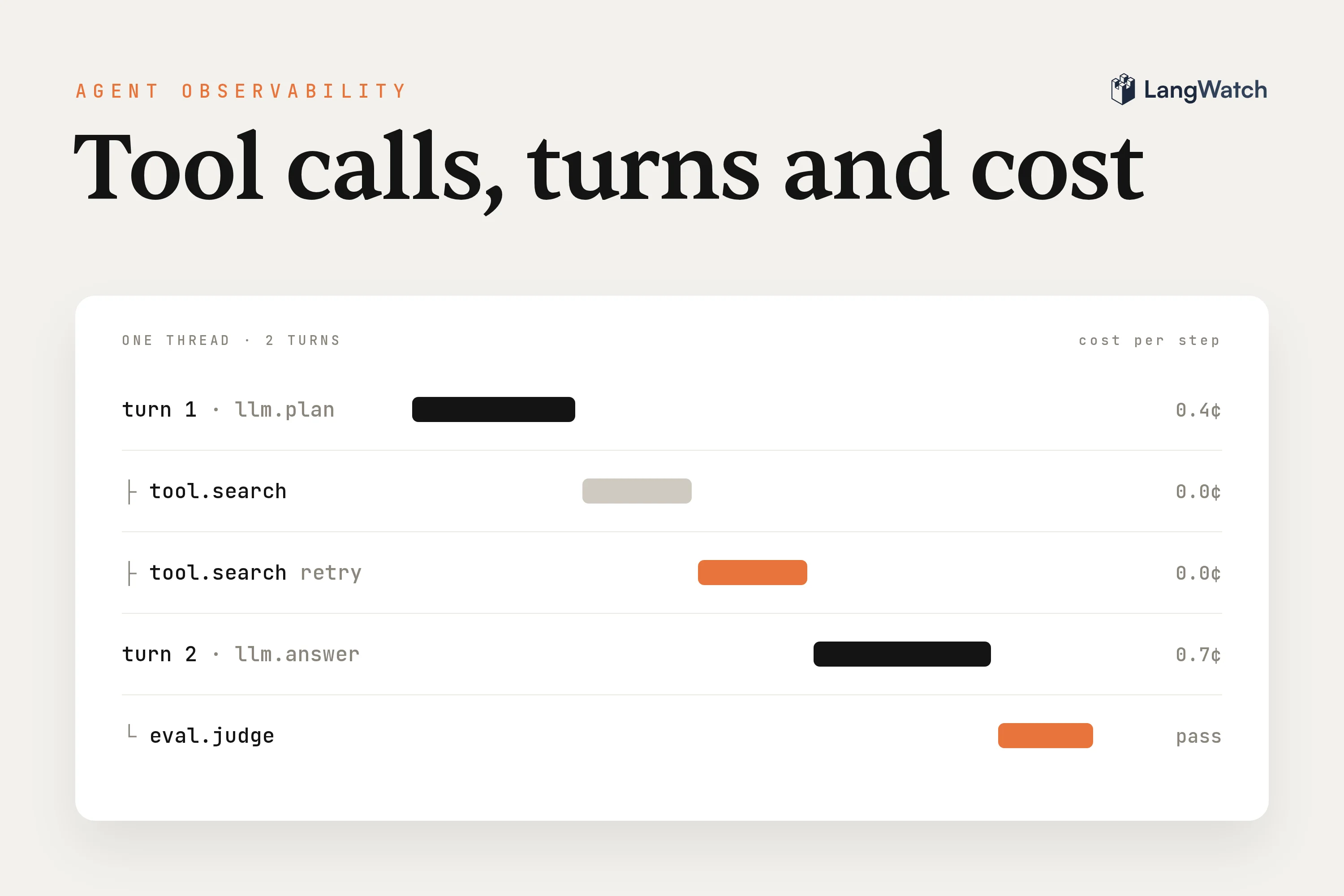
Short answer: Agent observability is tracing every step an AI agent takes, its model calls, tool calls, retries and conversation turns, with the cost of each, and then scoring those traces, so you see quality slip on real conversations before your users tell you.
Agent observability is the part of LLM observability built for agents: software that decides its own next step, calls tools, and talks to a user over many turns. A request log tells you the agent answered. A trace tells you which tools it called to get there, how many tries each one took, and what the whole conversation cost.
We build LangWatch, an open-source platform for tracing, evaluating and testing agents, so the examples use it. The same setup works with any tool that takes OpenTelemetry traces; we compared ten of them in the best LLM observability tools in 2026.
Agent observability in one paragraph
You instrument the agent so each user message becomes a trace, each model call, tool call and retrieval becomes a span inside it, and the traces of one conversation share a thread ID. Every span carries its input, output, tokens, cost and timing. Evaluators run on those traces as they arrive and score each turn or the whole conversation. You read the scores over weeks, by version, and you turn the bad traces into tests.
Set it up before you need it, because the trace for last Tuesday's bug only exists if you were already tracing last Tuesday.
How is agent observability different from LLM observability and APM?
APM tells you a service is up and fast. LLM observability tells you what one model call cost and returned. Agent observability tells you what the agent did across a whole task, and whether that was the right thing.
| APM | LLM observability | Agent observability | |
|---|---|---|---|
| Unit you look at | A request through your services | One model call | A conversation: turns, tool calls and model calls |
| What a failure looks like | An error, a timeout, a slow endpoint | A bad answer to one prompt | A wrong tool, a loop, a skipped step, a slow decline in quality |
| What you measure | Latency, error rate, throughput | Tokens, cost, latency per call | Cost per conversation, tool calls per turn, an evaluator's score per conversation |
| How you know it's broken | Alerts on errors | Reading prompts and responses | Evaluators that judge each trace or thread |
An agent that picks the wrong tool returns HTTP 200, on time, with a confident answer. APM is green, the model call looks fine on its own, and the user still didn't get what they asked for. You only see it when something reads the whole run and judges it.
The second difference is the unit. A chatbot that answers one question is fine with per-call logs. An agent that searches, reads, calls an API, retries, and then asks the user a follow-up question spreads one task over a dozen calls and several turns. If your tool shows them as a flat list, you end up rebuilding the conversation in your head.
What a good agent trace shows: steps, tool calls, retries, cost
A good agent trace shows every step as a nested span: the model calls, the tool calls with their arguments and results, the retrievals, and any retry, each with its tokens, cost and duration. The traces of one conversation are grouped, so you can read turn two in light of turn one.
In LangWatch that's three IDs:
- Thread: the whole conversation, set with
thread_id. - Trace: one round trip, from one user message to the agent's reply.
- Span: one step inside it, like a model call or a tool call.
With the Python SDK, a custom tool becomes a tool span with one decorator, and the conversation and version go on the trace as metadata:
import langwatch

langwatch.setup()

@langwatch.span(type="tool")
def search_listings(filters: dict):
    return listings_api.search(**filters)

@langwatch.trace()
def handle_message(thread_id: str, user_id: str, message: str):
    langwatch.get_current_trace().update(metadata={
        "thread_id": thread_id,
        "user_id": user_id,
        "labels": ["agent-v14"],
    })
    return run_agent(message, tools=[search_listings])
If you use the OpenAI Agents SDK, Agno, Mastra or another supported framework, the tool calls are captured without the decorator. For any other language, point an OpenTelemetry exporter at the LangWatch OTLP endpoint (OpenTelemetry guide) and set gen_ai.conversation.id for the thread. OpenTelemetry's GenAI semantic conventions define spans for invoking an agent and executing a tool, though they're still marked as in development.
What you want to be able to read off one trace:
- The steps in order. Which tool the agent picked first and what it saw before picking the next one.
- Tool inputs and outputs. The exact filters it searched with and what came back. A tool that returns an empty list, followed by a confident answer, is easy to miss without it.
- Retries. A tool that fails and passes on the second try looks fine in the final answer, but you still pay for the extra attempt.
- Cost and tokens per span, summed per trace. LangWatch reads the token counts from the span, including cached and reasoning tokens, and computes the cost from a model price list it updates daily. When a provider doesn't report usage, it estimates the tokens and marks the number with a
~.
Watch the cost per conversation, because an agent that loops costs you more turns, more tool calls and more tokens long before anyone complains about it.
How agents drift, and what to watch over weeks
An agent can get worse slowly. A prompt edit, a new model version, a change in the data a tool returns, or the agent's own memory piling up can shift its behavior a little at a time. Nothing errors, so watch the trends: an evaluator's score on whole conversations, tool calls per turn, turns per conversation and cost per conversation, split by version.
One team we talked to runs an agent that picks search filters every day on its own. It worked well for the first few days. A few weeks in, it started running the same filters for the same people over and over. Typing the filters in by hand fixed it right away, so the agent was clearly the problem, but they couldn't see why it had picked what it picked.
The agent never threw an error. A trace of each daily run, with the filters as tool inputs, shows that kind of repetition, and a simple question asked of every run ("did the agent pick the same filters as yesterday?") puts a number on it.
Set these up so you catch drift in the first week:
- A monitor on whole conversations. An online evaluation runs an evaluator on every matching trace, or on the whole thread once it goes idle. An LLM judge with your own criteria ("the agent resolved what the user asked") gives you a pass rate per day. Monitors run after the response is sent, so they never slow the agent down.
- Version labels on every trace. Label traces with the prompt or agent version, so when the pass rate drops you can see whether it started with a deploy.
- Notifications on failures. An automation can send a Slack message or email for traces that fail a monitor, grouped into a digest so a bad day doesn't send you a hundred messages.
- Questions you didn't think of in advance. When you suspect a pattern, ask it of your whole history instead of sampling. Instant Evals in LangWatch judges every conversation in a time window against a plain question, in about a minute for 10,000 conversations. That's fast and cheap enough to check a hunch the day you have it, and because every row is judged, the one run in ten thousand where the agent looped is in the result.
How to monitor and evaluate my AI agents?
Trace every turn with its tool calls and cost, group the turns of a conversation into a thread, and run evaluators on live traffic that judge the whole conversation. Then read the scores by version over time, and send the failures into a dataset and into tests.
The part teams skip is the evaluator. Tracing alone gives you something to read when a user complains, and you'll still hear about the problem from the user first. An evaluator turns "is the agent still good?" into a number you check like any other metric. Start with one judge that reads the conversation against two or three criteria you'd hold a support person to, and add more once the first one fires on things that are actually wrong.
Judge at the right level too. A trace-level check works for single answers, like whether a reply leaked personal data. Agent problems usually span turns: the agent asked for the same order number twice, or gave up after a failed tool call. Those need a judge that reads the thread.
If you run several agents across teams, start with tracing them all into one place before you add policies or evals on top. You can't set a cost budget or a quality bar for an agent you can't see.
From a trace to an eval to a test
A bad trace is the start of the fix, and you shouldn't stop at reading it. Turn it into a dataset row so your evals cover it, then into a scenario test that fails today and passes once it's fixed, so the same bug can't come back with the next prompt change.
The loop:
- Collect the failures. An automation with the "Add to dataset" action appends every trace a monitor failed to a dataset, with the input, output and spans mapped to columns. Your next experiment runs on real failures instead of the cases you imagined.
- Reproduce one as a test. Give the trace ID to your coding agent with the LangWatch skills installed. It reads the trace with
langwatch trace get <trace-id>and writes a scenario where a simulated user replays the situation (how to test AI agents walks through it). - Let the test's judge read the trace too. With linked traces, the judge fetches the agent's traces for each turn before its verdict and checks criteria like "the agent looked up the order before answering" against the actual tool call, rather than trusting the reply text.
- Run it in CI. From then on every change gets checked against the bug you already had once.
Step three is why the tests should read the same traces you watch production with. A reply that says "your order ships Tuesday" reads the same whether the agent looked the order up or made the date up, and only the trace shows which.
Put this into production with LangWatch.
Trace your agents, run evaluations, and turn failures into repeatable tests.
Frequently asked questions
- What is the difference between agent observability and LLM observability?
- LLM observability traces single model calls: the prompt, the response, tokens, cost and latency. Agent observability traces the whole run around those calls, with every tool call and its input and output, the retries, and the turns of a conversation grouped into one thread. It also scores whole conversations, because an agent can make ten good calls and still fail the user.
- How can businesses monitor and optimize large language model applications?
- Trace every request with token counts and cost per call, group the requests of one conversation together, and run evaluators on live traffic so quality has a number you can watch. Label traces with the prompt or model version, so you can compare versions on real traffic before you switch, and turn the failures you find into a dataset and tests.
- Do I need OpenTelemetry for agent observability?
- No, but it helps. OpenTelemetry lets you send agent traces from any language to any backend that accepts OTLP, and its GenAI semantic conventions define spans for invoking an agent and executing a tool. LangWatch accepts OTLP over HTTP and also has Python, TypeScript and Go SDKs, where grouping a conversation is one metadata field.
- What should I monitor on an AI agent in production?
- Watch the score of an evaluator that judges whole conversations, the tool calls per turn, the turns per conversation, and the cost per conversation, each split by prompt or model version. A slow change in any of these over a few weeks is a warning sign, often long before an error shows up.