
← Changelog
Agent Testing v2 and Prompt Optimization in the Workbench
Agent Testing replaces Simulations with suites, run plans and versioned test cases, and one run can compare agents side by side. In the experiments workbench, Langy optimizes a prompt for you.
LangWatch Team · · 3.17.0
What You Can Do Now
Test your agents on one page
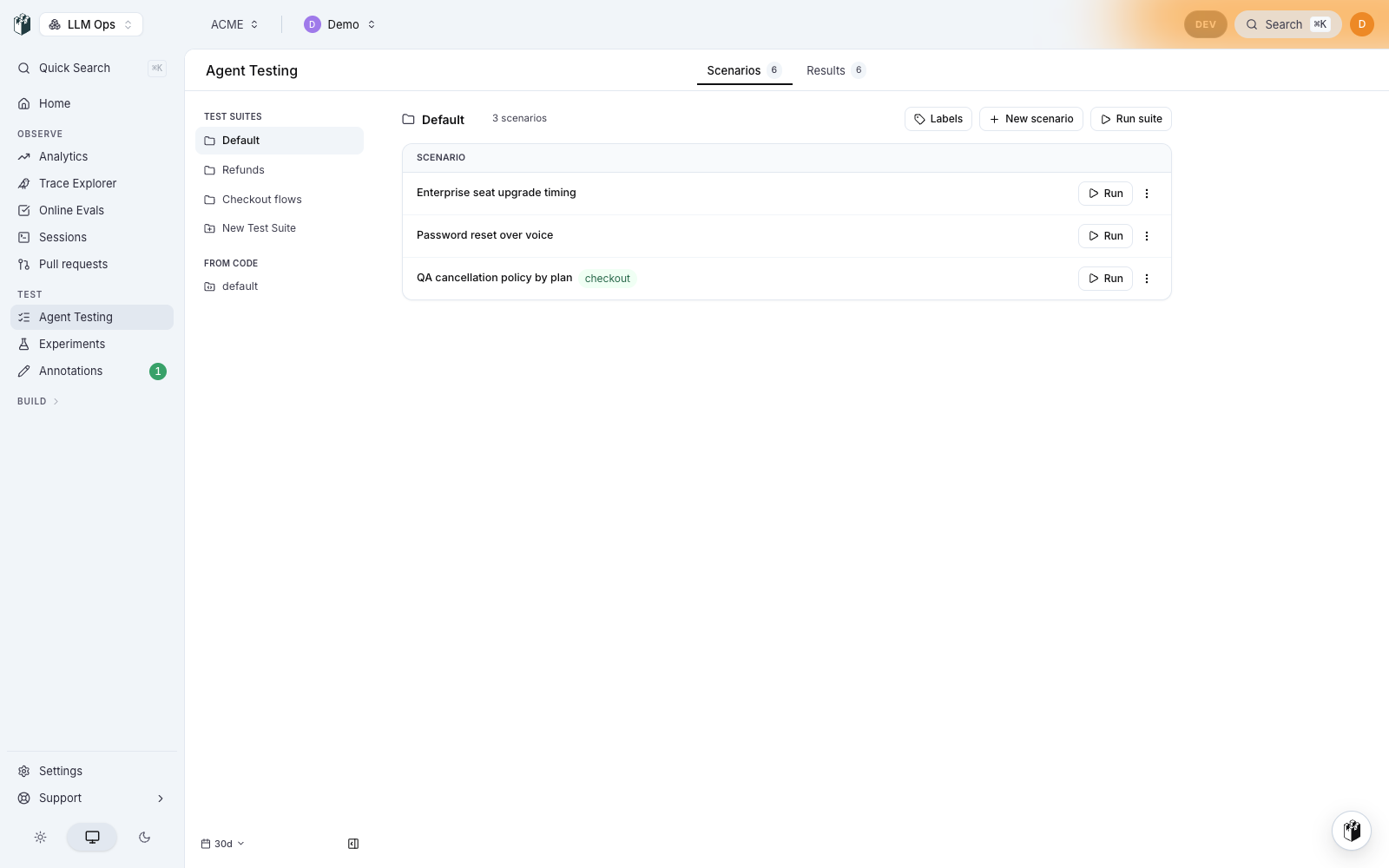
- Open Agent Testing where the Simulations menu group used to be. Scenarios and results are two tabs on one page, test suites are folders of scenarios, and every old simulations address redirects there.
- Version a test case and read its history, write a note on a run, and read the results beside the conversation in a wider drawer.
- Results lists suites as run plans, marks the sets written from code as From code, and pins one-off runs at the foot of the list.
Compare agents in one run
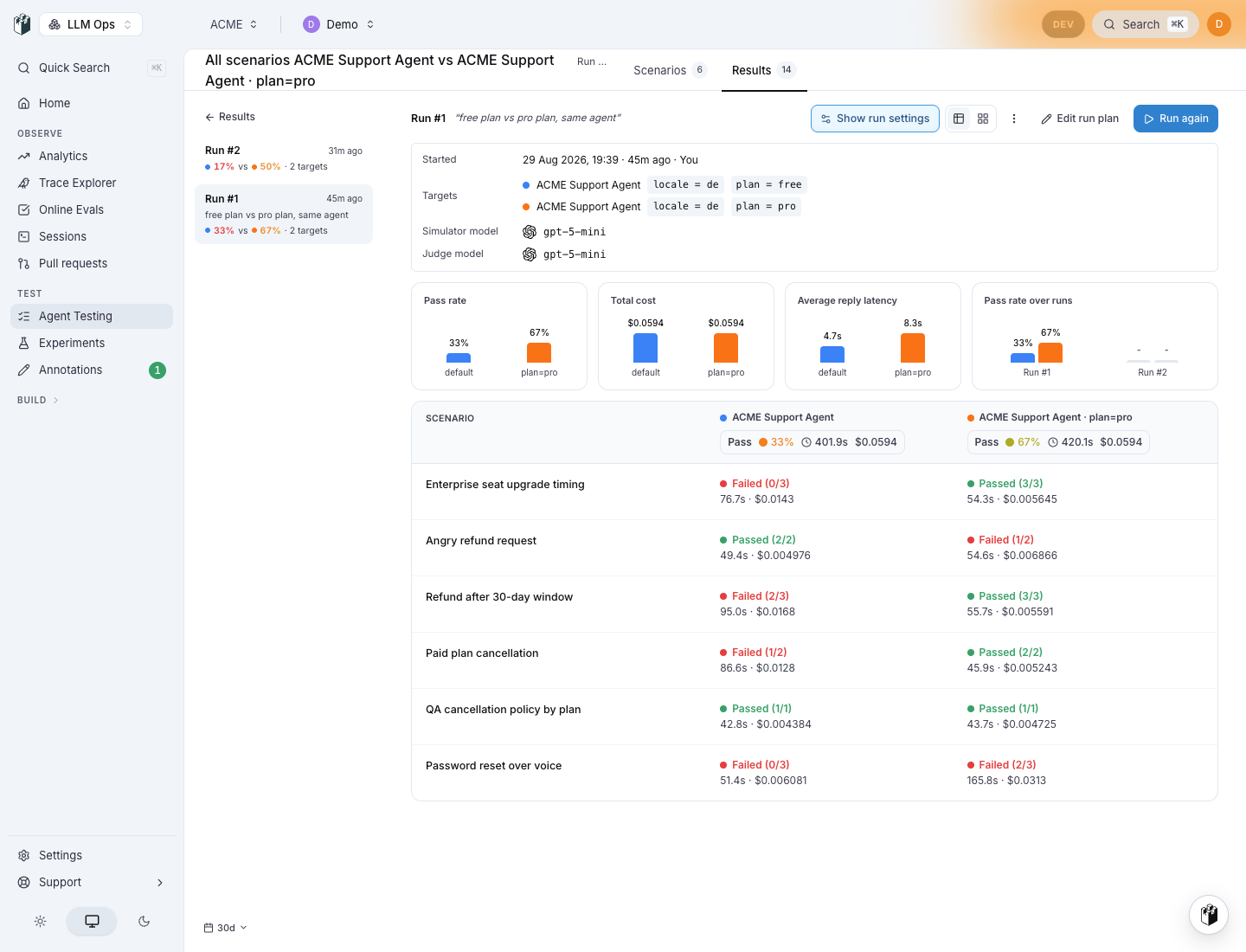
- Add up to four targets to a run, each with its own parameter line, so one agent runs on two models or on two plans in a single run.
- Read the run as a matrix: one row per scenario, one column per target, with the pass rate, cost and average reply latency of each target above it.
- Run the same comparison from CI:
langwatch run-plan run --target 'http:agent_abc?model=gpt-5' --target 'http:agent_abc?model=gpt-5-mini'. The MCP tools and the REST run-plan and test-suite routes take per-target parameters too. - Group results by target, so a parameter variant is its own row and its own filter value.
Optimize a prompt from the experiments workbench
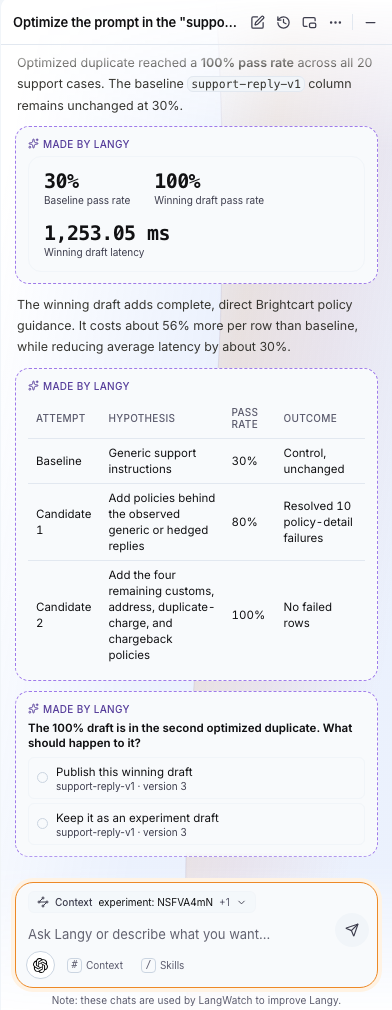
- Open a prompt column's menu and pick Optimize this prompt. Langy reads the workbench you have open, scores the baseline, duplicates the column, writes a candidate into the copy, runs it, and reports what changed.
- Langy wires and reruns an evaluator that has no mapping instead of reporting a 100% baseline it cannot trust, and a run whose inputs all resolve empty is refused with an error row that names the evaluator to map.
- The closing report gives the pass rate, the cost and the latency of every draft with the hypothesis behind it, then asks whether to publish the winner.
- Version history numbers your deliberate saves in a gap-free sequence. The rolling autosave shows as Autosave with no number, in the drawer and in the CLI.
Log a coding agent in once per run, not once per row
- The agent cache is a per-project store your agent keeps its own run state in. Write the session once, read it back at the start of every row, and a two hundred row run stops logging in two hundred times. Values are encrypted at rest and expire on their own.
POST /api/agent-cache/{name}/claimtakes a name only when nobody holds it, and answers whether you are the caller that took it, so the first row of a parallel wave does the login and the rest reuse it. A dogfood run of four parallel rows went from four logins to zero.langwatch ingest contextdeclares the repository and branch a session works on, so a long-lived agent that moves between checkouts is still attributed to the right pull request.
Govern the spend and the conversations you pull in
- Connect an OpenAI organization and read its daily spend attributed to the person who spent it and the API key it was billed against.
- Read Copilot Studio conversations from the Dataverse transcript table the agent writes to, rather than from the directory audit, which never held a conversation.
- Route pulled Databricks Genie conversations into the trace explorer, and pick the destination project from the source drawer. The destination project's privacy policy governs what is stored.
- The usage attribution report has three buckets: attributed, unattributed and unattributable. The three always add back up to the raw ledger, so nothing is quietly dropped, and an admin can resolve an unattributed row.
- Tool Tiles and Sources merge into one Inventory page with two tabs, Departments becomes People, and every old address redirects in one hop.
- Edit a pull source after you create it: report, bucket width, backfill start, credentials and cadence. The closed-domain fields are pickers now instead of free text.
Notes
- Experiments: the numbers agree across the workbench, the results page and the CLI, browser runs persist their results to the server, and evaluator chips name what they check.
- Gateway: the gateway no longer reports a failure that never reached a provider as a timeout, a forwarded rejection is logged with the provider's own reason, and a codex request carries only what its backend accepts.
- Data privacy: redaction was replacing the product's own record ids, and no longer does.
- Navigation: the flag that gated the product switcher is gone, along with the legacy chrome behind it. Every signed-in page renders the new shell.
- Scenario: the ElevenLabs SDK installs only for the people who use voice, so everyone else gets a smaller install.
- Docs: Agent Simulations is now Agent Testing, rewritten page by page against the shipped interface, with new pages for scenarios, test suites, run plans, results, comparison runs and targets. Every old path redirects. The Langy optimization page is Automatic Prompt Optimization.
- Shipped in langwatch 3.17.0, with typescript-sdk 1.9.0 and 1.10.0, python-sdk 1.2.1 and Scenario JavaScript 1.4.0.