
Connected Agents and Langy on Your Own Machine
Decorate the function that runs your agent and LangWatch tests it directly, with no public URL to expose. Langy can now work in a folder on your machine, with your toolchain and your own gh.
What You Can Do Now
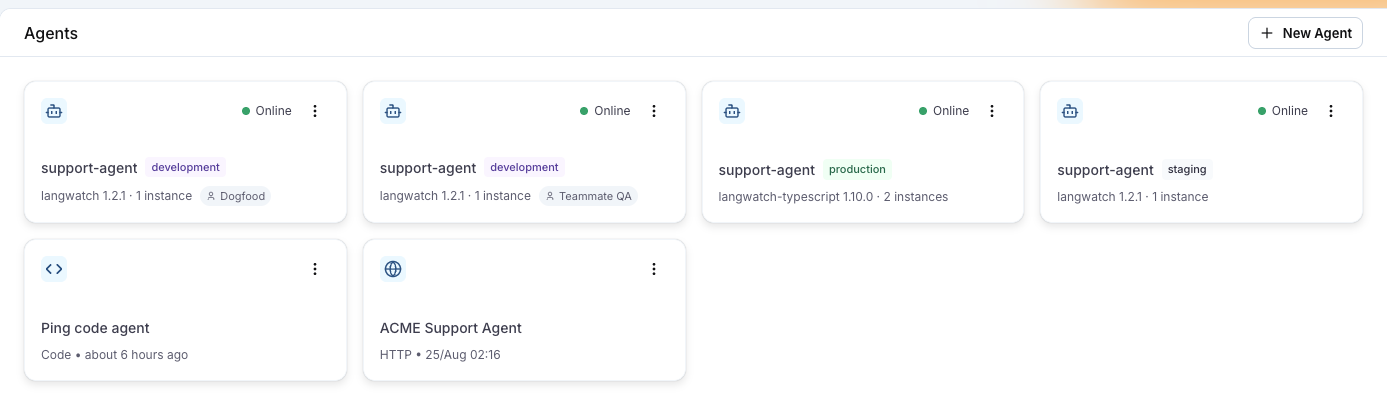
Connected agents
Add one decorator in Python or one wrapper in TypeScript and the function that runs your agent becomes a test target. The process connects to LangWatch itself, so there is no public URL to expose, no body template to write and no trace middleware to wire up.
@langwatch.connect_agent(...)in Python,connectAgent(...)in TypeScript. The function signature declares the run parameters, including their types and their closed option lists, so the run dialog can offer them back to you.- The Agents page marks each agent Online or Offline with its environment, SDK version and instance count, and Test agent sends one scripted message so you can check the wiring before a whole suite runs.
- Development agents are personal, which means yours run for you and a teammate's stay hidden until you ask for them.
- Use a connected agent as a column in the experiments workbench, as a target in a run plan, or from the terminal with
langwatch agent run. - Underneath it is a WebSocket relay, with an HTTP long-poll transport for networks that block the upgrade. The SDK falls back to long-polling on its own.
Langy on your machine
Run langwatch langy --share-control in a folder and one Langy conversation gets tools that read, edit and run commands there, using the toolchain you already have: your .env, your running server, your gh. Langy asks how to reach your code before it starts, and work that never leaves the platform, a scenario or a prompt version, does not ask at all.
- Approve the share in your terminal. Read-only commands and edits inside the folder run without a prompt, and everything else asks in the terminal and on a card in the panel at the same time, so whichever you answer first settles it.
- Paths outside the folder,
sudoand secret files are refused by the CLI rather than by the model, so a refusal is the folder's decision and not a judgment call. - Langy explores the stack, works on a branch, runs your project's own checks, commits, pushes and opens the pull request with your
gh. - GitHub still works the way it did, and Remember this choice keeps it as the default. Clear it in Settings, Integrations.
langwatch agent devis nowlangwatch agent tunnel. The old name keeps working.
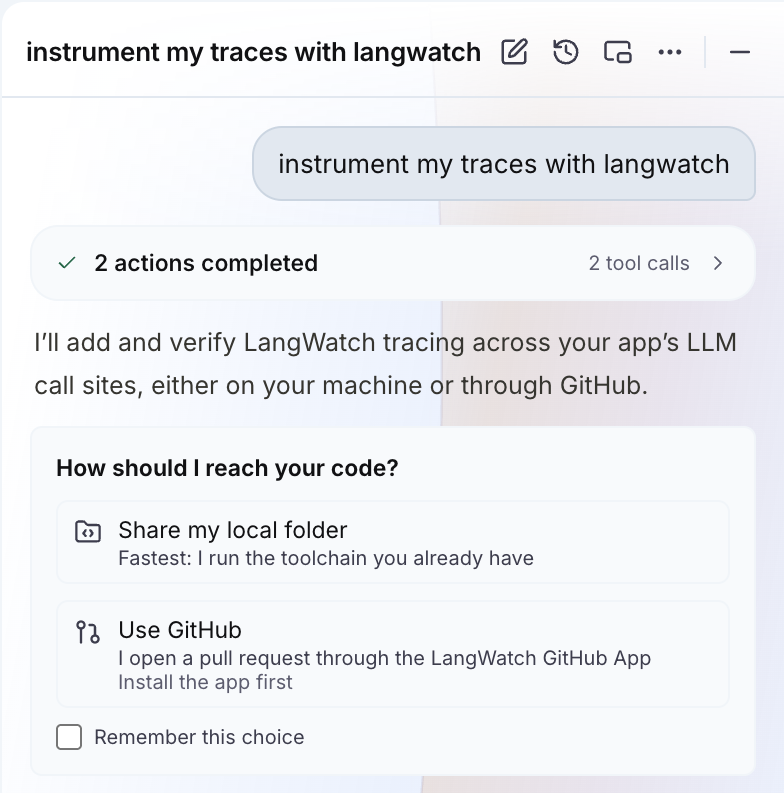
Image generation on the LangWatch AI Gateway
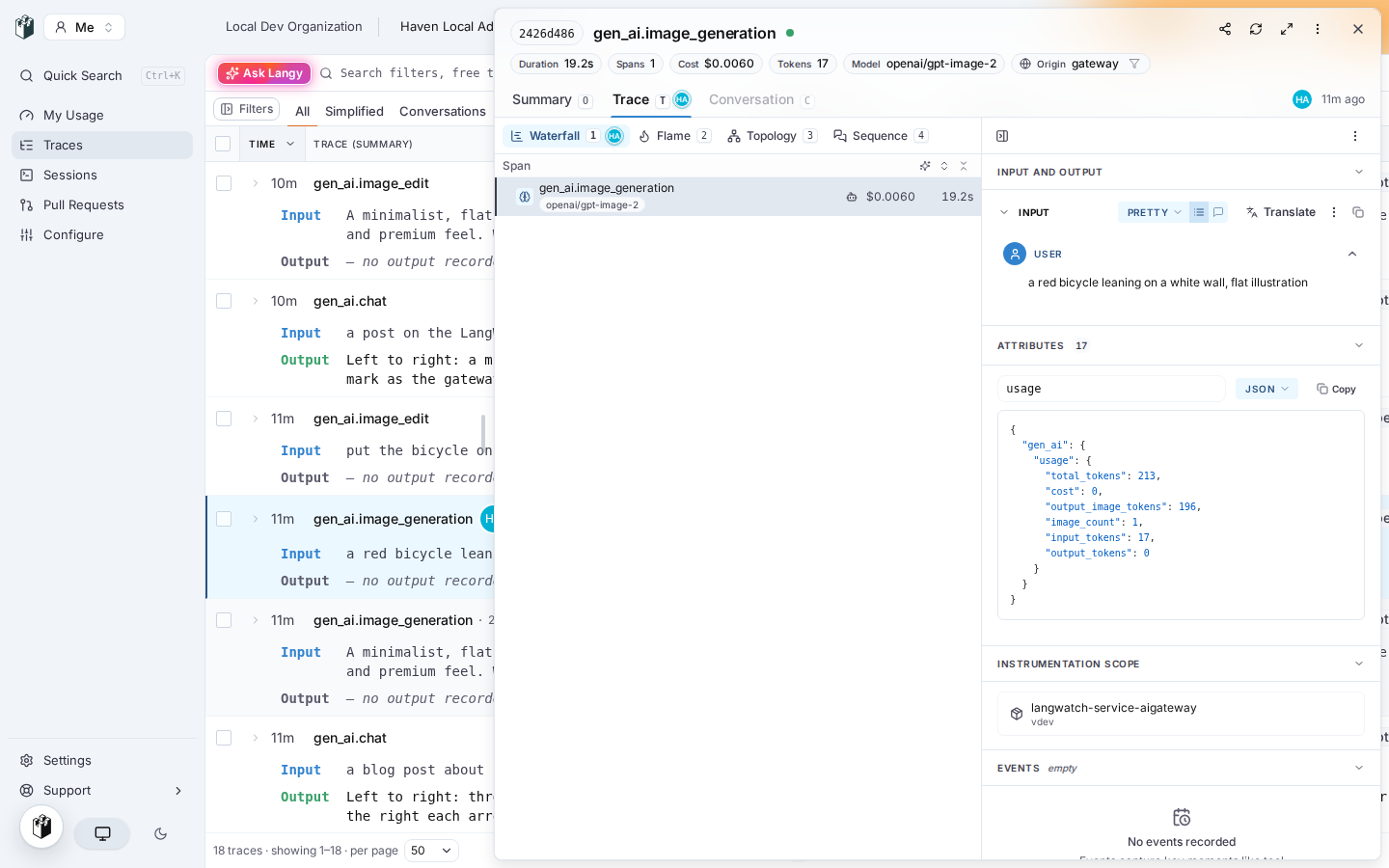
POST /v1/images/generationsandPOST /v1/images/editson the OpenAI wire, both non-streaming, with edits capped at 64 MiB.- gpt-image models bill text input, image input and image output at three different rates, so the gateway meters the three buckets separately and the catalog prices each one.
openai/gpt-image-2,gpt-image-1andgpt-image-1-minicarry the rates. - Spans record the prompt and never the image bytes, so a trace stays small enough to read.
/v1/responseswith animage_generationtool used to answer 502, because the engine could not decode one field of a body it had no schema for. Now the gateway forwards a provider 2xx it cannot decode as HTTP 200 and reads the usage back out of the raw JSON.
Evaluators on agent test suites
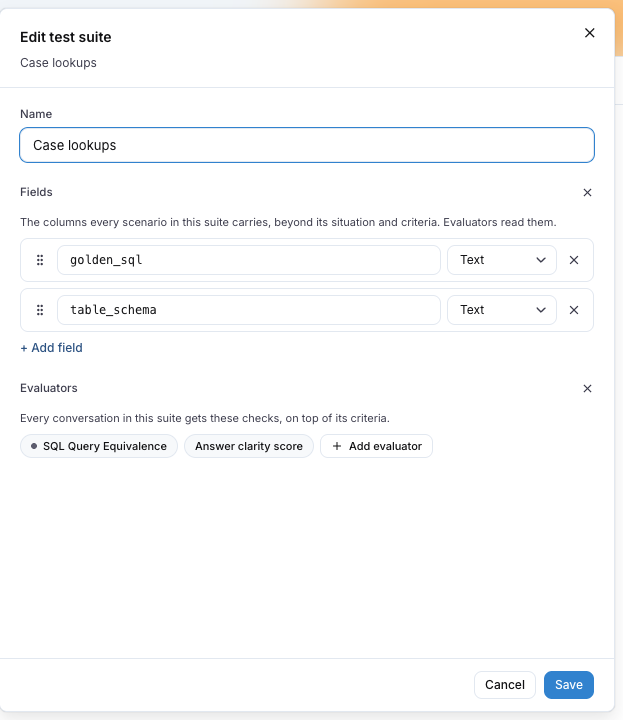
- Give a test suite its own fields and its own evaluators, and every scenario in the suite gets those checks on top of its own criteria.
- Map an evaluator's inputs, mark a mapping required, and a run that would leave one unmapped opens the editor at the offender instead of failing partway through.
- In the SDK, an evaluator's mappings are functions of the run state, so a mapping can read whatever the run has produced by the time it is needed.
- Offline connected agents are disabled in the run dialog and in Test agent, so you find out before the run rather than during it.
Coding agent cost on every pull request
- Every pull request gets one sticky comment with sessions, tokens and estimated cost per contributor and per agent, rewritten in place on each push and refreshed once more when it merges.
- Cost now follows the repository and branch stamped on each call, rather than the first pull request a session ever touched, so a long-lived agent that works for weeks across many branches reports on each of them instead of charging everything to one.
- Org-scoped service keys can read pull-request usage on
/api/v1without naming a project.
Traces, annotations and keys
- Click a facet row in the traces sidebar and it both applies the filter and opens the choices underneath it: verdict, score range, per-event metric values. They used to sit behind a pale chevron at the row's trailing edge.
- Filter on
thumbs_up_downevents with no configuration first. - Open a conversation from the traces list and keep the time range you had chosen.
- The annotations review inbox folds a dozen score columns into one, which gives input and output the room they need, and the row actions stop hiding off the right edge behind a sideways scroll.
- Personal ingest keys are per device now. Instrumenting a second machine no longer revokes the first one's key, and if a key is revoked the session hook re-mints it instead of dropping telemetry in silence.
Notes
- Raw LangWatchQL has one door:
POST /api/v1/queryruns a query andGET /api/v1/query/schemareturns the queryable catalog. The two never-announced routes under the saved-charts family are gone, and saved workbench charts are untouched. - CSV exports: seven writers built their own blob and skipped the formula guard, so a cell a spreadsheet would run as a formula went out unescaped. Every writer goes through the guard now.
- Org admins holding a custom team role were losing admin access in the browser. Fixed.
- Scenario: agent adapters carry a name and runs report which agents they used,
scenario.runaccepts a connected agent function, and the Claude Code adapter returns structured messages and leaves no orphan process behind. - Docs: the AI Gateway pages, the agent improvement guides and the introduction page were rewritten, and Optimization Studio is now called Workflows.
- Shipped with typescript-sdk 1.13.0, python-sdk 1.4.0, and Scenario 1.6.0 for JavaScript and 1.5.0 for Python.