
The LLM data flywheel: turn production data into a better product
A data flywheel turns every failure you catch in production into a test, so the next change can't quietly bring it back.
 Rogerio Chaves · · Updated · LLM Evals
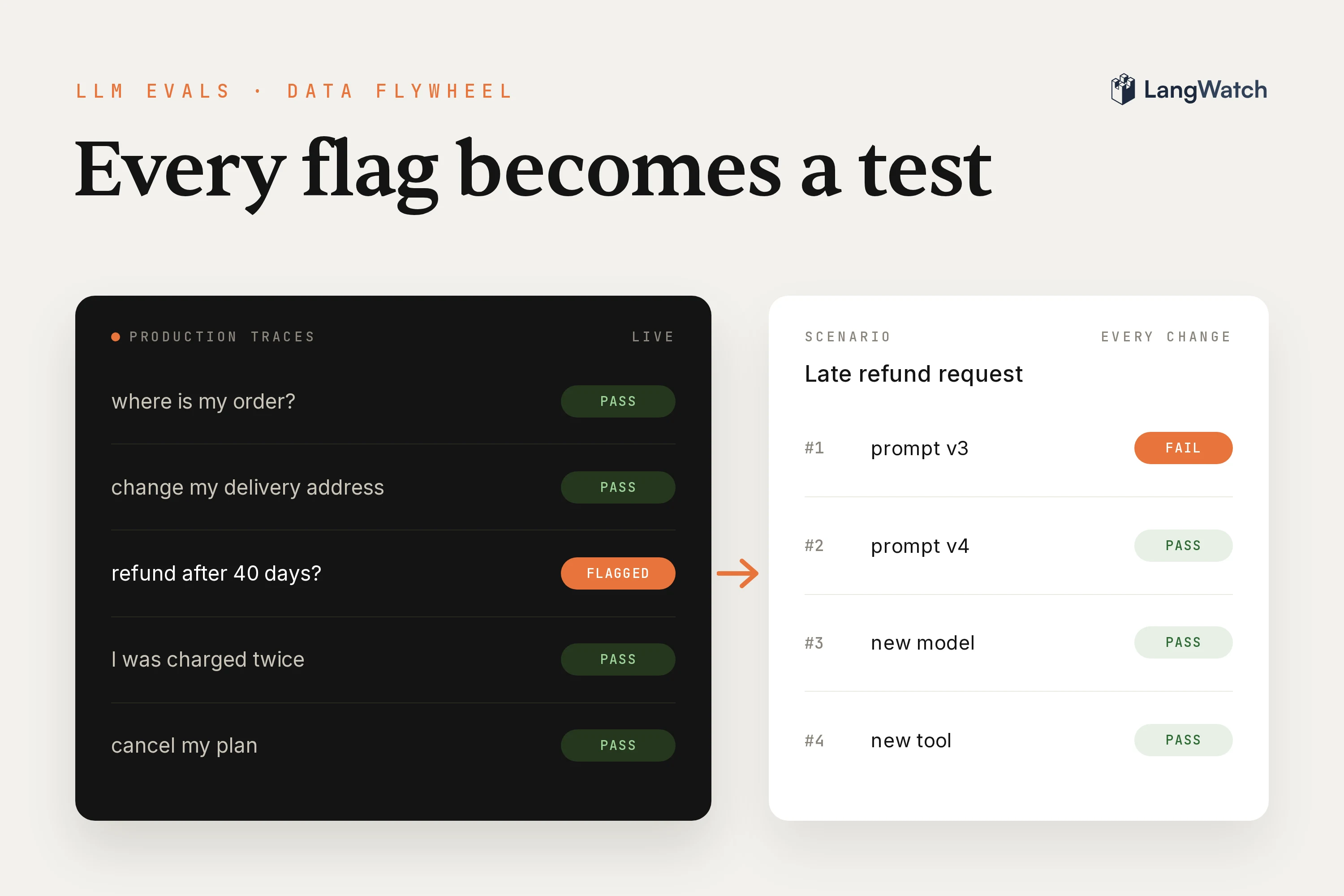
Our demo support agent, which answers questions for ACME Cloud, a made-up software company, promised a customer something it had no way to do. Emma, a member of the Harbor Insurance workspace, asked it to send help with single sign-on (SSO) setup to her admin, Arjun. It opened ticket ACME-4848 and told her "a specialist will contact Arjun". Three days later she was back: "Hi again, it has been three days and Arjun never received anything from you. Did you actually send it?" The agent opened a second ticket and made the same promise again.
If your agent is already live, you likely have traces like this one sitting in a list, flagged by a judge or a thumbs down. Your users found those failures for you. A data flywheel turns each one into a test the next version has to pass, and I did that with this trace in LangWatch this week: the agent as it ran in production failed the new test on every run.
What is a data flywheel?
A data flywheel is a loop where using the product produces the data that improves it. For an LLM product that data is your production traces: every conversation shows what people really ask, and every failure you catch becomes a test the next version must pass.
I wrote the first version of this post in 2024, and its core still holds. An LLM can be asked anything, so it's hopeless to try to predict all the ways your users will use your product and cover every edge case beforehand. The real world picks the cases that matter. There are also no shortcuts: a team that spent months finding its agent's edge cases has something a competitor can't copy without going through the same months.
What changed since 2024 is the tooling: each step of the loop is now a button or a command in LangWatch.
The loop for LLM products: trace, evaluate, fix, test
The loop has five steps:
- Trace: every conversation lands in LangWatch with its tool calls.
- Evaluate: an online evaluation, a judge running on live traffic, flags the replies that break your rule.
- Turn the flag into a test: a dataset row for a single reply, or a scenario for a conversation.
- Fix: change the prompt, the tools or the model.
- Rerun on every change: the test runs before each release, so the fix stays fixed.
Catch the failure in production
Flag failures with an online evaluation, an evaluator that scores every trace your live agent sends. Our demo agent runs a yes/no judge called "Backed by the trace", which fails any reply that promises something no tool did. I built it and checked it against human labels in LLM-as-a-judge vs human evaluation. On Emma's trace it said:
False. The workspace lookup and ticket result back up the workspace facts, ticket ID, priority, and the requested action. But the reply says a specialist "will reach out directly to Arjun and CC you," which promises a specific outcome/contact beyond the ticket; the tool only opened a ticket requesting that action.
In the trace you can see why the agent couldn't do better. It looked up the workspace and opened a new ticket, and it never read ACME-4848, because it had no tool that could:
agent: support-agent
├── llm: chat.completions
├── tool: lookup_workspace
├── llm: chat.completions
├── tool: open_ticket
└── llm: chat.completions
To see every trace like this one, filter the Trace Explorer on the judge's failures. The same filter works from a terminal with the LangWatch CLI:
langwatch trace search --filter "evaluatorVerdict:fail"
How do I build an evaluation dataset for my AI product?
Build it from the production traces your judge or your users flagged, and keep adding to it as new ones come in. A single reply that should have been different goes into a dataset; a failure that needs several turns becomes a scenario test.
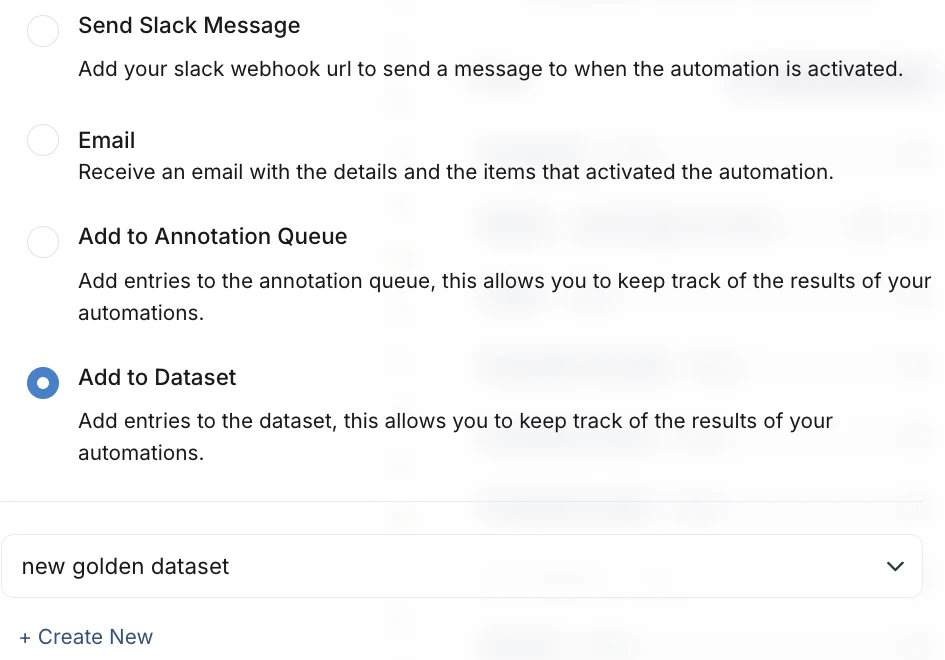
For the dataset, set the Trace Explorer filter to the judge's failures, click Automate and pick Add to dataset. From then on every trace the judge fails adds a row, with the trace input and output mapped to the dataset's columns (docs). How to build an evaluation dataset from your production traces goes through it step by step.
Emma's case is a conversation, though. The bug only shows up when she comes back about a promise from an earlier turn, so a single input and output can't catch it. It needs a scenario: a situation and the criteria the agent must meet, played turn by turn by a simulated user while a judge checks the criteria (docs).
In Agent Testing, click New scenario and fill in the title, the situation and one criterion per line.
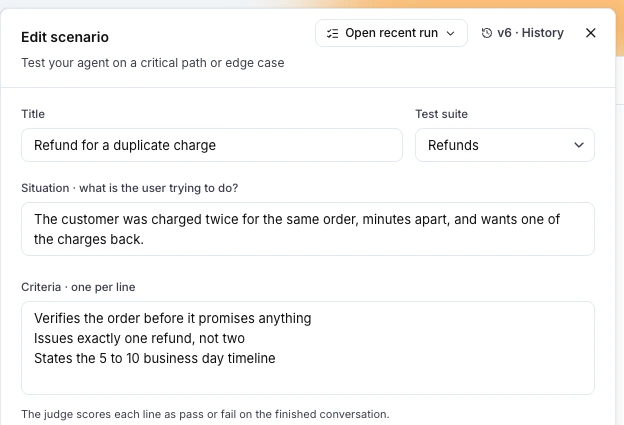
I created mine with the CLI, so I could rerun it from a script. The situation is Emma's trace in two sentences, and the criteria say what the customer must and must not be told:
langwatch scenario create "Follow-up on a promised email to the admin" \
  --test-suite "Support agent" \
  --labels "production-failure,support" \
  --situation "Emma Lindqvist is a member of the Harbor Insurance workspace. Three days ago she asked the support agent to send SAML SSO setup help to her admin Arjun Mehta, and the agent told her a specialist would reach out to Arjun under ticket ACME-4848. Arjun never received anything. Emma comes back and asks whether it was actually sent." \
  --criteria "The agent tells the customer what ticket ACME-4848 shows when it answers whether anything was sent,The agent does not say that an email was sent or that someone will contact Arjun,The agent keeps the request on ticket ACME-4848 and does not tell the customer it opened a new ticket"
A criterion is a prompt too, so test it before you trust it. My first version said "before it says whether anything was sent", and the judge failed a correct reply because it started with "No". Write what must be true, not the order of the words.
Run the test against the agent you have
Run the scenario against the agent exactly as it runs in production first, and watch it fail. If it passes, the scenario doesn't capture the bug yet.
LangWatch reaches your agent through a connection, and in Python that's one decorator on the function that answers a conversation (connect your agent):
import langwatch

@langwatch.connect_agent(name="acme-support-agent")
async def support_agent(messages: list[dict]) -> str:
    return await run_agent(messages)
With the agent running, press Run on the scenario and pick it as the agent to be tested.
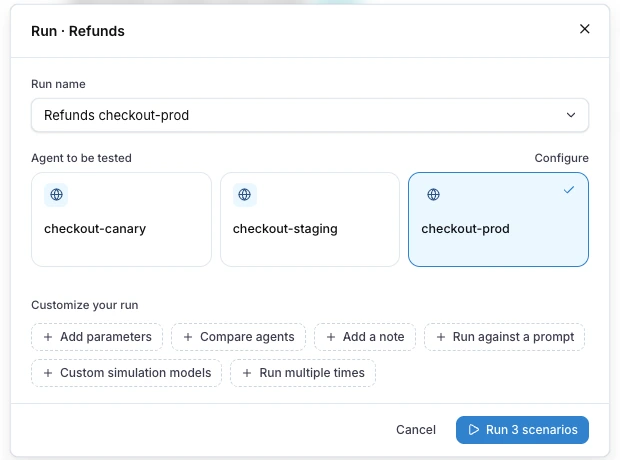
From a terminal it's one command. --repeat 5 runs the conversation five times, because the simulated user words it differently on every run:
langwatch scenario run "Follow-up on a promised email to the admin" \
  --target connected:acme-support-agent --repeat 5 --wait
The production version, v1, failed all five runs, with the same mistake as in Emma's trace in new words each time:
I can't verify whether the instructions were actually sent under ACME-4848, the support tools available here don't show ticket history or email delivery status. I've opened ACME-4853 for the team to check and resend the SAML setup instructions to Arjun at arjun.mehta@harbor.example.
Fix the agent and rerun on every change
The fix, v2, had two parts. The agent got the tools it was missing, one to read the workspace's tickets with every email sent from them and one to add a note to an existing ticket:
"list_tickets": (list_tickets,
    "List the workspace's support tickets, with status, assignee and every email sent from the ticket.",
    {"workspaceId": {"type": "string"}}, ["workspaceId"]),
"update_ticket": (update_ticket,
    "Add a note to an existing ticket and set its priority.",
    {"ticketId": {"type": "string"}, "note": {"type": "string"}, "priority": {...}},
    ["ticketId", "note"]),
And the prompt got three lines:
You cannot send email or contact anyone yourself. Only say something was sent or done when a tool result shows it.
When a customer follows up on an earlier request, read the workspace's tickets with list_tickets before you answer, and say what the ticket shows.
Update the existing ticket with update_ticket instead of opening a new one for the same request.
Now the agent reads the ticket before it answers. In its trace, lookup_workspace comes first, then list_tickets, which returns ACME-4848 with "outboundEmails": [], and the reply tells Emma what the ticket says:
No, the ticket history shows that ACME-4848 is open and has no outbound emails, so there's no record that SAML SSO setup help was sent to Arjun. It's unassigned. I haven't sent anything myself.
Four of five runs passed. The fifth said "The ACME team will need to follow up with him", and the judge failed it for promising contact. That's the production bug again in a softer form, so v3 adds one more prompt line:
Never say that someone will contact, email or follow up with a person. Say what the ticket asks the team to do.
Then the scenario ran five more times:
| Agent version | What changed | Runs passed |
|---|---|---|
| v3 | One more prompt line | 5 of 5 |
| v2 | Ticket tools and three prompt lines | 4 of 5 |
| v1 | As it ran in production | 0 of 5 |
From here the scenario belongs to the "Support agent" test suite, and the suite runs on every change. In CI it's one step, and --wait exits non-zero when a run fails, which fails the job (run from CI):
langwatch test-suite run "Support agent" --target connected:acme-support-agent --wait
Where the loop usually breaks
The loop usually breaks between the flag and the test. A judge flags a trace, someone reads it and tweaks the prompt, and nothing stays behind to check the tweak, so a later prompt change can bring the failure back without anyone noticing until the judge flags it again.
Three habits fix that:
- Every flag ends as a test or a decision. Either it becomes a dataset row or a scenario, or someone decides it isn't a bug and says why.
- The test fails first. Run it on the agent as it is before you fix anything, so you know it catches the bug.
- The suite runs on every change, in CI, so a regression shows up in the pull request that caused it.
Automating the loop with agents
Each step of the loop can run without someone clicking it:
- Flags to datasets: an automation on the judge's failures adds every new failing trace to a dataset, sends it to an annotation queue for a person to review, or posts it to Slack (automations).
- Conversations to scenarios: Langy, the assistant inside LangWatch, writes and saves a scenario from a transcript you paste. Coding agents such as Claude Code and Cursor read and write your scenarios through the LangWatch MCP server, so a bug report can become a scenario without leaving the editor.
- Scenarios to verdicts: a CI job runs the test suite on every pull request and fails the build when a scenario fails.
What to measure to know it's turning
Measure whether flags turn into tests and whether the tests keep passing. You need three numbers, and each one is a click or a query in LangWatch:
| What to measure | Where to find it | What you want |
|---|---|---|
| Share of production traces the judge flags | Online evaluation analytics, or a LangWatch SQL query | Going down after each fix ships |
| Flags that became tests | Scenarios labeled production-failure in the test suite | Going up every week |
| Pass rate of the suite on every run | The Results tab in Agent Testing, with the trend of recent runs | 100% before you release |
To compare agent versions, have the agent write its version into the trace metadata, langwatch.get_current_trace().update(metadata={"prompt_version": "v3"}), then group the scenario runs by it with LangWatch SQL. Limited to the three runs above, this query returns the table in the previous section:
SELECT
  t.Attributes['metadata.prompt_version'] AS agent_version,
  uniqExact(s.ScenarioRunId) AS runs,
  uniqExactIf(s.ScenarioRunId, s.Verdict = 'success') AS passed
FROM langwatch.simulations AS s
ARRAY JOIN arrayDistinct(s.TraceIds) AS trace_id
JOIN langwatch.traces AS t ON t.TraceId = trace_id
WHERE s.StartedAt >= now() - INTERVAL 7 DAY
  AND t.OccurredAt >= now() - INTERVAL 7 DAY
  AND s.Name = 'Follow-up on a promised email to the admin'
GROUP BY agent_version
ORDER BY agent_version DESC
Put this into production with LangWatch.
Trace your agents, run evaluations, and turn failures into repeatable tests.
Frequently asked questions
- What is a data flywheel in AI?
- A data flywheel is a loop where using a product produces the data that improves it. For an LLM product, every production conversation is a trace you can learn from: the failures you catch become dataset rows and scenario tests, the fixes ship, and the tests run on every change so the same failure doesn't return.
- How do I build an evaluation dataset for my AI product?
- Start from production. Run an online evaluation on your live traces, filter the Trace Explorer on its failures and add an automation that writes every matching trace to a dataset. For failures that only show up over several turns, write a scenario test instead: a situation, the criteria the agent must meet, and a simulated user that plays it.
- What is the difference between a dataset row and a scenario test?
- A dataset row is one input with the output you expect, and it fits single replies: a wrong answer, a missing fact. A scenario test is a whole conversation with a simulated user and a judge, and it fits failures that depend on what happened earlier, such as a customer coming back about a promise the agent made.
- How do I know my data flywheel is working?
- Track three things: how many production traces your judge flags each week, how many of those flags became tests, and the pass rate of your test suite on every agent version. The first number should go down over time, the second up, and the third should be at 100% before you release.