

langwatch login or open the LangWatch dashboard,
you land on /me. The top of the page is your AI Tools Portal: a
card grid of every tool your IT admin has published for you. Below the
grid, your usage dashboard (spend vs. budget, requests, recent
activity) is unchanged.
Pairs with: Personal IDE keys (the device-flow login
the coding-assistant tiles trigger).
Coding-assistant tiles
Examples: Claude Code, Copilot, Cursor, Codex, Gemini CLI. Click expands the tile inline with the setup walkthrough: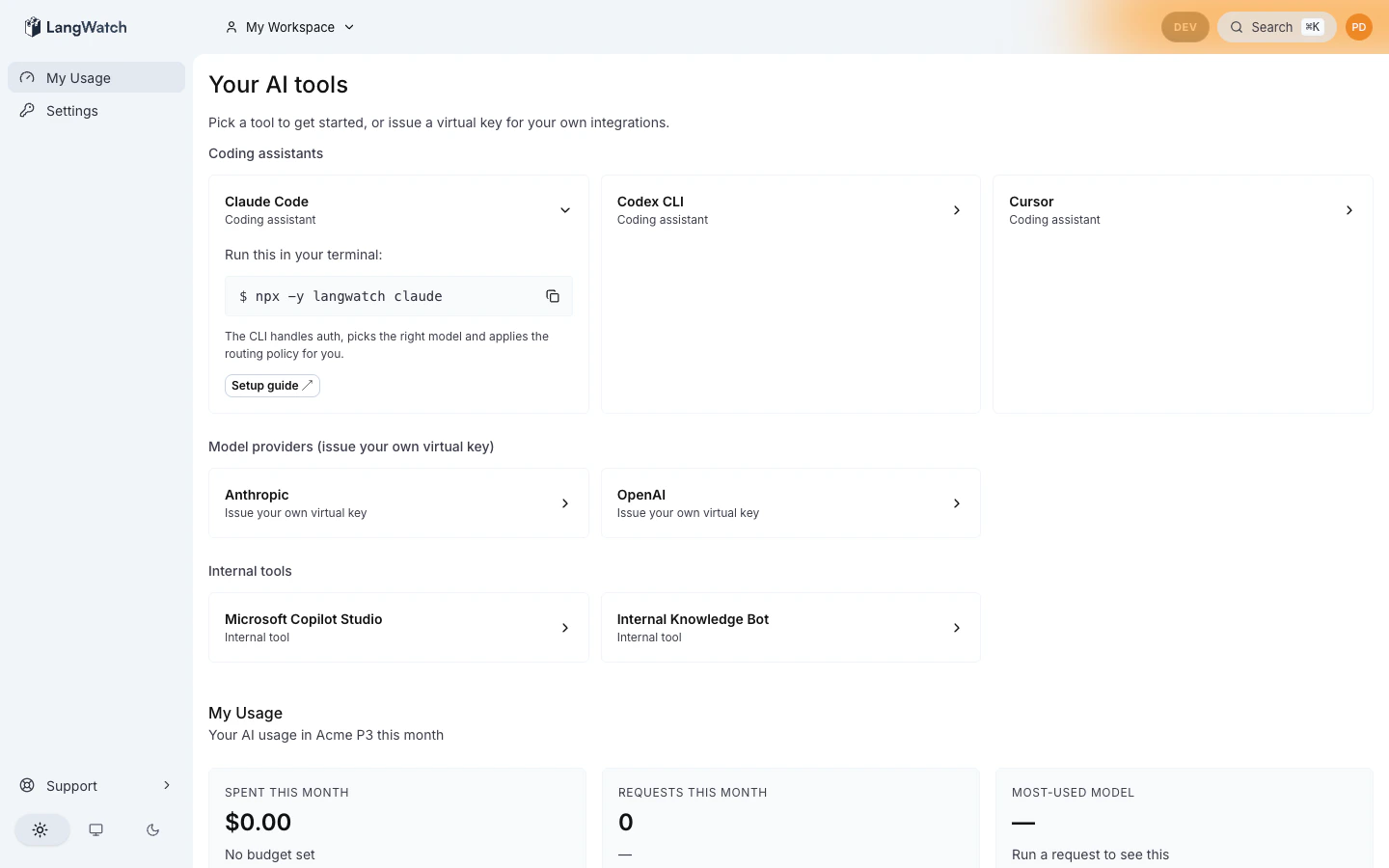
- Your terminal prints a device-flow URL with a one-time code.
- Your browser opens. You sign in via your company SSO.
- The CLI asks how to run the tool. Pick Using an API key for the gateway, or your own subscription to send telemetry only. The CLI remembers the answer.
- On the gateway answer, the CLI receives a personal virtual key,
persists it at
~/.langwatch/config.json(mode 0600), and exec’s the underlying tool (Claude Code in this case). On the subscription answer, no virtual key is issued.
organization_id, principal_id, personal: true), so every request
through the gateway is attributed to you. Your monthly budget,
governance policies, and audit trail all apply automatically.
If your admin hasn’t published a default routing policy yet, the CLI
returns a 409 no_default_routing_policy error and points to
the admin. See CLI debugging
for the full error catalog.
Model-provider tiles
Examples: OpenAI, Anthropic, Bedrock, Gemini. Click expands the tile inline with a virtual-key creation form: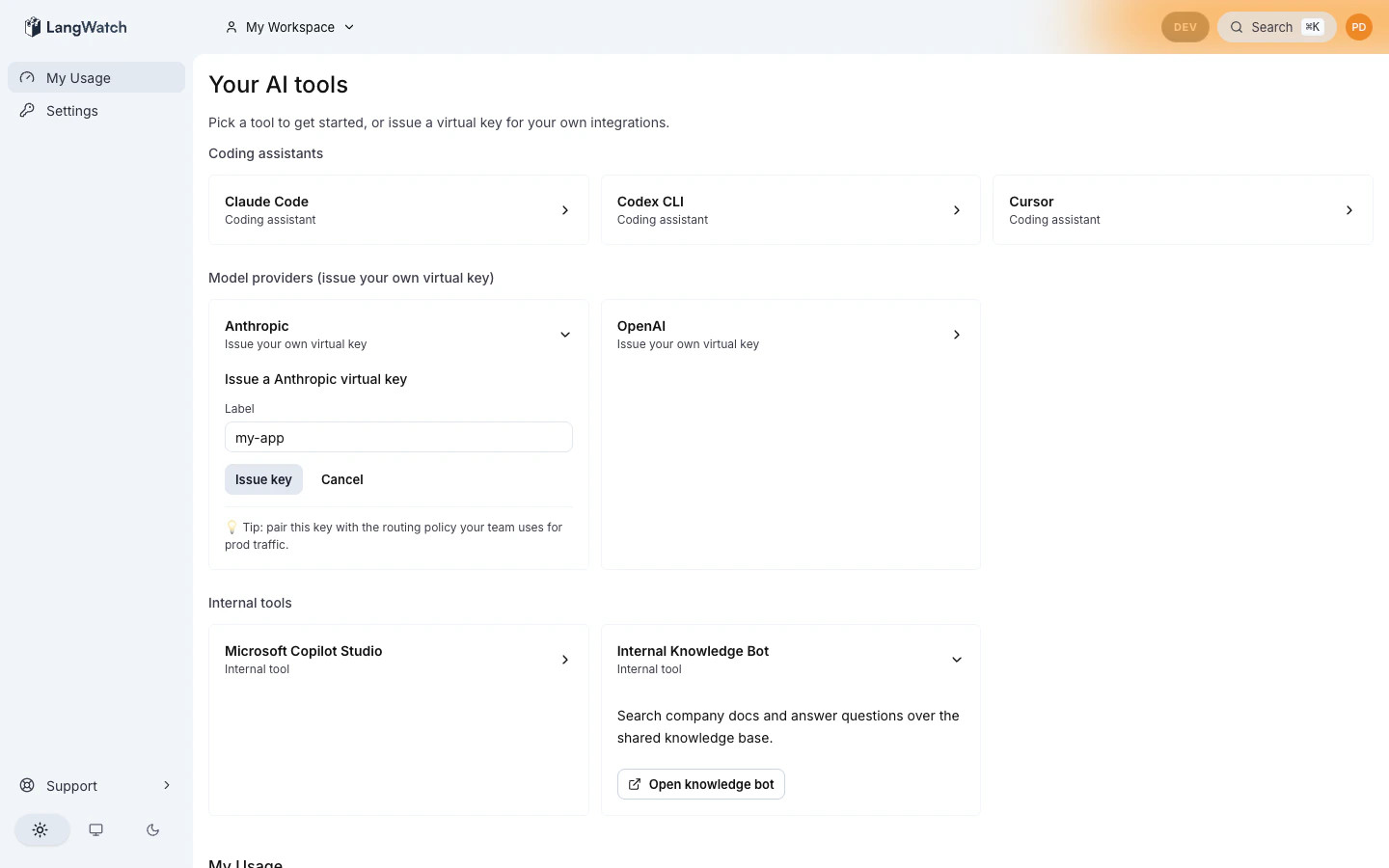
my-rag-app,
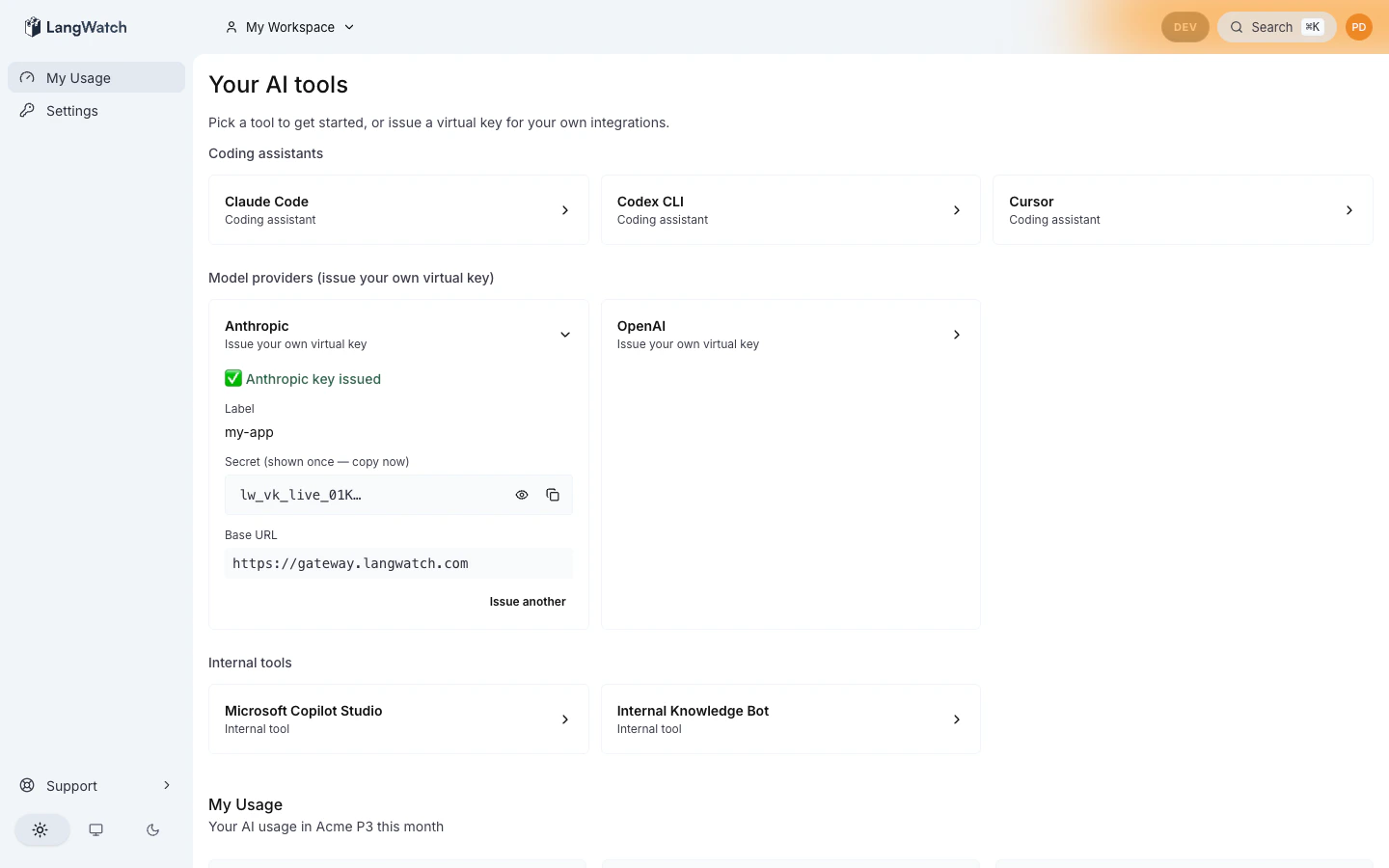
weekend-experiment), click Generate, and the form replaces itself
with the issued state:
If issuance returns “routing_policy_has_no_providers” (HTTP 422)
The org-default routing policy exists but has zero providers bound, so the gateway would have no upstream to forward to. The portal (and the CLI device-flow login) refuse to mint a key in that state, you’ll see an HTTP 422 response with an actionable hint rather than a green key that returns 504 on every call. Ask your admin to bind at least one provider in/gateway/routing-policies. Once a provider is bound,
retry, issuance will succeed and your key works immediately.
When to create a project instead
If you’re building a team-shared application, a customer-facing chat, an internal RAG system, or anything that is not a one-developer experiment, create a project at/settings/projects and mint the virtual key
there instead. Project keys aren’t bound to your identity, so the spend
attributes to the project (and rolls up to your team) instead of to
your personal monthly budget.
The hint line on the tile is a one-line nudge in that direction; the
flow itself is the existing project key flow at
/settings/projects/<project>/api-keys.
External-tool tiles
Examples: Copilot Studio, Workato, internal company chat agents. Click expands the tile inline with admin-authored markdown: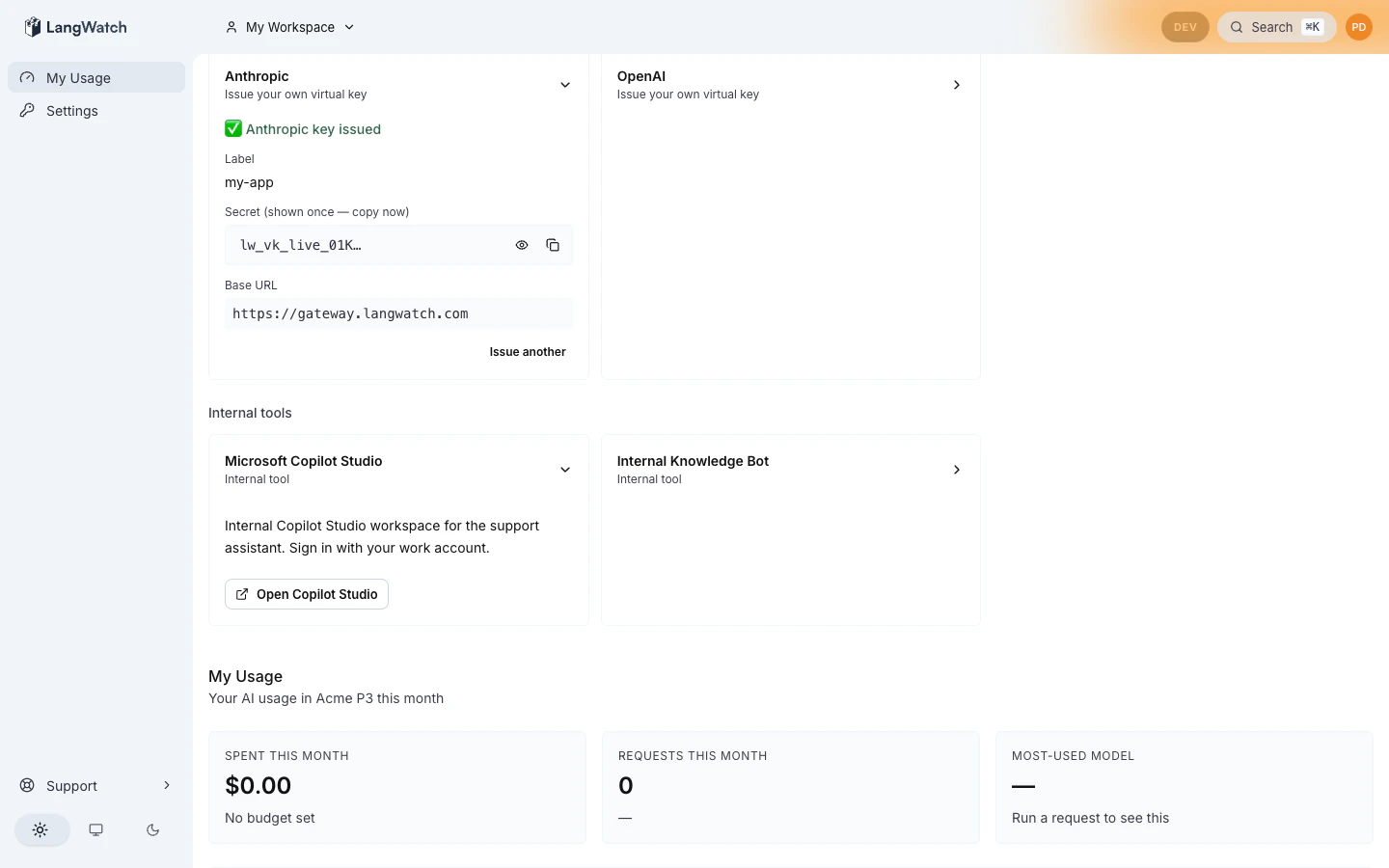
rel="noopener noreferrer" for safety.
These tiles don’t generate keys or trigger logins. They’re informational
- a link out to wherever your company tracks AI tool guidance (vendor portal, internal wiki, intranet page).
Empty state
If your admin hasn’t published the catalog yet, you’ll see:No AI tools configured yet. Your IT team is still setting things up. Reach out to your org admin once tools are ready.This is normal during a brand-new organization’s onboarding. Ask your admin to import the starter pack at
/governance/inventory?tab=catalog.
Where to next
- Personal IDE keys: deep dive on the device-flow login that coding-assistant tiles trigger.
- Admin catalog: what your admin sees on the other side.
- CLI debugging: error catalog if a tile’s setup command fails.