

langwatch login (without a tool subcommand) or
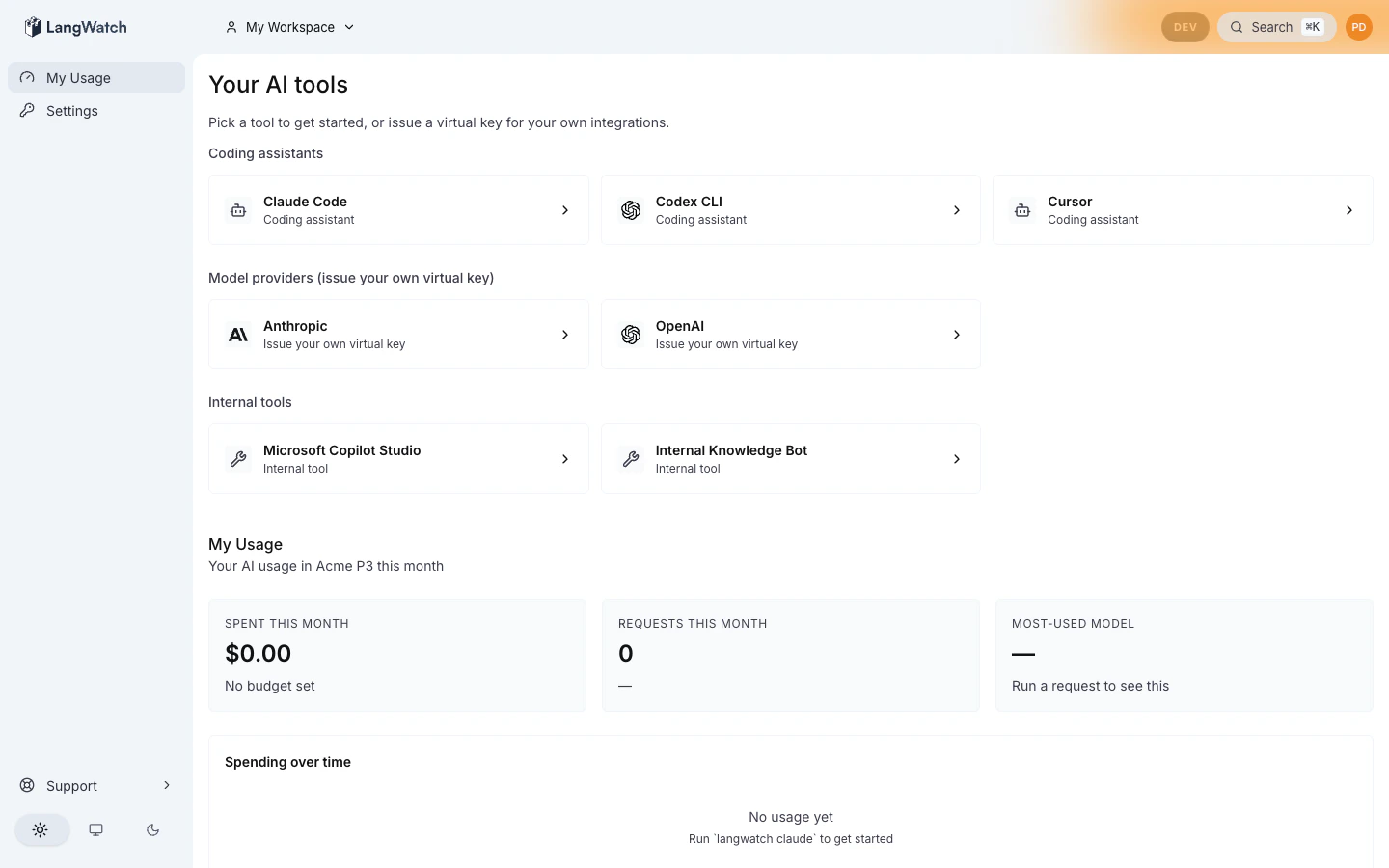
opens the LangWatch dashboard, they land on /me and see a card grid of
every AI tool their organization has published for them: the coding
assistants they can install, the model providers they can mint virtual
keys for, and the external AI tools (Copilot Studio, internal chat agents,
Workato, etc.) the company has approved with admin-authored guidance.
Pairs with: Personal IDE keys (the device-flow login
the coding-assistant tiles trigger) and Routing
Policies (the org-wide policy a model-provider tile
binds new virtual keys to).
Why this exists
Enterprises rolling out AI tooling end up with the same fragmented experience: every team finds its own way to install Claude Code, every developer hunts for the right place to mint a Bedrock key, every “approved external AI tool” lives in a different wiki page. The portal collapses all of that into a single curated grid that the admin owns and every employee sees.The three tile classes
The portal is intentionally minimal: three kinds of cards, picked by what the user has to do next.Coding assistants
Claude Code, Copilot, Cursor, Codex, Gemini CLI. Click to expand the
setup walkthrough, usually a single
langwatch <tool> command that
triggers SSO + virtual-key provisioning + the underlying CLI.Model providers
OpenAI, Anthropic, Bedrock, Gemini, Azure, Vertex. Click to expand
inline virtual-key creation, name the key, generate, copy the
secret. Includes a “building an app? create a project” hint that
routes shared-app keys to project scope instead.
External tools
Copilot Studio, Workato, internal chat agents. Click to expand
admin-authored markdown describing what the tool is for, who’s
approved to use it, and a link to the company wiki or vendor portal.
How scoping works
Tiles are stored asAiToolCatalogEntry rows. Each row has:
- A scope:
"organization"(visible to everyone in the org) or"team"(visible only to members of that team). - A type discriminator:
coding_assistant|model_provider|external_tool, which decides the click-to-expand UX. - A type-specific
configJSON, setup command + docs URL for coding assistants, provider key + suggested routing policy for model providers, markdown body + external link for external tools.
slug as an org-scoped entry, the
team entry overrides for users in that team. This is how admins say
“engineering gets Cursor, everyone else gets the default Copilot.”
Empty state
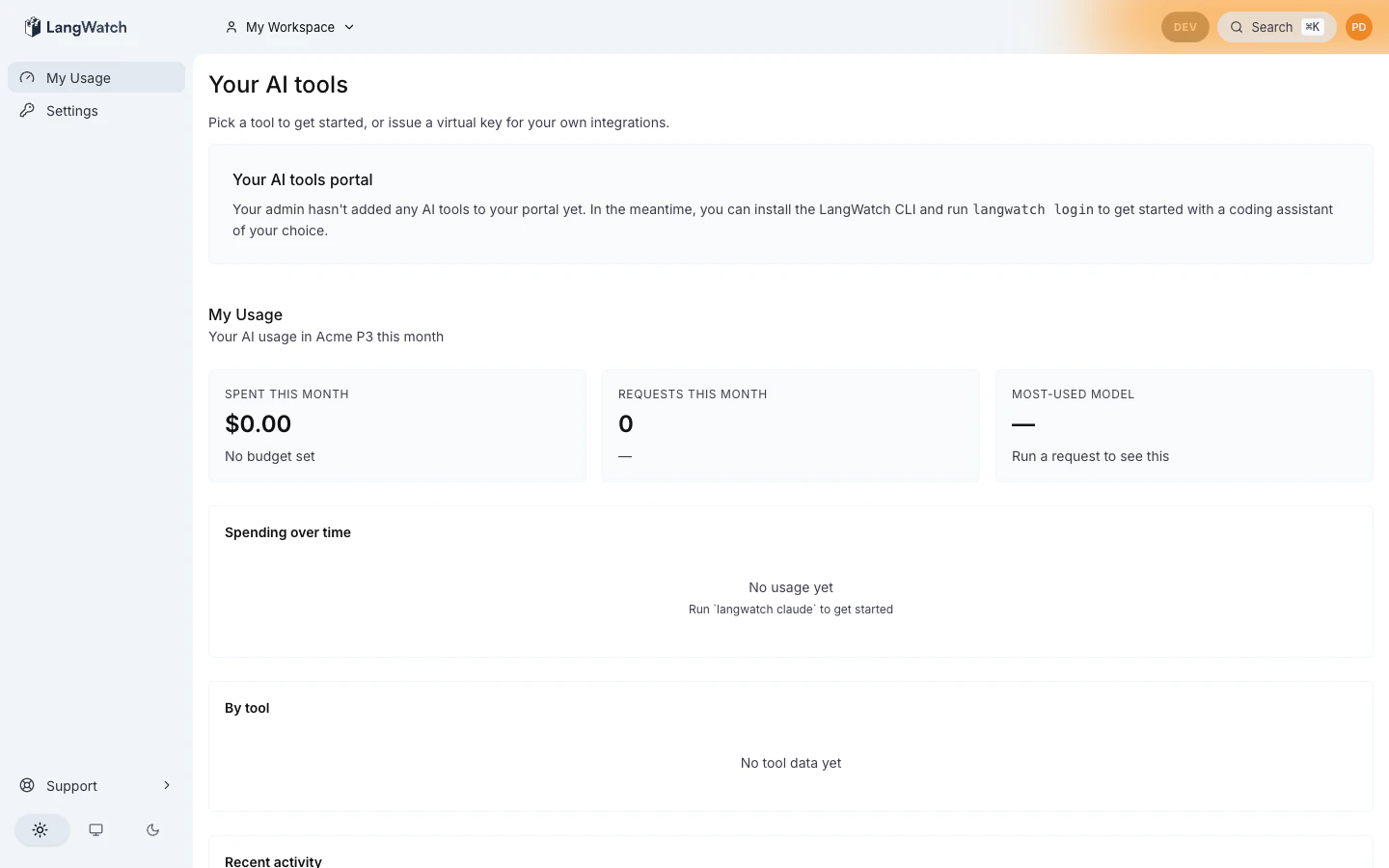
A fresh organization has an empty catalog. The first admin to visit/governance/inventory?tab=catalog sees a starter-pack import CTA
(Admin catalog).
End users on /me see a “your IT team is still setting things up”
message until the admin publishes the catalog.
Permissions
Two new RBAC permissions gate the portal surfaces:aiTools:view, granted to ADMIN, MEMBER, and EXTERNAL by default. Required to see the grid at/meand call the public tile list. This is intentionally broad: the portal is the company’s curated AI starting point and must work for everyone.aiTools:manage, granted to ADMIN by default. Required to access/governance/inventory?tab=catalogand to run any catalog mutation. Delegable to non-ADMIN roles via theCustomRolePermissionsJSON column.
Where to next
- End user: Tile interactions walks through each tile-class expand UX.
- Admin: Admin catalog
walks through the catalog editor at
/governance/inventory?tab=catalog, including starter-pack import, scope binding, and per-tile editing. - Developer integrating with the catalog API: the underlying tRPC
router is
aiToolsCatalogRouter(see source, not yet stable for external integration; this page will be expanded once the router contract locks for v1 GA).