
How to use Langy to ask about your agent in plain words
Got a question about your agent you haven't had time to dig into? Ask Langy, the AI engineer inside LangWatch. Here is how, step by step: from the first question about your traces to the test, the prompt fix or the pull request that answers it.
 Rogerio Chaves · · Agents
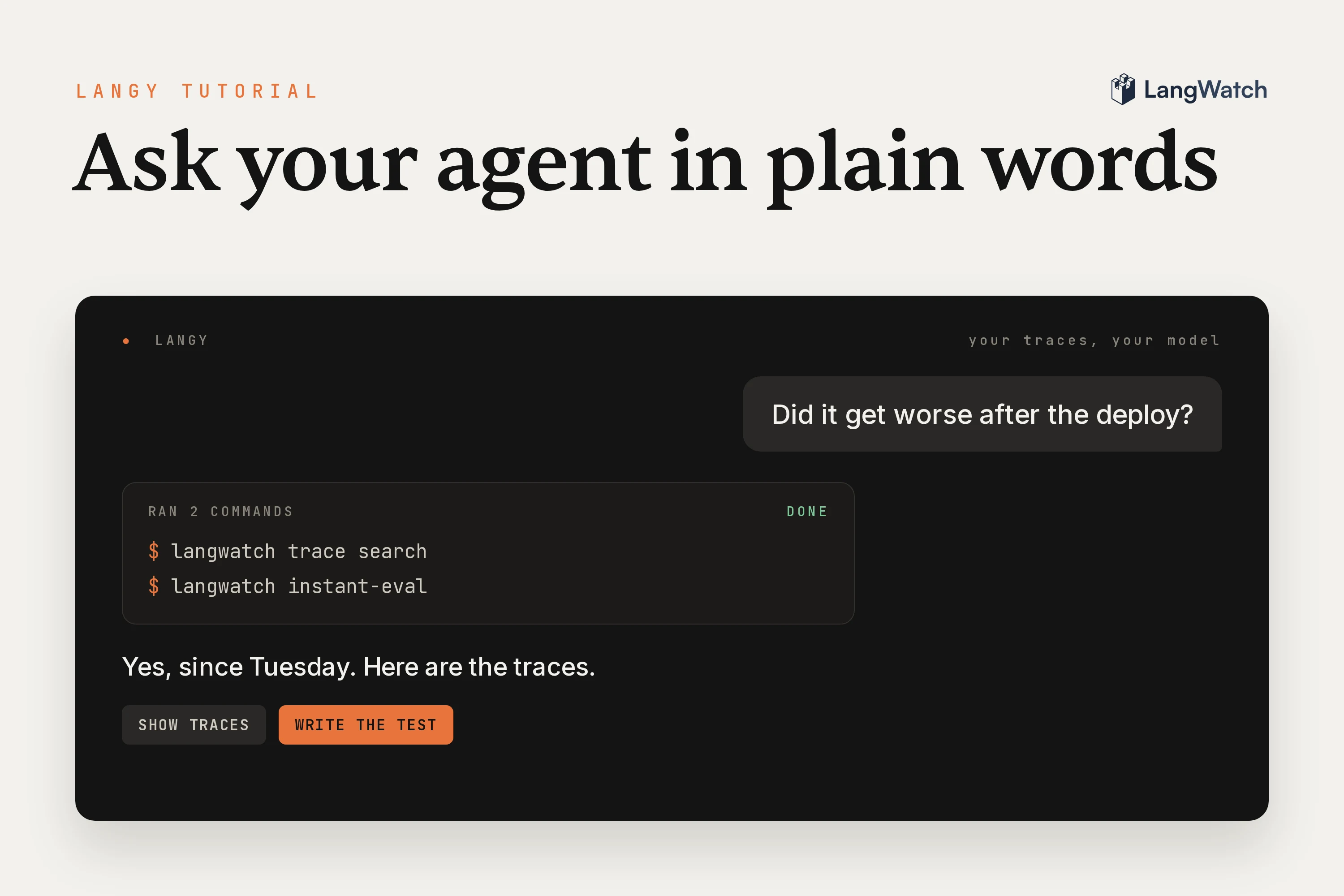
If your agent is in production, you probably have a question about it that you haven't found the time to dig into, like whether it got worse after last week's deploy, or why one customer got an answer that made no sense.
Langy is the AI engineer inside LangWatch, and you can just ask it. It reads your traces and evals with the langwatch command line tool (CLI), shows you the traces behind its answer, and from there it can write the test, fix the prompt or open the pull request.
The Langy launch post has the bigger picture, and things you can ask Langy has more questions to try.
Step 1: Open Langy
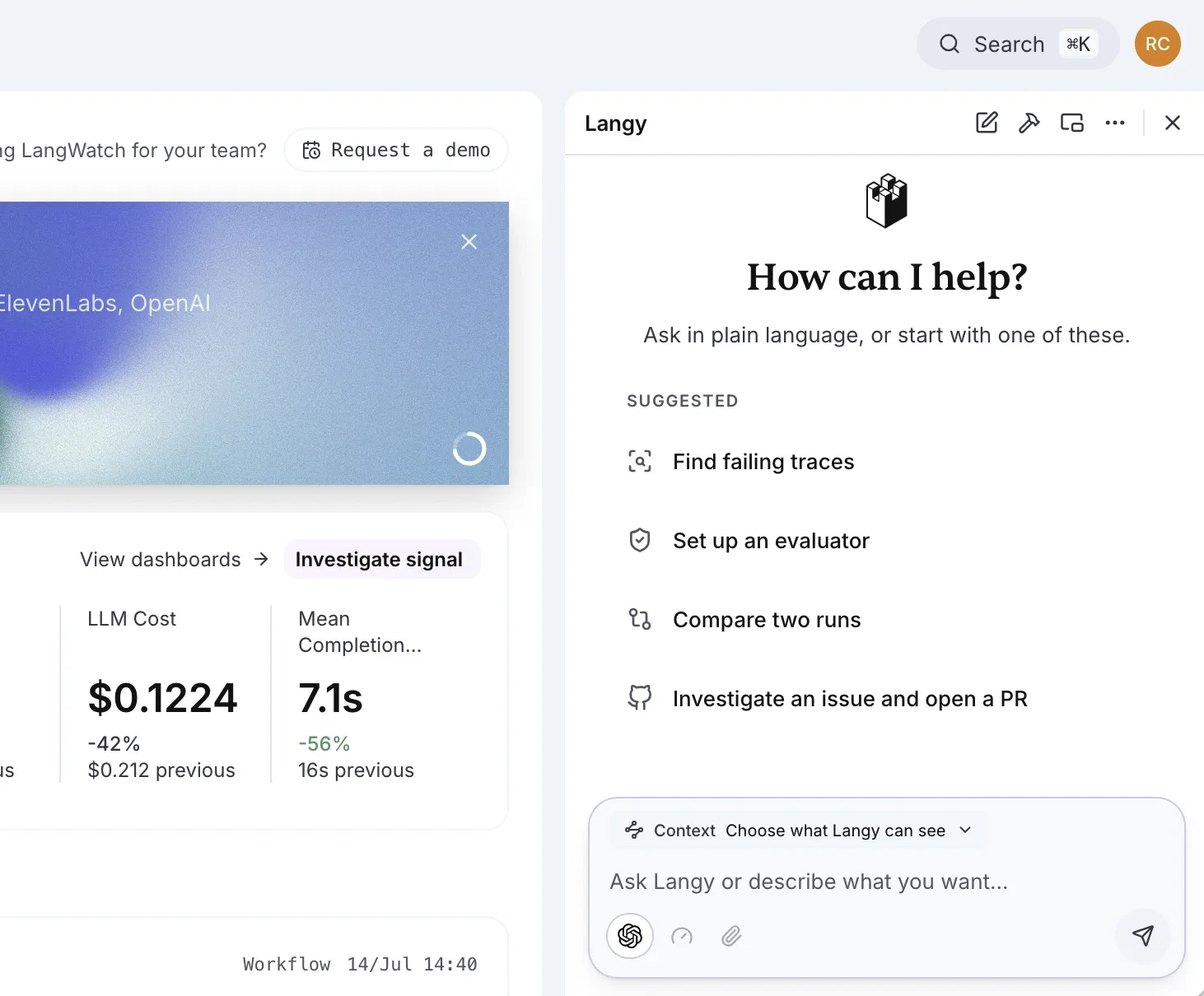
Open the Langy panel from any page in LangWatch. It starts with a few suggestions, like Find failing traces or Investigate an issue and open a PR, and a box for your own question.
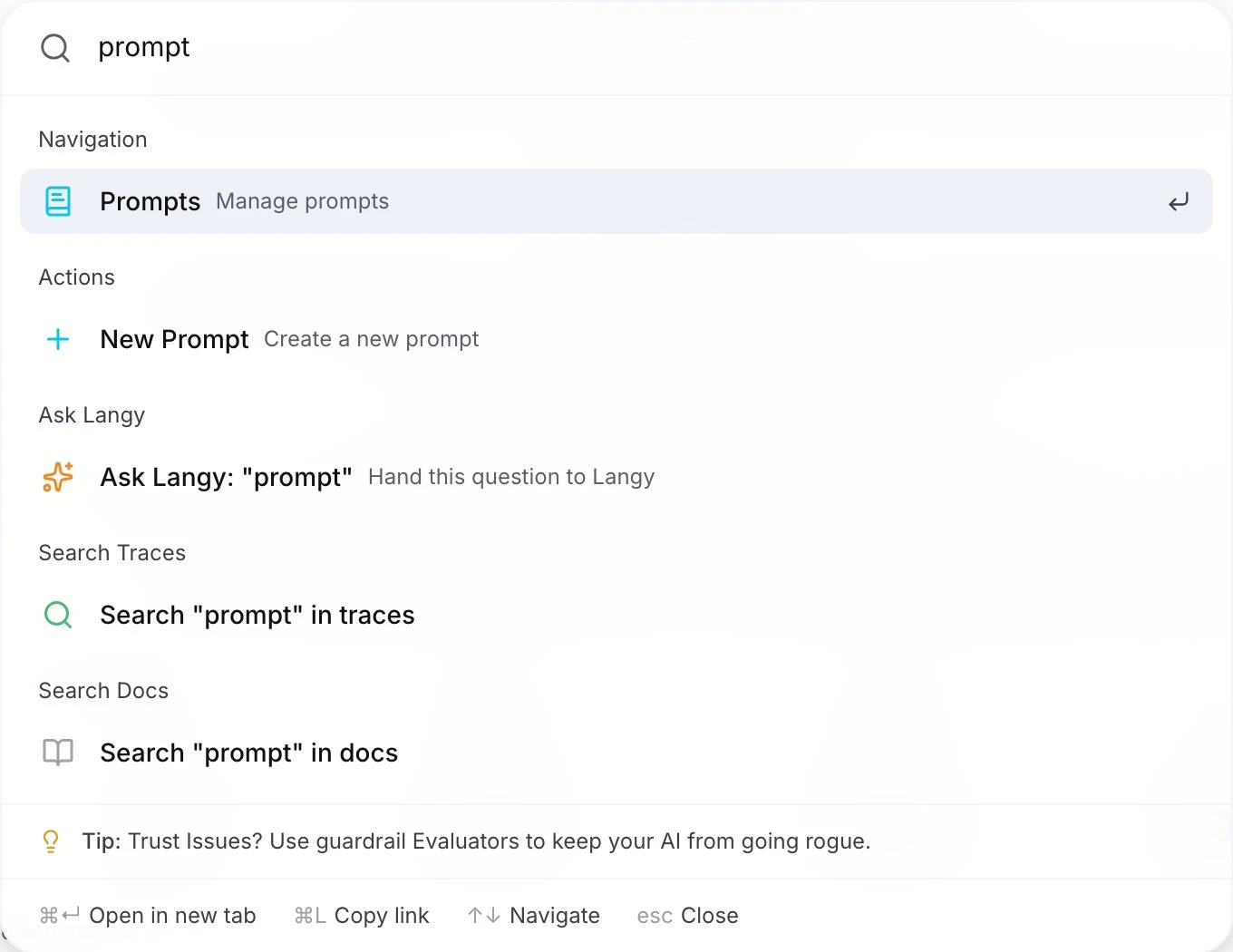
You can also start from the command bar. Press Cmd+K (Ctrl+K on Windows and Linux), type the question and press Tab, and the text goes straight to Langy.
The first time, Langy asks for a model in the composer. You can add an API key for OpenAI, Anthropic or another supported provider, or sign in with your OpenAI account to run it on your ChatGPT subscription through Codex.
Step 2: Ask what changed this week
Start with a broad one, like Did my agent get worse this week?
Langy runs langwatch trace search and langwatch analytics query over your traces, compares this week to previous weeks, and comes back with the cost, latency or quality change that stands out, plus the traces behind it. It leaves its own conversations out of the search, so you only look at your agent's traffic.
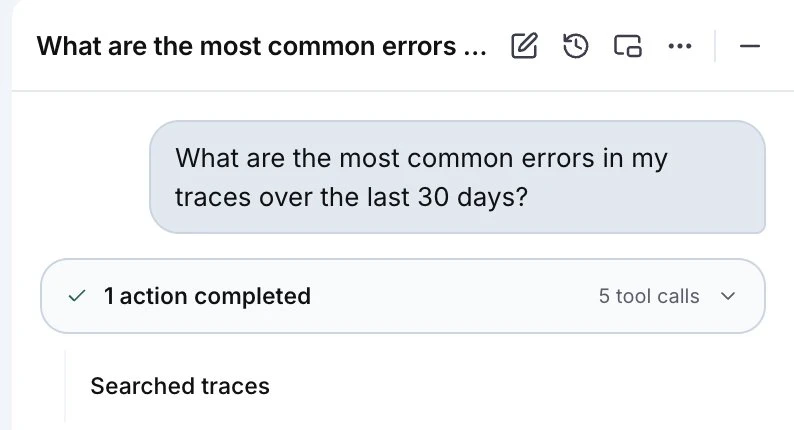
Every tool call lands in the chat as an activity card with the command it ran and what came back, so you see exactly which traces it looked at.
The same goes for cost and speed: Where is my cost going, and how does it compare to last week? or Why is p50 latency 12s on the checkout agent?, where p50 means the median response time. The Ask Langy docs group more questions by what you want to find out.
Step 3: Ask a question of every conversation
Whether a customer was frustrated is just a question you ask, like anything else you want to know about your agent. So ask it: find me all the conversations where the customer was frustrated in the last 30 days.
For this kind of question Langy runs an Instant Eval, which judges a plain question against every conversation in the window. It comes back with the count and the conversations that match, in about a minute for ten thousand conversations.
Behind it is langwatch instant-eval, the same command you can run in your own terminal, here on a hundred conversations:
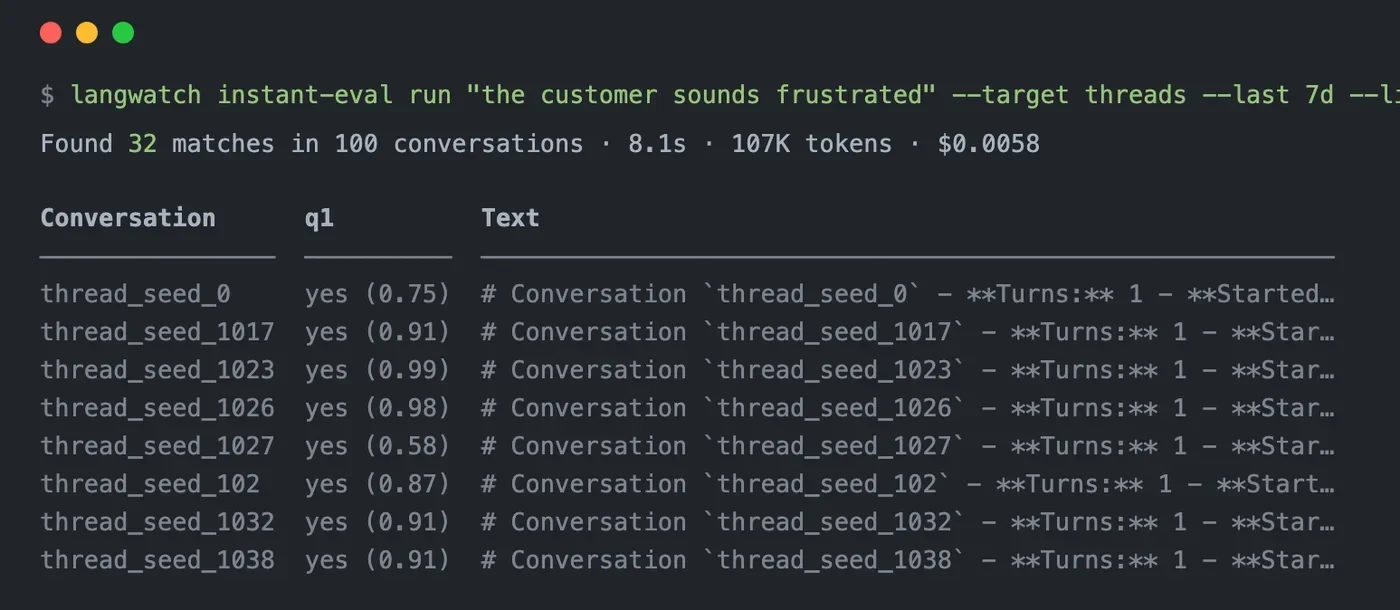
Every conversation gets judged, so the one in ten thousand where the agent promised a refund it can't give is in the result.
Step 4: Ask about the trace in front of you
The Langy panel stays open while you move around the app. Open one of the traces it found in the Trace Explorer, add it with the # Context chip on the composer (or paste the trace ID), and ask Walk me through what happened in this trace.
Langy reads the same spans you see in the waterfall. In this one an evaluator had errored, and Langy found the cause, a field the evaluator needs that was never mapped.
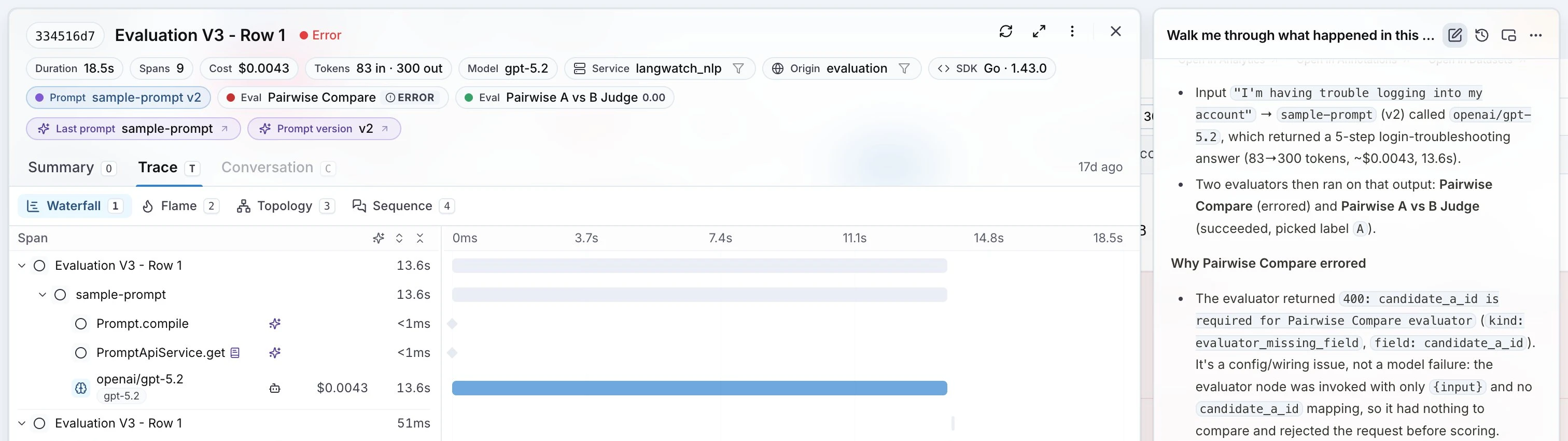
The context chips are exactly what the model gets, so you decide what Langy sees in each conversation.
Step 5: Turn the answer into a test
Now make sure it doesn't come back. In the same conversation, ask Write a Scenario test that probes this agent like an annoyed user, or ask it to reproduce the bad trace as a failing test.
Langy writes the test with langwatch scenario create and runs it with langwatch scenario run. A Scenario test is a simulated user talking to your agent over a whole conversation, with a judge scoring it against your criteria. The run shows up in the chat with its outcome, duration and cost, and a link to the full run in Agent Testing.
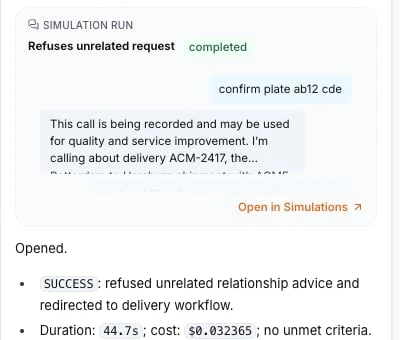
Langy picks the kind of check that fits the question, or you name the one you want (Scenario tests and evals has the details):
- A Scenario test for a whole conversation
- An evaluation for one run
- An online monitor for live traffic
- An experiment to put two models or prompts head to head
Step 6: Fix the prompt, or open a pull request
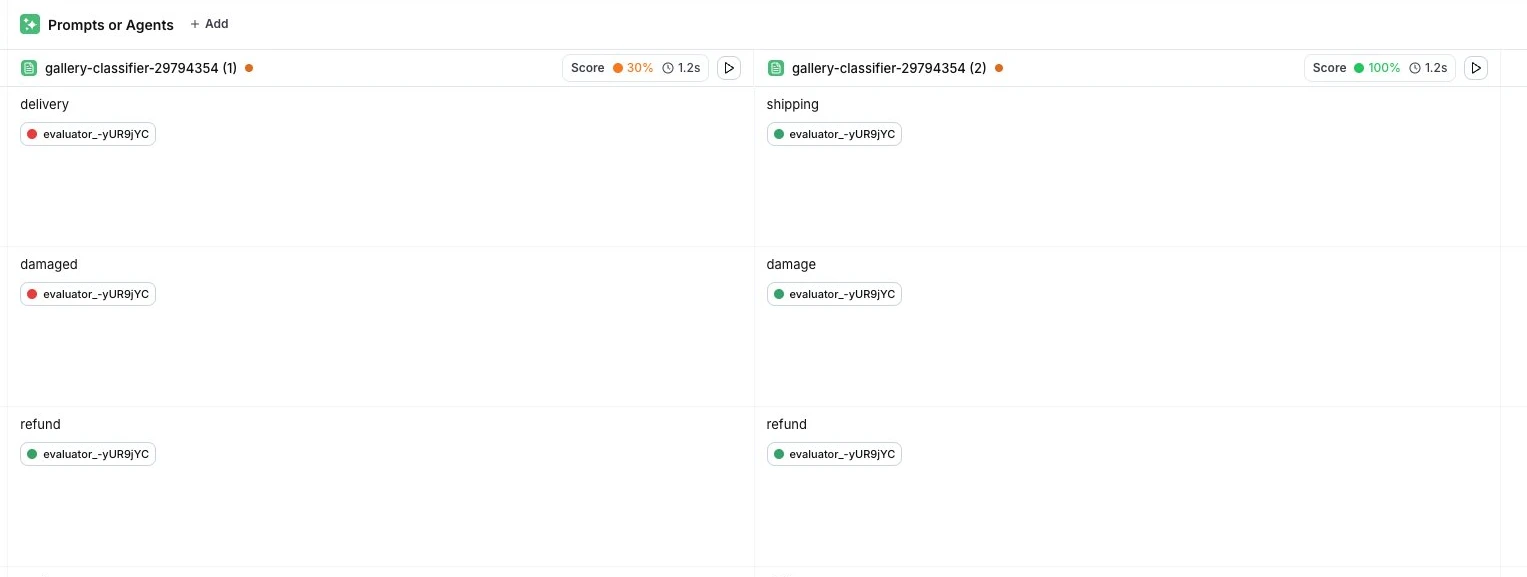
When the fix is in the prompt, open the experiment in the Experiments Workbench, click the play button on the prompt column and pick Optimize this prompt.
Langy scores your current prompt, duplicates it, rewrites the copy and runs both against your evaluator on the same rows. If there's no evaluator yet, it creates one first. It ends with the pass rate before and after, and what happened to the cost.
When the fix is in your code, ask Investigate this failing trace and open a PR with a fix. Langy writes a failing Scenario test, drafts the change and opens a pull request through the GitHub App, with you credited as co-author. The Scenario tests it wrote run in your continuous integration (CI) on that PR, so you read the diff and the checks together, and you merge it.
The first time, it asks how to reach your code: the GitHub App, or a folder on your machine that you share with langwatch langy --share-control. See pull requests and local development.
Step 7: Ask Langy to keep watching
Last, ask Langy to keep an eye on it for you: Create a trigger that flags any trace where the answer-correctness eval fails, or Alert me if p95 latency on the checkout agent goes above 8s, where p95 means 95% of requests finish faster than that.
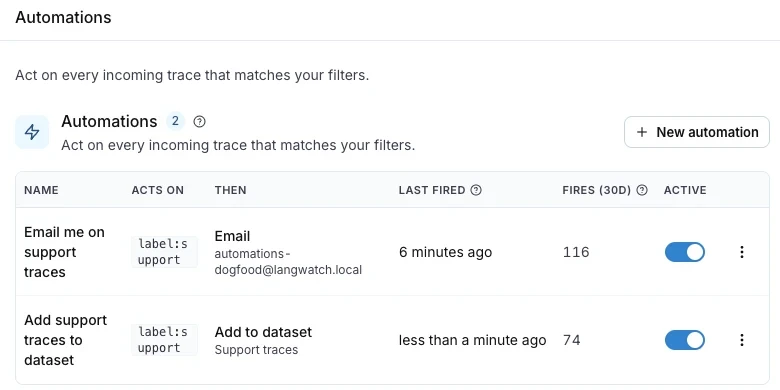
Langy sets these up with langwatch trigger create, and adds the online monitor that runs the eval if there isn't one yet. The automation lands on your Automations page like one you made yourself, so you pause, change or delete it the same way. A Slack alert posts through the Slack connection you have under Settings, Integrations, Slack, and alerts and automations has every option.
What can I ask Langy?
Anything you'd otherwise answer by scrolling through traces, like the questions in this post:
| You ask | Langy runs | You get |
|---|---|---|
| Did my agent get worse this week? | trace search, analytics query | The change that stands out, and its traces |
| Find the conversations where the customer was frustrated | instant-eval | The count and the matching conversations |
| Walk me through what happened in this trace | Reads the trace you added | What happened, span by span |
| Write a Scenario test that probes this agent | scenario create, scenario run | A test, run in the chat |
| Optimize this prompt | Runs both versions with your evaluator | The pass rate before and after |
| Open a PR with a fix | Writes the test and the fix | A pull request, checked in your CI |
| Flag any trace where the eval fails | trigger create | An automation in your project |
Start with this week's traffic and the question you already have.
Put this into production with LangWatch.
Trace your agents, run evaluations, and turn failures into repeatable tests.
Frequently asked questions
- What is Langy?
- Langy is the AI engineer inside LangWatch. It is a full coding agent running in a sandbox: it reads your traces and evals with the langwatch command line tool, writes Scenario tests and evaluations, and opens pull requests on your code for your team to review.
- Do I need to learn a query language to ask Langy?
- No. You type the question in plain language and Langy writes the commands behind it, like langwatch trace search, langwatch analytics query or langwatch instant-eval. Each command shows up in the chat as an activity card, so you see what it ran.
- What data can Langy see?
- Langy works with what you grant it in your LangWatch account, and the Context chip on the composer lets you choose what it sees in each conversation. The chips you see there are exactly the context the model receives.
- Which model does Langy run on?
- Your own. Add an API key for OpenAI, Anthropic or another supported provider, or sign in with your OpenAI account to run Langy on your ChatGPT subscription through Codex. Every model call goes through the LangWatch AI Gateway, and every Langy turn is a traced, costed run in your own project.
- Can Langy change my code?
- Only through pull requests. It opens them through the GitHub App on the repositories you installed it on, or from a folder on your machine that you share with it. The Scenario tests it wrote run in your CI on the pull request, and a person on your team reviews and merges it.