
What are AI agent simulations? Agent simulation testing explained
An agent simulation tests your AI agent end to end: a simulated user acts out a real situation, your agent answers, and a judge passes or fails the conversation. What it is, how it differs from multi-agent research, and why your scenarios should come from production.
 Rogerio Chaves · · Agents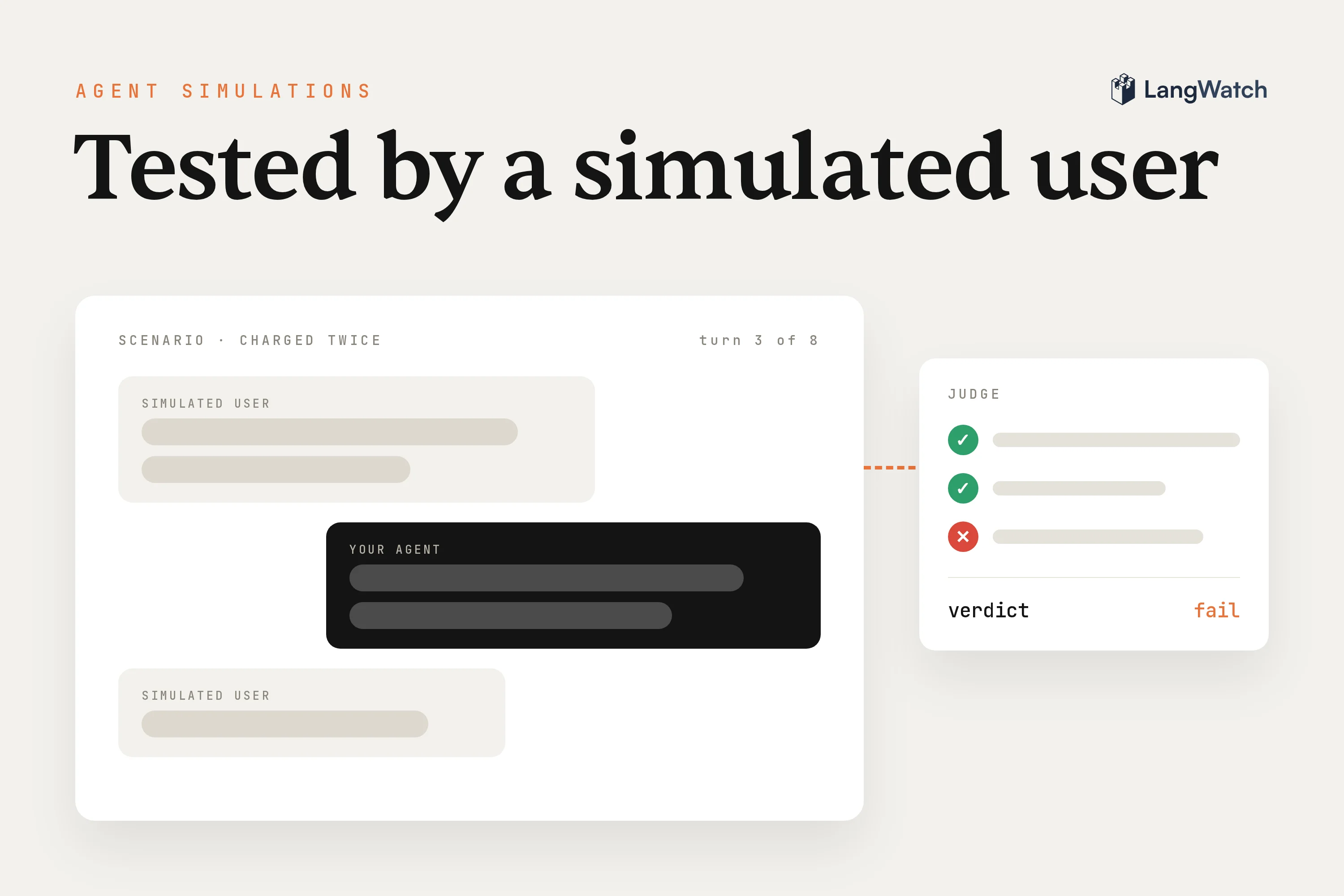
Short answer: An AI agent simulation is an automated test where an LLM plays your user, talks to your agent over several turns, and a judge passes or fails the conversation against criteria you wrote. It's the end-to-end test for an agent, and you run it in CI next to your other tests.
We build Scenario, the open-source agent simulation framework, at LangWatch. On calls I describe it as Playwright for agents, because you write tests for your agent the way you write end-to-end tests for your frontend. A button you tested last week keeps working, though, while an agent can break tomorrow because someone edited one line of the prompt or the provider moved a model version, however smart the model gets.
What are AI agent simulations?
AI agent simulations are tests that put your agent in a realistic conversation and check what it does. A simulated user acts out a situation you describe, your agent answers the way it would in production, and a judge decides after each turn whether to continue, pass or fail.
You need this because agent bugs happen between turns. The agent forgets what the user said two messages ago, calls the wrong tool, or promises a refund it can't give, and none of that shows up when you score one input against one expected output.
So I think of it in layers. Evals are the agent's unit tests: they score one step, like retrieval or a single prompt, on a dataset. Simulations are its end-to-end tests: they run the whole agent, tools included, through a conversation. You want both, and our post on simulations from first principles goes deeper on why the static kind alone falls short.
The general idea is older than LLMs. Simulation testing, or simulation-based testing, means running a system against a simulated environment instead of the real one, the way pilots train in flight simulators. For a chat or voice agent, the environment that matters is the person on the other side, so that's the part you simulate.
Simulation testing vs multi-agent simulation research
Multi-agent simulation research builds worlds full of LLM agents to study how they behave together. Agent simulation testing uses one simulated user and one judge to check whether the agent you're building does its job before you ship it.
Search for "agent simulation" and you'll find a lot of the research side. The best-known example is the Generative Agents paper (Park et al., 2023), where twenty-five LLM characters live in a small town inspired by The Sims. Tell one of them to throw a Valentine's Day party, and the others spread the invitations and show up together on their own. Before LLMs, agent-based modeling did the same kind of thing with simple hand-written rules, to study traffic, markets or epidemics.
That work is about what emerges when many agents interact. Testing is about whether one specific agent, yours, gets a specific job right every time you change it:
| Multi-agent simulation research | Agent simulation testing | |
|---|---|---|
| Goal | Study how many agents behave together | Check that one agent does its job |
| Who's in the simulation | Many agents, all of them under study | Your agent, a simulated user and a judge |
| What you get | Observations and papers | Pass or fail per criterion, with the judge's reasoning |
| When it runs | Once per study | On every prompt, model or tool change, in CI |
| Who uses it | Researchers | Engineers, PMs and domain experts |
The agent you test can be a multi-agent system itself, with a planner handing work to sub-agents. A simulation still treats it as one thing, from the outside: it talks to it the way a user would, and the judge reads the conversation and the traces your agents leave behind.
The three parts: scenario, simulated user, judge
A scenario is one situation and the criteria the agent must meet. The simulated user is an LLM that plays the person in that situation and improvises the words. The judge reads the conversation, plus the agent's traces when you link them, and passes or fails each criterion with its reasoning.
Here's a full simulation with Scenario in Python, using the double-charge example from our scenarios docs. It runs under pytest:
import pytest
import scenario

class SupportAgent(scenario.AgentAdapter):
    async def call(self, input: scenario.AgentInput) -> scenario.AgentReturnTypes:
        return await my_support_agent(input.messages)  # your agent

@pytest.mark.agent_test
@pytest.mark.asyncio
async def test_double_charge():
    result = await scenario.run(
        name="charged twice for one order",
        description="""
            The customer was charged twice for the same order, minutes apart,
            and wants one of the charges back.
        """,
        agents=[
            SupportAgent(),
            scenario.UserSimulatorAgent(),
            scenario.JudgeAgent(criteria=[
                "Verifies the order before it promises anything",
                "Issues exactly one refund",
                "States the 5 to 10 business day timeline",
            ]),
        ],
        max_turns=8,
    )

    assert result.success
The scenario is the description plus the criteria. Write the situation the way the user would live it, and write criteria about what the agent does, like looking up the order, since the exact words of its replies change from run to run.
The simulated user reads the description and the conversation so far, writes the next user message, and keeps the persona you gave it. Turn its temperature up a bit when you want more varied messages.
The judge reviews the whole conversation after every agent turn and decides to continue, succeed or fail. Each criterion comes back as passed, failed or inconclusive, with the reasoning written out. Inconclusive means the judge didn't have the evidence, for example because the conversation ended too early, and it fails the run. When your agent sends its traces to LangWatch, the judge checks a criterion like "verifies the order" against the actual tool call instead of trusting what the reply claims.
The same scenario works without code, too. PMs and domain experts can write the situation and criteria in the LangWatch platform and run them against your connected agent, with the same simulated user and the same judge (agent testing overview). Voice agents and red teaming use the same loop: a simulated caller talks to your voice agent over real audio, and for red teaming an attacker agent takes the simulated user's place.
Where simulations come from: your production traces
The best scenarios start as real conversations. Take a trace where your agent went wrong, copy how the user opened the conversation, swap names and account numbers for test data, and let the simulated user carry on from there. The judge then checks the behavior that broke.
Synthetic users are a guess, and a product manager at an insurer put his finger on it on a call in September. Their agent serves thousands of account managers, and his worry was that AI-generated users wouldn't ask questions the way those account managers really do. In his words, "I really want to be able to reuse the voice of users", instead of relying only on the use cases an AI makes up.
That's what starting from a real production conversation fixes. You play back how the user opened, with their identifiers swapped for test data, and the simulator takes over after that. In Scenario that's a script:
# passed to scenario.run(..., script=[...])
script=[
    # how the real user opened, with identifiers swapped for test data
    scenario.user("hi, client on policy TEST-0001 asks if a leak from the apartment upstairs is covered"),
    scenario.agent(),
    scenario.user("he says it started last week, does that change anything"),
    scenario.agent(),
    # from here the simulated user improvises
    scenario.proceed(turns=3),
    scenario.judge(),
]
Keep the customer's data out of the test. Copy the wording, the length, the language and whatever triggered the failure, and invent everything else. The real conversation stays in the trace, and you link to it from the scenario.
The other reason to take scenarios from production is volume. I put it this way to one of our engineers: with ten scenarios you can patch your way to green, one special case in the prompt for each failing test. With 500 scenarios pulled from real production issues, you can't pass them all that way, and the only thing left is to write a really good prompt.
The loop is short, and our guide on how to test AI agents has it step by step. Find the bad conversation, read it with langwatch trace get <trace-id>, have your coding agent write the scenario that reproduces it, watch it fail, fix the agent, watch it pass, and commit it so CI runs it on every change.
What a simulation can and can't tell you
A simulation tells you whether your agent still handles the situations you wrote down, every time you change something. It can't cover situations you never wrote down, and the simulated user is still a model guessing at a person.
What you get from a good suite:
- Regressions caught before release. A prompt edit, a model upgrade or a tool refactor runs against every scenario, and a fix that breaks a neighboring behavior fails right away.
- A real answer on model switches. Your prompts slowly get tuned to the model you built with, so a newer model can do worse on your agent. A comparison run sends the same scenarios to two targets and shows the pass rate, cost and latency side by side.
- A verdict a PM can read. "Issues exactly one refund: failed" is a sentence the whole team understands, with the judge's reasoning under it.
What it won't give you:
- New kinds of failure. Users will always bring situations you didn't think of. That's why you trace the agent in production and keep feeding failures back into the suite.
- A real person. The simulated user won't have your users' typos, jargon or impatience unless you put them in the description, or start from their real words like the insurer did.
- Certainty from one run. Both the agent and the simulated user are models, so one green run can be luck. Repeat the important scenarios (
langwatch scenario runtakes a--repeatflag), and use Scenario's cache when you need the same run every time.
The judge is a model too. Before you trust a new scenario, break the behavior on purpose and check that the judge catches it, because a test you've only ever seen pass could be passing for the wrong reason.
Put this into production with LangWatch.
Trace your agents, run evaluations, and turn failures into repeatable tests.
Frequently asked questions
- How to test agents with agent simulations?
- Write one scenario per situation your users bring: who the user is, what they want, and what the agent must and must not do. Run it with a simulated user and a judge in pytest or vitest, or from the LangWatch platform without code. Put the suite in CI, and turn every production failure into a new scenario.
- What is simulation testing for AI agents?
- Simulation testing runs a system against a simulated environment instead of the real one. For an AI agent the environment is mostly the user, so an LLM plays the user over a multi-turn conversation. A judge then checks the conversation, plus the tool calls in the agent's traces, against criteria you wrote in plain language.
- Are agent simulations the same as multi-agent simulations?
- No. Multi-agent simulation is a research area that puts many LLM agents in a shared world, like the twenty-five characters of the Generative Agents paper, to study how they behave together. Agent simulation testing checks one agent you're building, with one simulated user and one judge, and gives you a pass or fail you can run in CI.
- Can a simulated user replace testing with real users?
- No. A simulated user follows the situation you describe and improvises the wording, which catches regressions before a release, but it's still a model guessing how a person talks. Close the gap by starting scenarios from real production conversations, keeping how the user opened and swapping their identifiers for test data, and by tracing your agent in production.
- Do I need LangWatch to run agent simulations?
- No. Scenario is open source under Apache 2.0, in Python, TypeScript and Go, and runs inside your own test runner against any agent framework. A LangWatch API key is optional. With one, every run shows up in LangWatch with the full conversation and the judge's verdict, next to your other runs.