

Situation and criteria
The situation describes the user and what they want, in one or a few sentences. The simulated user plays it turn by turn and improvises the words, so a scenario is not a script. The criteria, one per line, are what the judge checks at the end of the conversation. Each one passes, fails or is inconclusive. For example, a checkout support agent gets this scenario:Situation
Criteria
The editor
New scenario on the Scenarios tab, or Edit on a row, opens the editor.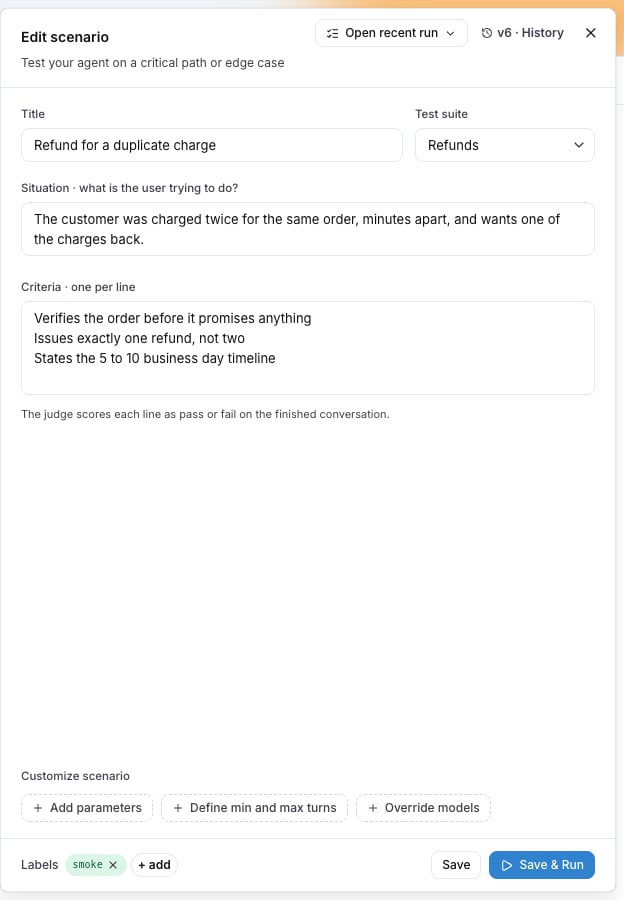
Save stores the scenario. Save & Run stores it and opens the run dialog. Open recent run opens the latest run of this scenario.
Field values
When the test suite declares fields, the editor shows one control per field after the criteria, and the value is stored on the scenario. An evaluator attached to the suite reads the value through its mapping, for exampleexpected_output from golden_sql.
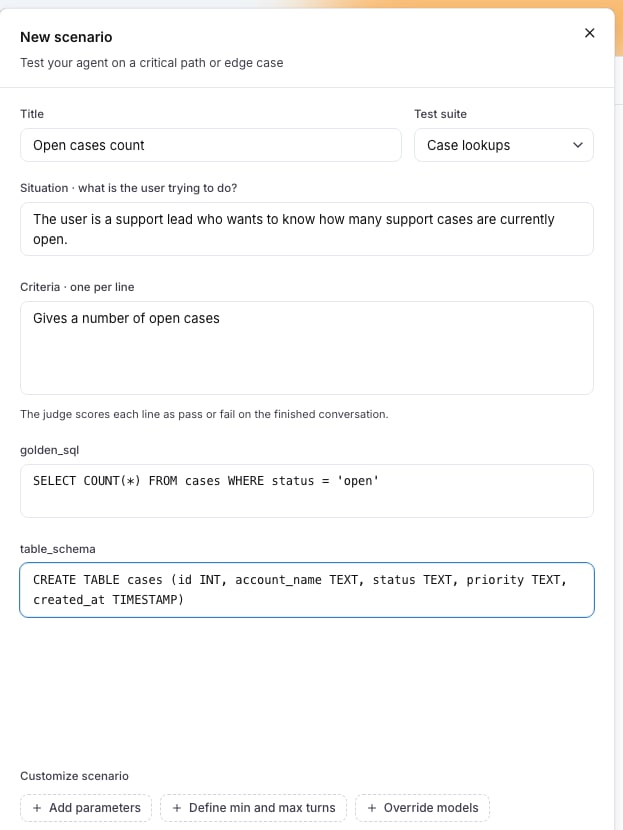
golden_sql and table_schema boxes under the criteria are the fields the Case lookups suite declares. A text box grows with its text.
A blank value is no value: the evaluators that read the field are skipped for this scenario, with the reason no golden_sql on this scenario. A scenario moved to another suite keeps the values it holds; the editor lists the ones the new suite does not declare under Not in this suite, each with a remove action.
From the CLI, langwatch scenario create and langwatch scenario update take --field identifier=value, repeated once per field. A number field reads a number and a boolean field reads true or false, and a field the suite does not declare is refused with the list it does. On update the flags together replace the values the scenario holds.
The API takes the same values as fields on POST /api/scenarios and PUT /api/scenarios/{id}, where an empty object clears them. The SDKs and the MCP tools take fields on create and update.
Customize scenario
Three chips under the criteria open optional blocks: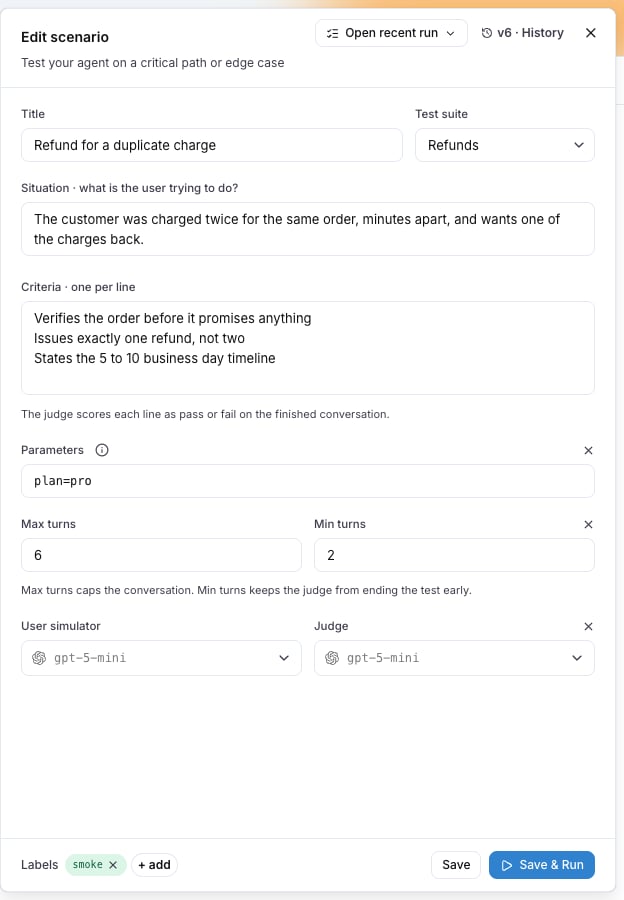
- Add parameters declares run parameters as one line of
name=defaultpairs, for exampleplan=free, locale=de. The situation, the criteria and the target read a value as{{ params.NAME }}. See Run parameters. - Define min and max turns bounds the conversation. Max turns defaults to 10. Min turns has no default: the judge can end the conversation as soon as it has a verdict.
- Override models picks the User simulator and the Judge for this scenario alone. Without an override, the run’s models apply.
Versions
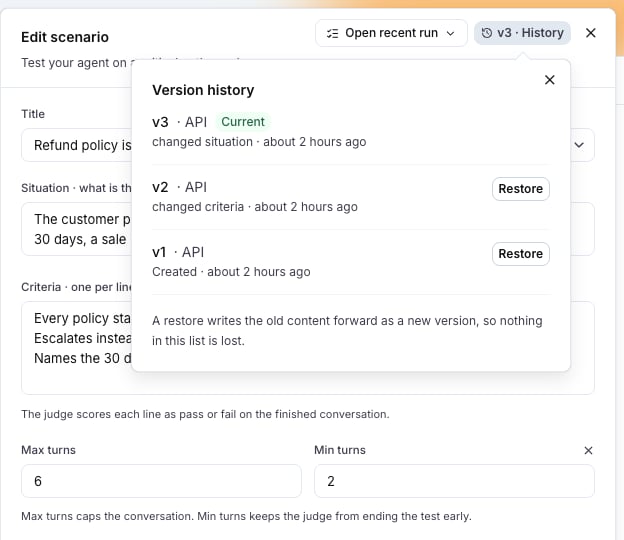
Every save is a new version. The editor shows the current one asv3 · History; open History to see every version with when it was saved and by whom. Restore on an older version writes its content forward as a new version, so every version stays in the history.
Actions on a scenario
The row menu of a scenario offers Edit, Duplicate, Open recent runs, Move to suite… and Archive. Select several rows to move them together.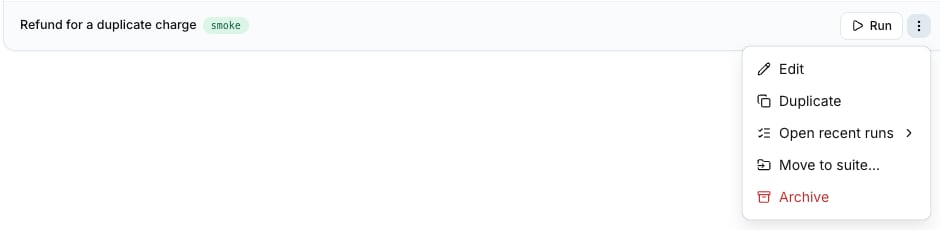
Create scenarios with Langy
Langy, the assistant in the bottom corner of every page, writes and saves scenarios from what you paste: a support ticket, a complaint, acceptance criteria, or a transcript of a conversation that went wrong. Ask for the scenario and check it in the editor afterwards.Create scenarios from your editor
Through the LangWatch MCP integration, a coding assistant such as Claude Code or Cursor reads and writes the scenarios of your project. The REST API does the same:POST /api/scenarios creates one, PATCH /api/scenarios/{id} updates one. See the Scenarios API reference.
Limits
Also check: Test suites, Run plans, Run parameters.