

What a run plan is
The configuration of a run plan is the scope (which scenarios), the targets (which agents), the repeat count and the two models: the user simulator and the judge. A run under an existing name joins that plan and replaces its configuration with the one it ran with. A run under a new name creates a plan. For example, Run suite on theRefunds test suite against the agent checkout-prod gives the run the name Refunds checkout-prod. The next run of the same test suite against the same agent joins it, and the Results tab shows the pass rate of Refunds checkout-prod over time.
The run dialog
Every run starts in the run dialog.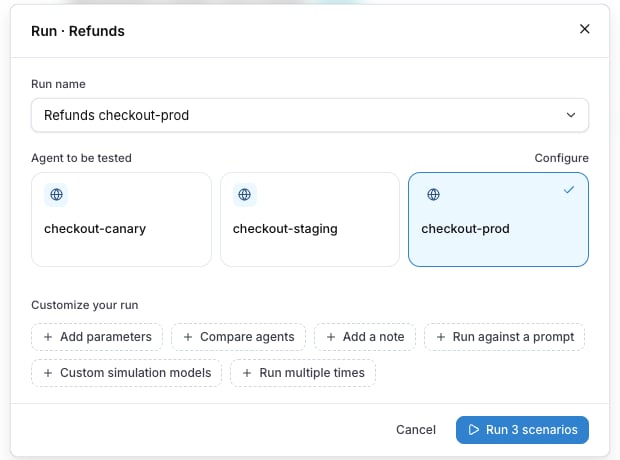
The chips, in the order the dialog shows them:
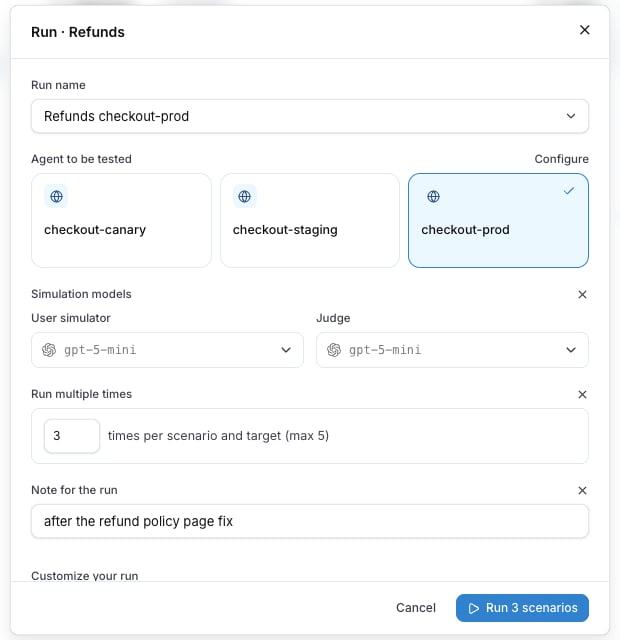
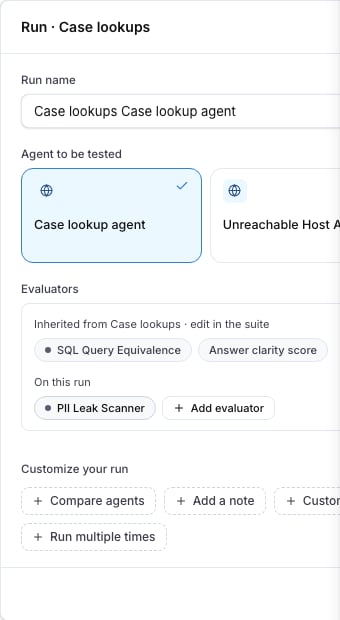
Case lookups suite, and a PII Leak Scanner added under On this run.
The dialog shows No model provider is set up when the project has no model provider for the
simulator and the judge. Add one under the project settings before the first run.
Where a run starts
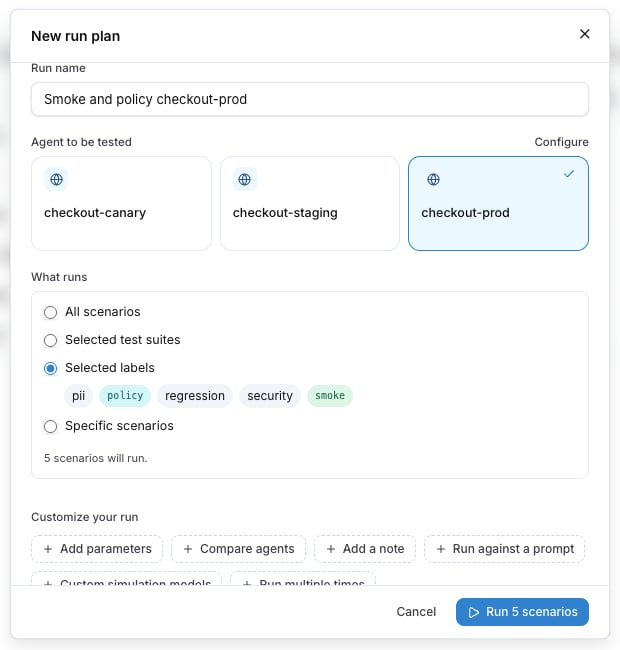
While it runs
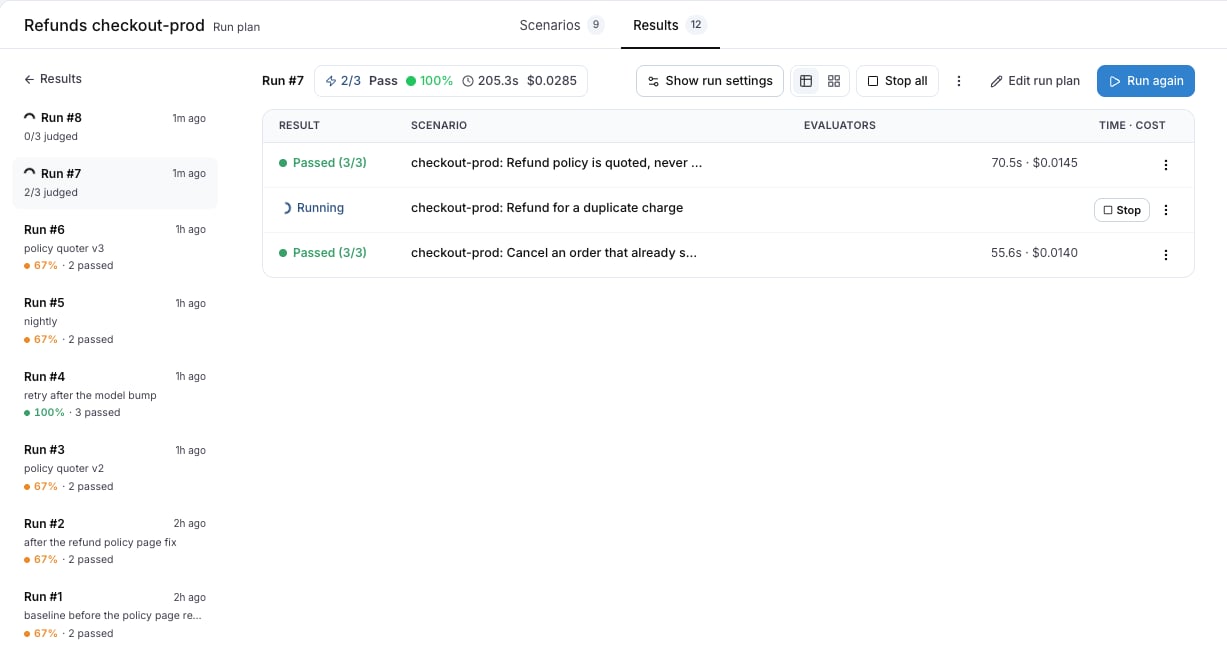
The run opens as soon as it starts. Each row showsRunning until the judge is done, then Passed or Failed. A row with evaluators shows Evaluating between the two, until every evaluator has reported. Stop all cancels every conversation that is still running, and every running row has its own Stop. A cancelled run keeps the results that were already in.
Edit a run plan
Edit run plan on the run plan detail changes the name, the scope, the targets, the repeat count and the models for the next run. Past runs keep the configuration they ran with, which Show run settings on each run shows. Archive run plan? removes the plan from the list. Its runs are kept.From the CLI and the API
The CLI and the REST API use the same plan name as the dialog, with--name and name. Without a name, a test suite run goes under the plan named after the test suite and the target, exactly as Run suite does.