What a comparison run is
A target is an agent or a prompt together with the parameters it runs with. A comparison run has several targets, and the same scenarios run against each. The same agent twice with different parameters is a comparison too: checkout-prod with plan=free against checkout-prod with plan=pro.
From the run dialog
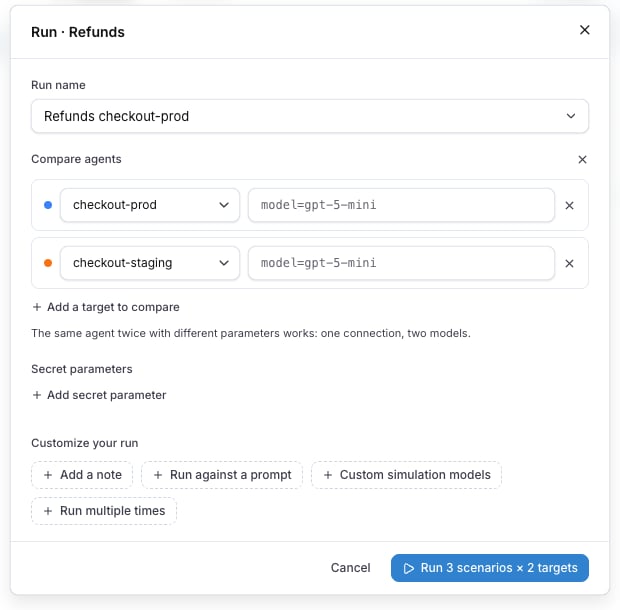
Compare agents in the run dialog turns the single agent into rows. Each row is one target with its own parameter line, and Add a target to compare adds another, up to four. The footer counts the scenarios times the targets: Run 3 scenarios × 2 targets.
The run name is prefilled after the targets, for example Refunds checkout-prod vs checkout-staging. Every run under that name joins the same comparison history.
Secret parameters stay at the run level and are shared by every target: the dialog shows them as one Secret parameters block under the rows, with Add secret parameter.
Read the results
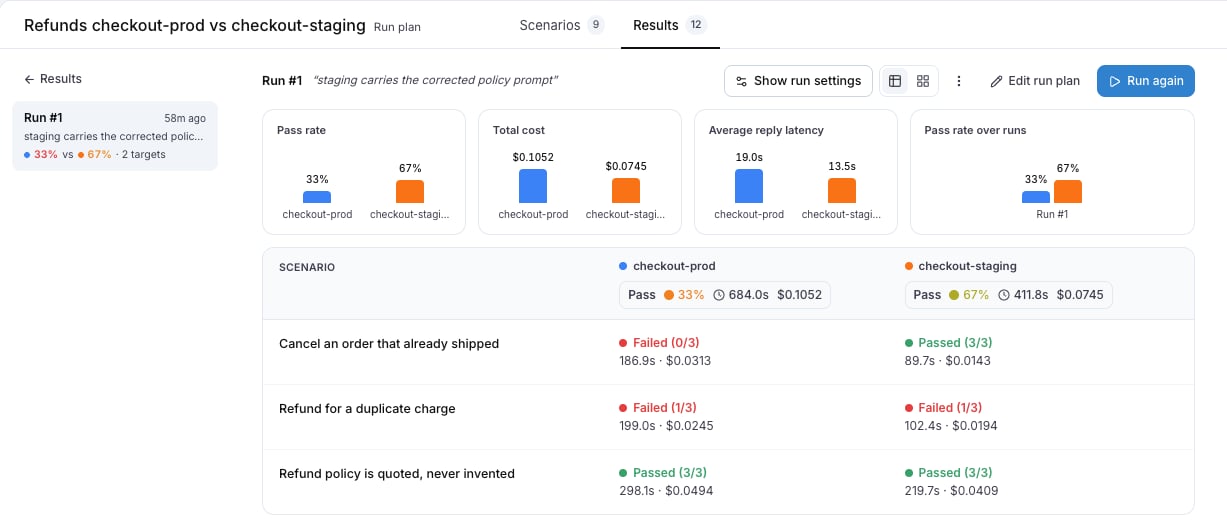
The run detail of a comparison shows one column per target, each with its own pass rate, duration and cost, and every scenario as a row across them. Four charts are above the table: Pass rate, Total cost, Average reply latency and Pass rate over runs. The runs sidebar shows 33% vs 67% · 2 targets for a comparison run.
Show run settings lists every target under Targets, with the parameters of each.
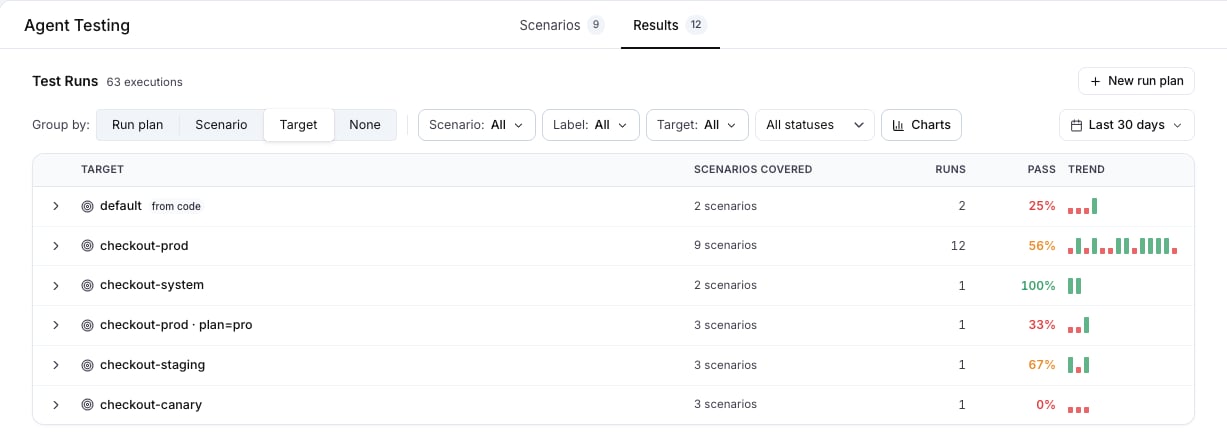
Group by target on the Results tab
Group by: Target on the Results tab gives every target its own row across every plan it ran in. A parameter variant is its own target, so checkout-prod · plan=free and checkout-prod · plan=pro are two rows with two pass rates.
From the CLI and the API
Name each target once, and put the parameters of one target after a question mark:
A connected agent is named the same way: connected:<name>?plan=free, or connected:<name>@<environment>?plan=free to pick the environment.
On the REST API the same values go in runParameters on each target, and parameters at the run level sets the values every target shares. See Run from CI for the request body.
Also check: Run plans, Results, Run parameters.Last modified on October 12, 2026