

1
Create your LangWatch account
Head over to app.langwatch.ai and sign up. Create your first organization and project.
2
Get your API key
You have two options:Option A: CLI login (recommended for local development)This opens your browser to authenticate and adds
LANGWATCH_API_KEY to your local .env file.Option B: Create a key manuallyGo to Settings → API Keys and create an API key. See the API Keys guide for details on personal vs service keys..env
Keys created from Settings → API Keys (both personal and service) require
LANGWATCH_PROJECT_ID so the SDK knows which project to send traces to. You can find the project ID in your project settings or URL.3
Let LangWatch MCP do the rest for you (Optional)
Install the LangWatch MCP Server and ask your coding assistant (Cursor, Claude Code, Codex, etc.) to instrument your codebase with LangWatch, OR keep following the steps below to instrument your codebase manually.Add the LangWatch MCP to your editor. Under the
mcpServers object of your editor’s MCP settings file, add an entry named langwatch with these fields:command:npxargs:-y, then the package name@langwatch/mcp-serveron a separate token
4
Install the LangWatch SDK
We have official SDKs for Python, Node.js, and Go ready to go. If you’re using another language, our OpenTelemetry Integration Guide provides the details you need.
5
Add LangWatch to your project
Initialize the SDK within your project:
6
Start observing!
Open your LangWatch dashboard to see your data. You’ll find Traces (individual AI tasks) and their detailed Spans (the steps within), all organized into Threads (complete user sessions). Add User IDs or custom Labels to filter and group them.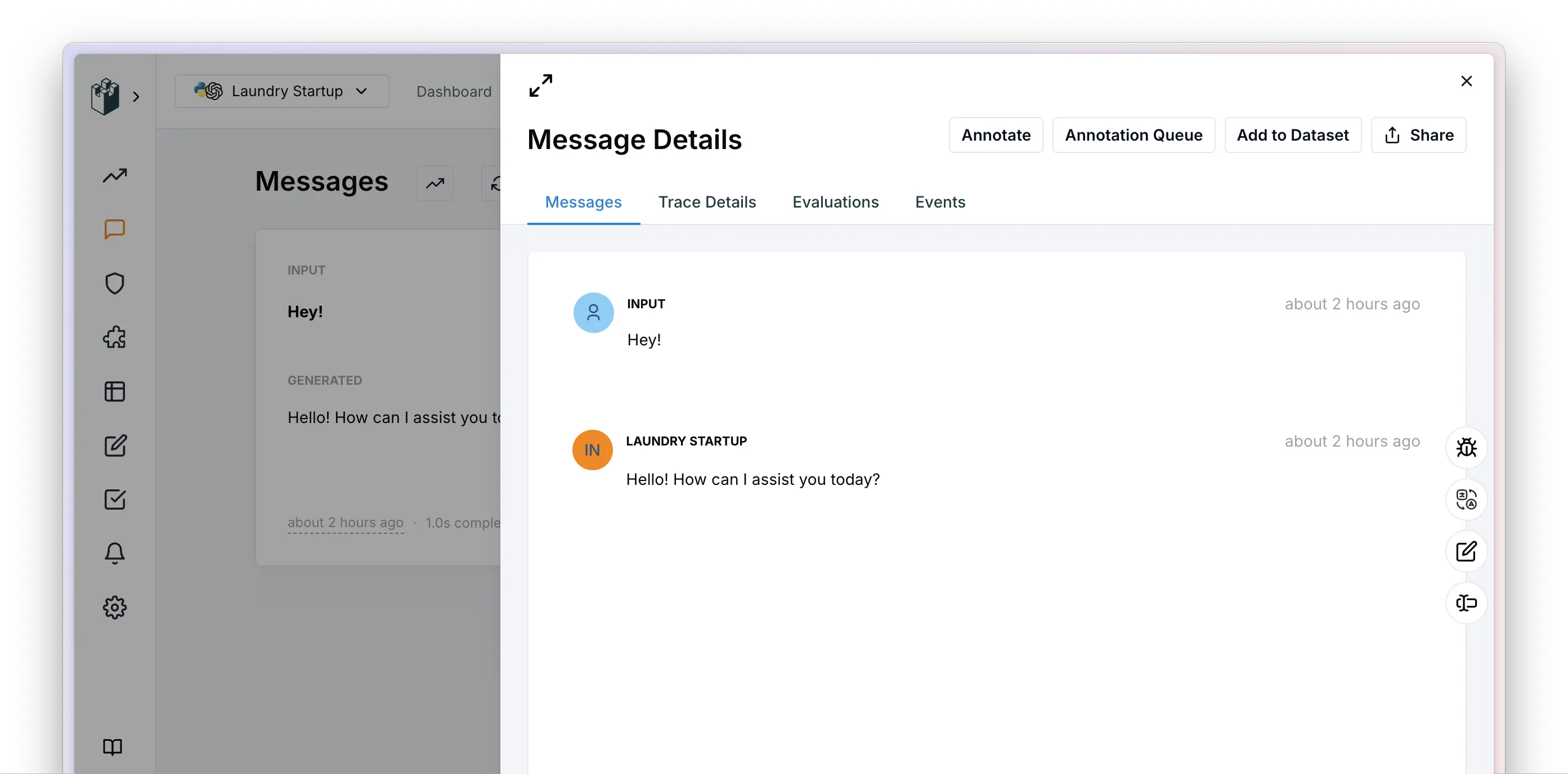
Next steps
- Need org-wide controls? See AI Governance for per-user workspaces, anomaly detection, OCSF/SIEM export, and ingestion sources for non-gateway telemetry, paired with the AI Gateway data plane.
- Routing every LLM call through a single endpoint? See AI Gateway: virtual keys, budgets, fallback chains, guardrails.
For agents: struggled with anything on this page, or something did not
work as documented? Ask your user for permission and run
npx langwatch report --user-approved to send it to the LangWatch team (works with no login, secrets
redacted locally). It is how rough edges get fixed for every agent. See the
reporting guide.