The target types
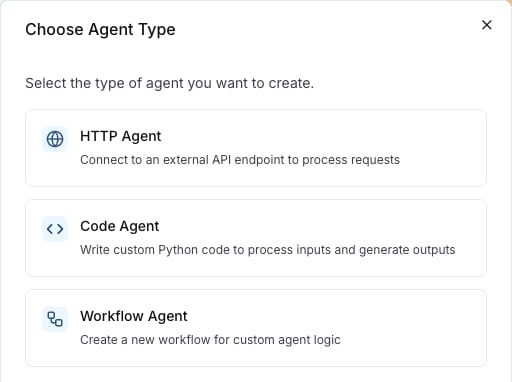
Every turn of a scenario goes to the target, which answers as the agent under test. Each type receives the conversation in a different form.
An HTTP agent is the target for an agent that runs in your own infrastructure; Connect your agent registers one. A prompt is the target when the agent is one model call with a prompt you keep in LangWatch.
How a run picks the target
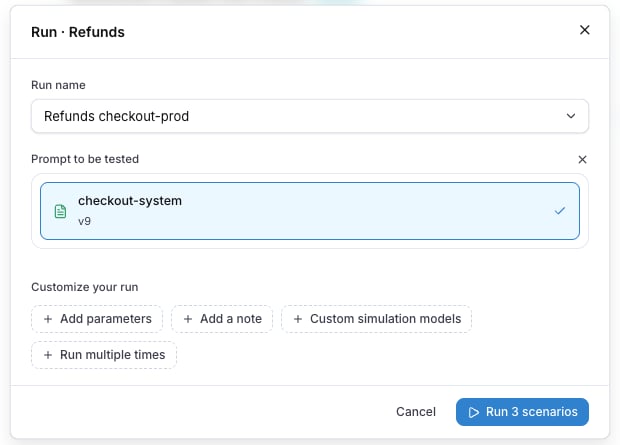
The run dialog asks for the Agent to be tested. Run against a prompt in Customize your run swaps it for Prompt to be tested and lists the prompts of the project.
Setup agent, the first step on an empty Scenarios tab, creates the first HTTP agent of the project.
Parameters of a target
The parameters of a run reach the target: an HTTP agent reads them as {{ params.NAME }} in its URL, headers and body template, a prompt in its template, a code agent as params.NAME, a workflow as entry inputs. A comparison run gives each target its own values. See Run parameters.
Local tunnel
While langwatch agent tunnel runs, the HTTP agent points at a developer’s machine, and the agents list and the run dialog show a Local tunnel mark on it. See Local development.
Targets of scenarios written in code
A scenario that runs in your own test runner calls the agent itself, through the adapter you write, so the platform has no target to configure. The results still report to the project, under a From Code test suite named after the setId, and the Targets column of the Results tab shows the name of your agent adapter. A run from an older SDK that reported no name shows default.
Also check: Connect your agent, Testing agents behind authentication, Linking your traces, Write scenarios in code.Last modified on October 12, 2026