

A cost center is an accounting label for spend. You name cost centers (Engineering, Marketing, …) once, assign people, teams, and projects to them, and spend rolls up by cost center across the whole org, including each person’s personal AI use. Cost centers answer a question the team and per-user views cannot: “are Marketing people spending more than Engineering people, including their personal AI use?”. Teams are a many-to-many access construct (a person can be in several), so they are a poor single attribution key, and RBAC roles answer authorization, not accounting. A cost center is single-valued per person per org, so every dollar lands in exactly one bucket.Documentation Index
Fetch the complete documentation index at: https://langwatch.ai/docs/llms.txt
Use this file to discover all available pages before exploring further.
Pairs with: Governance dashboard for the Spend by cost center card, Members & invites and Workspaces & access for where you assign them, and Roles & permissions for why cost centers are not access control.
Cost centers are pure accounting. They never grant or restrict access. Assigning someone to “Engineering” changes how their spend is attributed, nothing else.
How spend is attributed
Every trace that hits the gateway resolves to exactly one cost center, picked by this precedence:- The principal user’s cost center. If the trace has a principal user and that user is assigned to a cost center, it wins.
- The user’s team cost center (inherited). If the principal user has no own cost center, the cost center of their team is used.
- The project’s cost center. A trace with no principal user (an autonomous agent) attributes to the cost center of the project it ran in.
- Unassigned. If none of the above resolve, the trace rolls up under Unassigned.
Where you assign cost centers
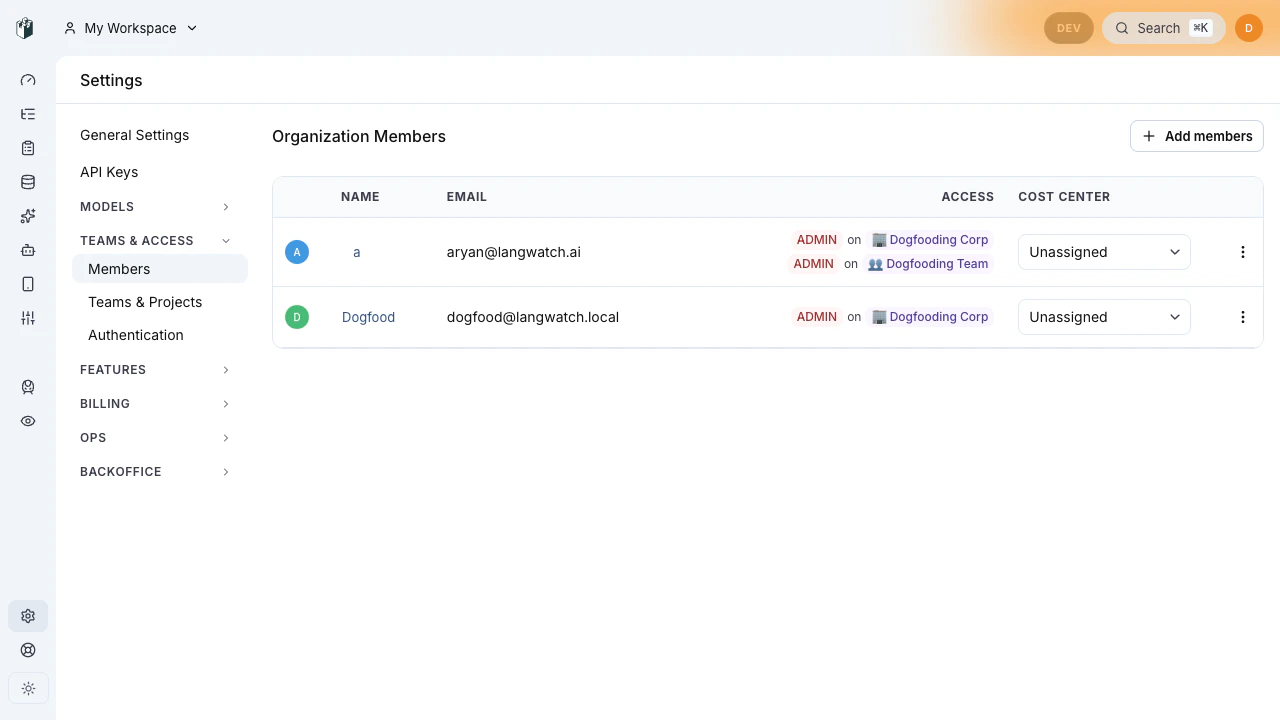
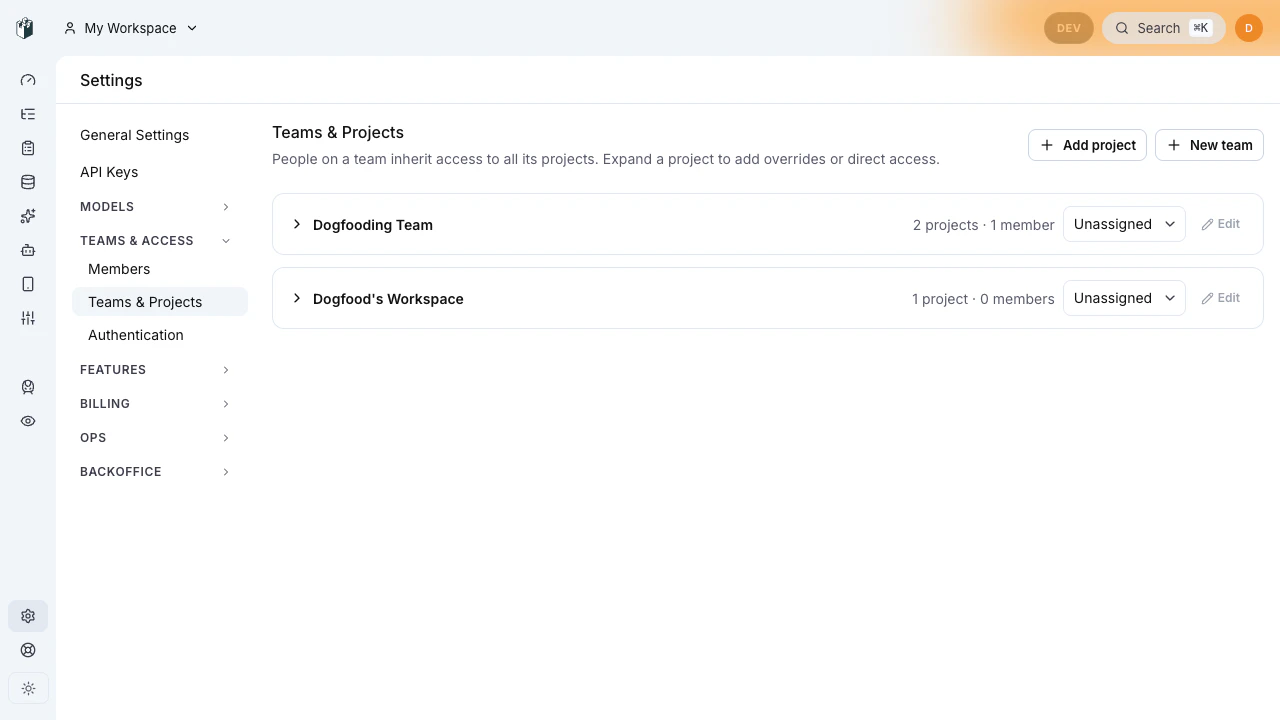
An org can have tens of thousands of members, so assignment lives on the pages that already paginate the org chart, not as one flat list:| Surface | What you assign | Where |
|---|---|---|
| People | A member’s cost center. Their spend, including personal AI use, rolls up to it. | Members page, per row |
| Teams | A team’s cost center. The default its members and projects inherit when they have none of their own. | Teams page, per row |
| Projects | A project’s cost center. Agent spend with no human principal rolls up here. | Project settings |
Managing cost centers
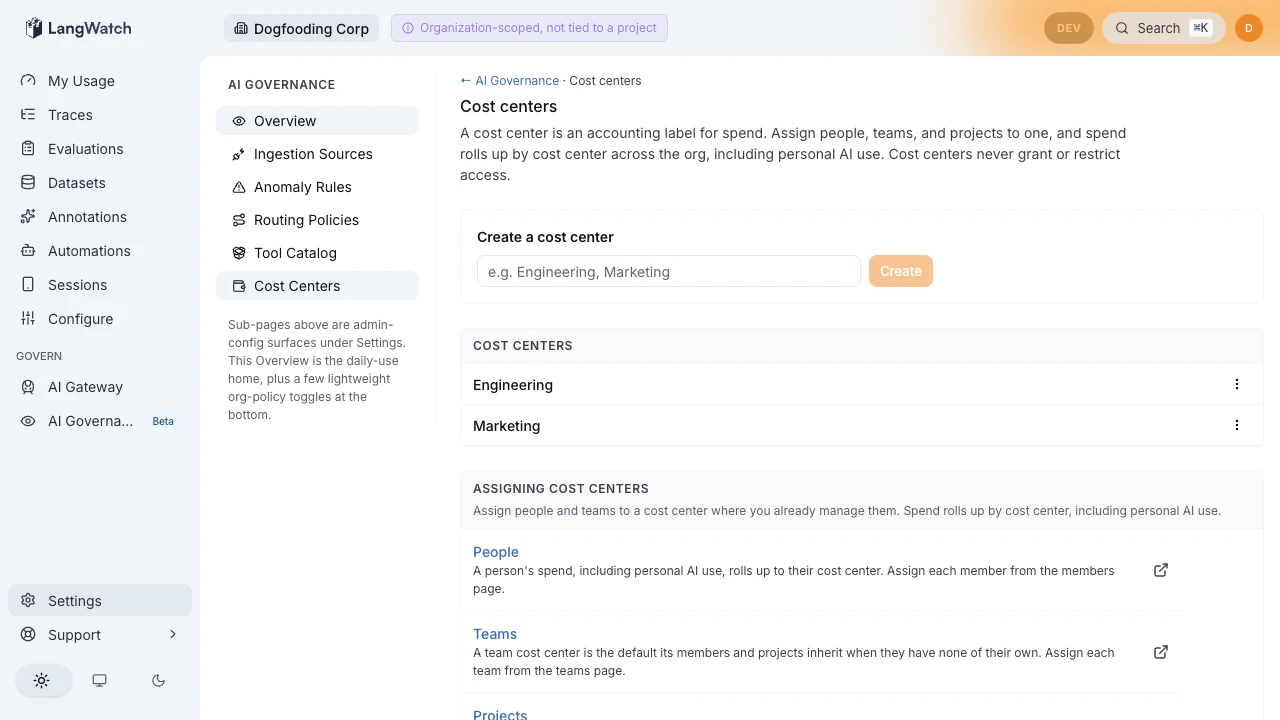
Open the cost-centers page under Settings → AI Governance → Cost centers to:- Create a cost center by name (Engineering, Marketing, …).
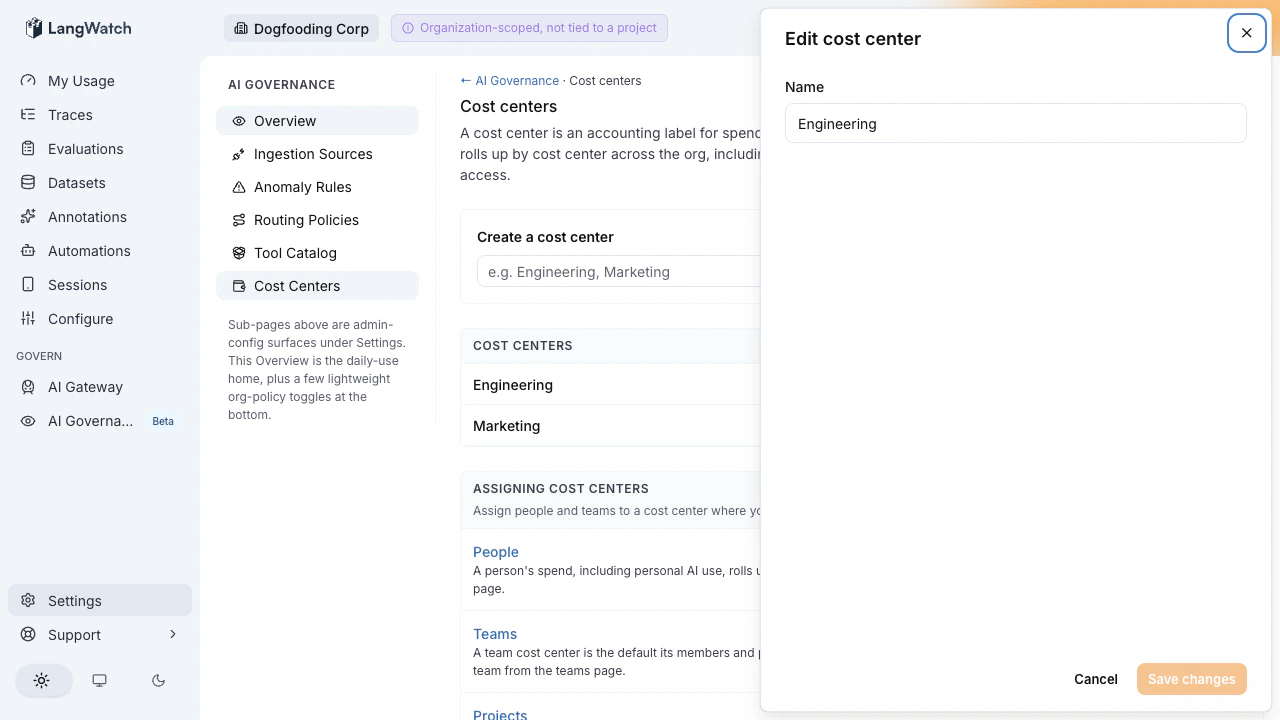
- Edit a cost center’s name.
- Archive a cost center you no longer use.
SCIM auto-assignment
For organizations that provision identities through SCIM, assignment is automatic. The SCIM 2.0 Enterprise User extension carries a standardcostCenter attribute, so an IdP (Okta, Entra ID, …) can drive cost-center membership the same way it drives department or division. Manual per-row assignment is the fallback for orgs without SCIM.
| IdP action | Result in LangWatch |
|---|---|
Provisions a user whose costCenter is Engineering | The user’s membership carries cost center “Engineering” |
Provisions a user whose costCenter is a name that does not exist yet | The cost center is created on first use and the user is assigned to it |
Updates a user’s costCenter from Engineering to Marketing | The assignment is replaced, not added; the user carries “Marketing” |
Removes a user’s costCenter attribute | The user is unassigned; their spend rolls up under Unassigned |
Archiving
Archiving a cost center is non-destructive:- It no longer appears in the assignment picker on the members, teams, and project surfaces.
- Spend previously attributed to it rolls up under Unassigned rather than disappearing.
Spend by cost center on the dashboard
The governance dashboard renders a Spend by cost center card. Each cost center’s total includes spend from personal projects, team projects, and agent projects attributed to it, aggregated across every project in the org. This is the cross-org view: the card is not limited to a single governance ingestion project, so a fully active org with no dedicated ingestion source still sees real numbers. The Marketing-versus-Engineering comparison reads from cost centers, not from RBAC roles or team-membership counts. Every underlying query is tenant-isolated: a cost-center rollup for your org contains zero spend from any other org.Permissions
- Creating, renaming, and archiving cost centers requires
organization:manage(granted to ADMIN by default). - Assigning people, teams, and projects to a cost center happens on the respective surfaces under the same admin permission.
- Cost centers never appear in any access-control decision. They are an accounting dimension only.
Where to next
- See the rollup: Governance dashboard.
- Assign people: Members & invites.
- Understand access vs accounting: Roles & permissions.
- Provision via SCIM: Workspaces & access.