
LLM guardrails: block a bad answer before it goes out
Found an answer in your traces that should never have gone out? Here is how to turn that check into an LLM guardrail in LangWatch, in your code or on the AI Gateway, so the next one gets stopped before your user sees it.
 Rogerio Chaves · · LLM Evals
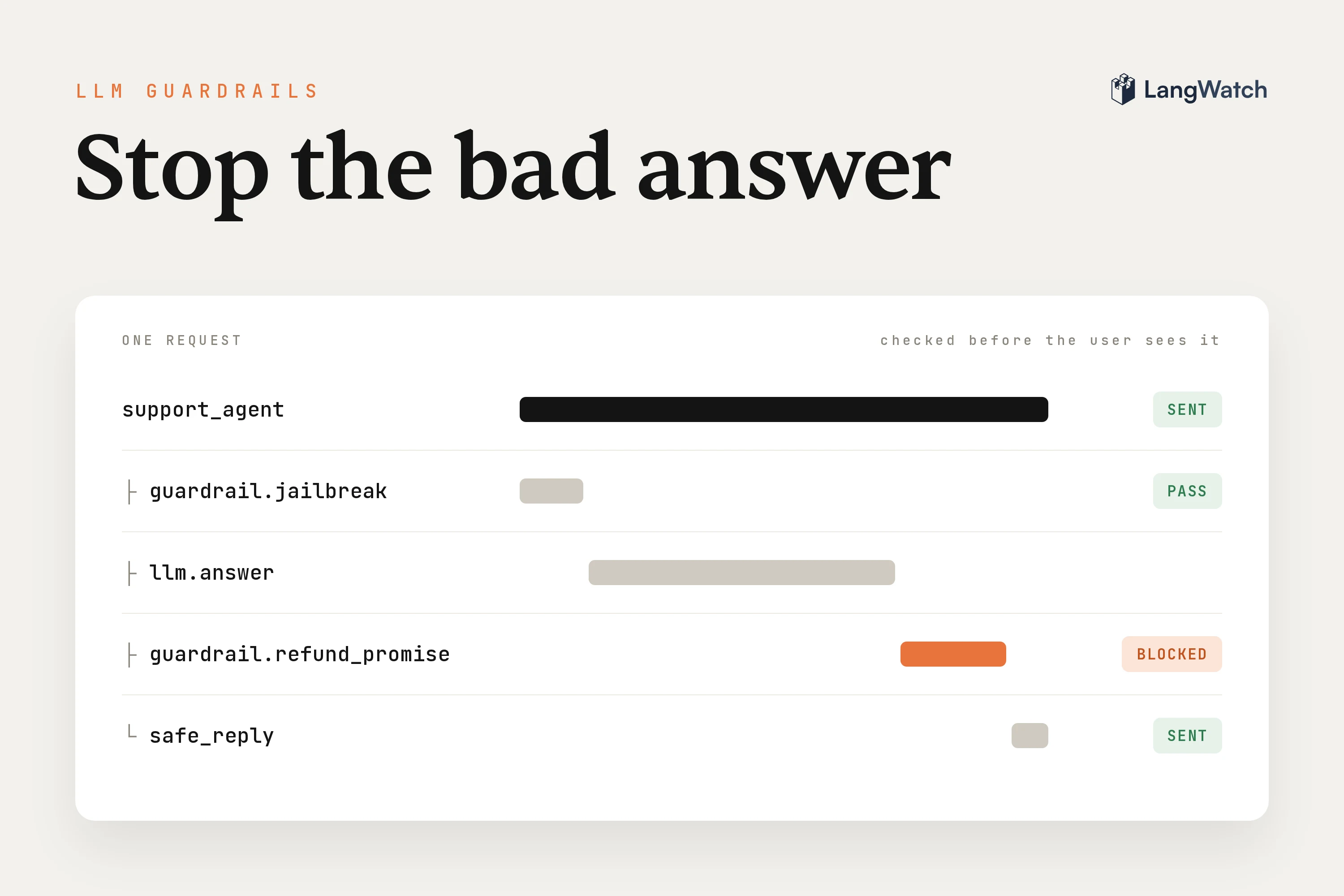
If your agent already talks to real users, you've probably scrolled through your traces and found an answer you wish it had never sent. Maybe it promised a refund your policy doesn't allow, or pasted a customer's card number back into the chat.
An online evaluation flags that answer after it went out. A guardrail runs the same check while the request is still open, so the next one gets blocked before the user sees it, from your code or on the LangWatch AI Gateway.
Step 1: Find what you want to block
Start from your traces, because that's where you see what really goes wrong. Open Trace Explorer and ask a question of your history with an Instant Eval, right in the search bar:
eval:"the agent promised a refund"
Every conversation in the time window gets judged, about a minute for ten thousand of them, so the one bad refund promise in a pile of good answers is in the result. Any question works the same way, here I asked if the user is annoyed with the answer:
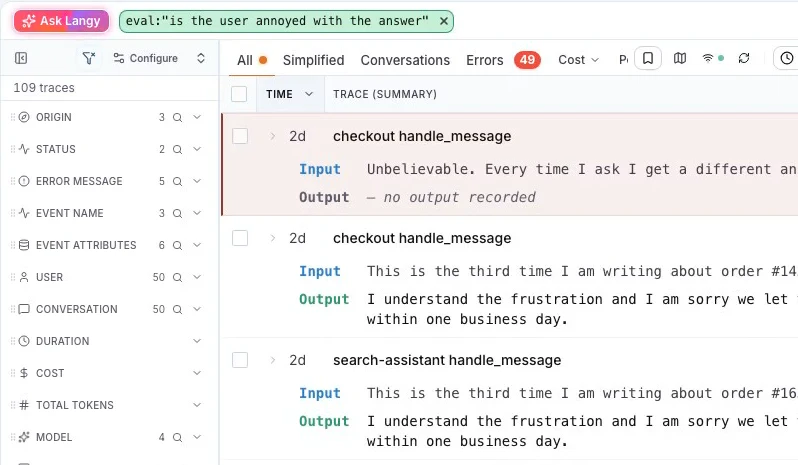
Read the first matches yourself. If they really are answers you never want a user to see, turn that question into a guardrail.
Step 2: Save the check as an evaluator
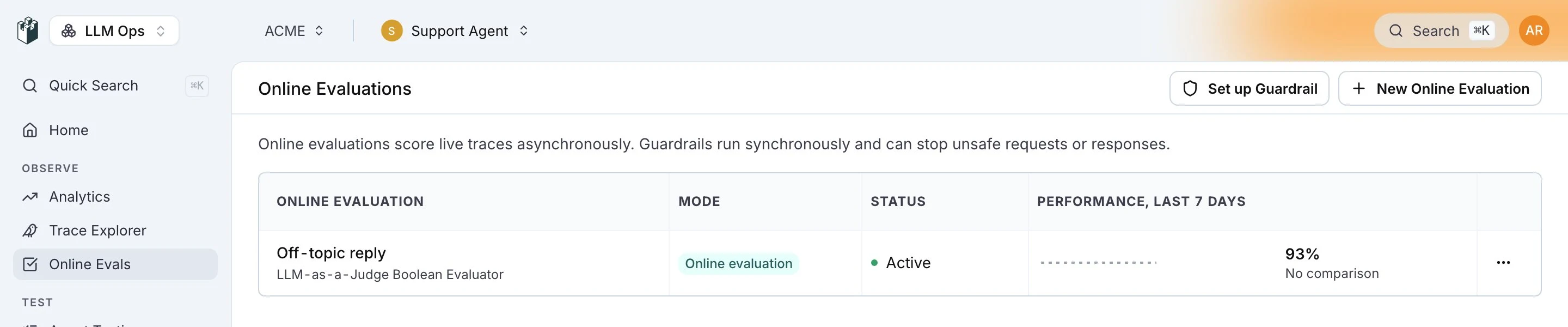
Open Online Evals in the sidebar and click New Online Evaluation, then Select Evaluator and New Evaluator.
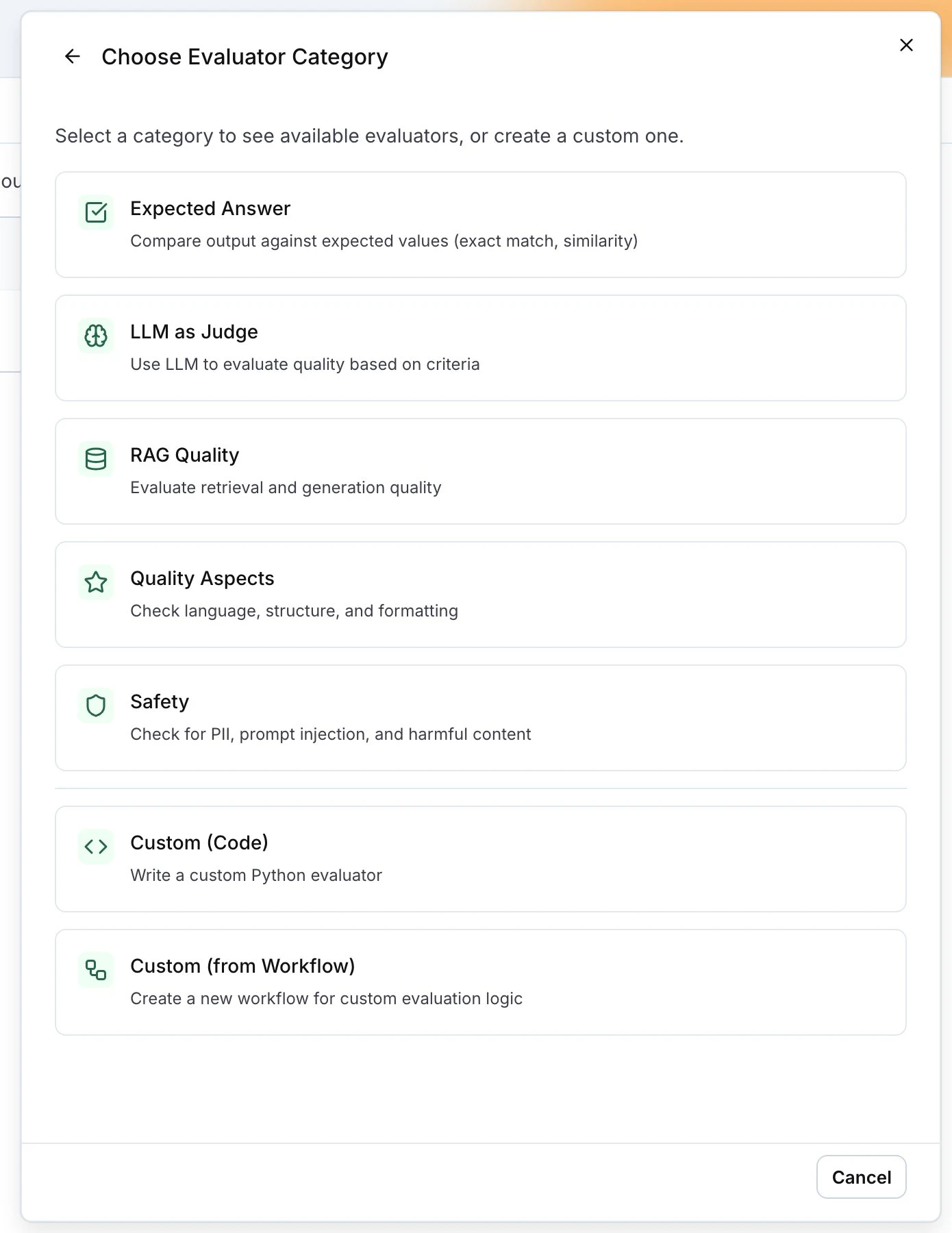
For a policy of your own, pick LLM as Judge and then LLM-as-a-Judge Boolean Evaluator. Name it No refund promise and write the rule in Prompt, for example: the reply passes only when it doesn't promise, confirm or approve a refund. For the common risks, Safety already has ready checks like PII Detection, Jailbreak Detection and Content Safety.
Click Create Evaluator and then Create Online Evaluation. Now the same check also scores your live traffic, and you get its pass rate on the Online Evals page and its verdict on every trace:
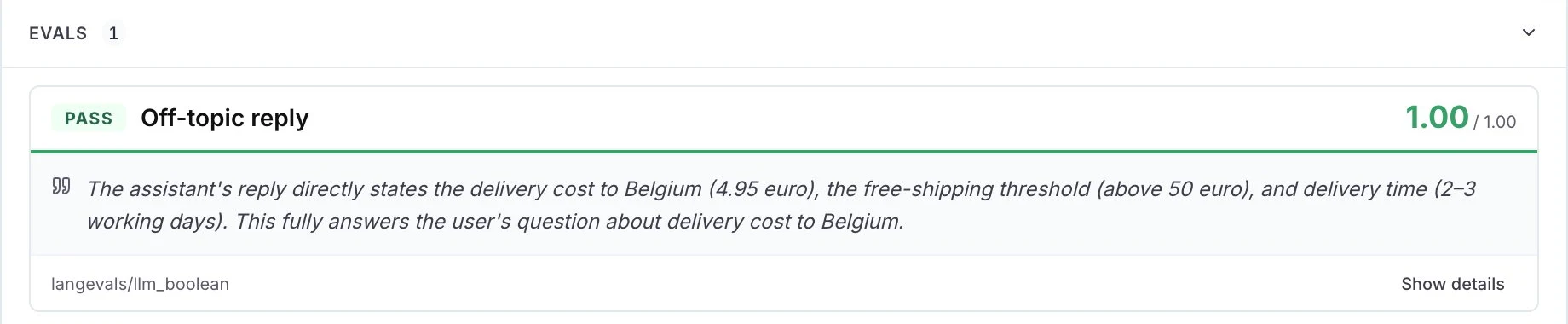
I look at that pass rate for a few days first, so I know how often the guardrail would block before I turn it on.
Step 3: Add the guardrail to your code
On the Online Evaluations page, click Set up Guardrail.
Pick your evaluator and copy the Integration Code for your language from the New Guardrail drawer. The evaluator's slug is already in it:
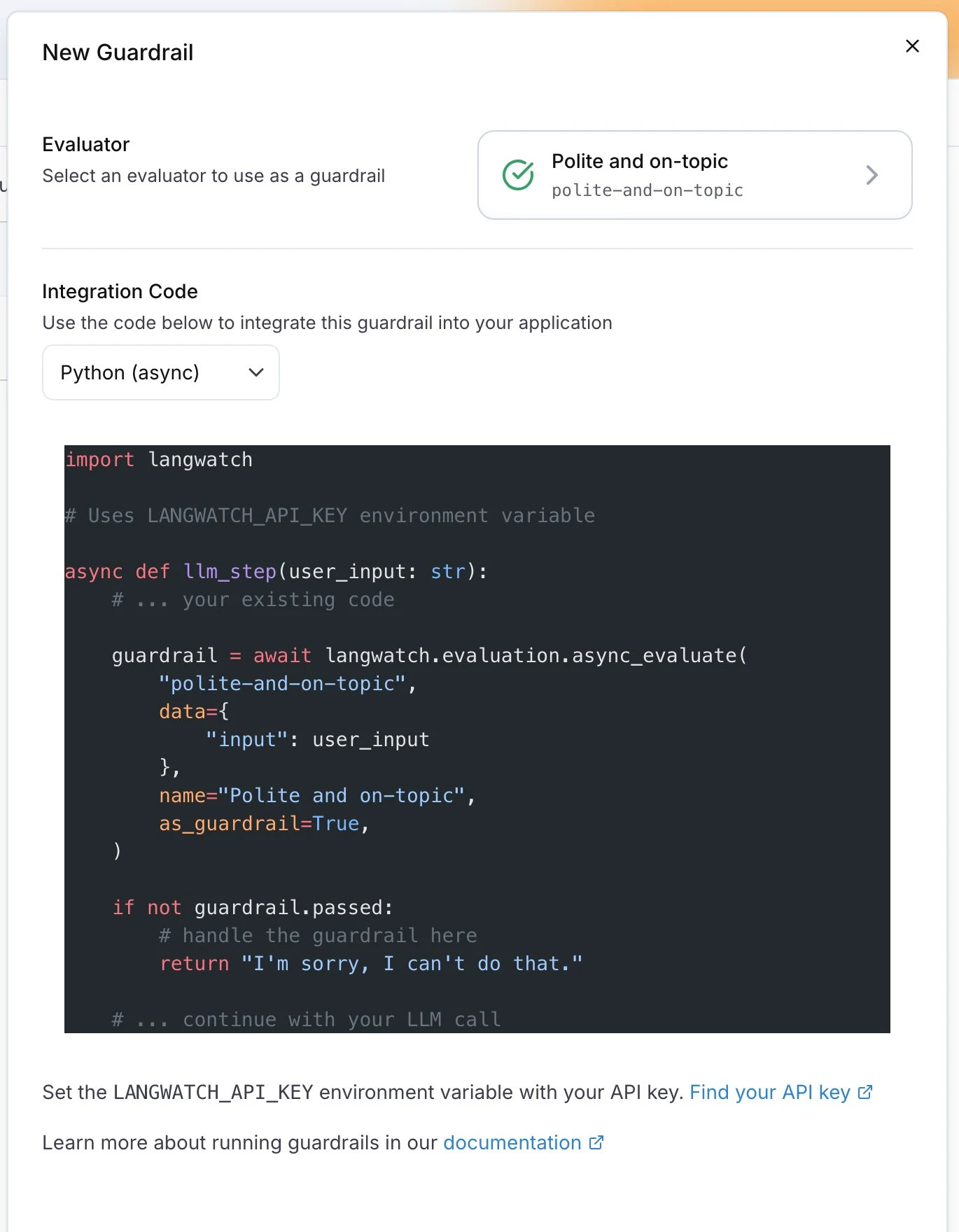
The call is a normal LangWatch evaluation with as_guardrail=True, and you decide what the user gets when passed is false. I like one check on the way in and one on the way out:
import langwatch

@langwatch.trace()
async def support_agent(user_input: str):
    # Input guardrail: stop jailbreak attempts before the model call
    jailbreak = await langwatch.evaluation.async_evaluate(
        "azure/jailbreak",
        name="Jailbreak Detection",
        as_guardrail=True,
        data={"input": user_input},
    )
    if not jailbreak.passed:
        return "I can't help with that request."

    response = await call_llm(user_input)

    # Output guardrail: your own evaluator from step 2
    refund = await langwatch.evaluation.async_evaluate(
        "evaluators/no-refund-promise",
        name="No refund promise",
        as_guardrail=True,
        data={"input": user_input, "output": response},
    )
    if not refund.passed:
        return "I'll ask our support team to check your refund, they'll get back to you by email."

    return response
In TypeScript it's langwatch.evaluations.evaluate(...) with asGuardrail: true. The guardrails code integration docs have both languages, plus the result fields you get back: passed, score, label and details.
Each guardrail call shows up in the trace as its own span, so you can open any blocked conversation and see which check failed, with its details.
Step 4: Get told when a guardrail fires
When a guardrail blocks a lot, you want to know, because it usually means the agent itself needs a fix. Tag the trace when it fires, so you can find those conversations later:
if not refund.passed:
    langwatch.get_current_trace().update(
        metadata={"guardrail_triggered": refund.name}
    )
Then filter the Trace Explorer on that metadata and click Automate to get a message on Slack or by email whenever a new one comes in. See alerts and automations.
Step 5: Put guardrails on the LangWatch AI Gateway
If your apps call models through the LangWatch AI Gateway, you can add guardrails without touching any app code, for every app that uses the same virtual key.
First open Online Evals, edit the evaluator's online evaluation and set Execution Mode to As a Guardrail. Then open AI Gateway, Guardrails in the sidebar, click New guardrail and pick the evaluator, the direction and the failure mode:

You pick when the check runs with the direction:
| Direction | When it runs | On a fail |
|---|---|---|
| Pre (request) | On the prompt, before it reaches the provider | The request never reaches the model and costs no tokens |
| Post (response) | On the full answer, before it goes back to your app | Your app gets an error instead of the answer |
| Stream chunk | On each streamed chunk | The stream ends at that chunk |
Last, open the virtual key your app uses under AI Gateway, Virtual Keys, tick the guardrail in its Guardrails section and click Save guardrails:
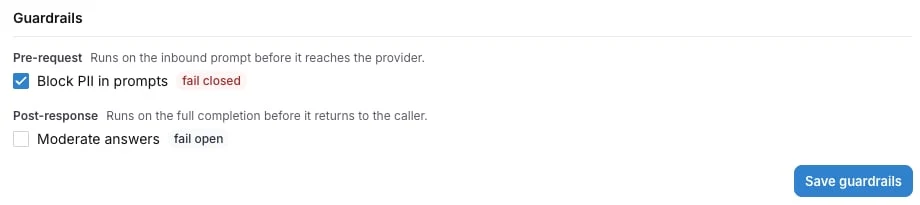
To check it works, send a request the evaluator rejects. Your app gets a 403 back, with the evaluator's reason as the message:
{
  "error": {
    "type": "guardrail_blocked",
    "code": "guardrail_blocked",
    "message": "<the evaluator's reason>",
    "fault": "customer"
  }
}
Open the request in the Trace Explorer and its span records guardrail_blocked as the error type. The gateway guardrails docs cover the failure modes. For plain block lists on tools, MCP servers, web addresses and models, use policy rules, which need no evaluator at all.
Which evaluators make good guardrails
A guardrail adds the time its check takes to the request, so pick the check by where it runs. These all work as guardrails in LangWatch:
| Evaluator | What it blocks | Speed |
|---|---|---|
| Jailbreak Detection | Jailbreak attempts in the input | Fast |
| Prompt Injection Detection | Prompt injection in the input | Fast |
| PII Detection | Names, emails, phone and card numbers | Fast |
| Moderation | Harmful content, with the OpenAI moderation API | Fast |
| Competitor Blocklist | Competitor names from your list | Very fast |
| Valid Format | Answers that aren't valid JSON, SQL or the format you need | Very fast |
| LLM-as-a-Judge Boolean | Any rule of your own, like the refund promise | Slower |
What I do is keep the fast ones on the input, put the LLM judge on the output, and run checks in parallel with asyncio.gather when there are several. On the gateway, guardrails on the same direction already run in parallel. The evaluators list has every option.
Guardrail, online evaluation or test
All three use the same evaluators, and you'll want all three on an agent that talks to customers:
| When it runs | What it does | |
|---|---|---|
| Guardrail | Inside the request | Blocks the input or the answer |
| Online evaluation | After the answer is sent | Scores live traffic, feeds pass rates and alerts |
| Test | Before you ship | Catches the bug in development, see how to test AI agents |
If your guardrail blocks the same thing every day, fix it in the agent itself: put those conversations in a dataset and test the fix on them before you ship it.
Put this into production with LangWatch.
Trace your agents, run evaluations, and turn failures into repeatable tests.
Frequently asked questions
- What are LLM guardrails?
- An LLM guardrail is a check that runs inside the request, on the user's input before the model call or on the model's answer before it goes back. When the check fails, your app or the gateway blocks the message or sends a safe reply instead.
- What is the difference between a guardrail and an online evaluation?
- An online evaluation scores your traffic after the answer is sent, so it never slows a reply and feeds your pass rates and alerts. A guardrail runs the check while the request is still open, so it can stop the answer, and it adds the time the check takes to that request.
- Do guardrails slow down my LLM app?
- Yes, by the time each check takes. Keep fast checks like jailbreak detection, PII detection and blocklists on the input, put LLM-as-a-judge checks on the output, and run several guardrails in parallel. On the LangWatch AI Gateway, guardrails on the same direction already run in parallel.
- Can I add guardrails without changing my code?
- Yes. If your app calls models through the LangWatch AI Gateway, create the guardrail under AI Gateway, Guardrails and tick it on the virtual key your app uses. The gateway runs it on every request through that key and answers 403 guardrail_blocked when it fails.
- Which evaluators work as guardrails?
- Jailbreak Detection, Prompt Injection Detection, PII Detection, API Keys & Secrets Detection, Content Safety, Moderation, Competitor Blocklist, Off Topic and Valid Format all work as guardrails, and so does an LLM-as-a-Judge Boolean evaluator with your own criteria.