

The Simulations visualizer in LangWatch provides a powerful way to inspect and analyze the results of your agent tests built with theDocumentation Index
Fetch the complete documentation index at: https://langwatch.ai/docs/llms.txt
Use this file to discover all available pages before exploring further.
scenario library. It offers a user-friendly interface to dig into simulation runs, helping you debug your agent’s behavior and collaborate with your team.
How it Works
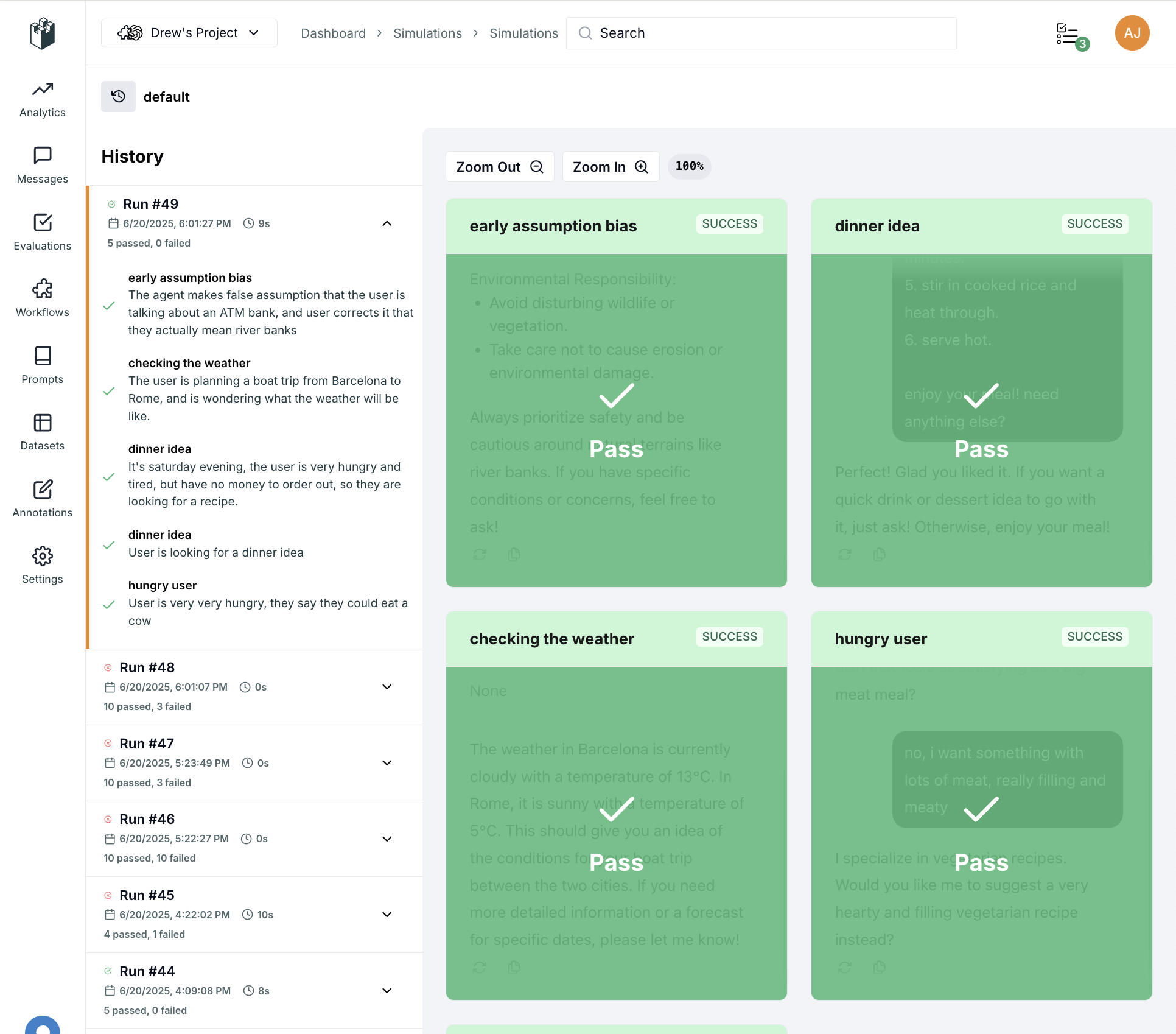
When you run your scenarios with the LangWatch integration enabled, the results are sent to the LangWatch platform and become available in the Simulations section. This allows you to:- Organize your simulations into Sets for better management.
- View a history of runs for each set.
- Drill down into individual scenario runs to see the full conversation.
- Visualize passing and failing scenarios in a clear grid view.