
How to track Claude Code usage and spend across your company
Claude Code analytics for a whole company: what /usage and Anthropic's dashboards show, how to roll out one command per developer, and how to see the cost of every session, repository and pull request.
 Rogerio Chaves · · Agents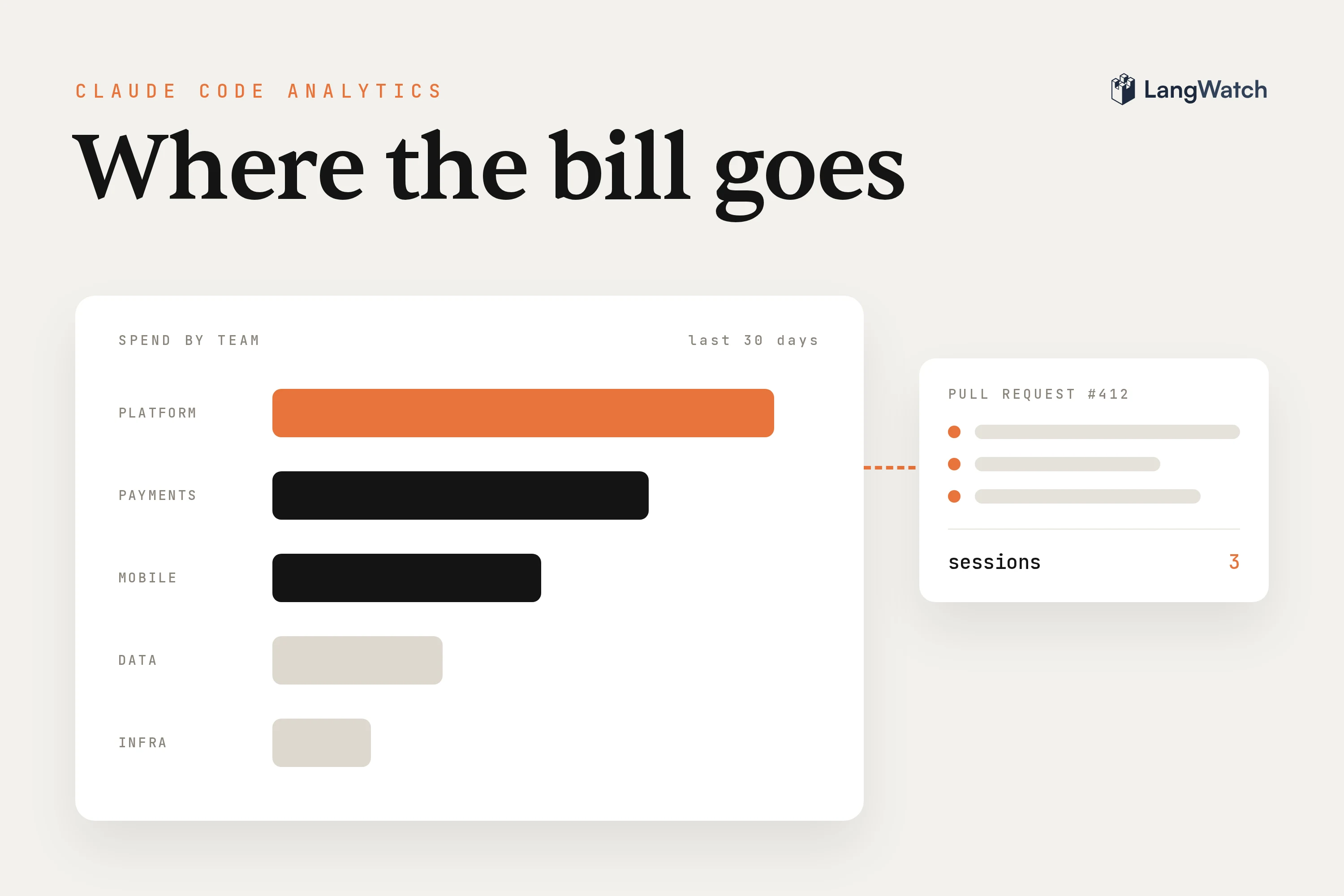
Short answer: To track Claude Code usage and spend across a company, turn on Claude Code's built-in OpenTelemetry export on every developer's machine and send it to one place. With LangWatch that's one command per developer, and you get cost per person, per team project, per session and per pull request.
Claude Code already reports what every session costs, so Claude Code analytics for a company comes down to getting those numbers off every laptop and into one view. Once the invoice arrives, the questions are who spent it, on what, and whether it was worth it. I traced my own Claude Code sessions with LangWatch for a study on compaction, so some of the advice below comes from staring at my own bill.
How can I track Claude Code usage and spend across my company?
Send Claude Code's own telemetry to a tool that keeps it per person, per team and per session. Claude Code exports cost, token and session data over OpenTelemetry on every plan and provider, and LangWatch turns it into sessions, pull requests and spend you can query.
The export is built into Claude Code. It emits metrics like claude_code.cost.usage and claude_code.token.usage, split by model and by token type, and events like claude_code.compaction when it summarizes a conversation. Anthropic's cost docs say OpenTelemetry is the only option that streams per-user token and cost numbers into your own stack in near real time, and it works whether people sign in with a subscription, the Console or a cloud provider.
Claude Code monitoring still needs somewhere to keep those numbers and query them. With LangWatch, each developer runs:
npx langwatch claude
This opens LangWatch for you to sign in, then starts Claude Code with all telemetry already set up. The first run asks how you pay. On a Claude subscription, Claude Code keeps your own plan and login and LangWatch receives telemetry only. With an API key, the calls go through the LangWatch AI Gateway with a virtual key, which adds budgets and model policies on top. The Claude Code setup page covers both, plus the manual OpenTelemetry route, and the coding agents overview has the same one command for Codex, Copilot, Gemini CLI and opencode.
If you only care about your own numbers, the Claude Code usage page is the place to start, and the launch post shows what a single session looks like.
What the built-in usage view shows and what it leaves out
Run /usage in Claude Code (/cost and /stats are aliases) for the current session's tokens and an estimated cost, plus plan usage on a subscription. It reads local history on one machine, so it can't add up a team or tell you which pull request the money went to.
Claude Code computes the dollar figure in /usage locally at list price, unless an admin sets contracted rates in managed settings, and it resets when /clear starts a new session. Usage from other devices isn't in it. That's fine for a developer checking one session, and useless for a finance question.
On the organization side, Anthropic gives you more:
- Teams and Enterprise: an analytics dashboard with daily active users, sessions, lines of code accepted, pull requests that contain Claude Code changes, and a leaderboard.
- Claude Console (API): spend and accepted lines per member, and a Claude Code Analytics API for the same daily numbers.
- Amazon Bedrock, Google Cloud, Microsoft Foundry: none of those dashboards cover this usage, and Anthropic points you to OpenTelemetry or a gateway.
These answer "are people using it?" well. What they leave out is the why: what one session cost and what it did, what a pull request cost across every session and person that touched it, how well the prompt cache held up, and one view across people on a subscription, an API key and a cloud provider at once.
Roll it out: one login per developer, one project per team
Ask each developer to run npx langwatch claude once. Their sessions land in their own personal project by default. When the work belongs to a team, pin the machine to a shared project with --project, and use an ingest key for servers and CI.
A personal project has one owner, and teammates can't see into it. An organization admin can open someone's sessions, but only through an audited path: a "Viewing as admin" banner stays on the page the whole visit, and every read writes an audit log row the developer can read too. Tell developers this before the rollout, because tracking people's own tools only works if they trust it.
A security lead at a software company told us on a call they had no idea what staff were sending through the company's Claude subscription, and they didn't want to put a gateway in front of it. That's what the subscription path is for: Claude Code keeps its own login, and LangWatch reads the telemetry. If the content shouldn't be stored at all, set input and output to Drop in the data privacy policy, and only metadata survives: model, tokens, cost, latency.
For team work, langwatch instrument claude --project acme-app mints an ingest key for that device, scoped to the project, and pins Claude Code to it. Any number of machines can report to one project, and the pin is per tool, so a laptop's Codex can stay personal while its Claude Code reports to the team. The project then gets Sessions and Pull requests in its sidebar and the costs in its analytics (team projects).
For a fleet:
- Managed settings. An admin can push the same telemetry settings to every machine through Claude Code's managed settings file and your device management system, and users can't override them.
- Headless machines. Servers and CI jobs run
langwatch instrument claude --keywith an ingest key. That key can create traces and nothing else, so a key leaked in a build log can't read your data (headless machines and CI).
Cost per session, per repo and per pull request
Every Claude Code session reports the repository and branch it works in. With GitHub connected, LangWatch maps those branches to pull requests, so each pull request shows what it cost across all its sessions and contributors, next to a list of every session with its own cost.
The sessions list has one row per session: peak context, how many times it compacted, how long the agent worked against how long it waited for you, the token cost, and the pull requests it maps to. The cost is cache-aware, so tokens read from cache are counted at the cache read rate instead of as fresh input.
The pull requests view is the one I'd show a VP of engineering. Each row is a repository and pull request number with its status read live from GitHub, the models used and the summed cost. The cost covers the pull request's whole lifetime, so a branch someone opened three weeks ago shows everything spent on it since, by everyone. The detail splits it per contributor and per model, and that's the number you compare against what the change was worth.
The join happens on its own: the session reports its working directory, and when the agent works in another checkout through the shell, it runs langwatch ingest context, which the setup teaches it to do. Two limits to know: work done outside any checkout (say, reviewing with gh from your home directory) counts in usage but lands on no pull request, and a session keeps the first repository it reported.
For finance, the same data comes out of the API and the CLI. GET /api/coding-agent/pull-request-usage filters by project, user and agent, and langwatch analytics query reads the same analytics the pages do (usage analytics).
Cache reads, compaction and the context sweet spot
Cache reads and writes are the bulk of Claude Code spend, about four fifths of it across organizations on LangWatch. Every call re-reads the whole conversation, so a session costs more per call as it grows, and when you compact matters more than any other habit.
A cache read is cheap per token, a tenth of the input price on many models and less on the newest ones. Claude Code re-reads it on every call, though, so when the agent runs a couple dozen tool calls at a big context, you pay for a couple dozen full re-reads, each bigger than the last. In my own sessions, every doubling of context cost about six times more, and my data put the best compaction point somewhere between 250k and 450k tokens, depending on the kind of work. Our cost guide recommends compacting at 400k with "autoCompactWindow": 400000 in settings.json.
Don't push it much lower. In one controlled run, compacting at 150k cut the cost of a long reading session by about half, and the agent then couldn't answer a single question about the files it read early on. Compaction has a quality cost too: for a few dozen steps after one, people correct the agent more often.
The other thing to watch is the cache lifetime. On an API key or a cloud provider, Claude Code caches for five minutes, so when you come back from a coffee break the cache is gone, and the next call writes the whole context again at the write rate. On a subscription, the main conversation gets one hour. Pay-per-token users can set "promptCacheTtl": "1h" to get the hour too.
The Cache health section of each session shows the cache misses, how much context was reused and how much was rebuilt, and the single biggest rebuild. If you want your own number instead of mine, the context sweet spot skill has your coding agent run the analysis on your own sessions.
Answering "why is the AI bill this big?"
Start with spend by model, then sort sessions by cost and open the top ones. The usual causes are an older or bigger model left as the default, long sessions that were never compacted or cleared, sub-agents running on the top model, and caches rebuilt after pauses.
Someone I met at a conference told me their Anthropic spend was three and a half times over budget, and they couldn't tell their CEO. At a big healthcare IT company, spend control was people pinging one engineer when they went over, while everyone defaulted to the most expensive model. Neither could say which team, person or kind of session the money went to, and that's the first thing to fix.
Anthropic's docs say the same about the causes: on an API key or a cloud provider, unexpectedly high spend usually traces back to long sessions that were never cleared or to Opus left as the default. For a baseline, the same page puts the enterprise average around $13 per developer per active day, so you know whether you're looking at a normal bill or an outlier.
The order I'd go in:
- Spend by model.
langwatch analytics query -m total-cost --group-by metadata.modelshows where the money goes. - The top sessions. Sort the sessions list by token cost and open the most expensive ones. The peak context, compactions and cache misses usually tell you which habit caused it.
- The cost check. Install it with
npx skills add langwatch/skills/coding-agent-cost, and your coding agent runs a set of checks on your sessions and reports only the ones your data supports, each with thesettings.jsonchange and an expected saving.
The biggest single check in the guide is moving off an older model version: where it applies, the estimated median saving is about a quarter of Claude Code spend. On a subscription, remember that a saving means more work before the plan's limits, so LangWatch shows those sessions in API-equivalent dollars.
Then open the pull requests view a week after the change and see whether the same kind of work got cheaper.
Put this into production with LangWatch.
Trace your agents, run evaluations, and turn failures into repeatable tests.
Frequently asked questions
- Is there an observability tool for Claude Code sessions?
- Yes. LangWatch reads Claude Code's built-in OpenTelemetry export. Run npx langwatch claude once and every session shows up with its cost, the context it carried, its compactions and a terminal replay, plus one trace per turn with the tool call tree and each subagent on its own branch. Codex, Copilot, Gemini CLI and opencode work the same way.
- Does Claude Code have built-in analytics?
- Yes, in a few places. The /usage command shows your current session's tokens and an estimated cost. Teams and Enterprise admins get a dashboard with active users, sessions, accepted lines and pull requests made with Claude Code, and Console customers see spend per member. For per-user token and cost data in your own tools, Anthropic points you to OpenTelemetry.
- Can I track Claude Code usage on a Claude subscription like Max or Teams?
- Yes. On a subscription, Claude Code keeps your own plan and login, and LangWatch receives telemetry only. Since you don't pay per token there, LangWatch shows the cost in API-equivalent dollars, what the same tokens would cost at Anthropic's list prices. A saving on a subscription means more work before you reach the plan's limits.
- Can admins read what developers type into Claude Code?
- Only through an audited path. Sessions land in each developer's personal project by default. An admin can open them, but a Viewing as admin banner stays on the page and every read writes an audit log row the developer can see. The organization can also drop prompt and response content before storage and keep only cost and token counts.
- How do I see what a pull request cost in Claude Code tokens?
- Connect GitHub to LangWatch. Each Claude Code session reports the repository and branch it works on, and LangWatch maps those branches to their pull requests. The pull requests view then shows the total cost of every session that worked on the branch, across all contributors and models, over the pull request's whole lifetime.