

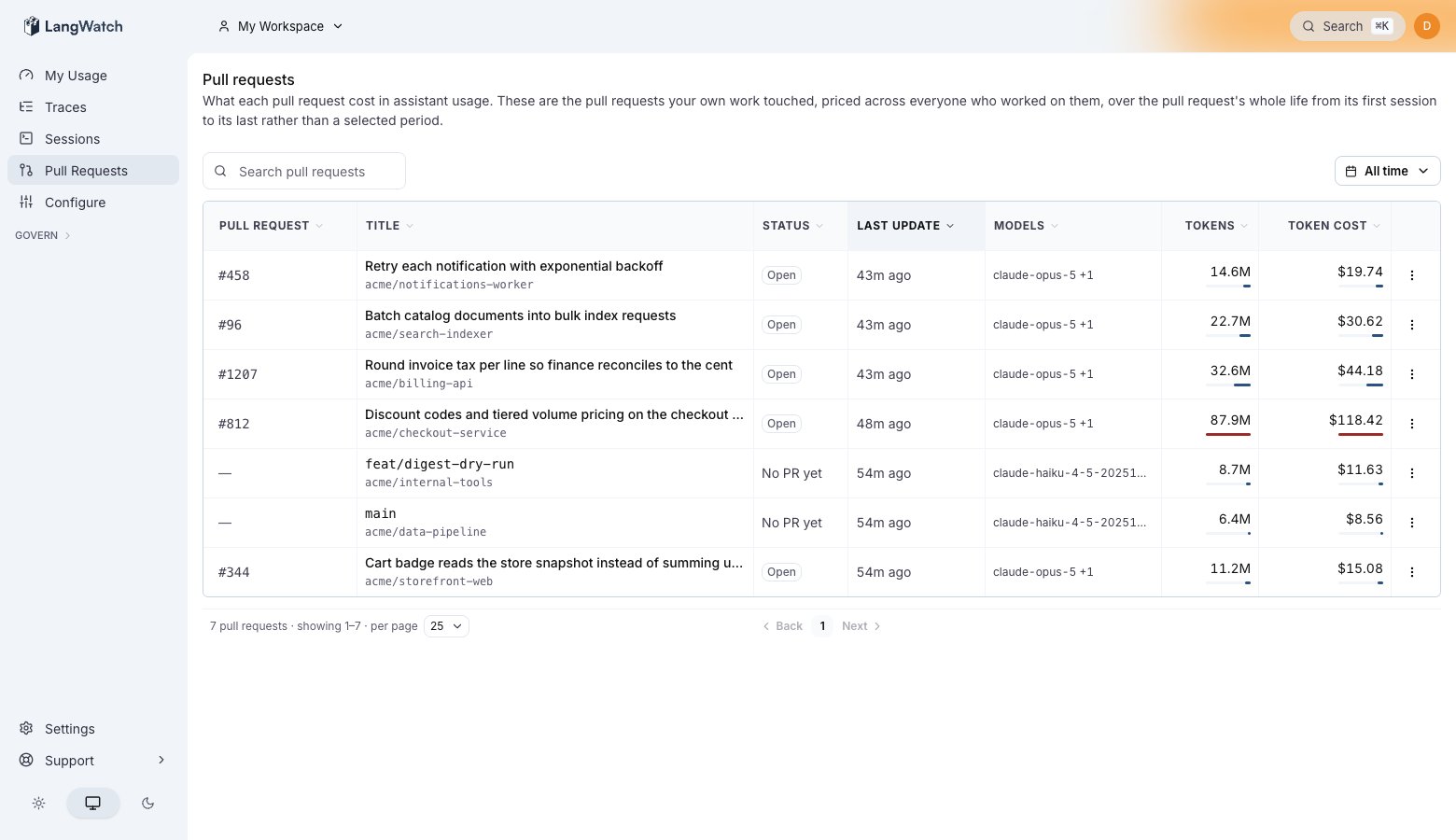
The pull requests list. Status is read live from GitHub, and Token cost sums every session that worked on the branch. A branch with no pull request yet keeps its row.
Prerequisites
Two things join a session to a pull request:- The session reports the repository and branch it works on. This happens automatically once your agent is set up; Repository and PR attribution explains the mechanics.
- The organization has GitHub connected, under Settings → Integrations. LangWatch maps each reported branch to the pull requests whose head is that branch, and reads pull request status live from GitHub.
The list
Cost is priced over the pull request’s whole lifetime, not the period you selected: a pull request opened three weeks ago shows everything spent on it since, across every contributor. That is the number to compare against what the change was worth.
Pull request detail
Click a row for the breakdown:- Contributors: who spent what on this pull request. A contributor is a person, or a project when the work ran through a team project.
- Models: the token and cost split per model.
- Sessions: every session that drove the branch, each opening into its terminal replay.
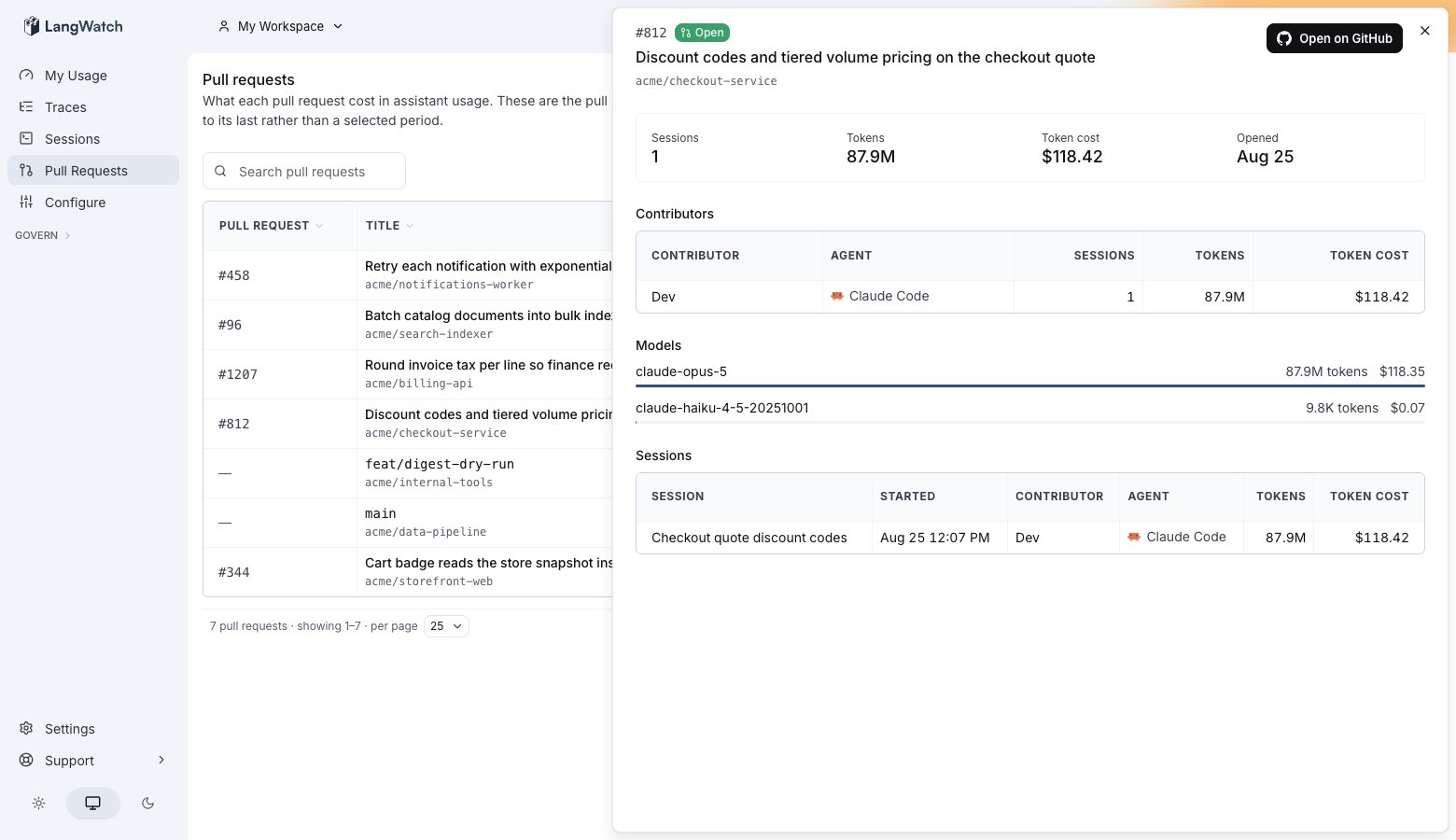
Pull request detail: per-contributor cost, the split per model, and the sessions behind them. Open on GitHub takes you to the pull request itself.
Read it over the API
GET /api/coding-agent/pull-request-usage returns the same rollup, filterable by project, user and agent. See Get pull request coding agent usage.
Also check: Repository and PR attribution for how sessions reach pull requests, and what happens with work done outside any checkout.