

Start
ccusage, this is the same accounting with the conversation attached, stored across your machines. Codex, Copilot, Gemini CLI and opencode report the same way.
Read your sessions
Open Sessions at /me/sessions. One row per session, with the context it carried, how often it compacted, how long it worked against how long it waited on you, and what it cost.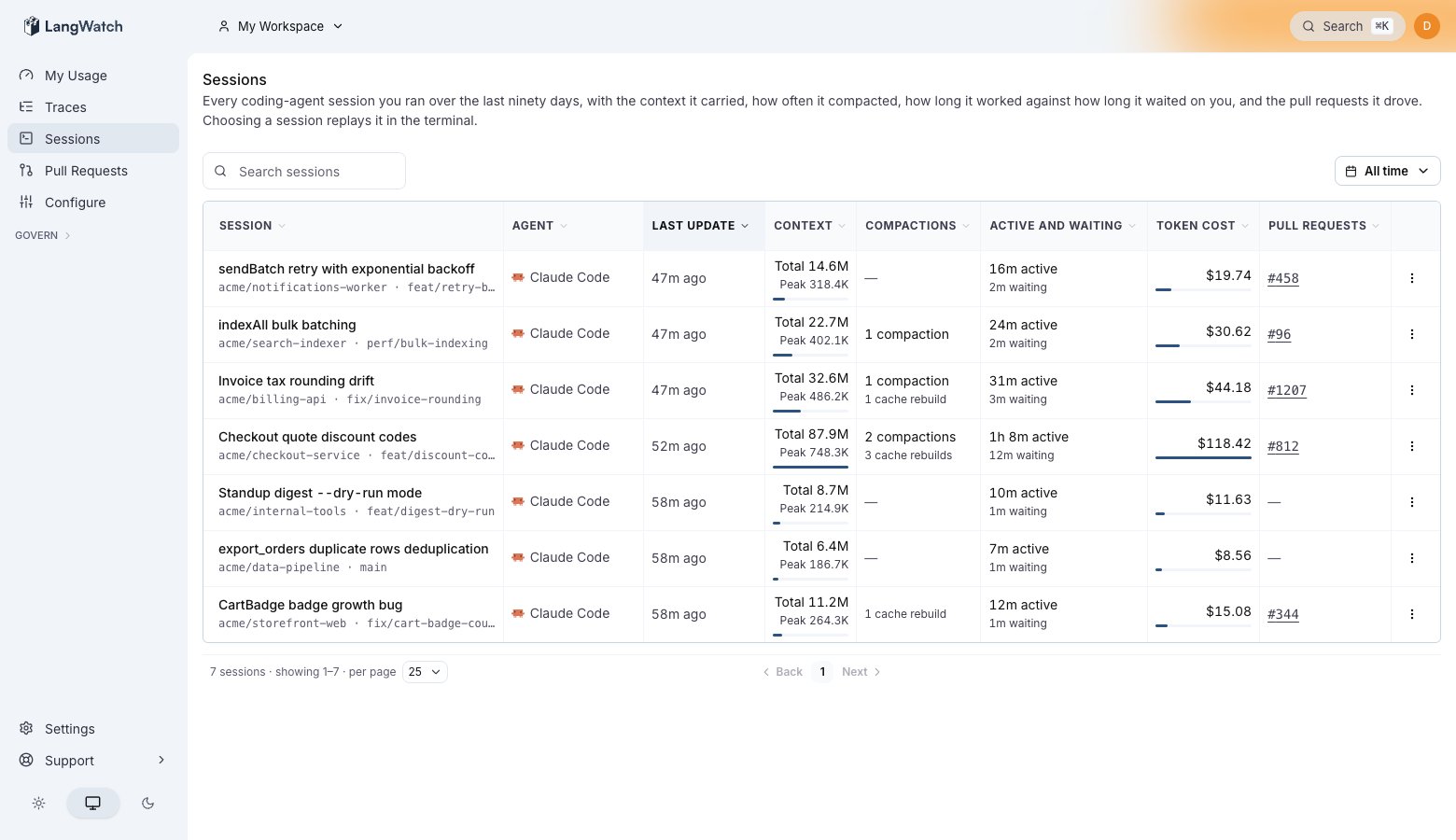
One row per session. Context and Compactions show which sessions ran heavy, and Pull requests shows what each one shipped.
Find where the money went
Open a session and the Usage tab prices it. Read the Cache health block first: cache reads and cache writes decide a large share of a coding agent’s bill.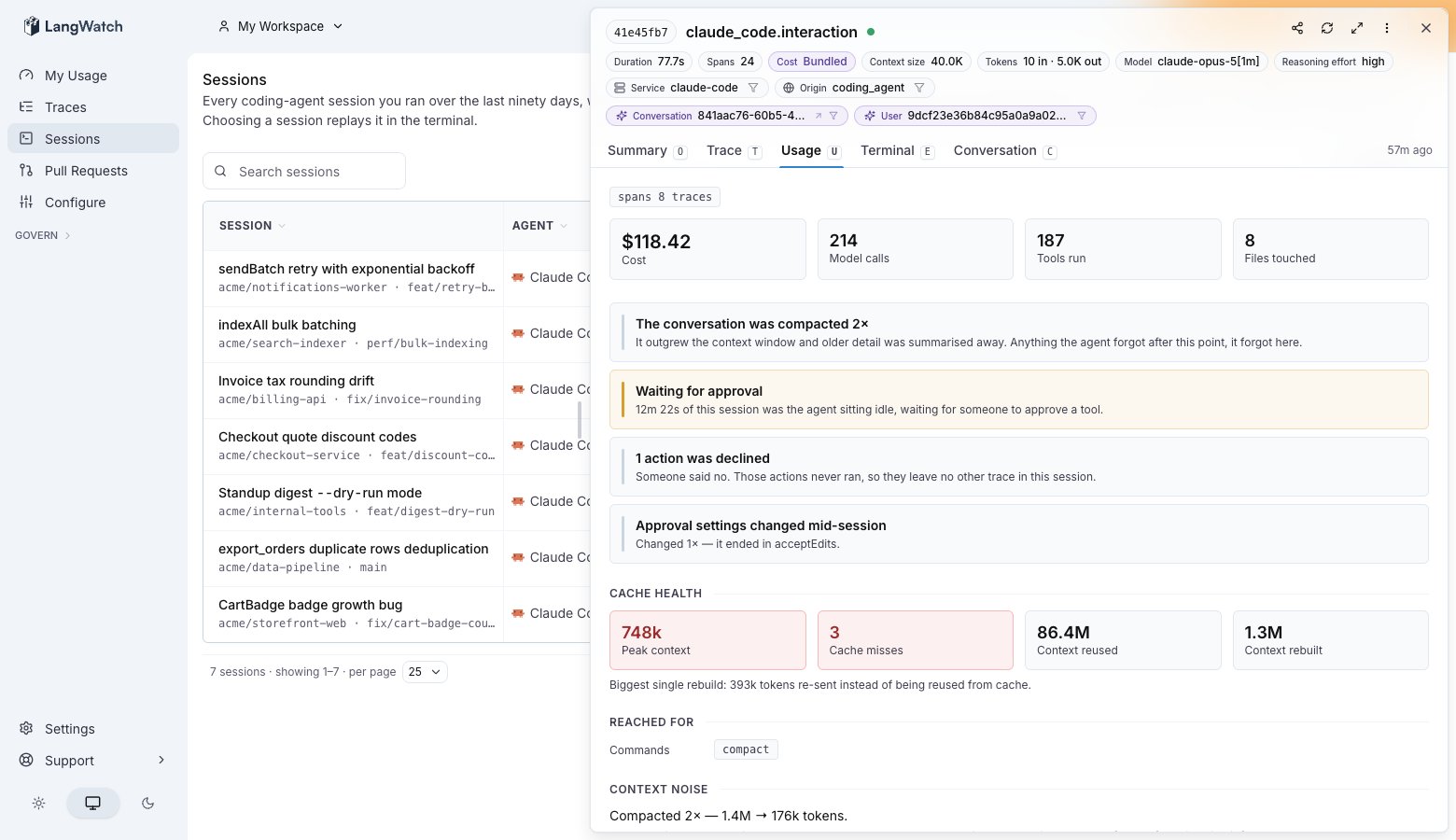
Session detail with the Cache health section. This session compacted twice, missed its cache three times, and re-sent 393k tokens on its biggest rebuild.
Read the session back
The Terminal tab replays the session the way it looked in your terminal: your prompts, the agent’s replies, every tool run with the time it took, and every file edit as the diff the agent applied.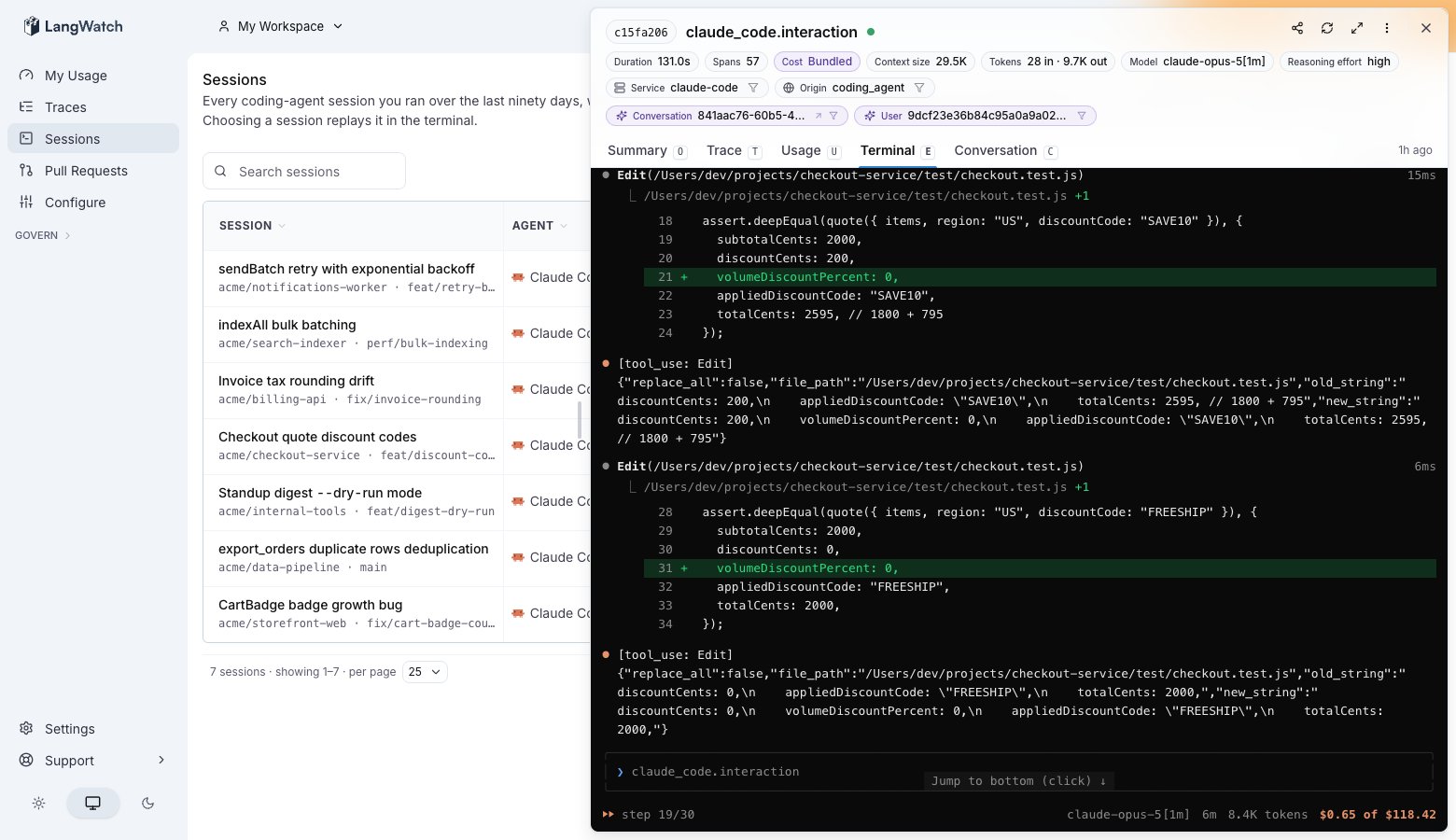
The terminal replay. Each tool run carries its duration, and a file edit renders as a diff.
Cost per pull request
Pull requests at /me/pull-requests sums every session that drove a branch, over the pull request’s whole life and across everyone who worked on it. That is the number to compare against what the change was worth.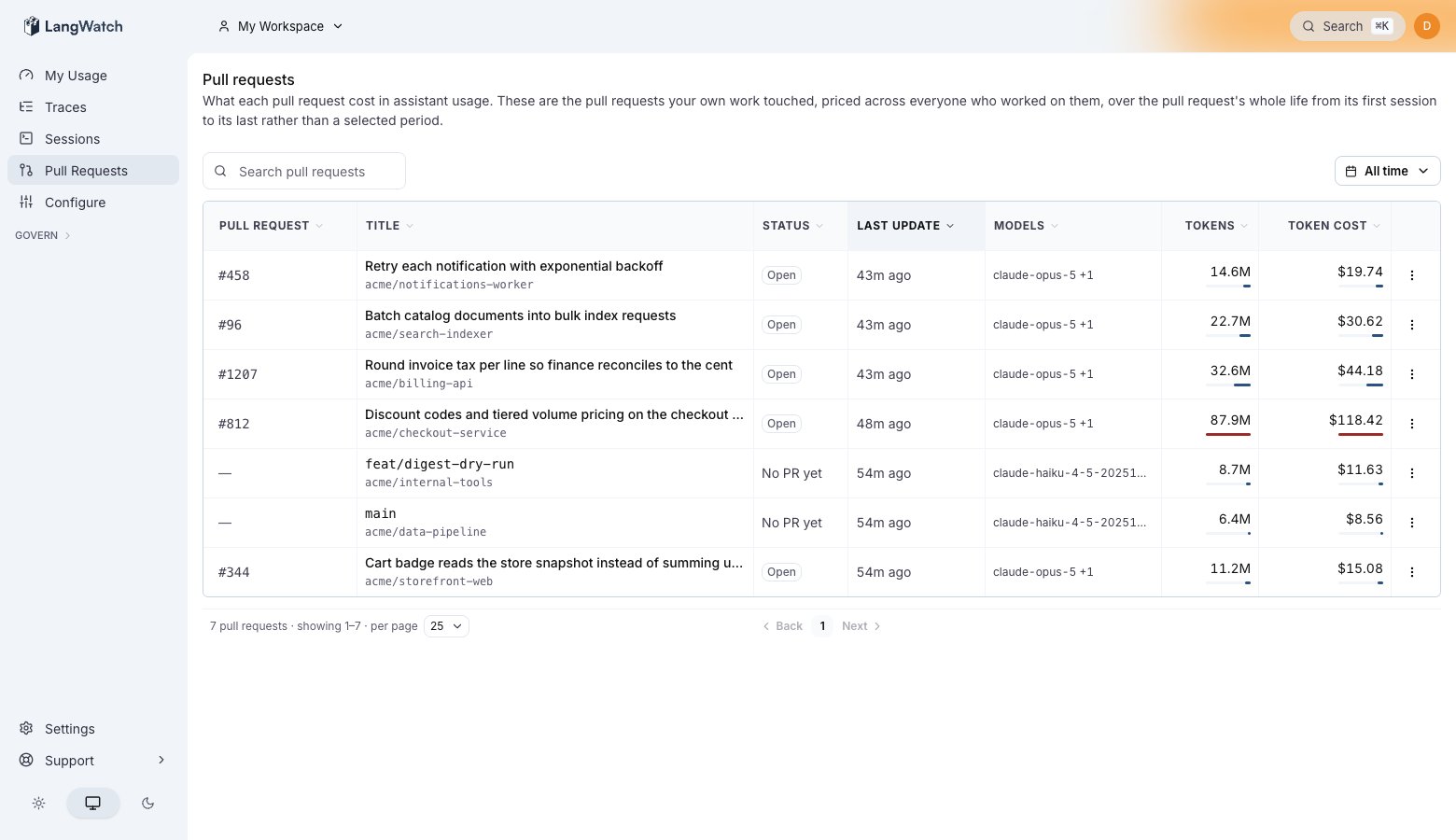
Cost per pull request, summed across every session and contributor that touched the branch.
Keep it on without the wrapper
The wrapper wires Claude Code when it starts it, which needs someone at the keyboard. To wire the machine once and then run plainclaude:
~/.claude/settings.json and exits. langwatch logout removes every wiring the command-line tool wrote.
To wire one repository instead of the whole machine, to send the telemetry to a shared project, or to wire a server with no browser, see Claude Code, Team projects and Headless machines and CI.
Ask your own agent where the tokens went
The same command-line tool that captured your sessions reads them back, authenticated by the login you already did. Paste one prompt into Claude Code and it answers which sessions cost the most, which ran above 150k of context, and which subagents used the most. See Explore your usage with your own agent. You can point it at its own history too, through the skills directory or the MCP server, so the agent finds where it wasted tokens and changes how it works.If you pay Anthropic per token
Answer Using an API key at the first-run question instead. Paste yoursk-ant- key at Settings → Model providers, and langwatch claude routes every call through the LangWatch AI Gateway with a virtual key.
This path adds no extra cost and gives you two things the subscription path cannot. Cost comes from Anthropic’s own response rather than from Claude Code’s estimate, and a personal budget at /me → Settings is enforced rather than advisory: requests fail with budget_exceeded once you cross it. On a subscription you get alerts at 80% and 100%, because a proxy cannot gate subscription calls.
Everything above this section looks the same on either path.
Troubleshooting
No session appears after 30 seconds. Claude Code flushes on an interval, so give the first turn a moment. If it stays empty, runnpx langwatch instrument claude, which prints the file it wrote and the workspace the telemetry goes to.
Cost shows $0 while sessions land. The model name on the span does not match the cost catalog. Current identifiers (claude-sonnet-4-6, claude-opus-4-7, claude-haiku-4-5) price correctly; a legacy alias returns no cost.
Sessions land in the wrong workspace. The wrapper binds to whatever workspace you were in when you signed in. Switch workspace in the sidebar, then run npx langwatch login --device again.
Self-hosted, and the device login is refused. Device login is on by default, so a refusal means one of two things. Either the server predates that default, which npx @langwatch/server@latest fixes, or someone switched it off: RELEASE_UI_AI_GOVERNANCE_ENABLED=0 turns it off for the whole deployment, and an operator-store row turns it off for one organization. Clearing the deployment-wide variable does not lift an organization row, so check both.
Also check: Claude Code for the full wiring and every environment variable, and Privacy for what is stored and who can read it.