On LangWatch Cloud: Langy is available. Open the panel to get started.
On a self-hosted install: the Helm chart deploys the Langy agent by default. If an admin disabled it, see self-hosting.
2
Pick a model or sign in with Codex
Open the model picker in the composer. You bring your own model access, one of two ways:
Add a provider API key for OpenAI, Anthropic, or another supported provider, then pick a model such as gpt-5.6-terra or claude-opus-4-8. See Models.
Sign in with your OpenAI account to run Langy on your ChatGPT subscription through Codex, using a device-code sign-in instead of pasting a key. See Codex.
Every model call, including Codex, goes through the LangWatch AI Gateway, so tracing, budgets, and policy apply the same way regardless of which you pick.
The Langy panel on the LangWatch home in its model-setup state. Codex leads the provider grid with a Recommended badge.
3
Ask it something in the panel
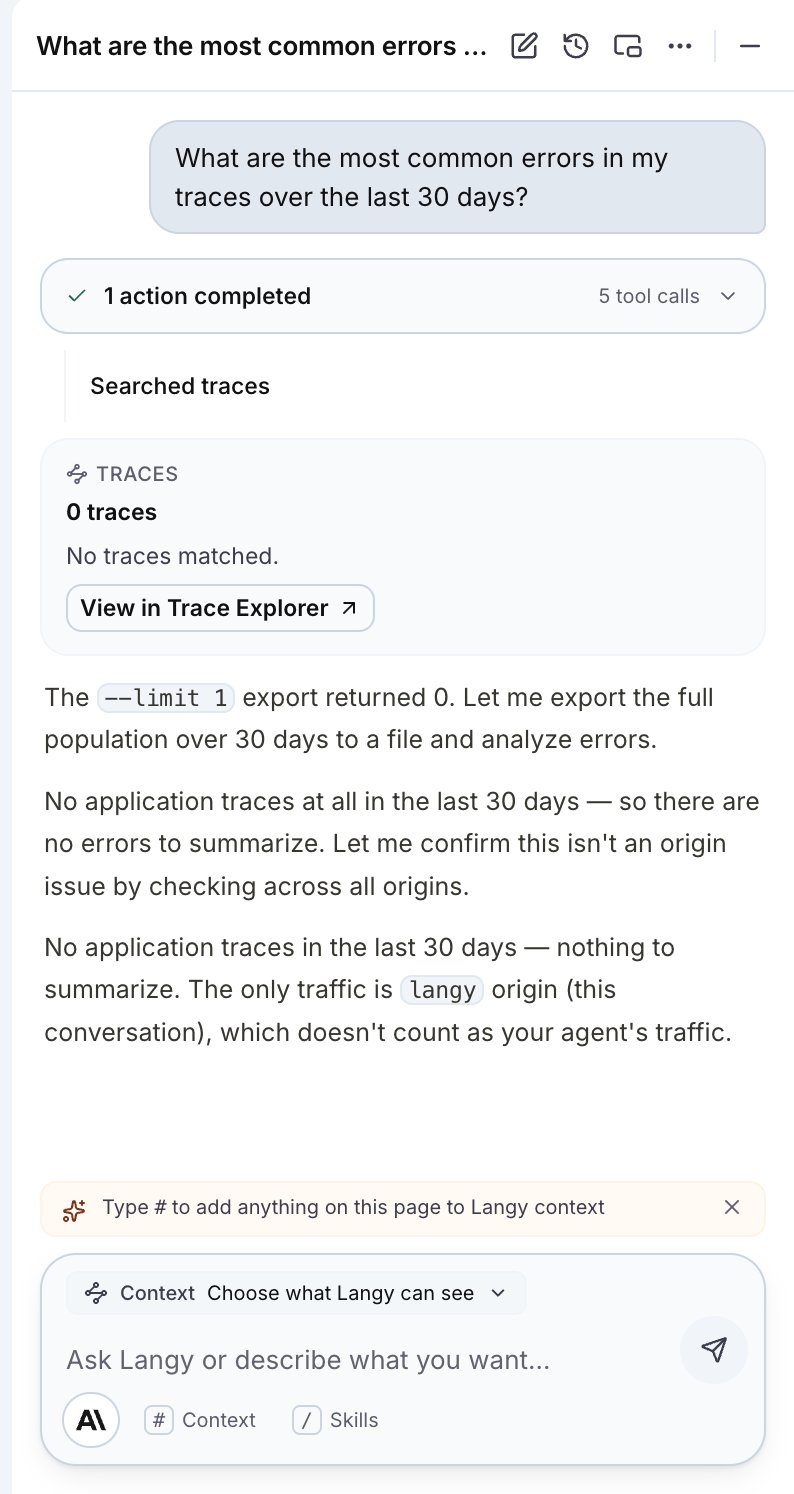
Type a question in plain language into the Langy panel. Langy reads the traces and evals your question points at, then works toward an answer or a change. As it runs, its tool calls stream into the conversation as activity cards, so you can see which traces it searched and which tests it ran.
Langy mid-turn, streaming its tool work into the conversation as it reads traces and runs tests.
For the kinds of questions Langy answers, see Ask Langy.
4
Review the pull request it opens
When Langy changes code, it opens a pull request on the repo you installed the GitHub App on. The PR is authored by the LangWatch bot and credits you with a Co-authored-by trailer and a “Requested by @your-login via LangWatch” note. The Scenario tests Langy wrote run in your CI on that PR, so you can read the diff and see the checks before merging.You review and merge. Langy never merges its own PR. See Pull requests for the full flow.
Langy can open pull requests only on repositories where the GitHub App is installed. If it reaches
for git or gh on a repo the app is not installed on, it stops the turn and shows an install
card in the chat.