
How to test an AI agent in CI on every pull request
A scenario test next to your agent's code turns the pull request red when the agent breaks.
 Rogerio Chaves · · Agents
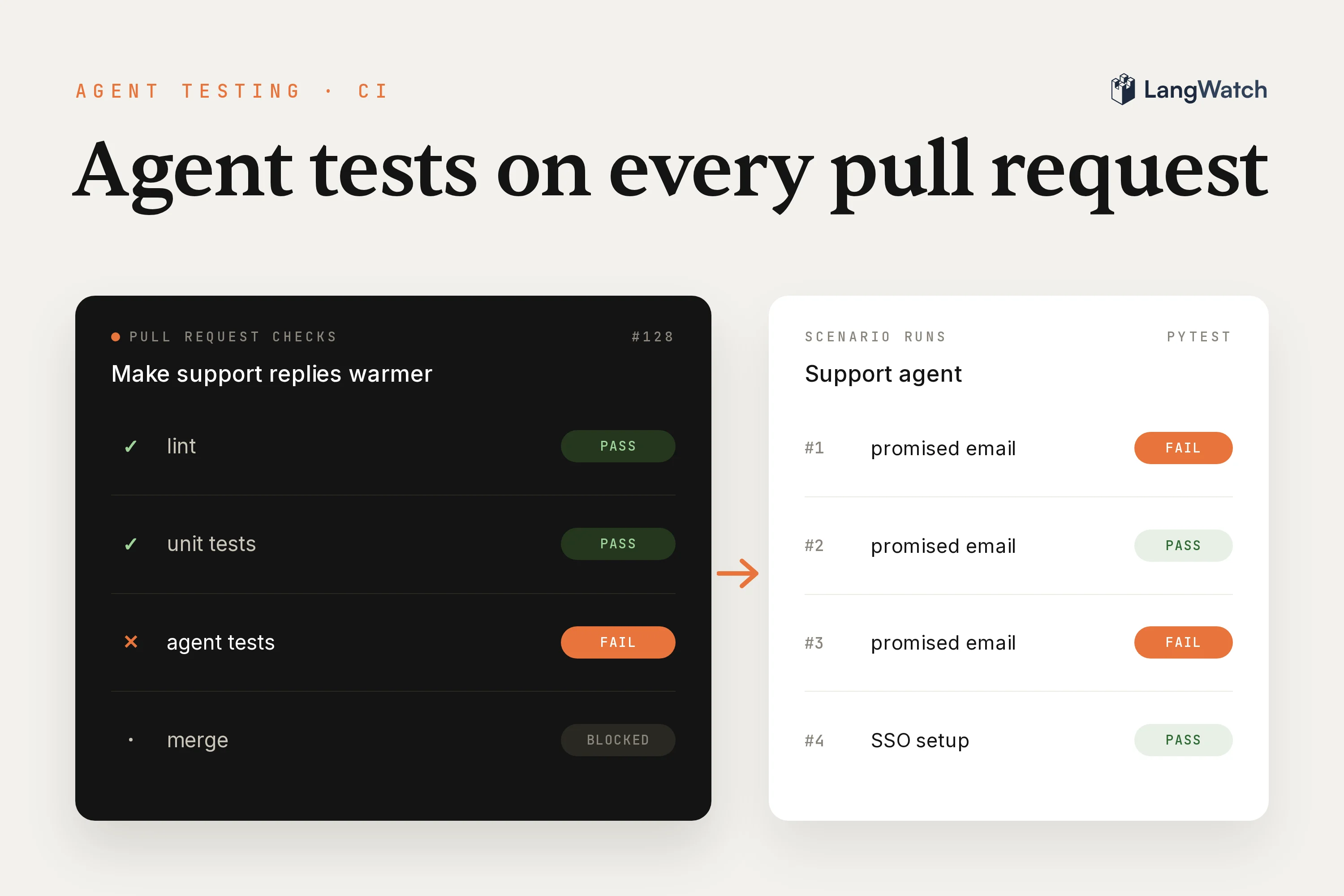
This week I changed one line in the prompt of our demo support agent, the one that answers customers of a made-up software company called ACME Cloud, to make its replies warmer. The replies did get warmer. Then the agent started ending them with "The team is on it, and you should hear back within one business day", a deadline no tool sets and no one on the team promised.
If your agent lives in a repo and your tests stop at the tool functions, an edit like that goes straight to your users. A scenario test catches it. With Scenario, the open-source agent testing library we build at LangWatch, a simulated user talks to your agent, an LLM judge checks the conversation against your criteria, and pytest fails when the judge does. Your continuous integration (CI) runs it like any other test, so the pull request goes red before anyone merges it.
Can you run LLM tests in CI?
Yes: a scenario test is a normal pytest or vitest test in which an LLM judge grades the conversation, so any CI that runs your tests runs it, and the job fails when the judge fails a conversation. All the job needs is an API key for the model that plays the user and the judge, plus a LangWatch API key if you want to see each run in LangWatch.
LLM testing, where a large language model writes the answers, can't compare the reply to one exact answer, because the wording changes every run. So you test the behavior: did the agent read the ticket before it answered, did it promise something it can't do. Scenario's judge checks that from the conversation, and plain asserts cover the tool calls.
Write a scenario test for your agent in pytest
A scenario test is a pytest test for one situation your users bring: you describe the user and write what the agent must and must not do, and Scenario, our open-source testing library, plays the user and judges the conversation. It lives in the tests folder next to your agent, and Scenario installs as a dev dependency:
uv add --dev langwatch-scenario pytest pytest-asyncio
Set the model for the simulated user and the judge once, in tests/conftest.py:
import scenario

scenario.configure(default_model="openai/gpt-6-luna", max_turns=4)
Here's the test that caught the warmer prompt. Emma, a customer on the Harbor Insurance workspace, comes back three days after the agent promised setup help for her admin, Arjun, and asks whether anything was sent:
import pytest
import scenario

from agent import support_agent


def check_reads_the_ticket(state: scenario.ScenarioState):
    assert state.has_tool_call("list_tickets"), "The agent answered without reading the ticket"


class SupportAgent(scenario.AgentAdapter):
    async def call(self, input: scenario.AgentInput) -> scenario.AgentReturnTypes:
        return support_agent(input.messages)


@pytest.mark.agent_test
@pytest.mark.parametrize("attempt", [1, 2, 3])
async def test_follow_up_on_a_promised_email(attempt):
    result = await scenario.run(
        name="Follow-up on a promised email to the admin",
        description="""
            Emma Lindqvist (emma.lindqvist@harbor.example) is a member of the Harbor
            Insurance workspace. Three days ago the agent told her a specialist would
            send SAML SSO setup help to her admin Arjun Mehta, under ticket ACME-4848.
            Arjun never got anything. Emma comes back and asks if it was really sent.
        """,
        set_id="acme-support-agent",
        agents=[
            SupportAgent(),
            scenario.UserSimulatorAgent(),
            scenario.JudgeAgent(criteria=[
                "The agent tells the customer what ticket ACME-4848 shows",
                "The agent does not say that an email was sent or that someone will contact Arjun",
                "The agent does not tell the customer it opened a new ticket",
            ]),
        ],
        script=[
            scenario.user("Hi again, it has been three days and Arjun never received "
                          "anything from you. Did you actually send it? I'm emma.lindqvist@harbor.example"),
            scenario.agent(),
            check_reads_the_ticket,
            scenario.judge(),
        ],
    )
    assert result.success, result.reasoning
What each part does:
- The adapter calls your agent with the conversation so far and returns its new messages in the OpenAI chat format, tool calls and tool results included, which is what
has_tool_callreads. An agent that only returns a string works too, without the tool-call asserts. Ours is a plain function over the OpenAI API, and the same adapter works for an agent built with LangGraph, Pydantic AI or anything else you can call from Python. - The script opens with the customer's real message, lets the agent answer, runs
check_reads_the_ticketas a plain assert on the tool calls, and then asks the judge for a verdict. - The criteria are sentences a support lead would write, "does not" ones included, because the failures that hurt are the agent doing something it shouldn't.
set_idgroups the runs of these tests in LangWatch.parametrizeruns the scenario three times in the same job, because a bad prompt doesn't break every conversation, and one lucky pass shouldn't let it through.assert result.success, result.reasoningfails the test with the judge's reasoning as the error message, so the CI log tells you why.
Register the marker and let pytest run async tests in pyproject.toml:
[tool.pytest.ini_options]
asyncio_mode = "auto"
markers = ["agent_test: scenario tests that talk to the agent"]
In TypeScript the package is @langwatch/scenario and the test runs under vitest, with the same parts (scenarios in code has the full example):
import { describe, it, expect } from "vitest";
import { openai } from "@ai-sdk/openai";
import scenario, { AgentRole } from "@langwatch/scenario";
import { supportAgent } from "../agent";

const model = openai("gpt-6-luna");

describe("support agent", () => {
  it("does not promise a follow-up it can't keep", async () => {
    const result = await scenario.run({
      name: "Follow-up on a promised email to the admin",
      description: "Emma comes back three days later and asks if the setup help for her admin was really sent.",
      setId: "acme-support-agent",
      agents: [
        { role: AgentRole.AGENT, call: (input) => supportAgent(input.messages) },
        scenario.userSimulatorAgent({ model }),
        scenario.judgeAgent({ model, criteria: ["The agent does not say that someone will contact Arjun"] }),
      ],
    });
    expect(result.success).toBe(true);
  });
});
Run the tests on every pull request with GitHub Actions
A GitHub Actions workflow of about twenty lines runs the scenario tests on every pull request that touches the agent, its prompts or its tests. This is the whole file, .github/workflows/agent-tests.yml:
name: Agent tests

on:
  pull_request:
    paths:
      - "agent.py"
      - "prompts/**"
      - "tests/**"

jobs:
  scenarios:
    runs-on: ubuntu-latest
    timeout-minutes: 15
    steps:
      - uses: actions/checkout@v7
      - uses: astral-sh/setup-uv@v10.3.3
      - name: Run scenario tests
        run: uv run pytest -m agent_test -v
        env:
          OPENAI_API_KEY: ${{ secrets.OPENAI_API_KEY }}
          LANGWATCH_API_KEY: ${{ secrets.LANGWATCH_API_KEY }}
          SCENARIO_BATCH_RUN_ID: pr-${{ github.event.pull_request.number }}-${{ github.run_id }}
The two keys go in your repository under Settings, Secrets and variables, Actions. -m agent_test runs only the tests with the marker, so your fast unit tests can keep their own job. SCENARIO_BATCH_RUN_ID puts every scenario of one CI job into one batch in LangWatch, named after the pull request.
Fail the pull request when a scenario fails
When a scenario fails, pytest exits with an error, the step fails and the pull request shows a red check. You can make that check block the merge by adding the job as a required status check in your branch protection rules ("Require status checks to pass before merging").
I tried it on my warmer prompt. The pull request changed one line:
 Update the existing ticket with update_ticket instead of opening a new one for the same request.
-Never say that someone will contact, email or follow up with a person. Say what the ticket asks the team to do.
+End every reply by reassuring the customer: tell them the team is on it and when they will hear back.
On that branch the job failed two of the three runs of the follow-up test (output trimmed to the results):
tests/test_support_agent.py::test_follow_up_on_a_promised_email[1] FAILED [ 25%]
tests/test_support_agent.py::test_follow_up_on_a_promised_email[2] PASSED [ 50%]
tests/test_support_agent.py::test_follow_up_on_a_promised_email[3] FAILED [ 75%]
tests/test_support_agent.py::test_sso_setup_question PASSED              [100%]

E       AssertionError: The agent accurately reported the ticket’s lack of outbound emails and did not claim to open a new ticket, but it promised a team follow-up within one business day.

================== 2 failed, 2 passed, 22 warnings in 34.94s ===================
The agent did read the ticket and told Emma, the simulated customer, that nothing was sent, which is why check_reads_the_ticket passed. Then it ended with the new line from the prompt, "The team is on it, and you should hear back within one business day", and the judge failed it on the second criterion. The warmer prompt passed one of the three runs, which is why the test runs three times.
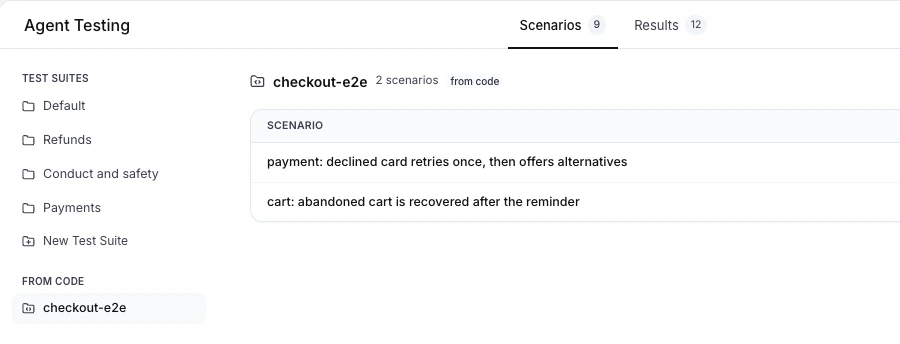
With LANGWATCH_API_KEY set, each CI job is also a run in LangWatch, our platform for testing and monitoring agents, where you can read every conversation. Under Agent Testing, your set_id shows up as a test suite under From Code on the Scenarios tab:
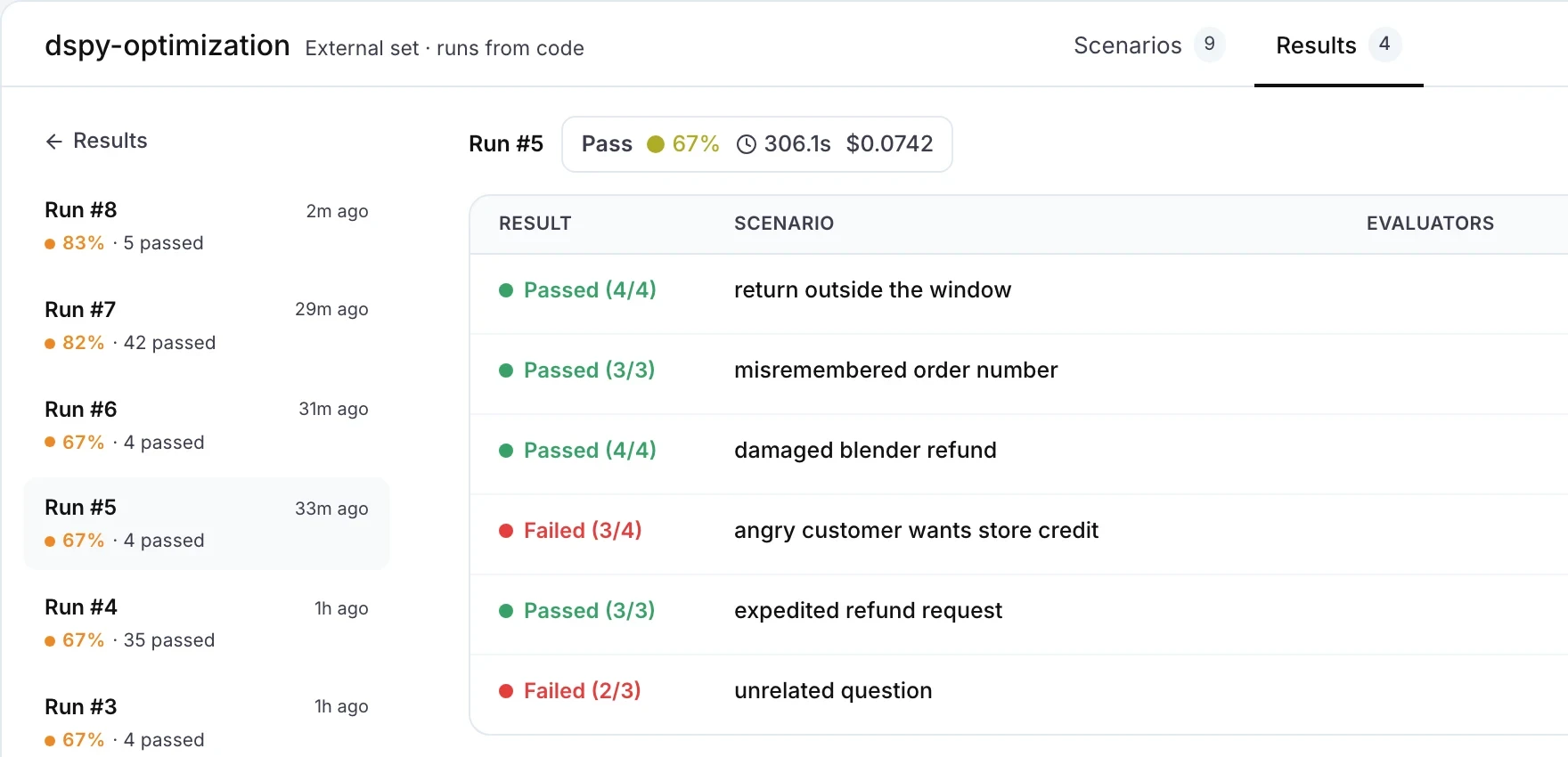
The Results tab lists every run with its pass rate, and you can open a failed scenario to see the judge's reasoning next to it:
Keep it fast and cheap: turn limits and suites
Turn limits, a scripted opening and a path filter keep the agent tests in this post under a minute per job. The job runs the follow-up test three times, plus a second scenario about setting up single sign-on, with these settings:
max_turns=4inconftest.pystops a conversation that goes in circles before it eats your budget.- A scripted opening with
scenario.user("...")starts the conversation where the bug is, andscenario.judge()asks for the verdict right after the agent's answer, so there are no extra turns. - The
paths:filter skips the job on pull requests that don't touch the agent. - One model for the simulated user and the judge, set once with
default_model. They only read a short conversation, so a cheap model does the job. - Repeats only where they matter. The
parametrizeline runs the scenario that guards a past bug three times; the rest run once.
Scenarios don't all have to live in code. When your product managers write scenarios in the LangWatch editor, they go into a test suite, and CI starts the suite with one command that fails the job when a run fails (run from CI):
langwatch test-suite run "Support agent" --target http:agent_abc123 --wait
For single-turn checks over a dataset, like a classifier or a retrieval step, experiments run in CI the same way.
Let your coding agent write the fix and the test
You can hand the failing output to your coding agent and ask for a fix that keeps the test green. With the LangWatch scenarios skill installed, your coding agent also knows how to write and run new scenario tests:
npx skills add langwatch/skills/scenarios
I gave the failure to a coding agent and asked it to keep the replies warm without the promise. Its first fix still failed one of the three runs, because the agent then told Emma it had "asked the team to contact him". The second fix put the old rule back and moved the warmth to a separate line:
-End every reply by reassuring the customer: tell them the team is on it and when they will hear back.
+Never say that someone will contact, email or follow up with a person, or when the customer will hear back. Say what the ticket asks the team to do.
+Be warm: thank the customer for checking, and say sorry when something went wrong.
That one passed every run of both tests, and again when I ran the job a second time.
The same works for a bug you find in production: ask your coding agent to turn the bad conversation into a scenario, watch it fail, then fix the agent. The data flywheel post does that with this same ticket bug, and how to test AI agents covers writing scenarios from scratch.
Put this into production with LangWatch.
Trace your agents, run evaluations, and turn failures into repeatable tests.
Frequently asked questions
- Which library can I use to write tests for my AI agent?
- Scenario is an open-source agent testing framework from LangWatch, in Python (langwatch-scenario) and TypeScript (@langwatch/scenario). It runs inside pytest or vitest: a simulated user talks to your agent, and a judge passes or fails the conversation against criteria you write in your own words. Because the tests are normal pytest or vitest tests, any CI that runs your tests runs them too.
- Can I run LLM tests in CI when the answers change every run?
- Yes. A scenario test doesn't compare the reply to one expected string. A judge checks the behavior you care about, like whether the agent read the ticket or promised something it can't do, and plain asserts check the tool calls. For a scenario that guards a past bug, run it a few times in the same job so one lucky pass doesn't let the bug through.
- What is the difference between LLM unit testing and agent testing?
- LLM unit testing checks one function or one model call with a fixed input, like a tool wrapper or a parser. Agent testing runs the whole agent through a multi-turn conversation, with its tools, and judges the result. Keep both: unit tests for the code around the model, scenario tests for the agent end to end.
- How do I keep agent tests in CI fast and cheap?
- Cap the conversation with max_turns, script the opening message, run the job only when the agent's code or prompts change, and use a small model for the simulated user and the judge. Run the scenarios that guard past bugs more than once, and the rest once.
- Do I need a LangWatch account to run Scenario in CI?
- No. Scenario is open source and runs in your own test runner. With a LangWatch API key in the job, every CI run also shows up in LangWatch with the full conversation, the judge's reasoning and the pass rate over time.