There are two ways to run experiments in your CI/CD pipeline:
  1. Platform Experiments - Configure the experiment in LangWatch, then trigger it from CI/CD with a single line
  2. Experiments via SDK - Define the entire experiment in code and run it in CI/CD
Choose based on your needs:
ApproachBest For
Platform ExperimentsNon-technical team members can modify experiments; configuration lives in LangWatch
Experiments via SDKVersion control your experiment config; full flexibility in code

Option 1: Platform Experiments

Configure your experiment once in the LangWatch Experiments via UI, then trigger it from CI/CD.

Setup

  1. Create your experiment in the Experiments via UI
    • Add your dataset
    • Configure targets (prompts, models, or API endpoints)
    • Select evaluators
    • Run it once to verify it works
  2. Get your experiment slug from the URL:
    https://app.langwatch.ai/your-project/experiments/your-experiment-slug
                                                       ^^^^^^^^^^^^^^^^^^^^
    
    Or click the CI/CD button in the experiment toolbar.
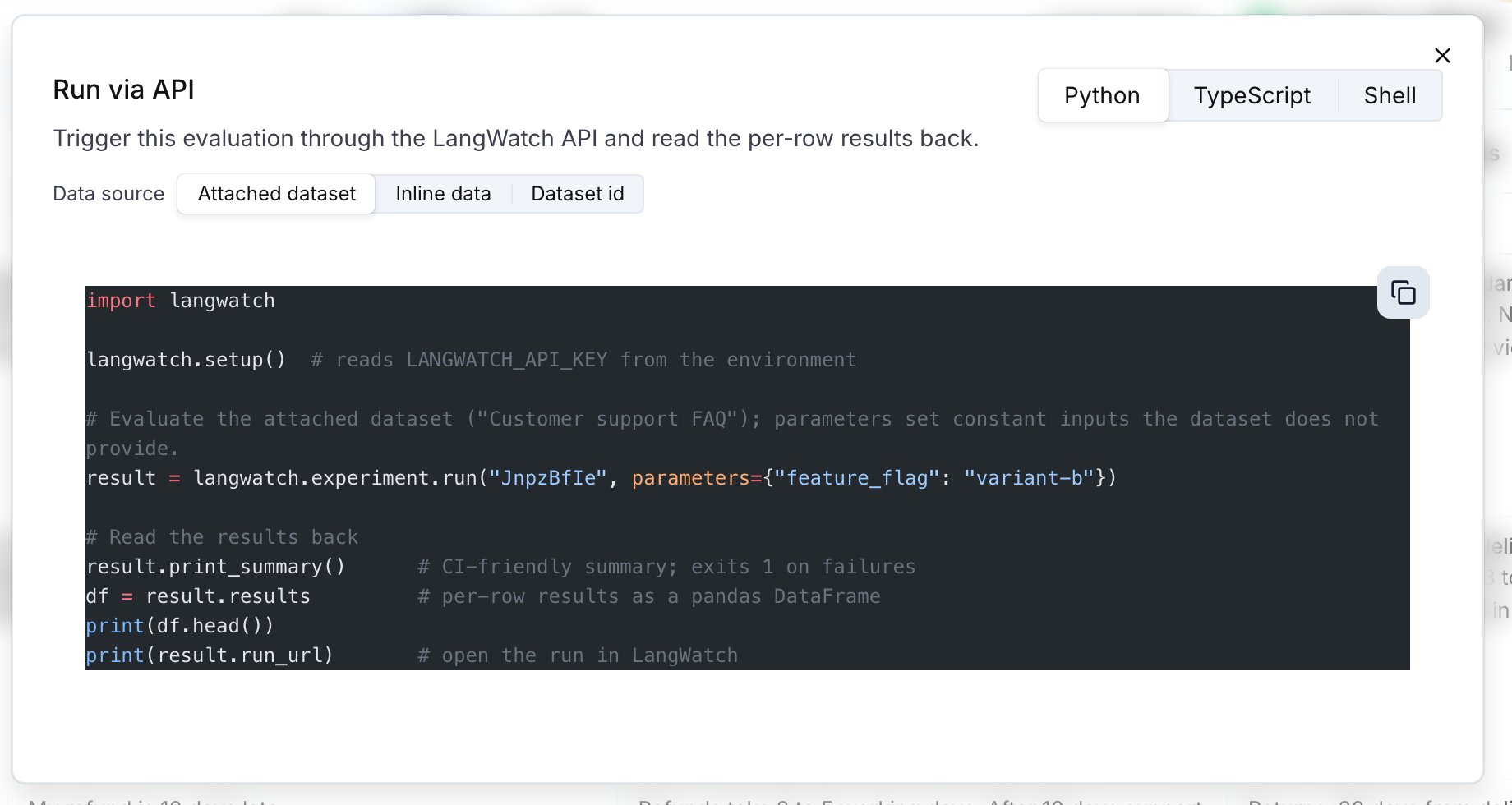
  3. Run from CI/CD:
import langwatch

result = langwatch.experiment.run("your-experiment-slug")
result.print_summary()
That’s it! The experiment runs with the configuration saved in LangWatch.

GitHub Actions Example

name: LLM Quality Gate

on:
  pull_request:
    branches: [main]

jobs:
  evaluate:
    runs-on: ubuntu-latest
    steps:
      - uses: actions/checkout@v4

      - name: Set up Python
        uses: actions/setup-python@v5
        with:
          python-version: '3.11'

      - name: Install LangWatch
        run: pip install langwatch

      - name: Run experiment
        env:
          LANGWATCH_API_KEY: ${{ secrets.LANGWATCH_API_KEY }}
        run: |
          python -c "
          import langwatch
          result = langwatch.experiment.run('my-experiment')
          result.print_summary()
          "

Options

result = langwatch.experiment.run(
    "my-experiment",
    timeout=300.0,           # Max wait time (seconds)
    poll_interval=5.0,       # How often to check status
    on_progress=lambda done, total: print(f"{done}/{total}"),
)
result.print_summary(exit_on_failure=True)  # Exit with code 1 on failures

Option 2: Experiments via SDK

Define your entire experiment in code. This gives you full control and version control over your experiment configuration.

Basic Example

import langwatch

# Load your dataset
dataset = langwatch.dataset.get_dataset("my-dataset").to_pandas()

# Initialize experiment
experiment = langwatch.experiment.init("ci-quality-check")

# Run through each test case
for idx, row in experiment.loop(dataset.iterrows()):
    # Call your LLM/agent
    response = my_llm(row["input"])

    # Run evaluators
    experiment.evaluate(
        "ragas/faithfulness",
        index=idx,
        data={
            "input": row["input"],
            "output": response,
            "contexts": row["contexts"],
        },
    )

# Print summary and exit on failure
experiment.print_summary()

GitHub Actions Example

name: LLM Quality Gate

on:
  pull_request:
    branches: [main]

jobs:
  evaluate:
    runs-on: ubuntu-latest
    steps:
      - uses: actions/checkout@v4

      - name: Set up Python
        uses: actions/setup-python@v5
        with:
          python-version: '3.11'

      - name: Install dependencies
        run: |
          pip install langwatch openai  # Add your LLM SDK

      - name: Run experiment
        env:
          LANGWATCH_API_KEY: ${{ secrets.LANGWATCH_API_KEY }}
          OPENAI_API_KEY: ${{ secrets.OPENAI_API_KEY }}
        run: python scripts/run_evaluation.py
Where scripts/run_evaluation.py contains your full experiment code.

Comparing Multiple Configurations

SDK experiments shine when comparing different configurations:
import langwatch

dataset = langwatch.dataset.get_dataset("qa-dataset").to_pandas()
experiment = langwatch.experiment.init("model-comparison-ci")

for idx, row in experiment.loop(dataset.iterrows()):
    def compare(idx, row):
        # Test GPT-4
        with experiment.target("gpt-4o", {"model": "gpt-4o", "temperature": 0.7}):
            response = call_openai("gpt-4o", row["input"])
            experiment.log_response(response)
            experiment.evaluate("ragas/faithfulness", index=idx, data={
                "input": row["input"],
                "output": response,
                "contexts": row["contexts"],
            })

        # Test Claude
        with experiment.target("claude-3.5", {"model": "claude-3-5-sonnet"}):
            response = call_anthropic(row["input"])
            experiment.log_response(response)
            experiment.evaluate("ragas/faithfulness", index=idx, data={
                "input": row["input"],
                "output": response,
                "contexts": row["contexts"],
            })

    experiment.submit(compare, idx, row)

experiment.print_summary()

Results Summary

Both approaches output a CI-friendly summary:
════════════════════════════════════════════════════════════
  EXPERIMENT RESULTS
════════════════════════════════════════════════════════════
  Run ID:     run_abc123
  Status:     COMPLETED
  Duration:   45.2s
────────────────────────────────────────────────────────────
  Passed:     42
  Failed:     3
  Pass Rate:  93.3%
────────────────────────────────────────────────────────────
  TARGETS:
    gpt-4o: 20 passed, 2 failed
      Avg latency: 1250ms
      Total cost: $0.0125
    claude-3.5: 22 passed, 1 failed
      Avg latency: 980ms
      Total cost: $0.0098
────────────────────────────────────────────────────────────
  EVALUATORS:
    Faithfulness: 95.0% pass rate
      Avg score: 0.87
────────────────────────────────────────────────────────────
  View details: https://app.langwatch.ai/project/experiments/...
════════════════════════════════════════════════════════════
The print_summary() method:
  • Outputs results in a structured format
  • Returns exit code 1 if any evaluations failed (unless exit_on_failure=False)
  • Provides a link to view detailed results in LangWatch

CI Platform Examples

GitLab CI

evaluate:
  stage: test
  image: python:3.11
  script:
    - pip install langwatch
    - python -c "
      import langwatch
      result = langwatch.experiment.run('my-experiment')
      result.print_summary()
      "
  variables:
    LANGWATCH_API_KEY: $LANGWATCH_API_KEY

CircleCI

version: 2.1

jobs:
  evaluate:
    docker:
      - image: python:3.11
    steps:
      - checkout
      - run:
          name: Run experiment
          command: |
            pip install langwatch
            python -c "
            import langwatch
            result = langwatch.experiment.run('my-experiment')
            result.print_summary()
            "

Error Handling

from langwatch.evaluation import (
    EvaluationNotFoundError,
    EvaluationTimeoutError,
    EvaluationRunFailedError,
)

try:
    result = langwatch.experiment.run("my-experiment", timeout=300)
    result.print_summary()
except EvaluationNotFoundError:
    print("Experiment not found - check the slug")
    exit(1)
except EvaluationTimeoutError as e:
    print(f"Timeout: only {e.progress}/{e.total} completed")
    exit(1)
except EvaluationRunFailedError as e:
    print(f"Run failed: {e.error_message}")
    exit(1)

REST API (Platform Experiments)

For custom integrations, you can use the REST API directly:

Start a Run

curl -X POST "https://app.langwatch.ai/api/evaluations/v3/{slug}/run" \
  -H "X-Auth-Token: ${LANGWATCH_API_KEY}"
Response:
{
  "runId": "run_abc123",
  "status": "running",
  "total": 45,
  "runUrl": "https://app.langwatch.ai/..."
}

Poll for Status

curl "https://app.langwatch.ai/api/evaluations/v3/runs/{runId}" \
  -H "X-Auth-Token: ${LANGWATCH_API_KEY}"
Response (completed):
{
  "runId": "run_abc123",
  "status": "completed",
  "progress": 45,
  "total": 45,
  "summary": {
    "totalCells": 45,
    "completedCells": 45,
    "failedCells": 3,
    "duration": 45000
  }
}

Next Steps