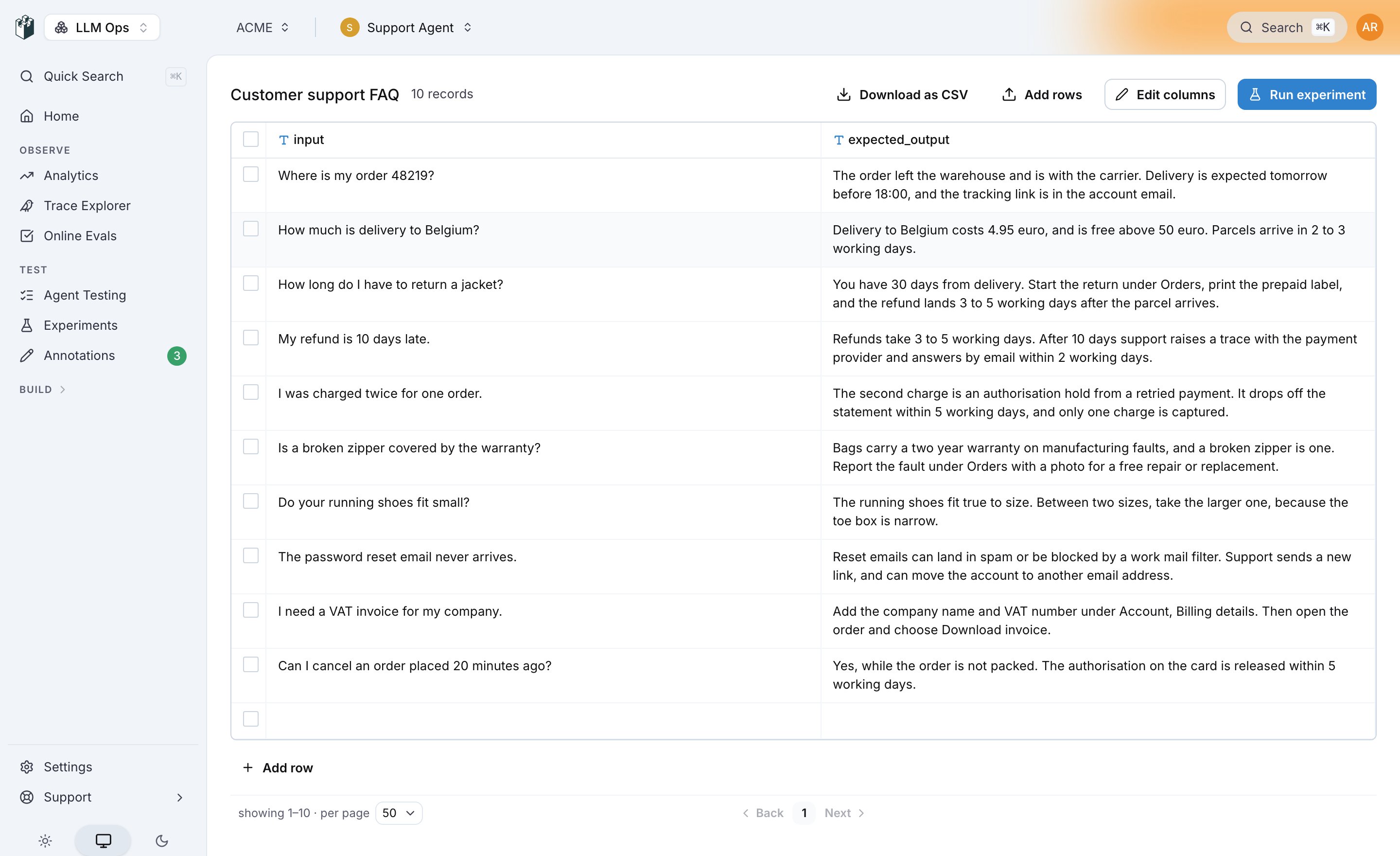
A dataset is a table of rows your experiments run on. Each column has a name and a type, and each row is one case: an input, the expected output when you have one, and any other field your prompt or evaluator reads.
Create a dataset
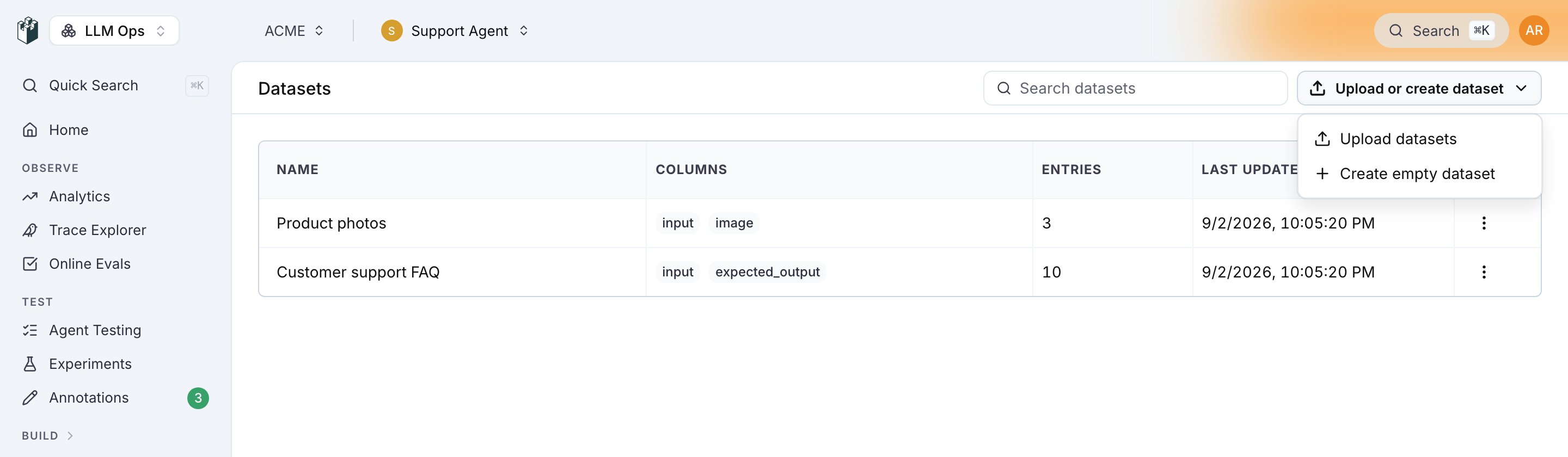
Open Datasets and click Upload or create dataset.
The menu has two entries:
Create an empty dataset
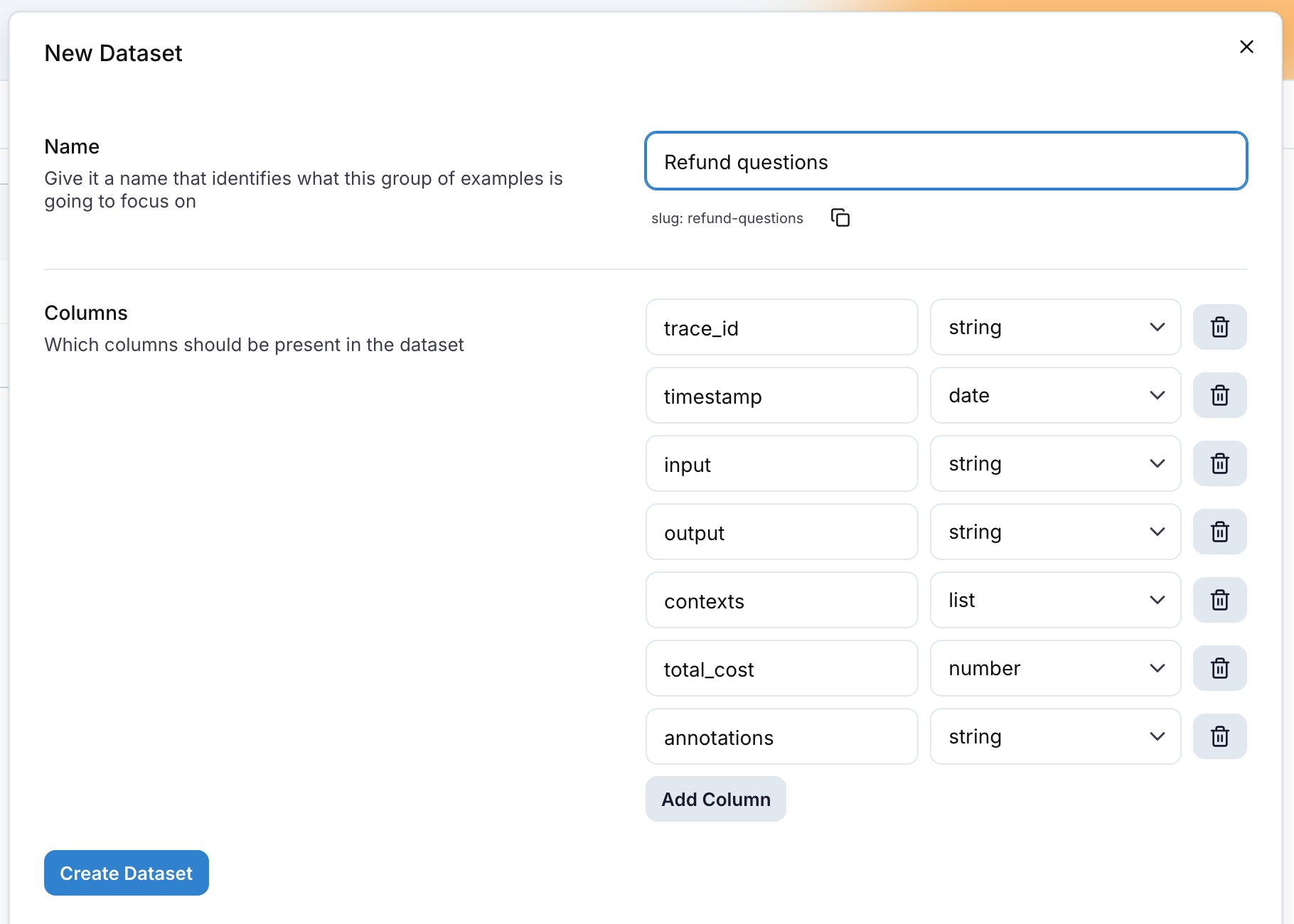
In the New Dataset drawer, type a Name; the slug under it is what the SDKs and the CLI use. Then define the Columns. A new dataset starts with trace_id, timestamp, input, output, contexts, total_cost and annotations. Remove the columns you do not need, click Add Column for the ones you do, and click Create Dataset. The type select on each column offers string, number, boolean, date, list, json, image, file, json chat messages (OpenAI format) and json spans.
Column names must be unique and cannot be id or selected. Each column has one of these types:
Upload files
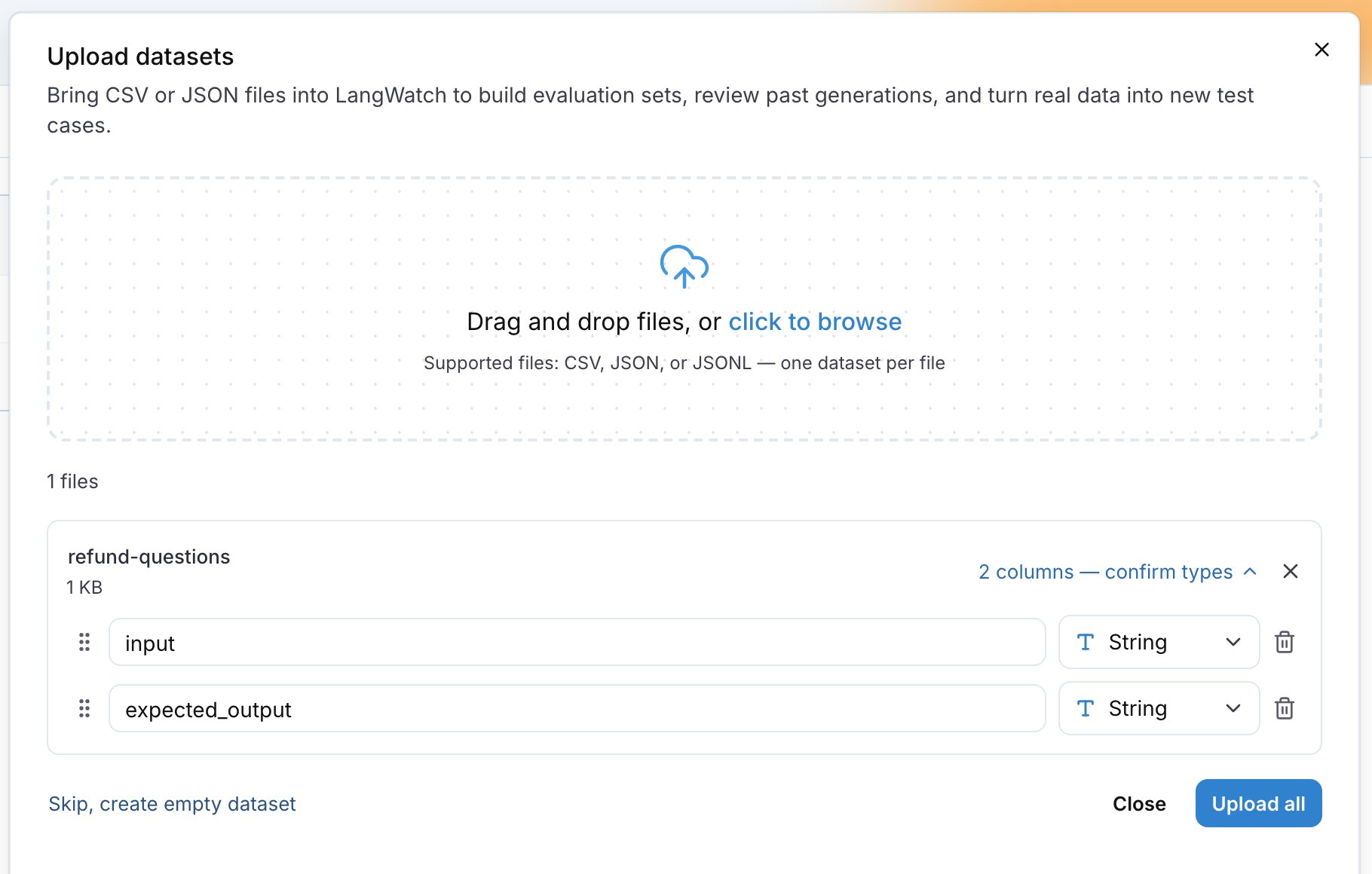
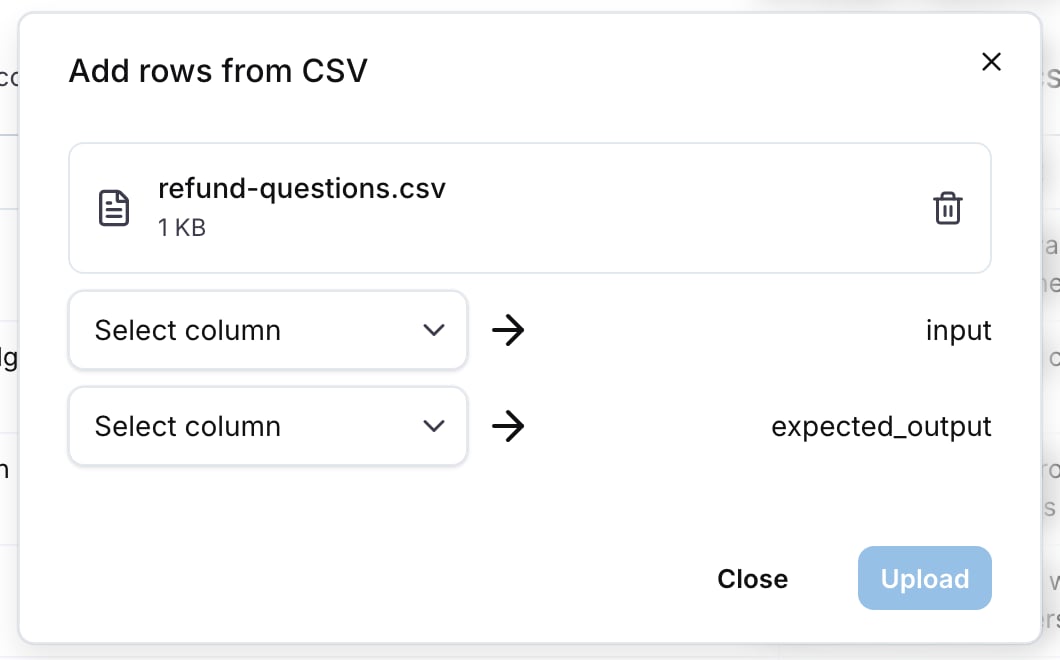
Upload datasets opens a drawer that accepts CSV, JSON and JSONL files, several at a time. Each file becomes one dataset. For each file, edit the dataset name, then check the columns read from the file. A CSV gives its columns from the header row, a JSON or JSONL file from the object keys. Rename a column, change its type, drag it to reorder, or exclude it. Click Upload all.
A file can be up to 5 GB. A large file shows Processing in the list until its rows are stored.
Edit a dataset
Click a dataset in the list to open its page. The header shows the record count and an autosave status.
Click a cell to edit it. Add row under the grid appends an empty row. Select rows with the checkboxes and click Delete to remove them. Every change saves as you make it.
The row menu in the datasets list has Replicate to another project, Edit dataset and Delete dataset. A deleted dataset can be restored from the toast for 10 seconds.
Add rows from traces
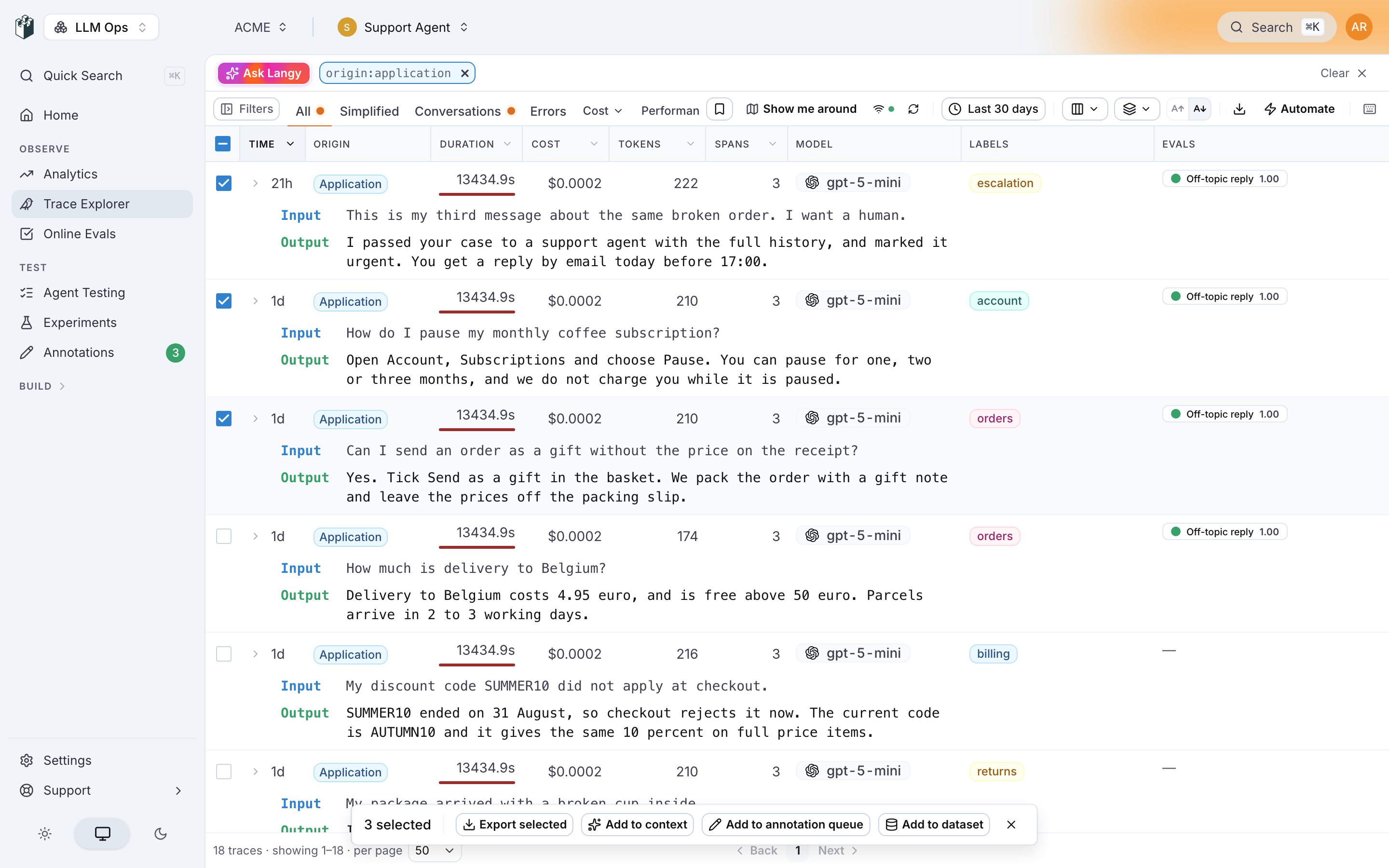
Open the Trace Explorer, select the traces with the checkboxes, and click Add to dataset in the action bar. From an open trace, the header menu has Add trace to dataset and, for a multi-turn conversation, Add conversation to dataset.
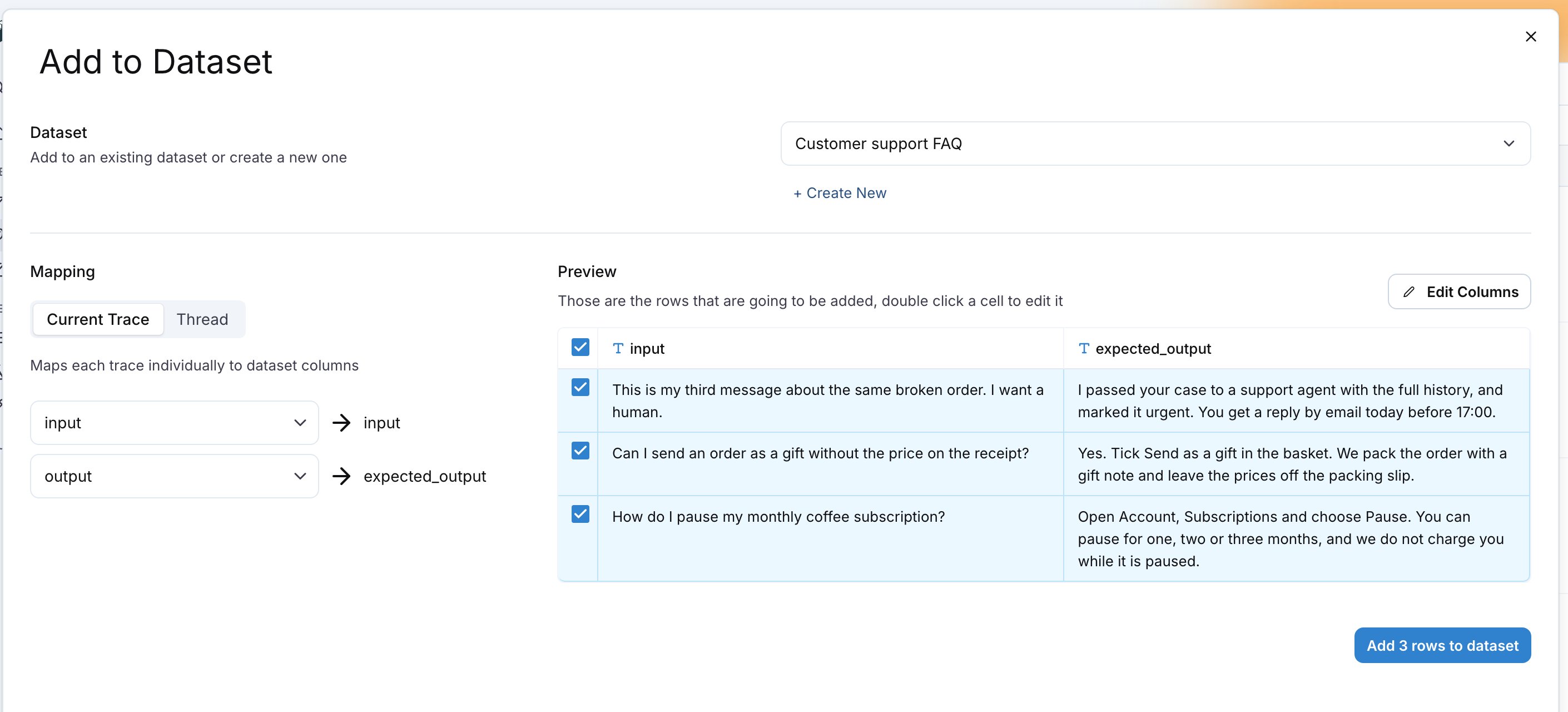
The Add to Dataset drawer has three parts:
- Dataset: pick an existing dataset, or click + Create New.
- Mapping: one source per dataset column. Current Trace maps each trace to one row. Thread groups the selected traces by
thread_id and maps each conversation to one row. See Threads in datasets.
- Preview: the rows that will be added. Double-click a cell to edit it, and untick a row to leave it out.
Click Add N rows to dataset. LangWatch remembers the mapping per dataset, so the next time you add traces to it the mapping is already set.
The sources a column can map to are the trace fields: trace_id, thread_id, timestamp, input, output, contexts, the metrics (cost, tokens, timings), spans, metadata keys, evaluations per evaluator, annotations (comment, score, reason, expected output), events, and Full Trace (AI-Readable), a text rendering of the whole trace for an LLM to read. When a column name matches a source, for example input or output, the mapping is filled in for you.
To keep adding matching traces as they arrive, use an automation. See Build datasets from traces automatically.
Manage datasets from code
The Python and TypeScript SDKs, the CLI, the MCP server and the REST API list, create, read and update datasets and their rows. See Programmatic access.
Also check: Experiments to run a dataset through your prompts and score every row, and Annotations to send reviewed traces to a dataset at the end of a review session. Last modified on September 22, 2026