

Scenario Run Parameters
A run parameter is a named value that a scenario receives when a run starts. The scenario declares the parameter, with an optional default value. The scenario text and the target configuration read it as{{ params.NAME }}. You supply the values when you start the run, from the platform, the API, the CLI or an SDK.
For example, a scenario that tests subscription cancellation can declare a plan parameter, so one scenario covers each plan’s policy:
Situation
Criterion
When to use parameters
- Plans and tiers. One cancellation scenario, run for
freeand run forenterprise. - Test accounts and fixtures. Point the run at seeded data with
--param fixture=order-1042. The agent under test answers from that account, and the criteria can name its facts. - Regions, tenants and languages. The same conversation against
eu-centralandus-east, or against two tenants of your product. - Values your agent’s API needs. An HTTP target puts
{{ params.NAME }}in its URL or request body, so your endpoint receives the value on every request.
Declare the parameters on the scenario
Open the scenario and click Parameters, next to Labels at the bottom of the editor. Add one row per parameter: a name, an optional description, and an optional default value.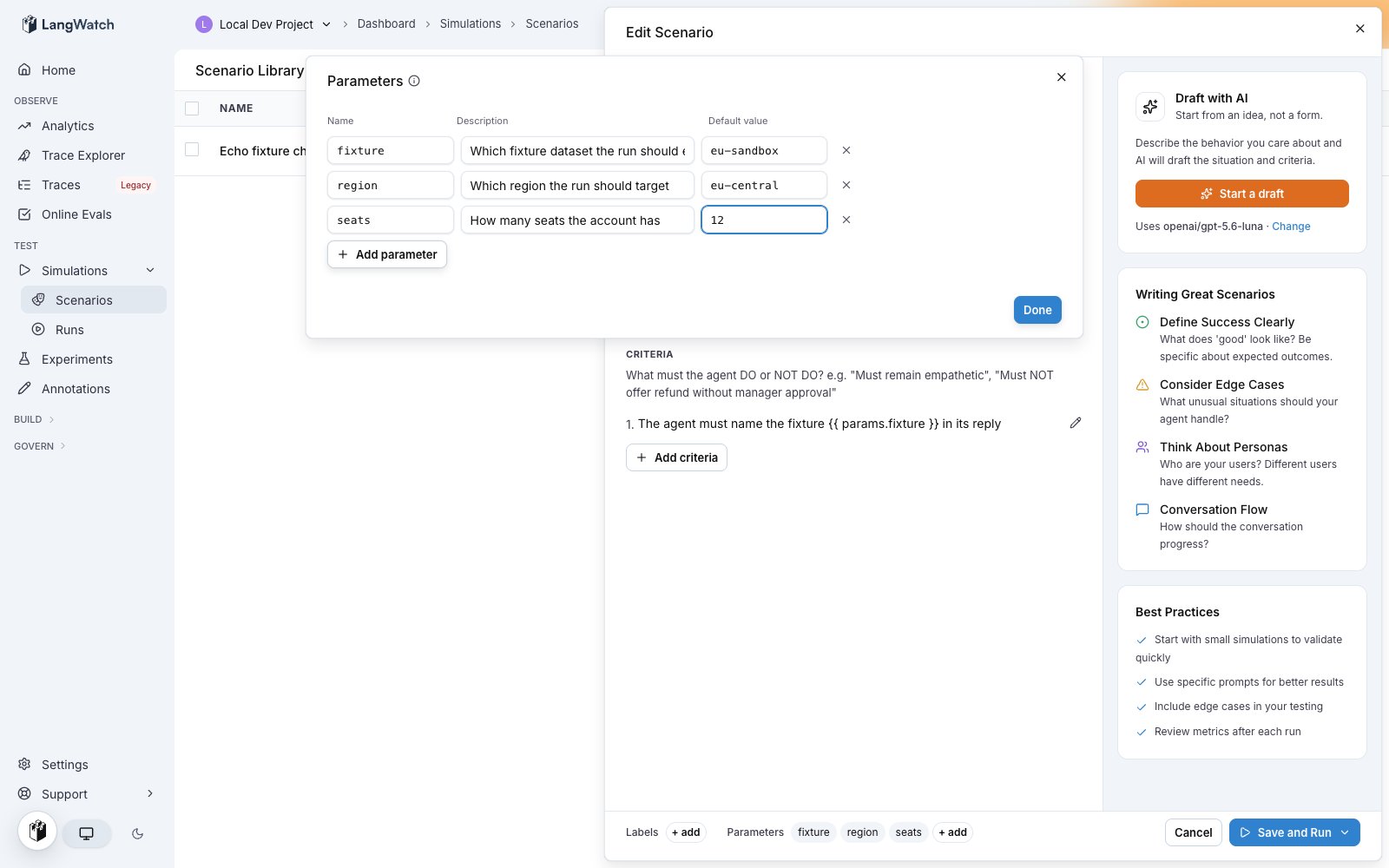
- Name is what
{{ params.NAME }}reads. Letters, digits and underscores, and the first character is a letter or an underscore. - Description appears beside the field when someone starts a run.
- Default value applies when the run does not set the value.
42is a number,trueis a boolean, and everything else is text. Quote a value to force text:"007".
POST /api/scenarios and PATCH /api/scenarios/{id} take a parameters array of { name, description, defaultValue } objects.
Use the values in the scenario text
The situation and the criteria read a value as{{ params.NAME }}, as in the example above. Both render before the run starts, so the simulated user acts on the value and the judge scores against the same value.
A scenario with no declared parameters is not a template. Its text does not render, so {{ or {% in prose stays exactly as written. Declaring a parameter turns the scenario text into a template.
Use the values in the target
HTTP agents
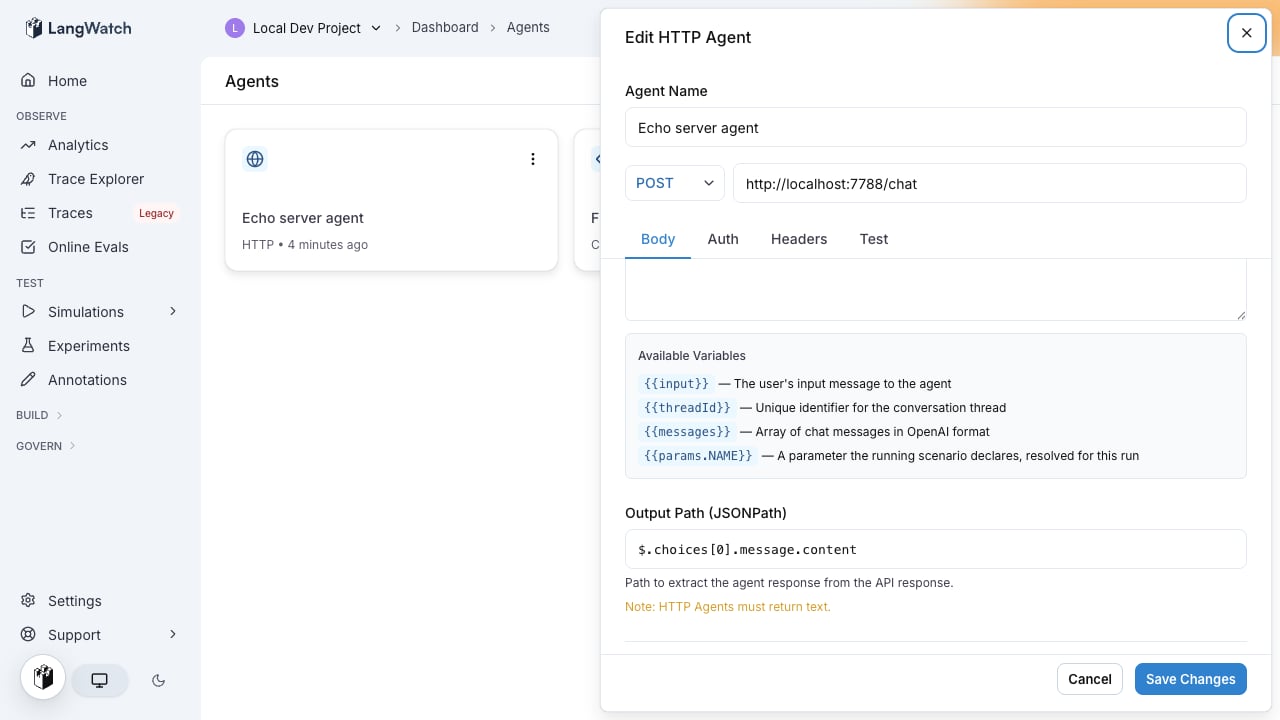
The URL and the body template render against the run’s values. Use a value to pick an endpoint, a query string, or a field in the request body:URL
Body template
Prompt targets
A prompt target renders{{ params.NAME }} in its prompt template before the model call.
Code agents
A code agent reads the injectedparams namespace, next to the secrets namespace. Values keep their type: a boolean arrives as a bool and a number as a number.
params into the module globals. Do not import a module named params, and do not assign over it. When a run resolves no parameters, params is undefined and params.plan raises NameError, the same behavior as secrets.
Workflow targets
A workflow target receives the values as entry inputs, one entry input per parameter name.A parameter reaches a downstream node only if the entry node has an edge carrying it. Adding a parameter to the run does not add the edge. Open the workflow and connect the new entry field to the node that reads it.
params.NAME with the original type.
Set the values when you start a run
A value set at run time overrides the scenario’s default. A parameter with no run-time value uses its default.In the platform
Running a suite opens a confirmation dialog with one field per parameter, prefilled with the defaults. Edit a field to change the value for that run; the scenario keeps its defaults.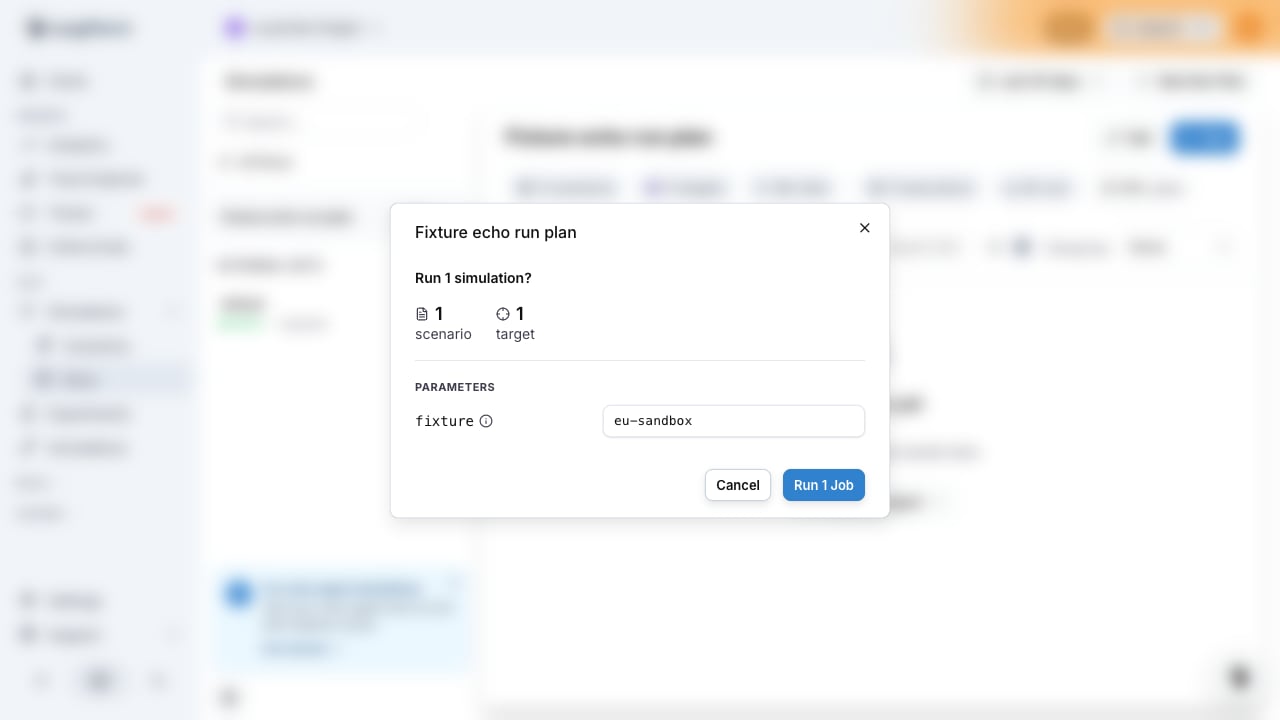
With the CLI
--param key=value repeats once per parameter:
true and false become booleans. A plain number like 42 becomes a number. 007 and 1.50 stay text, because their number form would change the digits. Repeat a name and the last value wins.
With the API
POST /api/suites/{id}/run takes a parameters object. Values are strings, numbers or booleans:
With the SDKs
- Python
- TypeScript
Limits
When a run is rejected
The platform runs these checks before it schedules any jobs. A rejected run schedules nothing.
Where the values are recorded
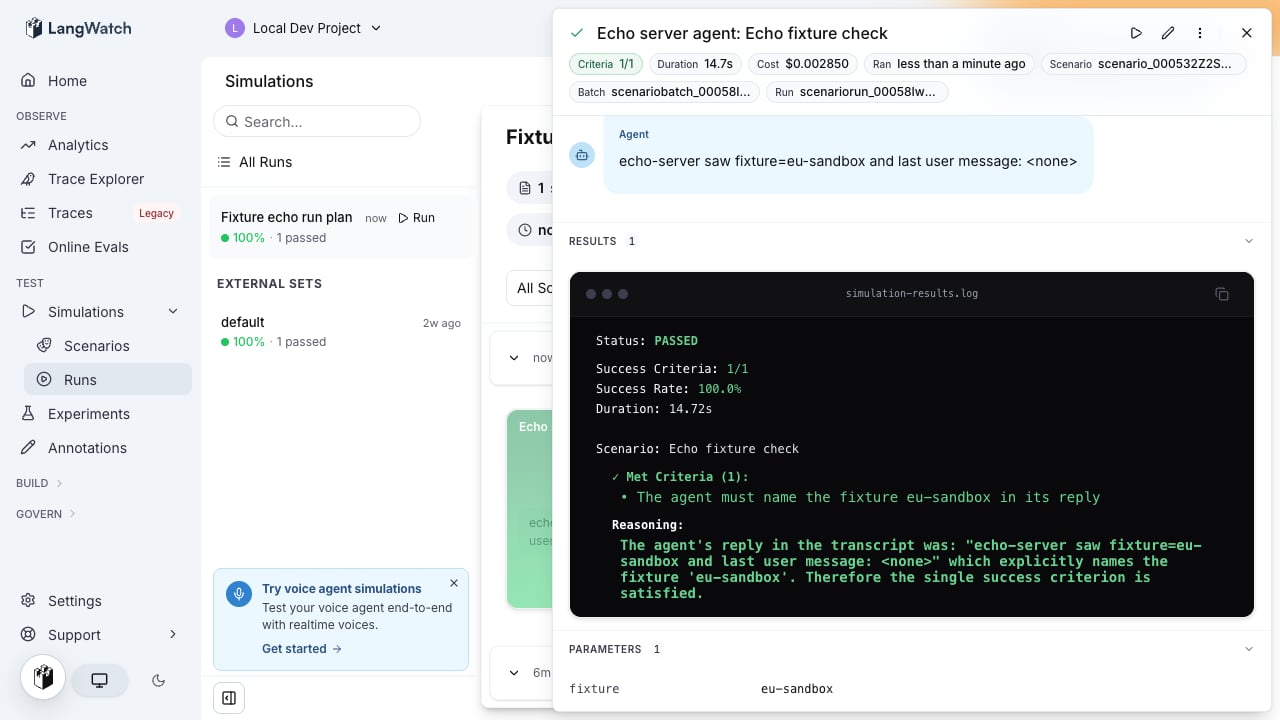
- The run detail drawer shows the values under Parameters, one row per name.
- The CSV export writes them as one JSON object per run: the
parameterscolumn in a criteria export, therun_parameterscolumn in a full export.
Next steps
Authenticated agents
Reference project secrets from an HTTP target or a code agent
Simulations getting started
Create a scenario, add a target, and run your first simulation
Command line interface
Every run command and its flags
Suite run endpoint
The full request and response for a suite run