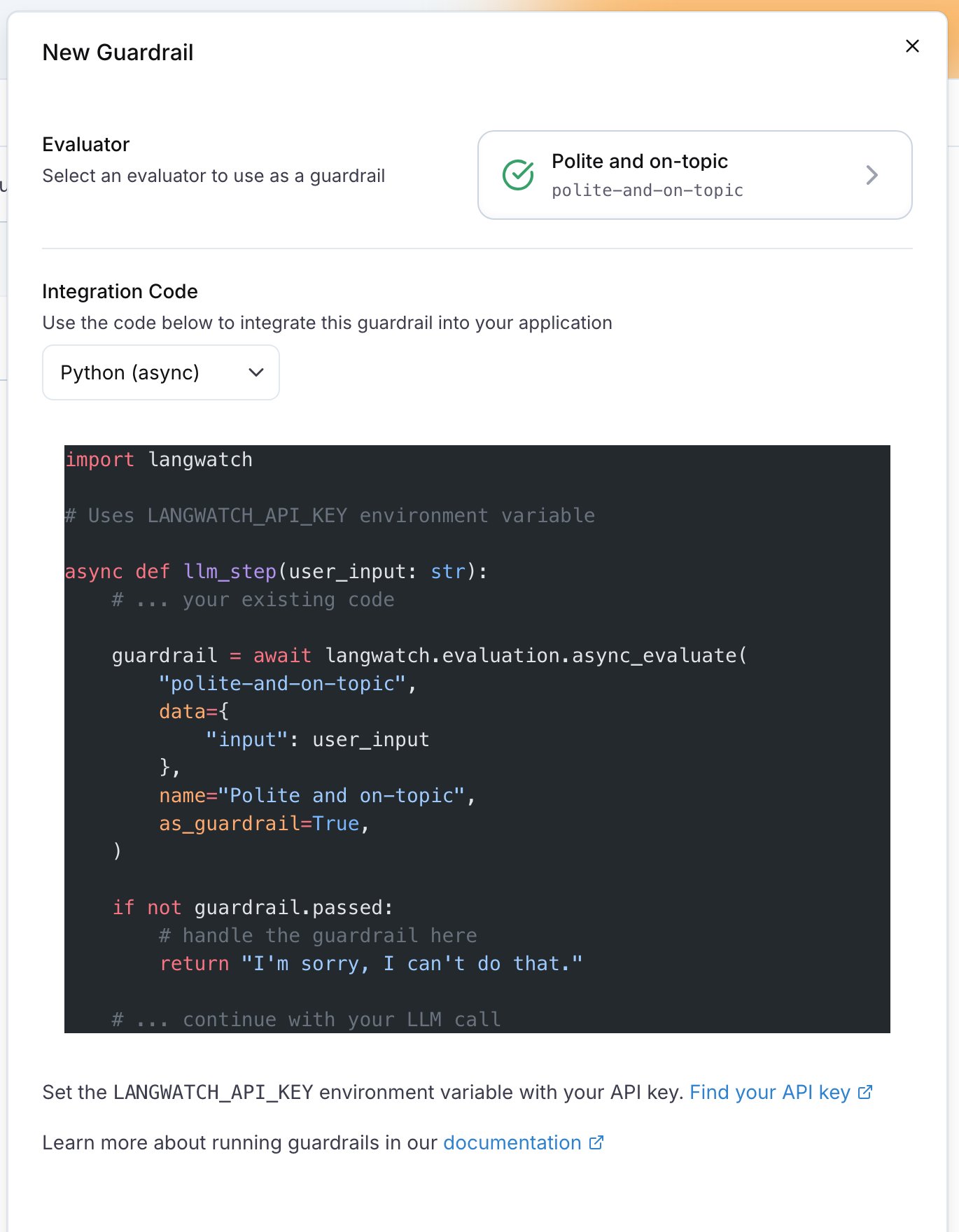
Guardrails are evaluators that run in real-time and act on the results - blocking, modifying, or rejecting responses that violate your safety or policy rules. Unlike monitors which only measure and alert, guardrails actively prevent harmful content from reaching users.

Guardrails vs Monitors

GuardrailsMonitors
Block harmful contentMeasure quality metrics
Run synchronously during requestRun asynchronously after response
Return errors or safe responsesFeed dashboards and alerts
Add latency to requestsNo impact on response time
For enforcementFor observability
Use guardrails when you need to prevent something from happening. Use monitors when you need to observe what’s happening.

Common Guardrail Use Cases

Use CaseEvaluatorAction
Block jailbreak attemptsAzure Jailbreak DetectionReject input
Prevent PII exposurePresidio PII DetectionBlock or redact response
Enforce content policyOpenAI ModerationReturn safe response
Block competitor mentionsCompetitor BlocklistModify or reject
Ensure valid output formatValid Format EvaluatorRetry or reject

How Guardrails Work

User Input → Guardrail Check → [Pass] → LLM → Response → Guardrail Check → [Pass] → User
                    ↓                                           ↓
               [Fail] → Return Error                     [Fail] → Return Safe Response
Guardrails can run at two points:
  1. Input guardrails - Check user input before calling your LLM
  2. Output guardrails - Check LLM response before sending to user

Getting Started

Quick Example

import langwatch

@langwatch.trace()
def my_chatbot(user_input):
    # Input guardrail - check for jailbreak attempts
    jailbreak_check = langwatch.evaluation.evaluate(
        "azure/jailbreak",
        name="Jailbreak Detection",
        as_guardrail=True,
        data={"input": user_input},
    )
    
    if not jailbreak_check.passed:
        return "I'm sorry, I can't help with that request."
    
    # Generate response
    response = call_llm(user_input)
    
    # Output guardrail - check for PII
    pii_check = langwatch.evaluation.evaluate(
        "presidio/pii_detection",
        name="PII Check",
        as_guardrail=True,
        data={"output": response},
    )
    
    if not pii_check.passed:
        return "I apologize, but I cannot share that information."
    
    return response

Best Practices

1. Layer your guardrails

Use multiple guardrails for defense in depth:
# Layer 1: Block malicious input
jailbreak = evaluate("azure/jailbreak", as_guardrail=True, input=user_input)

# Layer 2: Content moderation
moderation = evaluate("openai/moderation", as_guardrail=True, input=user_input)

# Layer 3: Check output before sending
pii = evaluate("presidio/pii_detection", as_guardrail=True, output=response)

2. Provide helpful error messages

Don’t just block - guide users toward acceptable behavior:
if not guardrail.passed:
    if guardrail.details:
        return f"I can't help with that because: {guardrail.details}"
    return "I'm not able to assist with that request. Could you rephrase?"

3. Log guardrail triggers

Track when guardrails fire for monitoring and improvement:
if not guardrail.passed:
    langwatch.get_current_trace().update(
        metadata={"guardrail_triggered": guardrail.name}
    )

4. Consider latency

Guardrails add latency. For time-sensitive applications:
  • Use fast evaluators (regex, blocklists) for input checks
  • Save heavier evaluators (LLM-based) for output checks
  • Run multiple guardrails in parallel when possible
EvaluatorBest ForLatency
Azure Jailbreak DetectionBlocking prompt injectionFast
Azure Prompt ShieldBlocking prompt attacksFast
Presidio PII DetectionBlocking PII exposureFast
OpenAI ModerationContent policy enforcementFast
Competitor BlocklistBlocking competitor mentionsVery Fast
Valid FormatEnsuring structured outputVery Fast
LLM-as-Judge BooleanCustom policy checksSlower

Next Steps