

LangWatch Instant Preview or your own model
Instant Evals run on LangWatch Instant Preview by default, billed as in Limits and cost. You can pick a decision model in your own provider account instead, per organization, team or project. Your provider then bills you for each row, and LangWatch does not.This is off by default. Ask LangWatch to turn it on for your organization. Until then, the Instant Evals column offers LangWatch Instant Preview only.
The models you can pick
OpenAI Decisions API and Azure OpenAI Decisions API need
gpt-6-luna on that account. The other models need no OpenAI account.
Set it up
1
Add the provider
In Settings > Model Providers, click Add Model Provider, pick the provider from the table and enter its key. Scope it to each organization, team or project that should use it. See Model Providers.
2
Pick the model
In Default Models on the same page, add or edit a config and pick its scopes. In the Instant Evals picker, choose your model and save.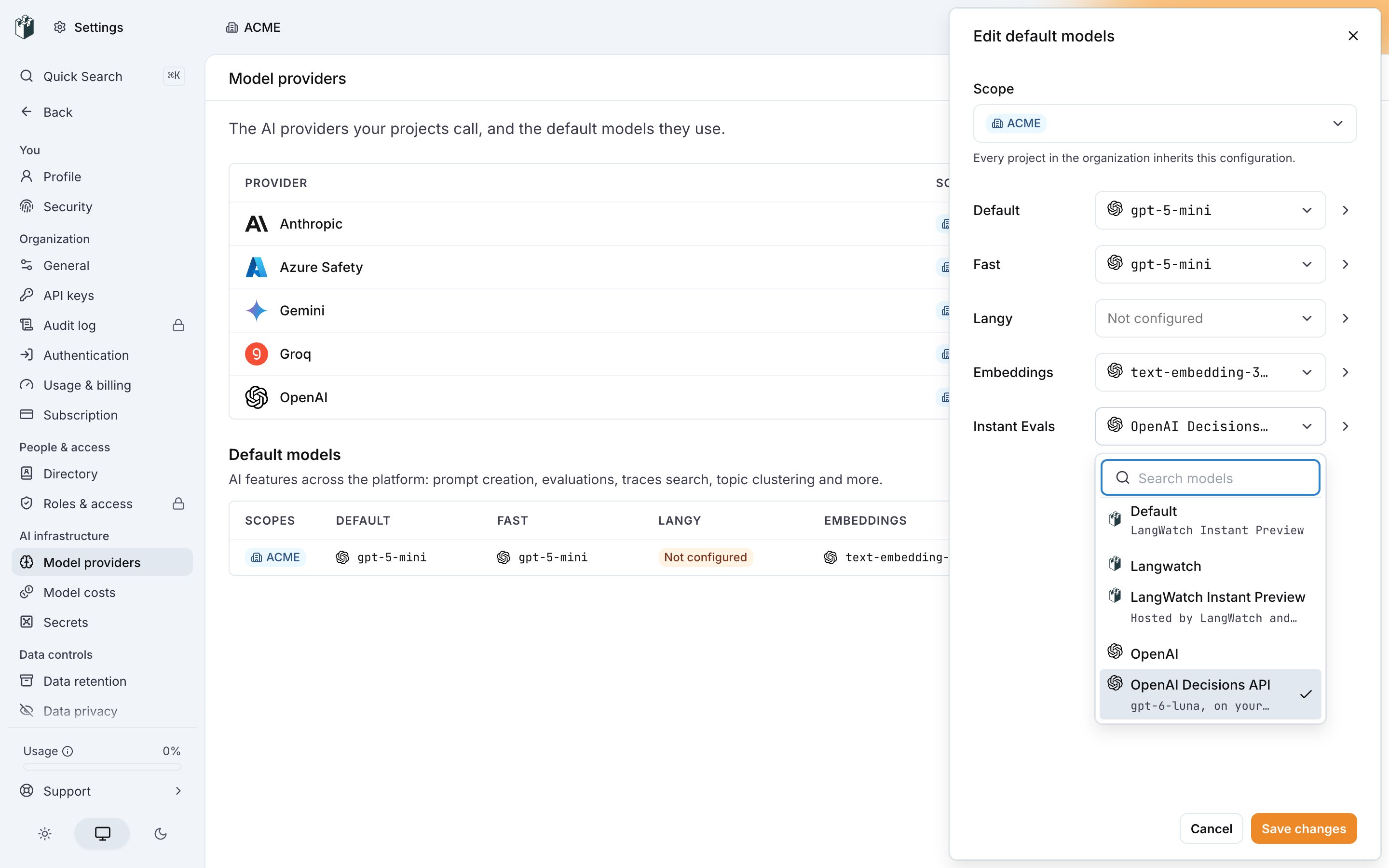
3
Run
Start a run as usual. The new model judges the next rows within five seconds.

Azure
Both Azure models use the Azure OpenAI provider, with its API key (AZURE_OPENAI_API_KEY) and endpoint (AZURE_OPENAI_ENDPOINT).
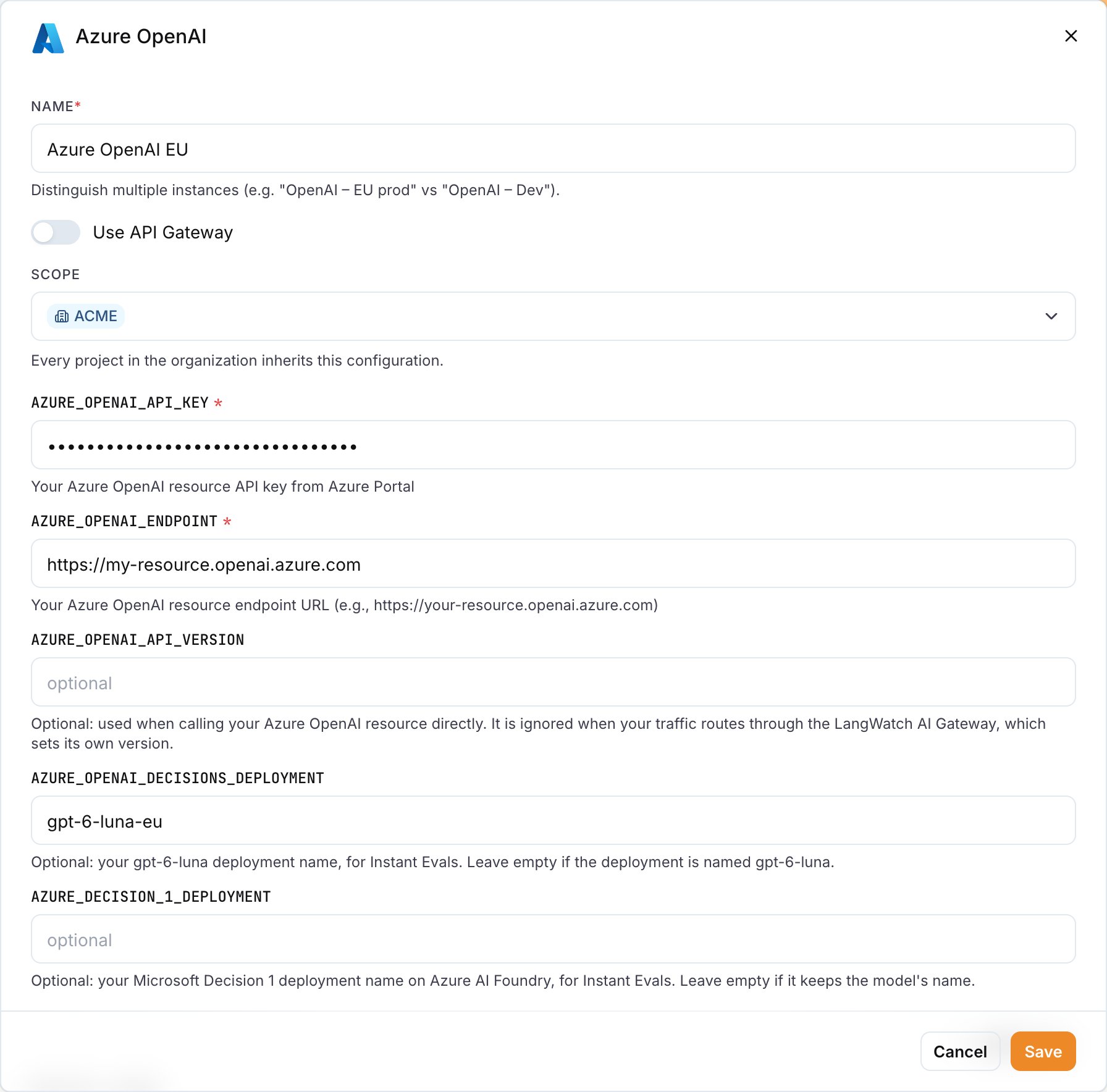
- Endpoint (
AZURE_OPENAI_ENDPOINT): your resource URL, such ashttps://my-resource.openai.azure.com. LangWatch takes the resource name from it and callshttps://my-resource.openai.azure.com/openai/v1/decisionsor, for Microsoft Decision 1,https://my-resource.services.ai.azure.com/providers/microsoft/v1/systemone. Hosts onopenai.azure.com,cognitiveservices.azure.comandservices.ai.azure.comwork. Other hosts,http, custom ports and API Management gateways are refused, so the key stays inside Azure. - Decisions deployment (
AZURE_OPENAI_DECISIONS_DEPLOYMENT): yourgpt-6-lunadeployment name. Leave empty if it isgpt-6-luna. - Microsoft Decision 1 deployment (
AZURE_DECISION_1_DEPLOYMENT): your Microsoft Decision 1 deployment name on Azure AI Foundry. Leave empty if it keeps the model’s name.
classifier_key_invalid.
Deploy the model on your resource before you pick it, in the Azure portal, Azure AI Foundry or the Azure CLI:
classifier_not_configured.
When your model cannot answer
A run on your own model never falls back to LangWatch Instant Preview. Rows it cannot judge are markedskipped with the reason in error, and the run carries on. List them with langwatch instant-eval results <run-id> --status skipped.
Rate limits and outages are retried before the row is skipped. Refused keys and missing models are not.
What changes on your own model
- Cost. Your provider bills you. LangWatch does not, and the free budget does not apply.
- Limits. The row, question and text limits still apply.
- Data. Each row’s text and your questions go to your provider, under your agreement with it. LangWatch Instant Preview never sees them.
- Search bar. Still runs on LangWatch Instant Preview.