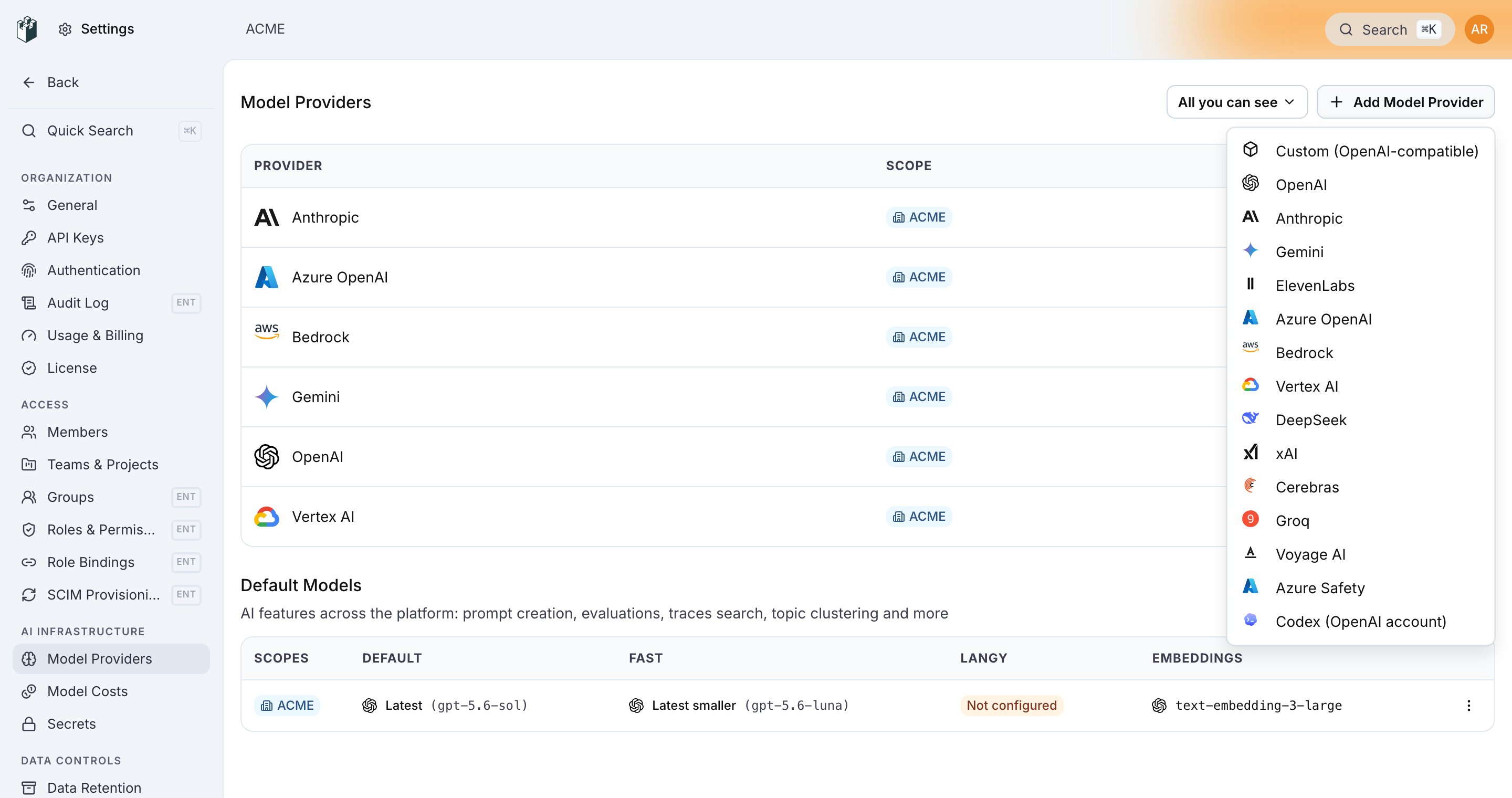
LangWatch Model Providers are the credentials the platform uses to make real LLM calls on your behalf — from online evaluators, the prompt playground, the Optimization Studio, and the AI Gateway’s bound provider credentials. Historically every project carried its own copy of every provider credential. That’s fine for one project but painful at enterprise scale: ten projects in one org meant ten copies of the same OpenAI key, ten rotation chores, and ten places to audit. The scoped model providers model replaces that with a single ladder.Documentation Index
Fetch the complete documentation index at: https://langwatch.ai/docs/llms.txt
Use this file to discover all available pages before exploring further.
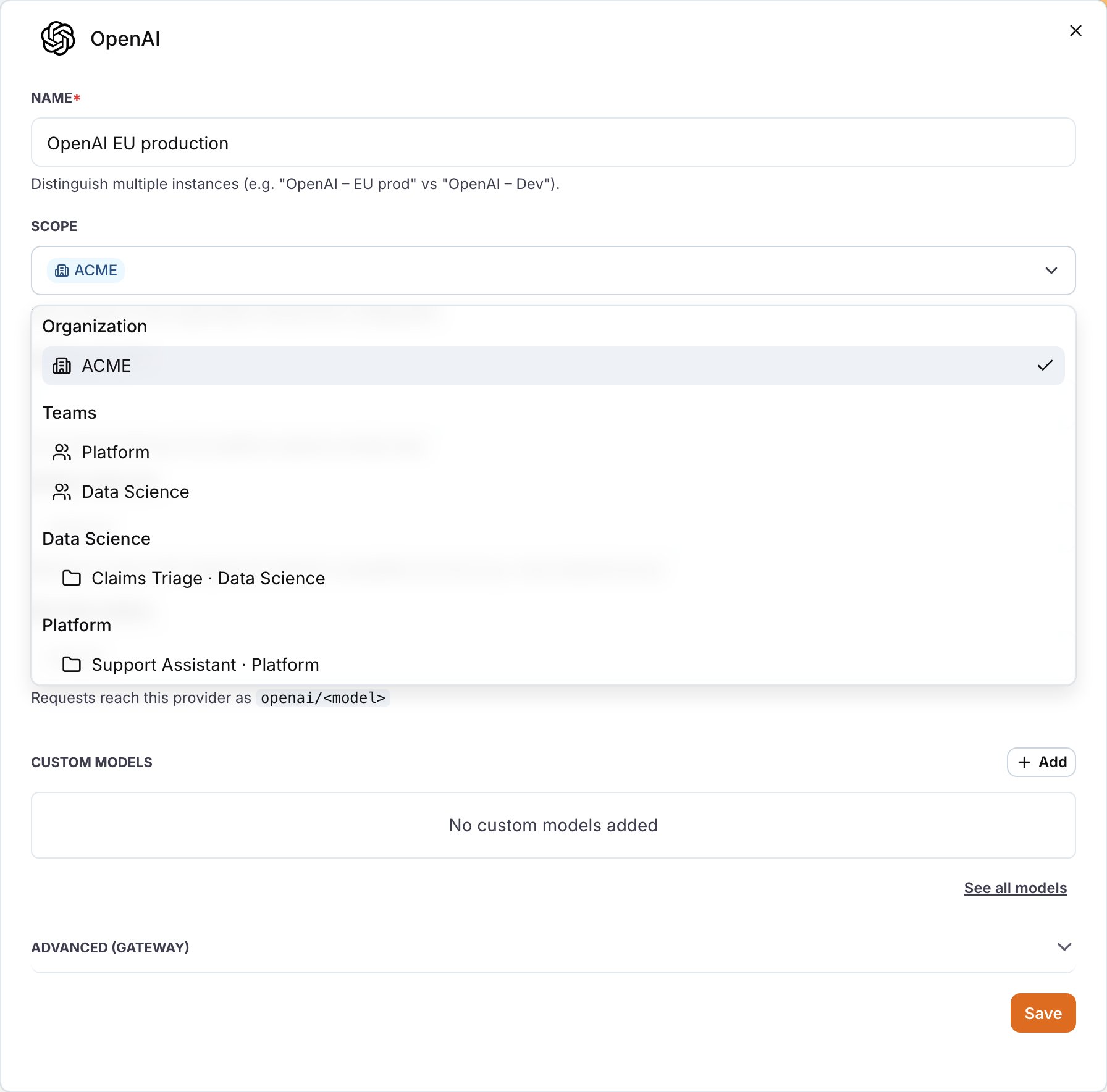
Organisation scope
One credential; every project in the org can use it. The common case for enterprise accounts with a single billing entity.
Team scope
One credential; every project under a team inherits. For teams with their own model budget or fine-tuning account.
Project scope
One credential; only this project uses it. For test projects, per-customer isolation, or narrow experiments.
How inheritance works
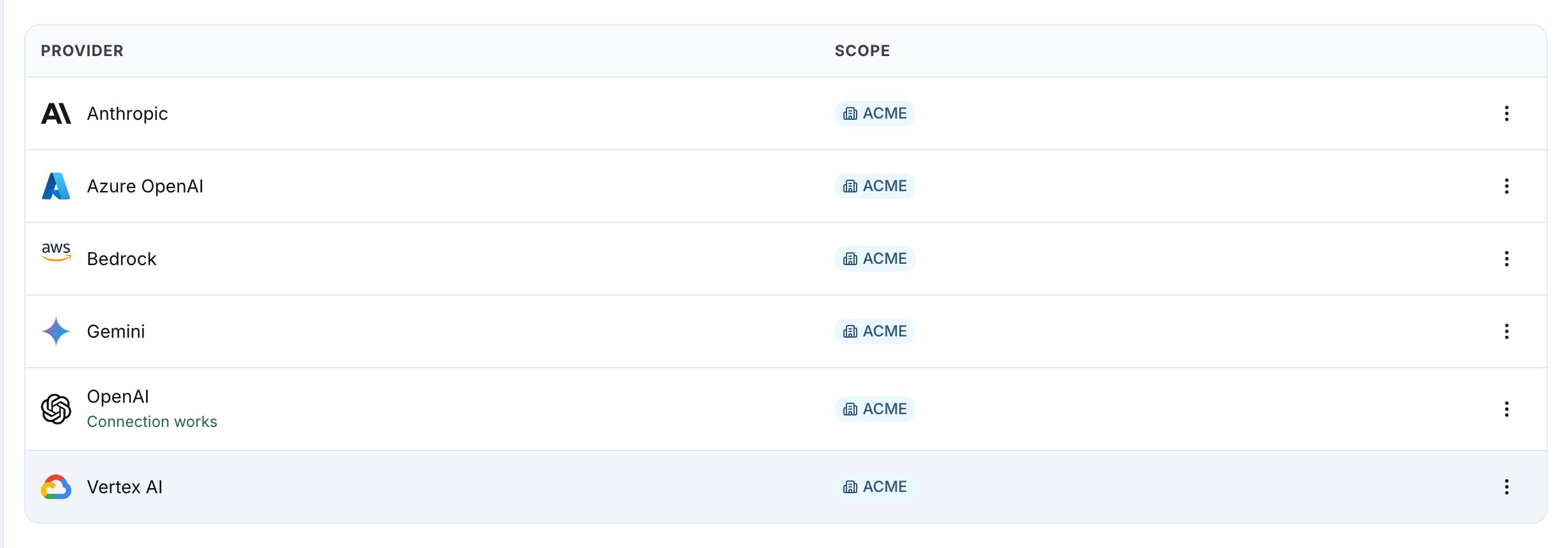
A provider configured at a wider scope is automatically available to every narrower scope. A project sees the union of:- Its own project-scoped providers,
- Every team-scoped provider on teams it belongs to,
- Every organisation-scoped provider on its parent org.
Creating a provider
Settings → Model Providers → New provider opens the create drawer with an Availability radio group near the bottom of the form — three options: Project, Team, Organization.| Option | Requires | Available to |
|---|---|---|
| Project | project-admin on the selected project | that project only |
| Team | team-admin on the selected team | every project under the team |
| Organisation | org-admin | every project in the org |
- Project — Only this project can use this provider.
- Team — Every project in the team inherits this provider.
- Organization — Every project in the organization inherits this provider.
Changing a provider’s scope
v1 behaviour: scope is set at create time and is immutable in the edit drawer. To change a provider’s scope, create a new row at the desired scope, then delete the original. In-place widen/narrow with automatic binding reconciliation is a v1.1 follow-up. The design for that flow is described below for forward reference.
v1.1 plan — Widening (Project → Team → Organisation)
Strictly additive. The provider becomes available to more projects; existing bindings continue to work unchanged (they reference the provider by id, not by scope). The edit drawer will surface a warning: “This provider will become available to every project in the org.”v1.1 plan — Narrowing (Organisation → Team → Project)
Narrowing can orphan downstream bindings. The edit drawer will show a confirmation modal listing every binding that will be archived before saving. Archival is explicit — each archived binding emits an audit-log entry so you can reconstruct exactly what happened.Overriding an inherited provider at a narrower scope
If a project needs its own OpenAI key — different rate limits, different region, a dedicated billing account — you don’t have to remove the inherited one. Create a new provider with the same type at Project scope; the narrower row takes precedence and is the effective credential. The inherited row remains visible in the list (so you understand where it came from) but is no longer used for resolution on that project.In v1 the inherited row shows its scope badge (Org / Team) but does not have an Override at project scope action in its kebab menu — you create the project-scoped row directly from New provider. The inline override affordance is a v1.1 follow-up.
AI Gateway provider bindings
EveryGatewayProviderCredential (the thing a VK is bound to) references a ModelProvider by id — independent of the provider’s scope. So scope changes never break bindings, and binding creation works identically whether the bound provider is org, team, or project.
Provider scope ≠ binding scope. A binding is always per-project (it belongs to a project’s VK). What an org-scoped provider enables is (a) visibility — every project in the org sees the provider in Settings + the Bind drawer, (b) credential sharing — the decrypted API key comes from the one org row, so rotation at the org level propagates everywhere. Each project still creates its own binding because gateway-specific knobs (rate limits, slot, fallback priority) are per-project decisions. An org-scoped provider visible across 5 projects that all want gateway routing still needs 5 binding operations — that’s intentional, preserves governance and budget attribution.
Permissions
The scope ladder reuses the existing RBAC model with three new manage permissions:| Permission | Who gets it by default | Lets you |
|---|---|---|
modelProviders:manage:organization | org-admin | Create, edit, delete org-scoped providers |
modelProviders:manage:team | team-admin | Create, edit, delete providers scoped to any team you admin |
modelProviders:manage:project | project-admin | Create, edit, delete project-scoped providers |
Default Model — the same ladder
DefaultModel configs mirror the exact same scope ladder. An org admin can pin openai/gpt-5-mini as the default for the whole organisation; teams and projects override only when they need to. Resolution walks project → team → org, first-match-wins, narrower overrides win.
Migration from project-scoped to scoped
If you’ve been using LangWatch for a while, every existing provider lives at Project scope. The scoped-providers migration is zero-drift: every existing row getsscopeType=PROJECT and scopeId = current projectId automatically, with identical behaviour.
You opt into wider scopes on your timeline. A practical migration path for an org with N projects and duplicated credentials:
- Identify the provider you have N copies of (e.g. OpenAI).
- Create one new Org-scoped provider with the canonical credentials.
- For each of the N projects, verify the inherited org provider is the one now in use (the project-scoped copy can stay visible; the narrower one wins unless you delete it).
- Rotate the N project-scoped keys to the org row over a window you control.
- Delete the (now-superseded) project-scoped copies. Existing bindings on any VK still reference specific credential IDs — they follow the VK’s
providerCredentialId, not the name, so be careful when deleting to preserve the binding path.
Trade-offs and guardrails
Wider isn’t always better. Org-scoped credentials share a rate limit across every project. If one team’s traffic spike starves another team’s evaluator runs, narrower scopes are the right lever. Scope for the boundary that matches your blast-radius tolerance, not the broadest one that works. Rotation at scope. Rotating an org-scoped credential rotates it for every project that inherits it, on the next bundle refresh (≤ 30 s on the gateway path). Plan your rotation windows accordingly — don’t rotate a hot org credential at peak traffic. Audit trails. Every create, edit, scope change, and delete emits an audit-log entry — see Audit Log. For enterprise compliance, this is the single source of truth for “who changed this credential, when, and from what to what.”See also
- RBAC — the permission model that gates scope changes.
- Audit Log — every scope change shows up here.
- AI Gateway → Provider Bindings — how the gateway resolves a VK’s bound provider across scopes.
- Custom Models — connecting local or OpenAI-compatible endpoints (the same dialog now has a scope picker).