

What a workflow is
A workflow is a graph of nodes that LangWatch runs from an Entry point to an End node. Each node takes named inputs, produces named outputs, and an edge connects an output of one node to an input of the next. Workflows live under Build, Workflows in the LangWatch sidebar. For example, the workflow below answers a support question with a prompt, checks the answer length in a Python node, and asks an LLM judge whether the answer addresses the question. The End node collects the answer, the length check and the verdict.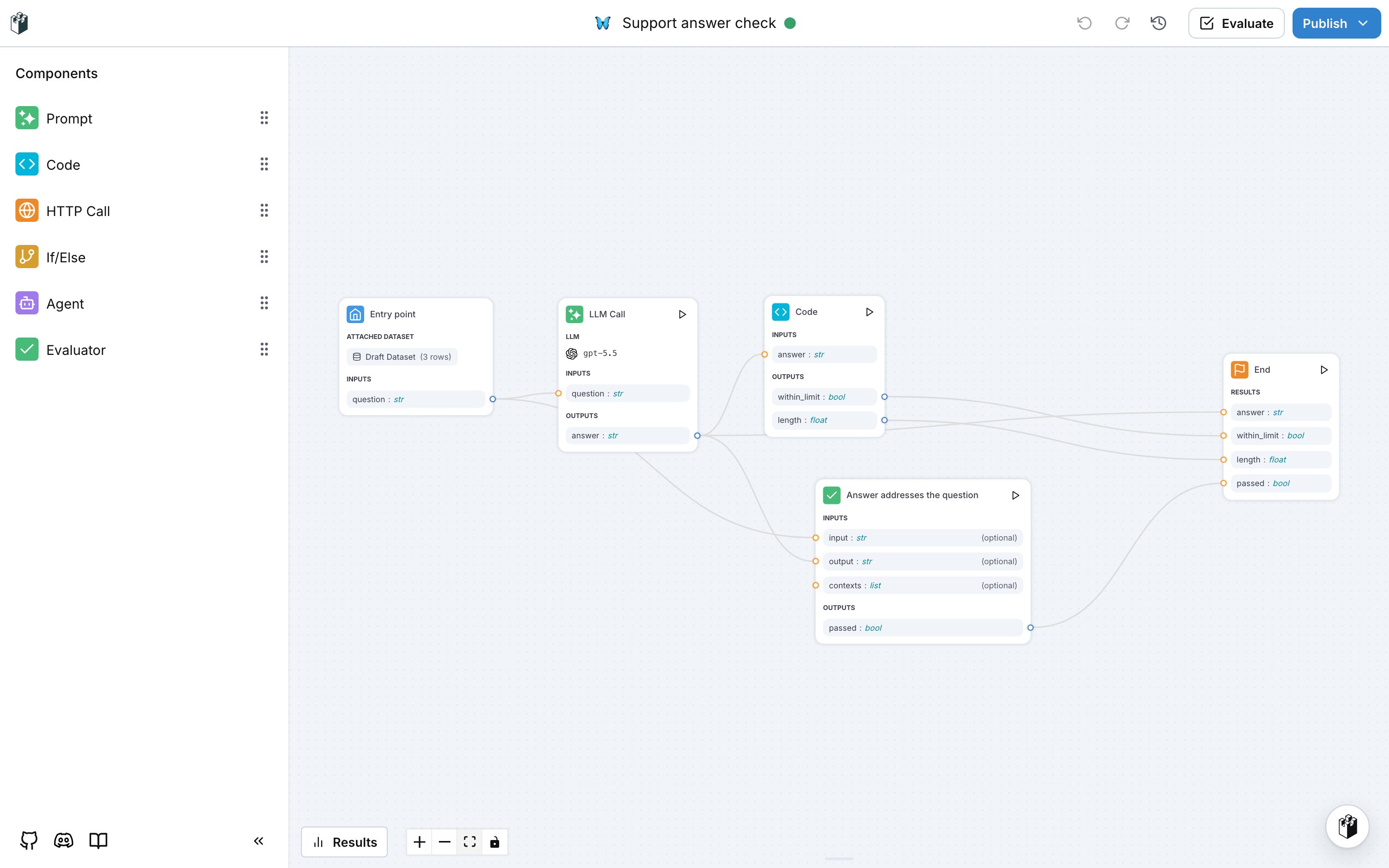
When to use a workflow
Building a workflow
Create a workflow, configure each node, run it and read the results.
Workflow as evaluator
Publish a workflow so it scores outputs like a built-in evaluator.
Workflow as agent
Use a workflow as the target of your agent tests.
Prompts in workflows
Use a prompt from the prompt library in an LLM node.