

What a workflow agent is
A workflow agent is an agent of the project whose logic is a workflow. Agent Testing sends each turn of a scenario to the workflow’s entry inputs and reads the answer from one of its End node results. Use it to test a pipeline that lives in LangWatch the same way you test an agent that runs in your own infrastructure. Also check: Targets for the other target types and how a run picks its target.Create one
- Open Agents and click New Agent.
- Pick Workflow Agent in the Choose Agent Connection Type drawer.
- Give the agent a name, an icon and a description, then click Create & Open Editor.
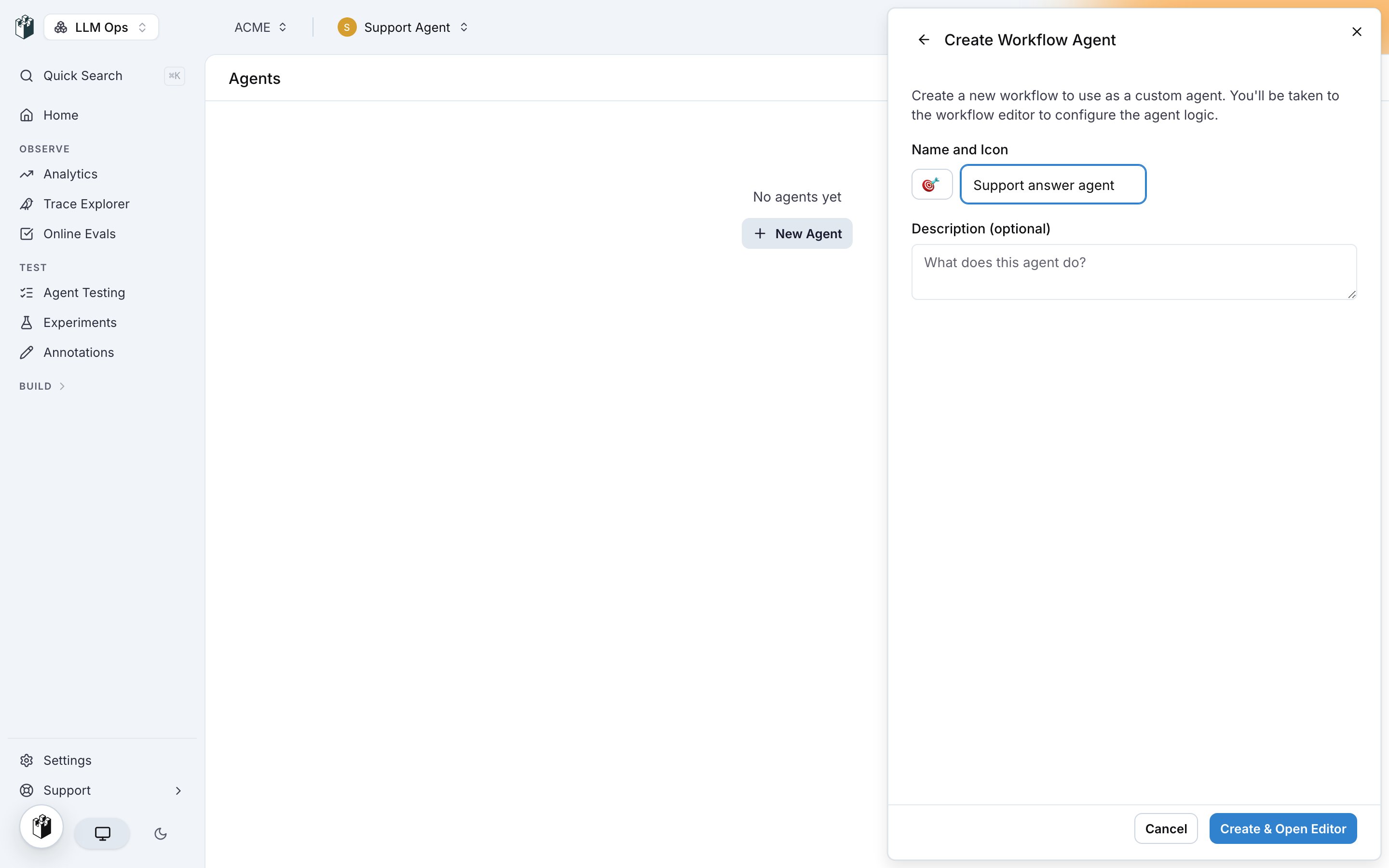
Map the scenario to the workflow
Open the agent from the Agents page to edit it. Linked Workflow shows the workflow and opens it in the editor. Scenario Mappings connects the scenario data to the workflow.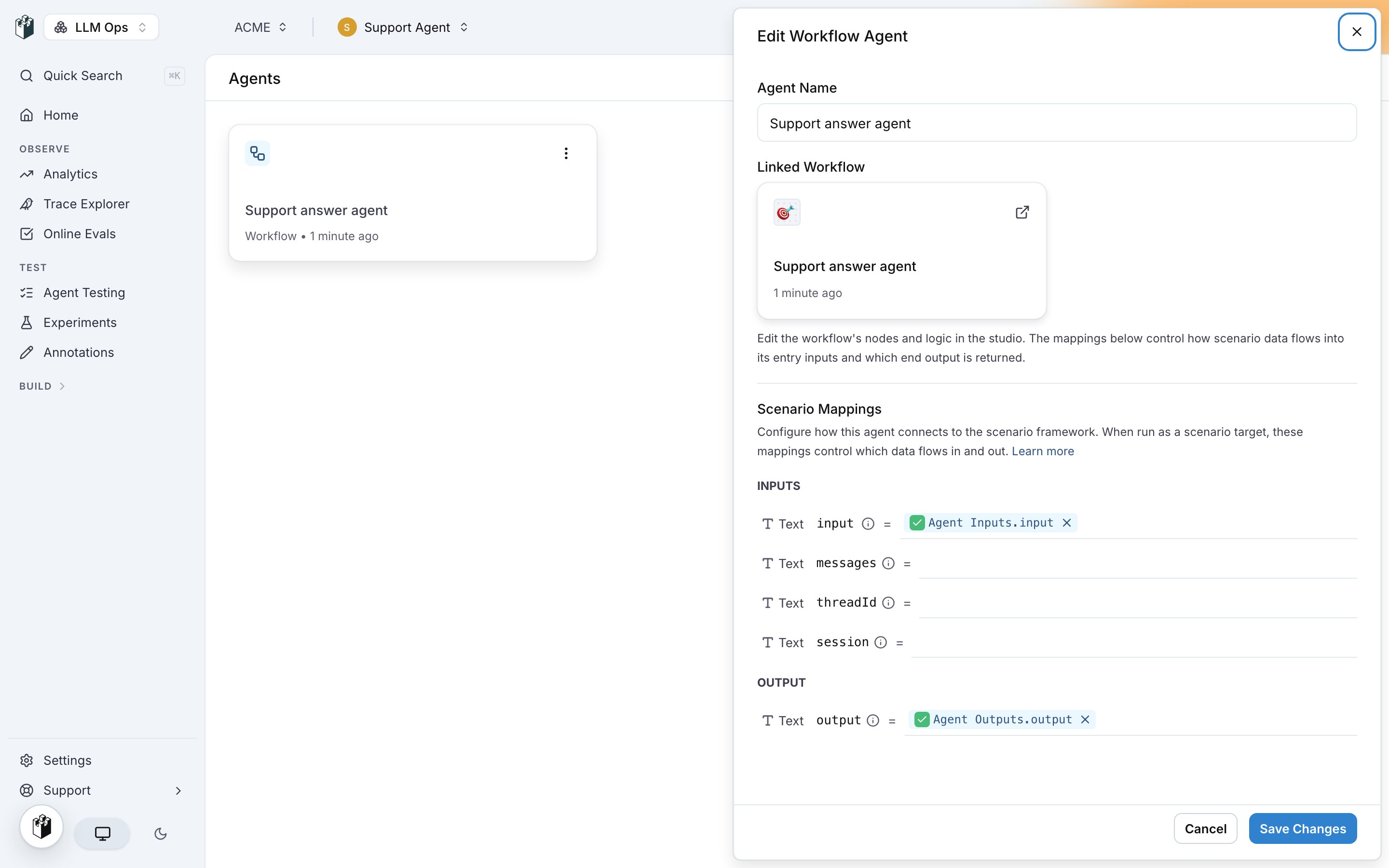
A run needs
input or messages mapped. A workflow with one entry input runs without mappings: the last user message goes to that input. A workflow with several entry inputs refuses to run until you map them.
Click Save Changes. The mappings are part of the agent, so every scenario that targets it uses them.