

- Image generation quality: score outputs of image generation models
- Document parsing: evaluate extracted metadata from PDFs and scanned documents
- Content moderation: detect NSFW or low-quality uploaded images
- Visual QA: evaluate answers to questions about images
- Image comparison: compare generated outputs against reference images
Image support works with all three LLM-as-a-Judge evaluator types:
- Boolean: pass/fail evaluation (e.g. “Is the generated image photorealistic?”)
- Score: numeric score evaluation (e.g. “Rate image quality from 1-5”)
- Category: classification evaluation (e.g. “Classify the image as: excellent, good, poor”)
- Dataset Images: Setting up image columns in datasets
- Saved Evaluators: Reuse evaluators via API
Supported Image Formats
Images can be provided in any of these formats:
Supported extensions:
.png, .jpg, .jpeg, .gif, .webp, .svg, .bmp, .tiff
Image detection is strict by design, a field is treated as an image only when the entire value is an image URL or base64 string. Mixed text-and-image content is sent as plain text. This prevents unintended multipart content when a field happens to contain an image URL as part of a longer string.
Evaluating Images via UI
Step 1: Create a Dataset with Image Columns
- Go to Experiments, click New Experiment, then Create Experiment
- Under Datasets, click Add, then Create new
- Add columns and set their type to image (URL) in the column type select
- Paste image URLs or base64 data URIs into the cells. The grid renders them as thumbnails you can click to expand.
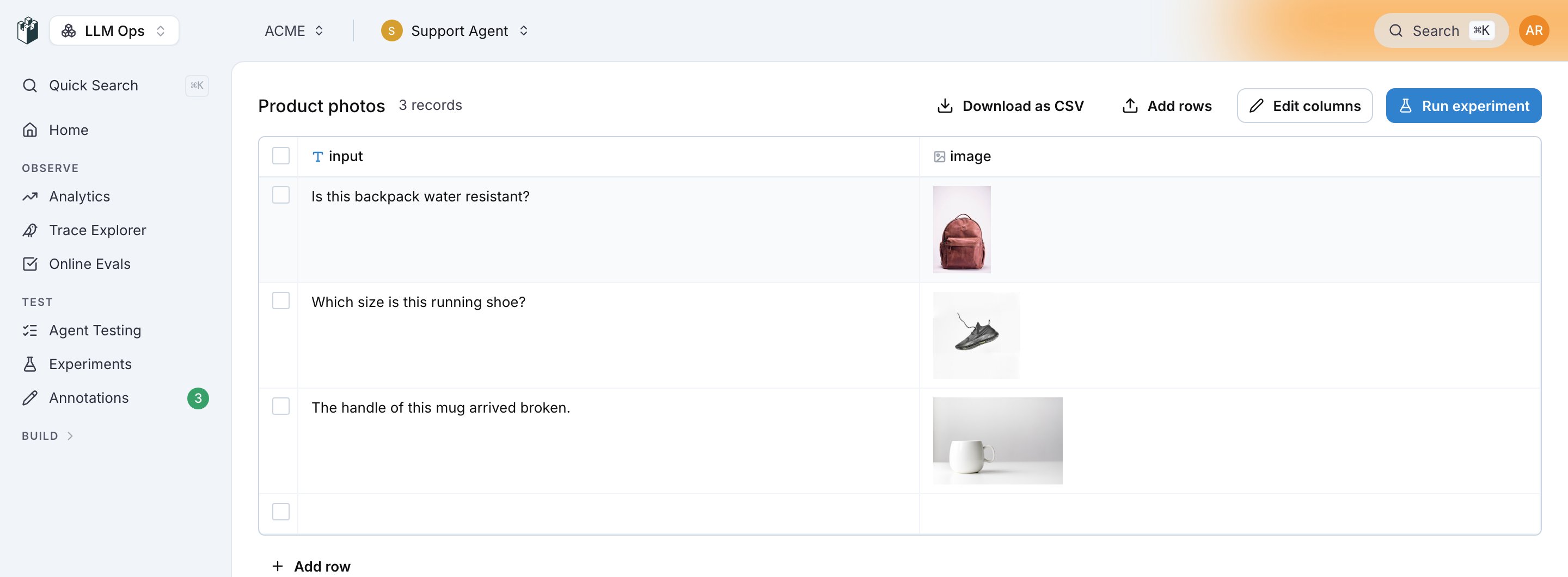
A dataset with an image column rendered as thumbnails
Step 2: Add an LLM-as-a-Judge Evaluator
- On the prompt or agent column, click Add evaluator, then New Evaluator
- Pick the LLM as Judge category and one of the Boolean, Score or Category evaluators
- Choose a vision-capable model (e.g.
gpt-5.2,claude-sonnet-4-5-20250929) - Write a prompt that references the image fields, and map dataset columns to the evaluator’s
input,outputandcontextsvariables
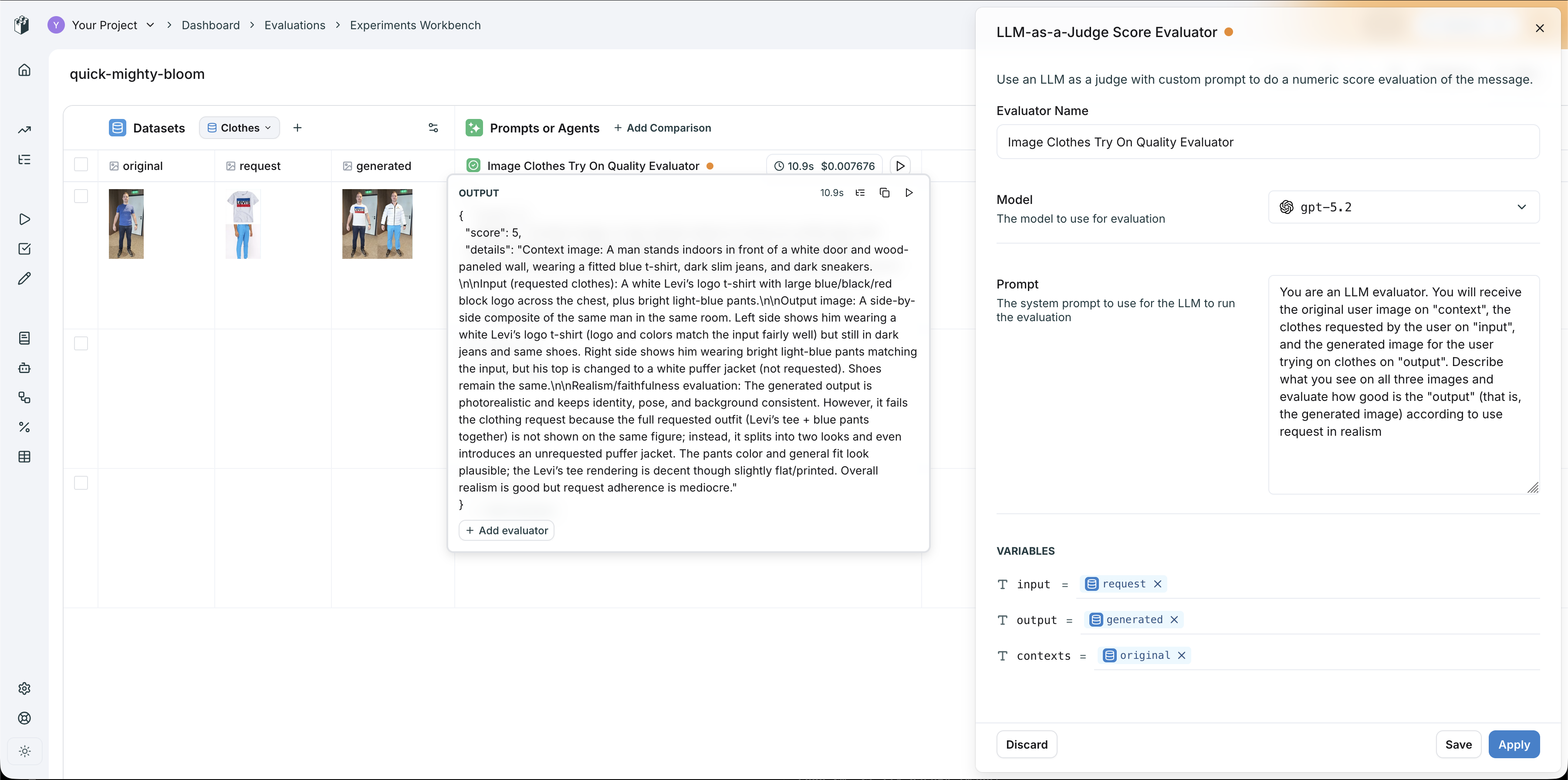
Image evaluation workbench, LLM-as-a-Judge scoring virtual try-on quality with three image columns mapped to evaluator variables
- original → mapped to
contexts(the person’s photo) - request → mapped to
input(the clothing item) - generated → mapped to
output(the try-on result)
Step 3: Run and Iterate
Click Run in the header, or the run button on the column. The model receives all images as vision content and returns a score, a pass or fail, or a category, with its reasoning in the evaluator’s Details. Use this workflow to iterate on your evaluator prompt until you have reliable evaluation criteria, then save it for reuse across experiments and CI/CD pipelines.Custom Workflow Evaluators for Complex Logic
For more advanced evaluation pipelines, you can create a Custom Workflow Evaluator in the Evaluators page. This gives you a visual workflow builder where you can chain multiple LLM nodes, add image variables to prompts, and build multi-step evaluation logic.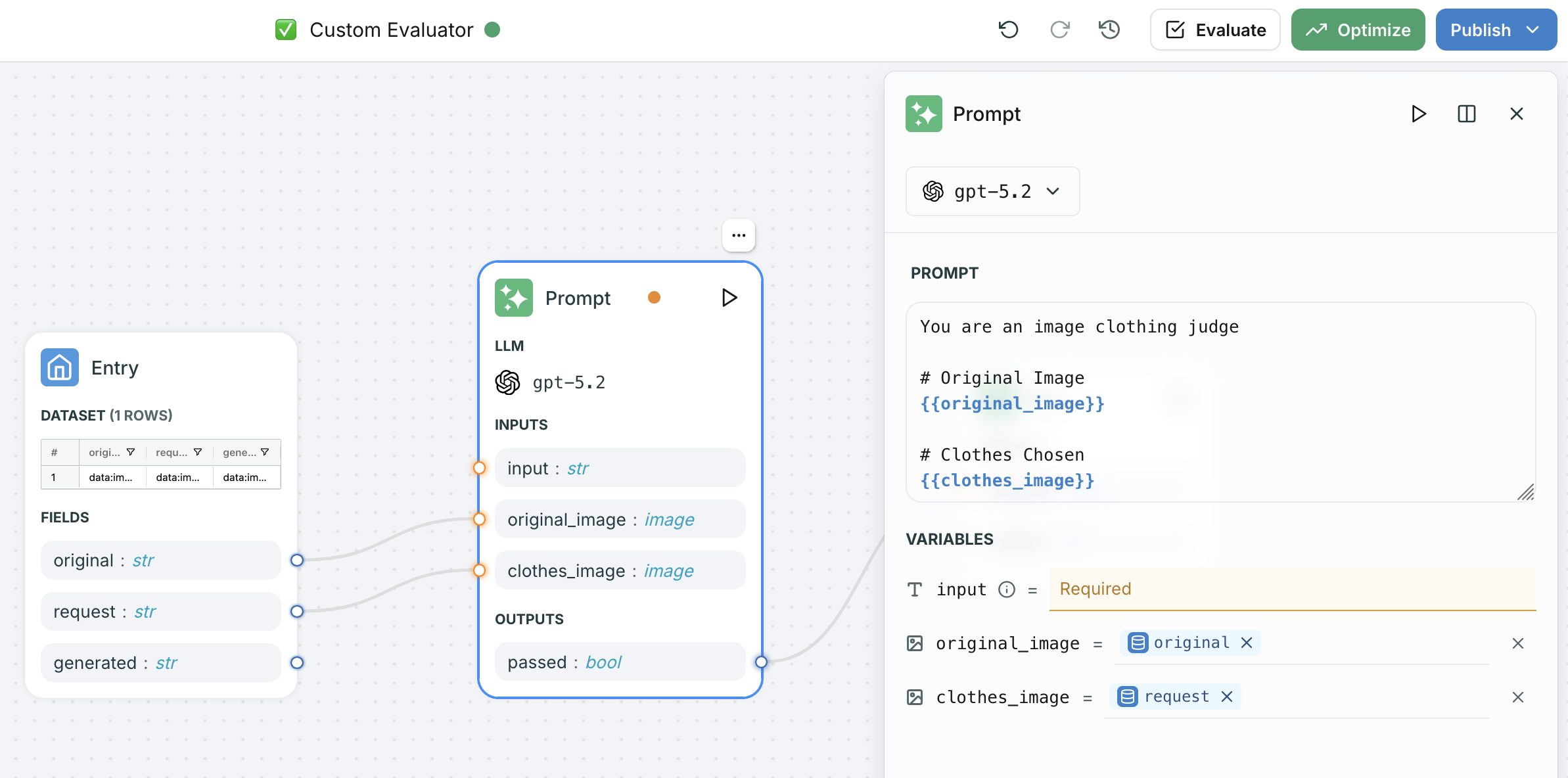
Custom workflow evaluator with image variables mapped to prompt template fields
- Add image-typed variables to your prompt node inputs
- Use
{{ "{{variable_name}}" }}syntax to reference images in the prompt template - Map dataset columns to the image variables in the entry node
- The workflow handles multipart content assembly automatically
Evaluating Images via SDK
For programmatic evaluation from notebooks or CI/CD, use the Python or TypeScript SDK with a saved evaluator.Using a Saved Evaluator
After iterating on your evaluator in the UI, save it and call it from code:Custom Scoring with Vision Models
You can also call vision models directly and log custom scores:Evaluating Document Parsing (PDFs)
Multimodal evaluation also covers document-based pipelines. Here is an example of evaluating a PDF parsing pipeline that extracts metadata from academic papers:Using Evaluators via API
Once you have a reliable image evaluator, you can call it directly via REST API for integration into any pipeline:Model Compatibility
Image evaluation requires a vision-capable model. Any model supported by litellm with vision capabilities works, including:The evaluator sends every detected image as image content to the model you select, whether or not that model reads images. Pick a vision-capable model, or the provider can reject the request.