

Add the credential
Open Settings > Model Providers, click Add Model Provider and select Anthropic. Give the row a name, pick the organization, team or project it belongs to, and fill in:
Save the row. Every virtual key whose scope can see the row can now dispatch to it, unless the key restricts its providers. See Virtual keys.
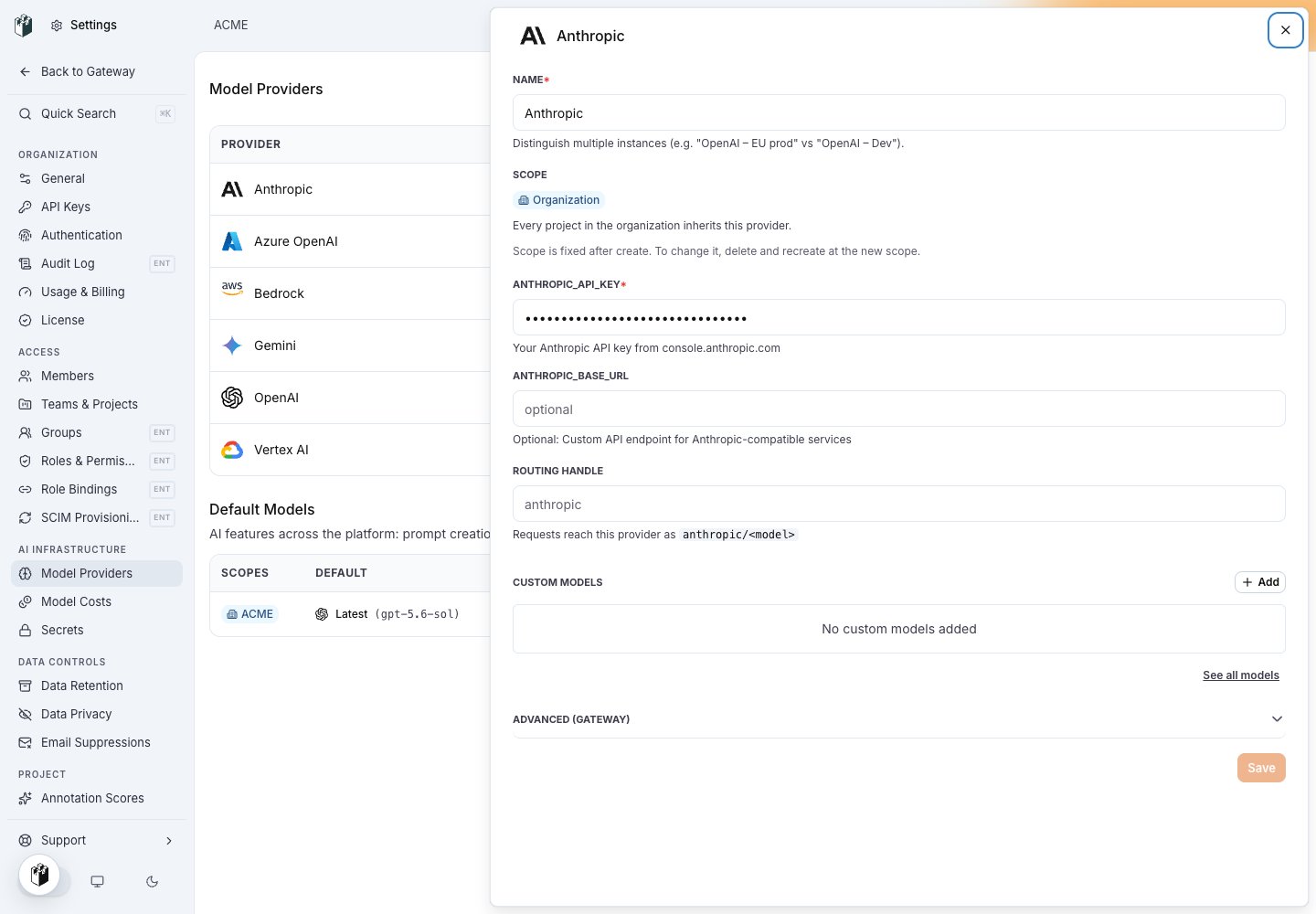
The Anthropic row: name, scope, ANTHROPIC_API_KEY, the optional base URL and the routing handle.
Model names
Writeanthropic/<model>, for example anthropic/claude-sonnet-4-5 or anthropic/claude-haiku-4-5. A bare name that starts with claude- resolves to Anthropic when the key reaches an Anthropic row.
Send a request
The Anthropic SDK sends the virtual key in theX-Api-Key header. Set the base URL to https://gateway.langwatch.ai without /v1; the SDK adds /v1/messages.
/v1/chat/completions with an Anthropic model also works: the gateway translates the request to the Messages API and the answer back to a chat completion.
Endpoints
cache_control blocks pass through unchanged and the cache read and write token counts come back in usage. See Cache control.