

Add the credential
Open Settings > Model Providers, click Add Model Provider and select Bedrock. Give the row a name, pick the organization, team or project it belongs to, and fill in:
Save the row. Every virtual key whose scope can see the row can now dispatch to it, unless the key restricts its providers. See Virtual keys.
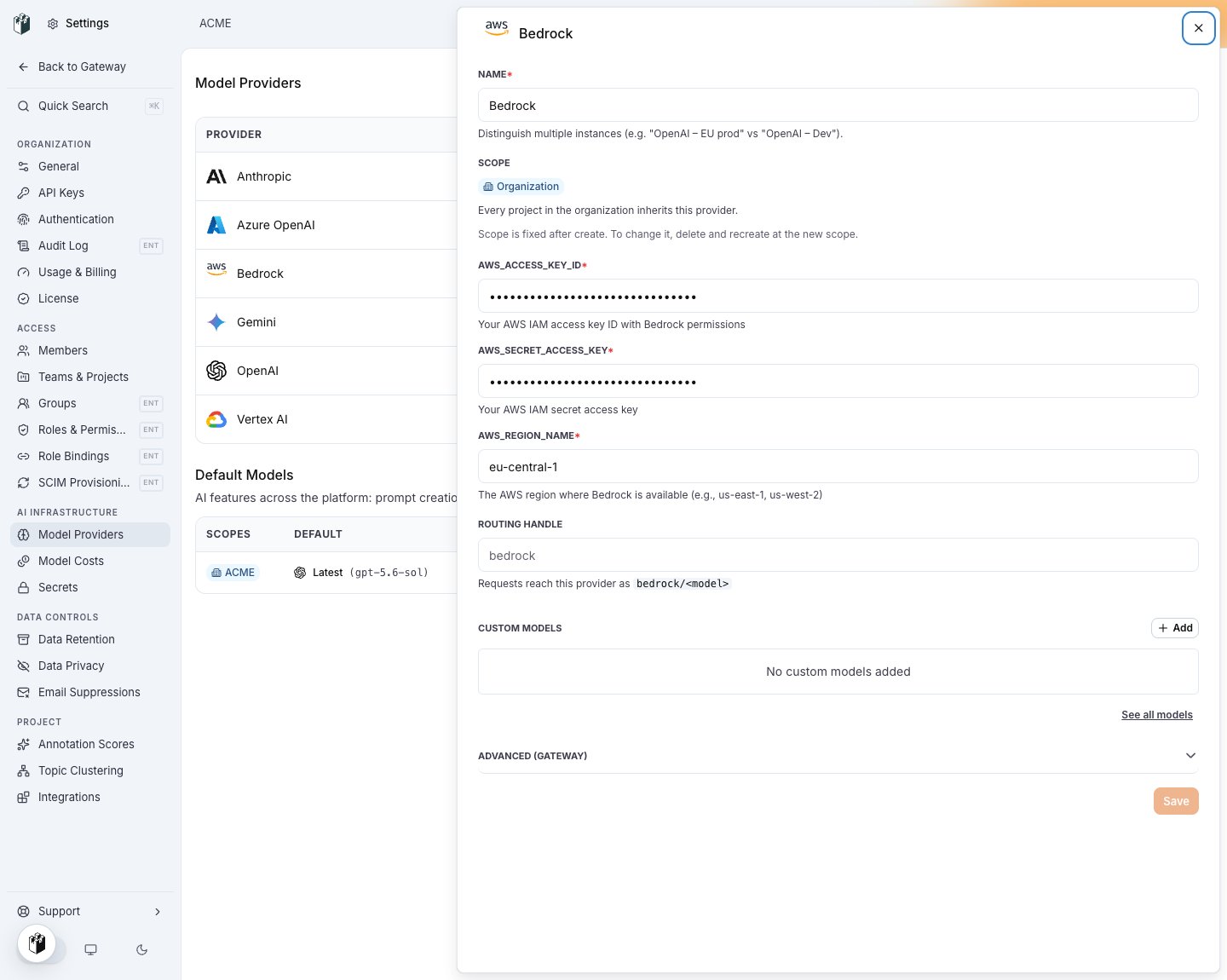
The Bedrock row: access key id, secret access key and region.
Model names
Writebedrock/<inference profile id>, for example bedrock/us.anthropic.claude-haiku-4-5-20251001-v1:0 or bedrock/eu.amazon.nova-lite-v1:0. The region prefix of the profile (us., eu.) must match the region of the credential. A plain model id such as anthropic.claude-haiku-4-5-20251001-v1:0 is refused by Bedrock for on-demand models, and the gateway forwards that 400 provider_error unchanged.
The gateway does not infer Bedrock from a bare name. Add the ids you use under Custom Models on the row.
Map friendly names on the key with model_aliases, for example {"claude-haiku": "bedrock/us.anthropic.claude-haiku-4-5-20251001-v1:0"}. See Model aliases.
Send a request
Endpoints
cache_control blocks on Anthropic models become Converse cachePoint markers, and the cache token counts come back in usage. See Cache control.
Model access is enabled per account and region in the AWS console. A 403 from Bedrock that says the account has no access to the model means that opt-in is missing.