Documentation Index

Fetch the complete documentation index at: https://langwatch.ai/docs/llms.txt

Use this file to discover all available pages before exploring further.

This walkthrough takes you from zero to a traced, budget-gated LLM response.
You’ll need a LangWatch account, an organisation admin or project admin role, and at least one model provider (OpenAI, Anthropic, Azure OpenAI, Bedrock, Vertex, or Gemini) configured at Settings → Model Providers. If you haven’t set one up yet, start there — the AI Gateway reuses those credentials.

Python / TypeScript SDK

Drop-in for the OpenAI / Anthropic SDKs — swap base_url and api_key.

Use it from your coding assistant

Wire Claude Code, Codex, OpenCode, Cursor, or Aider through the gateway.

Core concepts

Virtual keys, budgets, provider bindings, cache rules, fallback chains.

API reference

OpenAI-compatible /v1/chat/completions + Anthropic-shape /v1/messages.

1. Create a virtual key

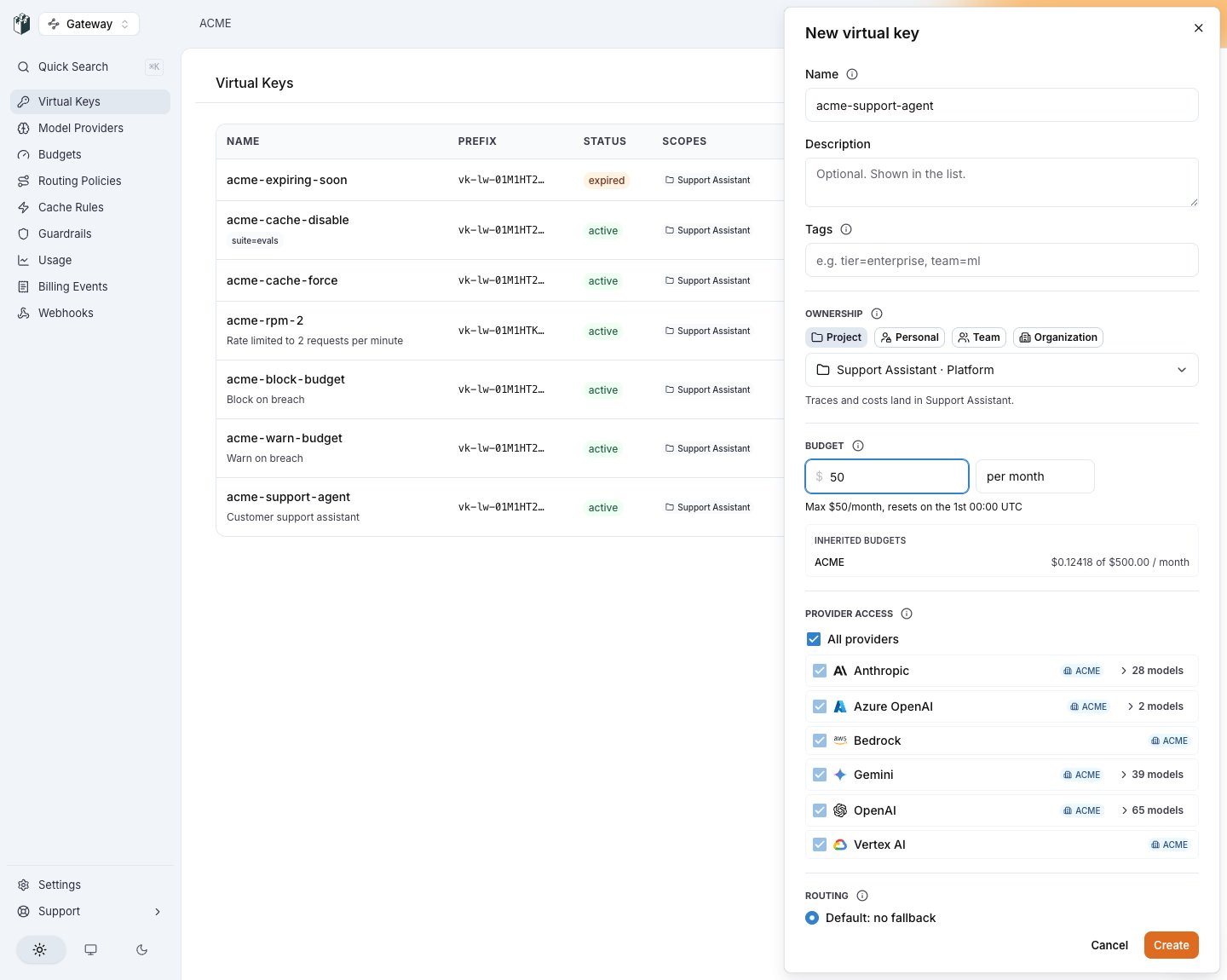
  1. Open AI Gateway → Virtual Keys in the LangWatch app.
  2. Click New virtual key.
  3. Name it — e.g. my-first-vk.
  4. Select which provider credentials it may use. The first one becomes the primary; later ones become the fallback chain.
  5. (Optional) Attach a budget, pick a cache mode, attach guardrails.
  6. Click Create.
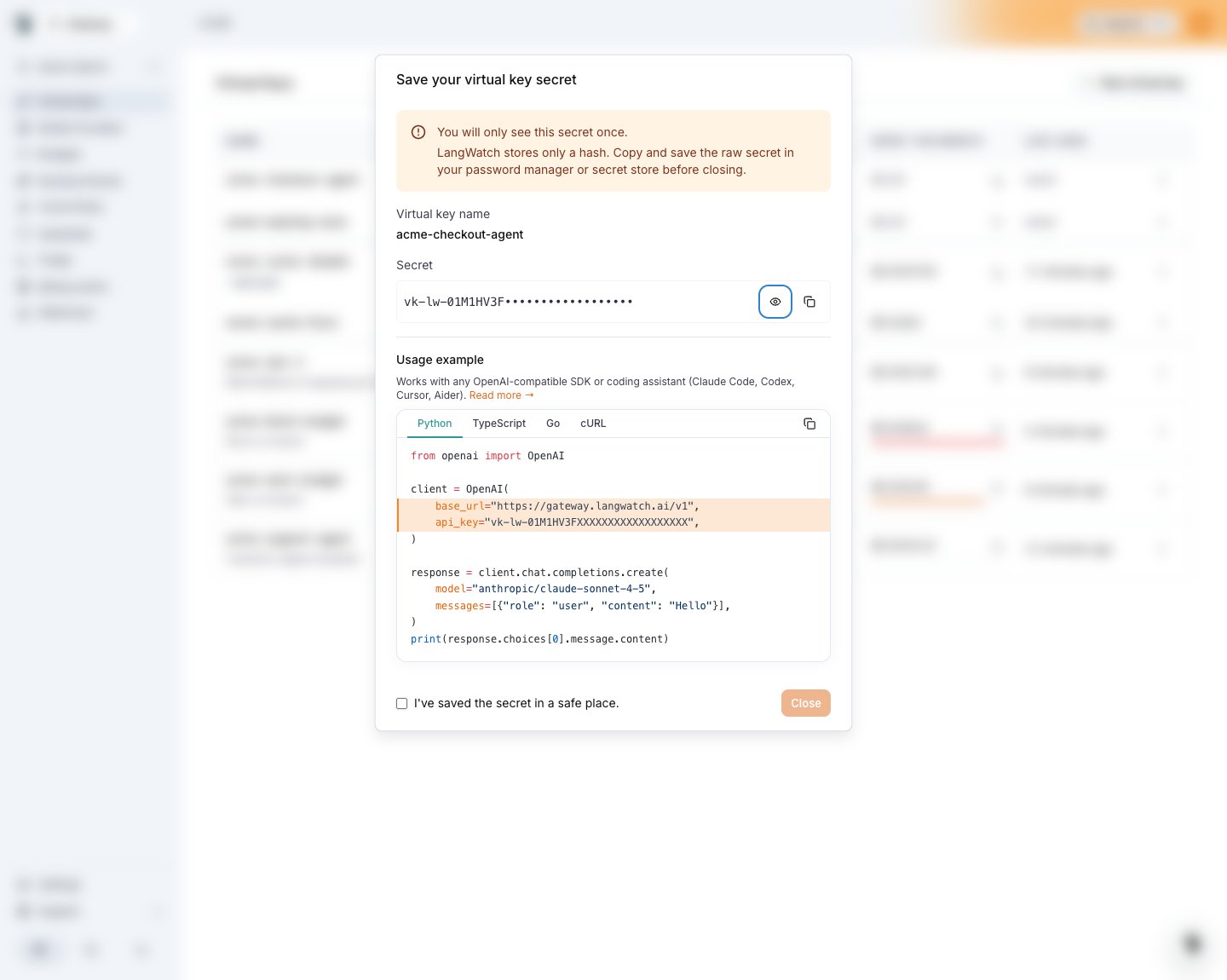
The full secret (lw_vk_live_01HZX9K3M…) is displayed exactly once. Copy it now and store it in a secret manager. After you dismiss the dialog, LangWatch can never show it again — only the prefix lw_vk_live_01HZX9 remains visible in the list.

2. Call the gateway (OpenAI-compatible)

Using curl:
curl https://gateway.langwatch.ai/v1/chat/completions \
  -H "Authorization: Bearer $LW_VK" \
  -H "Content-Type: application/json" \
  -d '{
        "model": "gpt-5-mini",
        "messages": [{"role": "user", "content": "Say hi in one word"}]
      }'
The response is OpenAI-shaped. Response headers tell you what happened inside the gateway:
X-LangWatch-Request-Id: grq_01HZX9K3M…
X-LangWatch-Provider: openai
X-LangWatch-Model: gpt-5-mini
X-LangWatch-Cache: miss
X-LangWatch-Fallback-Count: 0

Using the OpenAI SDKs

Python:
from openai import OpenAI

client = OpenAI(
    base_url="https://gateway.langwatch.ai/v1",
    api_key="lw_vk_live_...",
)

resp = client.chat.completions.create(
    model="gpt-5-mini",
    messages=[{"role": "user", "content": "Hi"}],
)
print(resp.choices[0].message.content)
TypeScript:
import OpenAI from "openai";

const openai = new OpenAI({
  baseURL: "https://gateway.langwatch.ai/v1",
  apiKey: process.env.LW_VK,
});

const resp = await openai.chat.completions.create({
  model: "gpt-5-mini",
  messages: [{ role: "user", content: "Hi" }],
});

Anthropic-compatible (Claude SDK, Claude Code)

curl https://gateway.langwatch.ai/v1/messages \
  -H "x-api-key: $LW_VK" \
  -H "anthropic-version: 2023-06-01" \
  -H "Content-Type: application/json" \
  -d '{
        "model": "claude-haiku-4-5-20251001",
        "max_tokens": 64,
        "messages": [{"role": "user", "content": "Hi"}]
      }'

3. See the trace in LangWatch

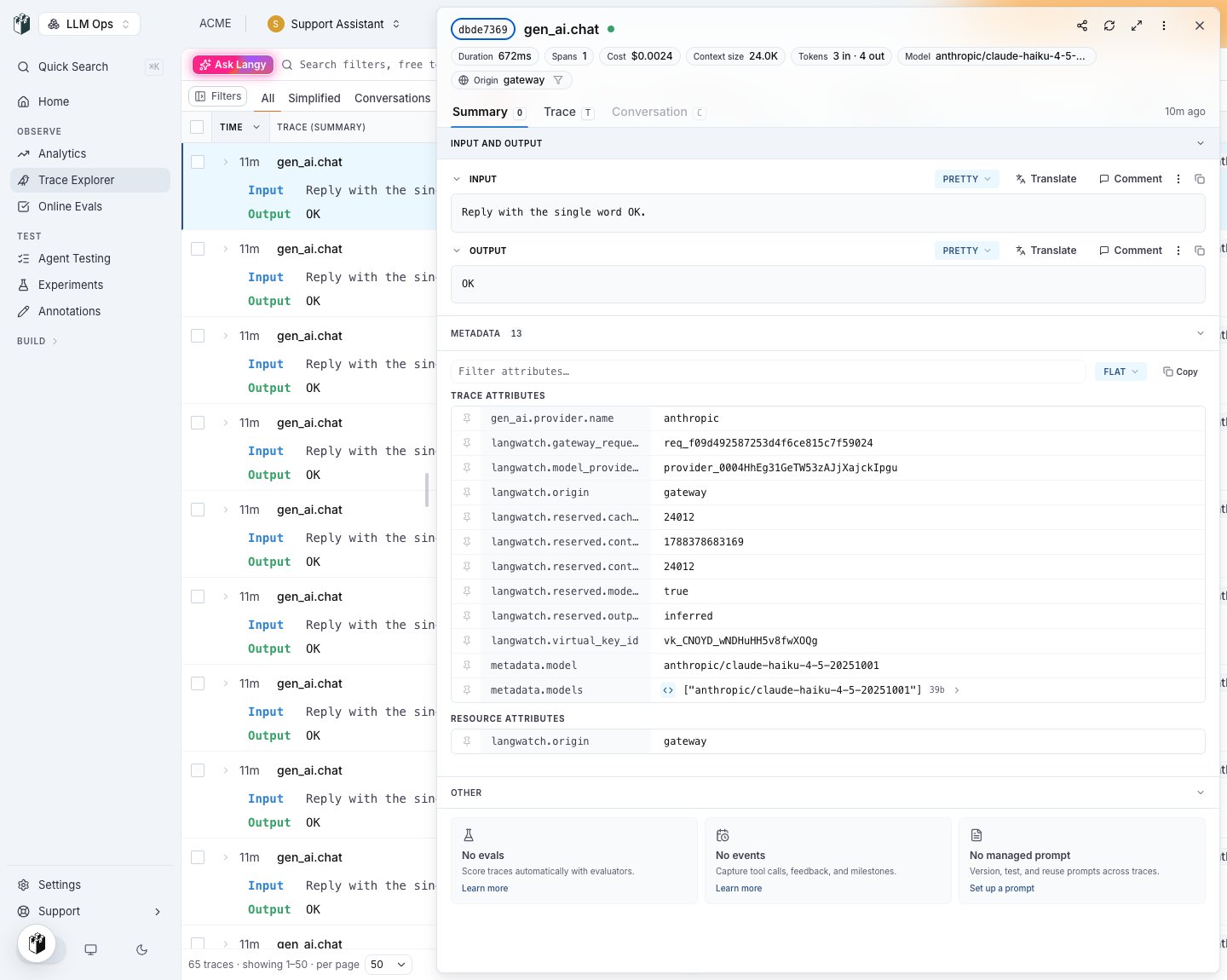
Within ~30 seconds the request appears in the project the virtual key belongs to:
  • Messages view shows the prompt, response, tokens, cost, provider, cache outcome, and the full trace.
  • Analytics aggregates across all VKs in the project.
  • Evaluations can run on the traffic passing through the gateway.
Every gateway trace carries these attributes:
AttributeMeaning
langwatch.vk_idVirtual key id.
langwatch.project_idOwning project.
langwatch.team_idOwning team.
langwatch.org_idOwning organisation.
langwatch.principal_idUser or service account that made the call.
gen_ai.usage.cache_read.input_tokens / gen_ai.usage.cache_creation.input_tokensCache economics (OTel GenAI semconv; zero when cache bypassed).
langwatch.fallback.attempt0 on primary success, N for fallback attempts.

4. Add a budget

Budgets live one level up from the key — they govern spend across whatever scope you attach them to.
  1. Open AI Gateway → Budgets.
  2. Click New budget.
  3. Pick scope = project, target = the project your VK is in.
  4. Set window = month, limit = $100, on_breach = block.
  5. Save.
Once spend reaches the limit, the next request through any VK in that project returns 402 budget_exceeded. Flip on_breach to warn if you’d rather have a X-LangWatch-Budget-Warning header instead of a hard cut-off. See Budgets for full scoping details.

Next steps

  • Concepts — how VKs, budgets, guardrails, and fallback fit together.
  • Fallback chains — survive provider outages with no code change.
  • Caching passthrough — the load-bearing rule for keeping your 90% Anthropic cache discount.
  • CLI Integrations — ship the gateway to every developer’s Claude Code / Codex / Cursor.