

What a rate limit is
A rate limit is a cap on how many requests a virtual key may send: requests per minute (RPM) and requests per day (RPD). Rate limits protect a provider account from a flood and give a key a known ceiling. They do not cap spend; use Budgets for that.Set a rate limit
Open the key under AI Gateway > Virtual Keys, click Edit, and fill in Rate limits:rpm and rpd. Leave a field empty for no limit on that dimension.
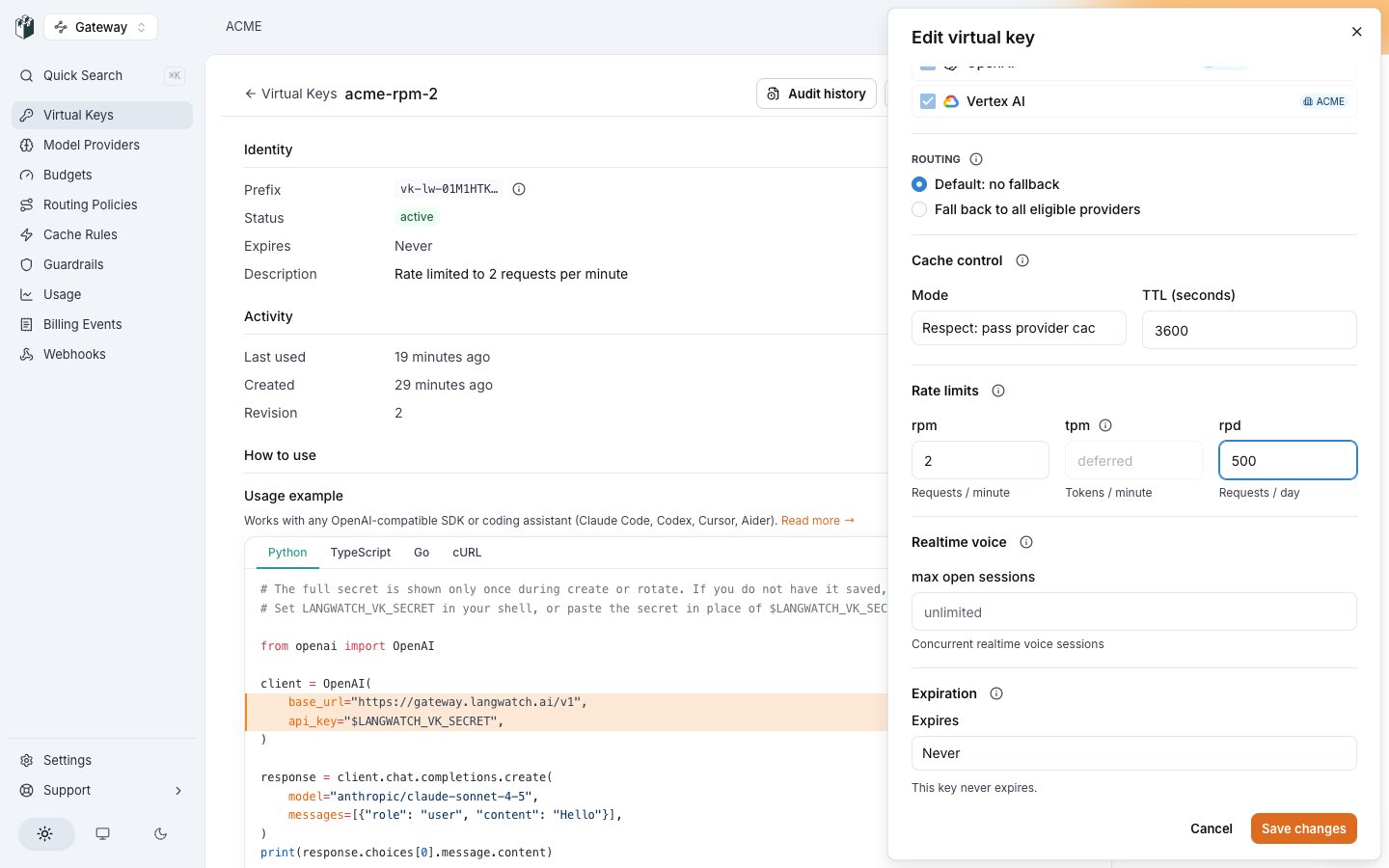
The Rate limits section of the Edit virtual key drawer: rpm set to 2 and rpd set to 500.
config.rateLimits on the key:
How the gateway enforces it
Each dimension is a token bucket per key: the RPM bucket refills atrpm / 60 requests per second up to rpm, the RPD bucket at rpd / 86400 per second up to rpd. A request must fit in both.
The buckets live in memory on each gateway replica. With N replicas behind a load balancer, a key can send up to N times its configured limit across the cluster.
A rejected request gets HTTP 429 with the code rate_limited:
X-LangWatch-Handled-Error: rate_limited. It carries no Retry-After header and does not say whether the minute or the day limit fired.
A 429 that comes from the provider is forwarded as the provider sent it, with the provider’s Retry-After header and X-LangWatch-Provider naming the provider.