

Add the credential
Open Settings > Model Providers, click Add Model Provider and select Azure OpenAI. Give the row a name, pick the organization, team or project it belongs to, and fill in:
Save the row. Every virtual key whose scope can see the row can now dispatch to it, unless the key restricts its providers. See Virtual keys.
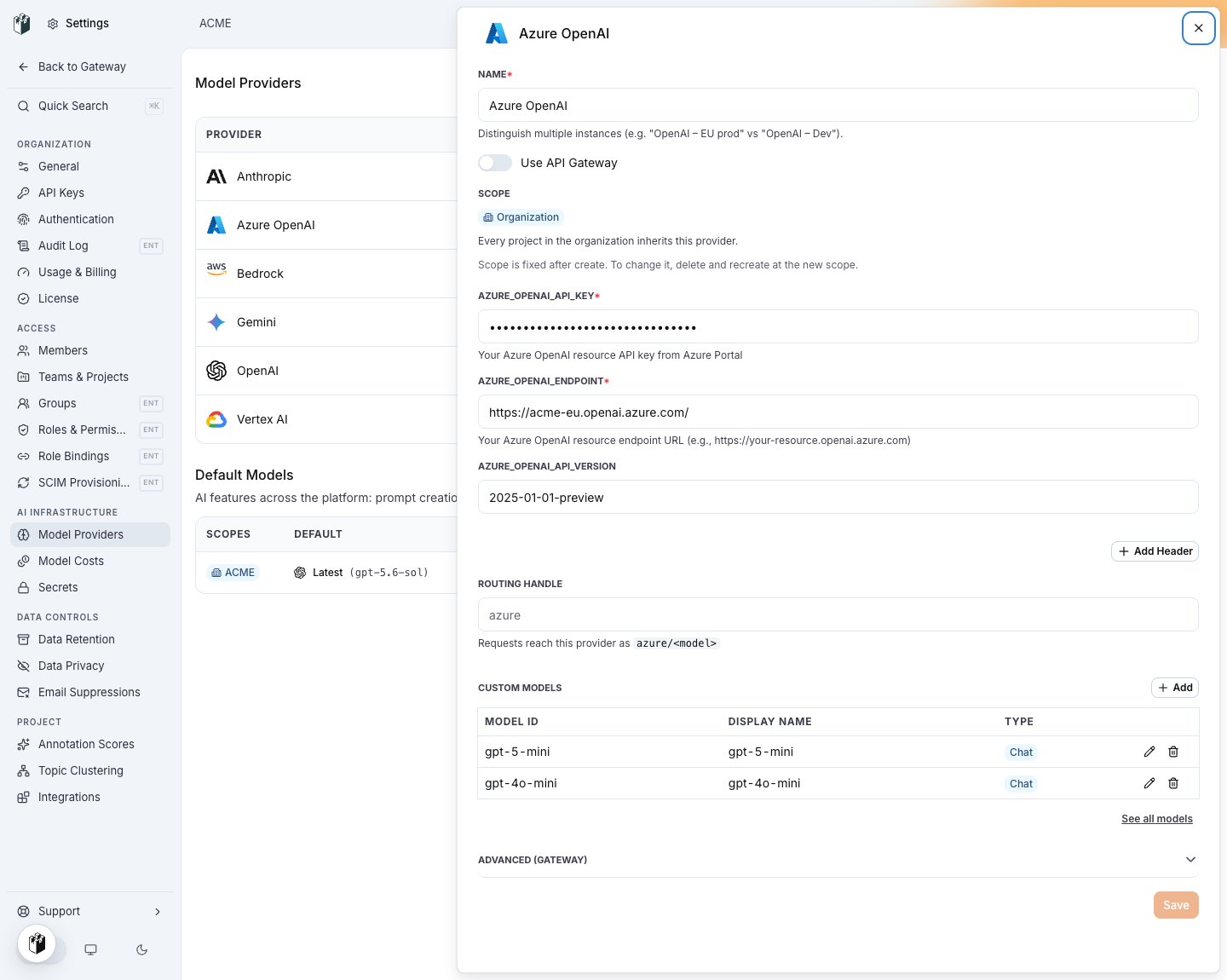
An Azure OpenAI row with the API version set and two deployment names under Custom Models.
AZURE_API_GATEWAY_BASE_URL and an optional AZURE_API_GATEWAY_VERSION (default 2024-05-01-preview) instead of the endpoint.
Deployments and model names
Azure serves models through deployments that you name yourself. The gateway uses the model id as the deployment name:azure/gpt-6-luna calls the deployment named gpt-6-luna on the resource.
Add each deployment name under Custom Models on the row. A request for a model that is not on the row’s list is rejected before it reaches Azure with 400 provider_config_invalid and the message This model provider is not configured to serve "gpt-6-luna".
To keep application code on generic names when your deployment names differ, map them on the key with model_aliases, for example {"gpt-6-luna": "azure/acme-mini-eu"}. See Model aliases.
Send a request
<endpoint>/openai/deployments/<deployment>/chat/completions?api-version=<version> with the key in the api-key header.
Endpoints
More than one resource
Create one row per Azure resource and give each a Routing handle, for exampleeu and us. eu/gpt-6-luna pins the request to that resource. A routing policy sets the order a key tries them in. See Routing policies.