

What you need
- Your agent connected to LangWatch, so the suite runs against your real code and the judge reads your traces.
- A test suite of five to ten scenarios that pass today. Take the situations from real conversations, and put the long ones in.
- Langy, or a coding agent with the
langwatchCLI installed andLANGWATCH_API_KEYset, so it can read the runs.
Step 1: Measure the baseline
Run the suite once against your agent as it is today and keep that run as the baseline: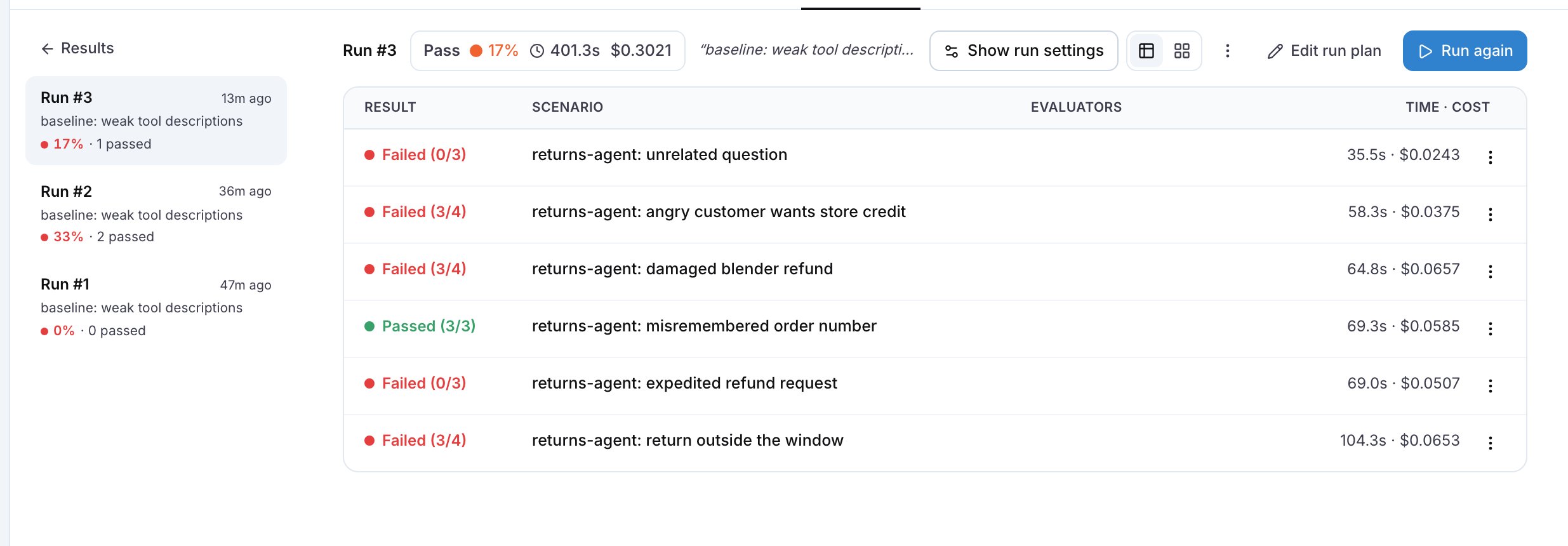
The run detail, with Time · cost per scenario. The rows with the highest values are where the turns are.
Step 2: Get a hypothesis for improving the agent
Paste this into Langy or into your coding agent:- The tool rejects the input and the agent retries with different wording, because the tool description does not say which values it accepts. The fix is in the tool contract: see Fix tool calls.
- The agent asks the user for something a tool already returns, because the description does not say what the tool returns.
- The agent calls tools one per turn when the model could call them in parallel, or the prompt tells it to check one thing at a time.
- The agent narrates before it acts, spending a turn on “Let me check that for you”.
- The iteration cap is high, so after a failed call the agent keeps trying instead of escalating or asking.
Step 3: Compare
Run the suite again with the changed agent next to the one you deployed, so both sides appear in one run over the same scenarios:--repeat 3.
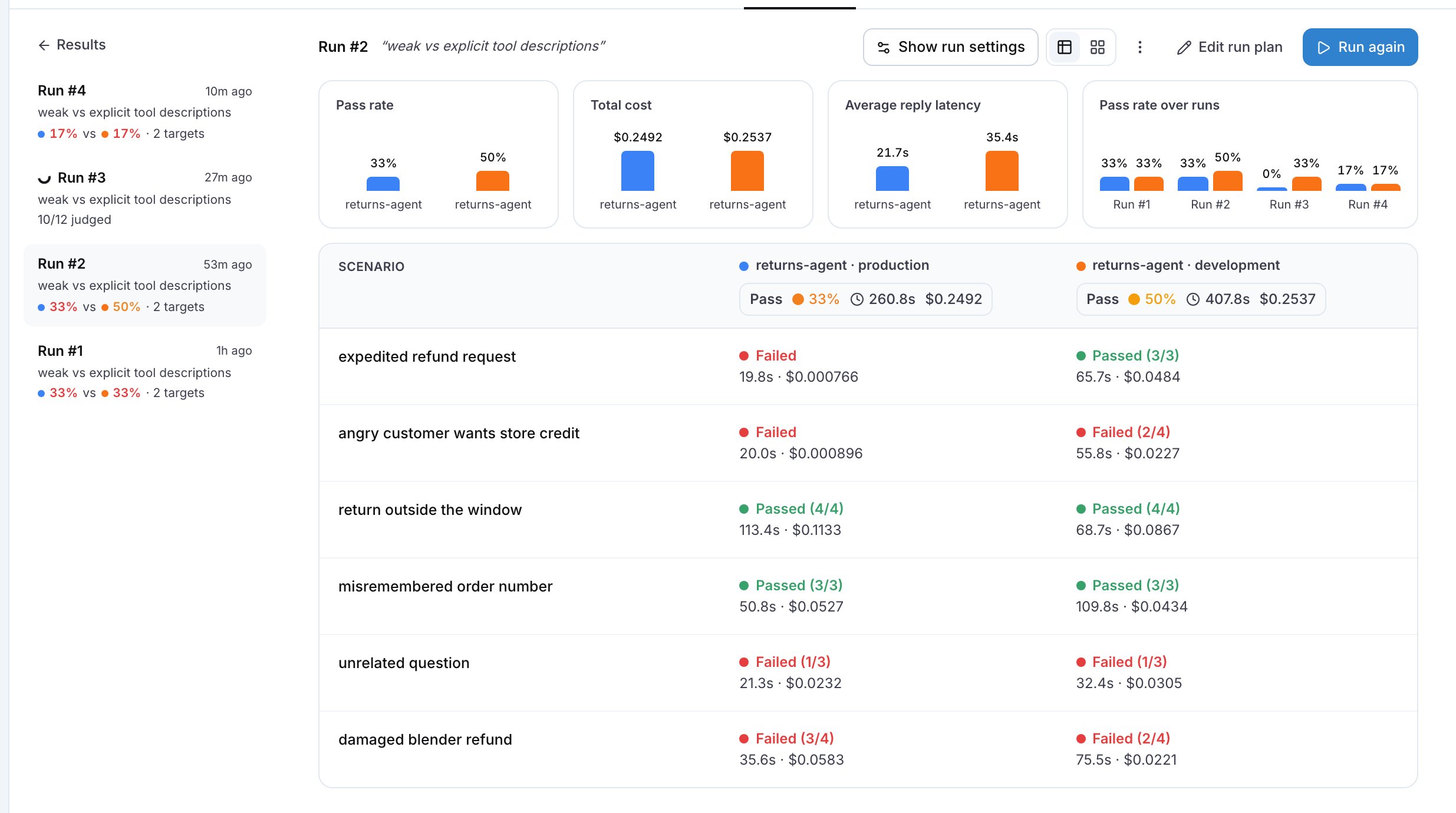
A comparison run: one column per target, and the charts above the table.
The agent completes the return within four replies. The judge counts the replies in the conversation and fails the scenario when your agent takes more.
Step 4: Keep it in CI
Run the suite on every pull request that touches the agent, so a later change cannot bring the turns back:Common failures
- The pass rate dropped. Revert the change and hand the judge’s reasoning of the failed criterion to Langy or your coding agent: the reasoning quotes the turn where your agent stopped doing something it did before, such as confirming the refund method before it created the return.
- The turns did not move. The cause is in a tool rather than in the prompt: the agent keeps retrying because the tool still rejects the input, so fix the tool contract first.
- The judge reports
no agent spans arrivedand marks a criterion about the agent’s behaviour inconclusive. The judge waits thirty seconds for the trace after the conversation ends, and under load the trace arrives later than that, so the judge reads an empty trace. Rerun the scenario. If the trace shows[REDACTED]for the tool names and contents instead, the data privacy policy of the project hides them from the judge as well: see Linking your traces. - The latency dropped and the cost did not. Your agent takes fewer turns but with longer prompts. Read the token count on the trace and shorten the context: see Reduce cost and latency.