

Add the credential
Open Settings > Model Providers, click Add Model Provider and select Cerebras. Give the row a name, pick the organization, team or project it belongs to, and fill in:
Save the row. Every virtual key whose scope can see the row can now dispatch to it, unless the key restricts its providers. See Virtual keys.
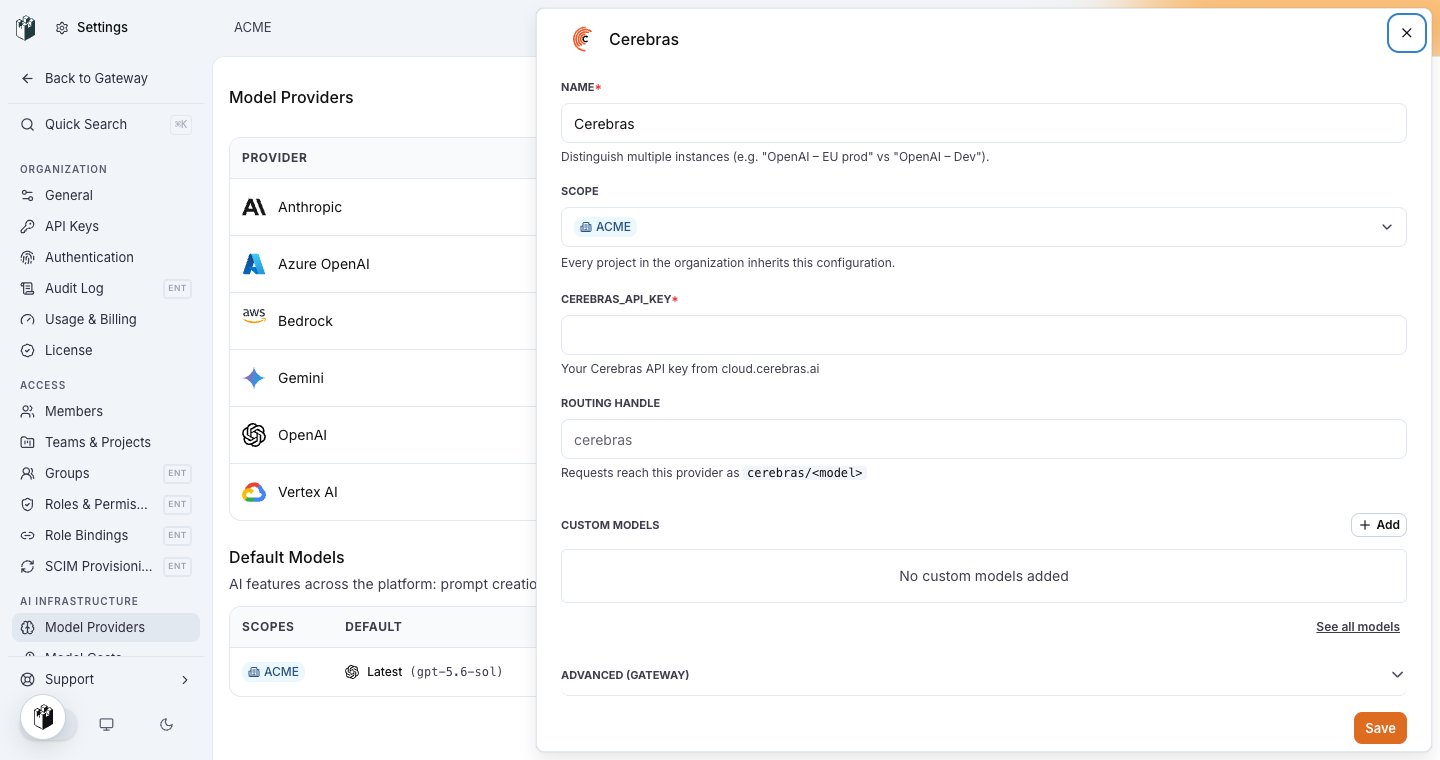
The Cerebras row: name, scope, CEREBRAS_API_KEY and the routing handle cerebras.
Model names
Writecerebras/<model>, for example cerebras/llama-3.3-70b. The gateway does not infer Cerebras from a bare name.